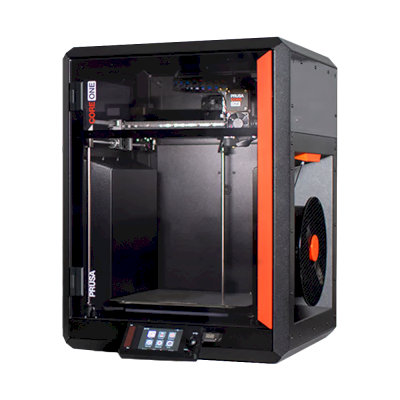
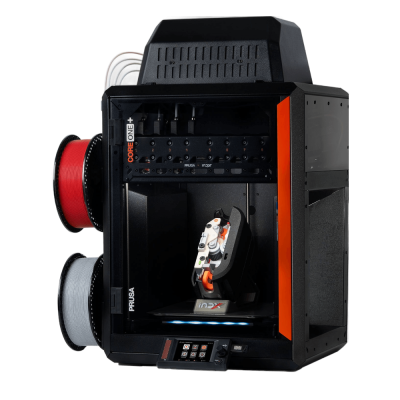
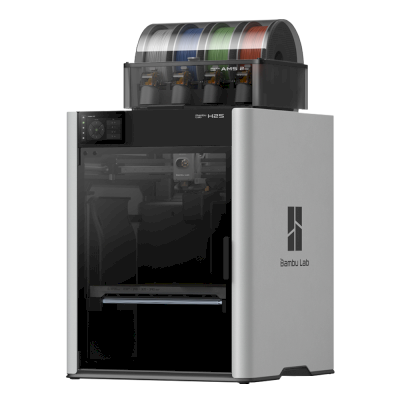
नया संस्करण उपलब्ध है।Prusa CORE One L+, Prusa CORE One L की जगह आता है।
13 अगस्त 2026 को लॉन्च हुआ
Prusa CORE One L को SimplyPrint से कनेक्ट करें
क्या Prusa CORE One L 3D प्रिंटर SimplyPrint, OctoPrint, Mainsail और Fluidd के साथ काम करता है?
इसे कनेक्ट करने का हर तरीका, उसकी आवश्यकताएँ और उसे सेट अप करने का तरीका।
SimplyPrint क्लाइंट
संगत
आपको क्या चाहिए: उसी नेटवर्क पर हमेशा चालू रहने वाला कंप्यूटर या Raspberry Pi, जो SimplyPrint Client चला रहा हो
OctoPrint के माध्यम से कनेक्ट होने पर, SimplyPrint Prusa CORE One L पर उपलब्ध अधिकांश सुविधाओं को सपोर्ट करता है: कैमरा और AI विफलता पहचान, रिमोट प्रिंटिंग, तापमान और गति नियंत्रण और AutoPrint। OctoPrint के माध्यम से उपलब्ध नहीं: multi-material unit से लोड किया गया filament सिंक करें। 3 सुविधाएँ इस बात पर निर्भर करती हैं कि इन्हें कैसे सेट किया गया है: तालिका बताती है कि प्रत्येक को क्या चाहिए। नीचे की तालिका इसे SimplyPrint से जोड़ने के सभी 3 तरीकों की तुलना करती है।
हर SimplyPrint सुविधा, इसे SimplyPrint से कनेक्ट करने के हर तरीके के लिए
के माध्यम से SimplyPrint से कनेक्टेड
SimplyPrint सुविधा
SimplyPrint क्लाइंट
संगत
OctoPrint
संगत
Prusa डायरेक्ट firmware
संगत
निगरानी
लाइव स्थिति और प्रगति
हां
हां
हां
वेबकैम
हां1
हां1
प्रिंटर में उपलब्ध नहीं2
AI फेलियर डिटेक्शन
हां1
हां1
प्रिंटर में उपलब्ध नहीं2
बचा हुआ समय
हां
हां
हां
लेयर प्रगति
प्रिंटर में उपलब्ध नहीं2
हां
हां
तापमान
हां
हां
हां
प्रिंटिंग
प्रिंट शुरू करना
हां
हां
हां
रोकें, फिर शुरू करें और रद्द करें
हां
हां
हां
ऑब्जेक्ट्स छोड़ें
प्रिंटर में उपलब्ध नहीं2
निर्भर करता है3
हां
फ़ाइलें
बाइनरी G-code (.bgcode) प्रिंट करें
हां
निर्भर करता है4
निर्भर करता है5
प्रिंटर कंट्रोल
तापमान बदलें
प्रिंटर में उपलब्ध नहीं2
हां
हां
कंट्रोल से चलाना
प्रिंटर में उपलब्ध नहीं2
हां
हां
होमिंग
प्रिंटर में उपलब्ध नहीं2
हां
हां
Extrude और retract करें
प्रिंटर में उपलब्ध नहीं2
हां
हां
प्रिंट स्पीड बदलें
प्रिंटर में उपलब्ध नहीं2
हां
हां
फैन की गति
प्रिंटर में उपलब्ध नहीं2
हां
हां
बेबी स्टेपिंग
प्रिंटर में उपलब्ध नहीं2
हां
हां
G-code भेजें
प्रिंटर में उपलब्ध नहीं2
हां
हां
कैलिब्रेशन
filament बदलें
प्रिंटर में उपलब्ध नहीं2
हां
हां
बेड लेवलिंग
प्रिंटर में उपलब्ध नहीं2
हां
हां
Z-ऑफ़सेट कैलिब्रेशन
प्रिंटर में उपलब्ध नहीं2
हां
नहीं
Multi-material
multi-material unit से लोड किया गया filament सिंक करें
नहीं
नहीं
हां6
स्वचालन
AutoPrint
प्रो
हां
हां
हां
प्रिंट शुरू होने से पहले file डाउनलोड करें
प्रिंटर में उपलब्ध नहीं2
निर्भर करता है7
हां
SimplyPrint क्लाइंट के माध्यम से SimplyPrint से कनेक्टेड
संगत
निगरानी
लाइव स्थिति और प्रगतिहां
वेबकैमहां1
AI फेलियर डिटेक्शनहां1
बचा हुआ समयहां
लेयर प्रगतिप्रिंटर में उपलब्ध नहीं2
तापमानहां
प्रिंटिंग
प्रिंट शुरू करनाहां
रोकें, फिर शुरू करें और रद्द करेंहां
ऑब्जेक्ट्स छोड़ेंप्रिंटर में उपलब्ध नहीं2
फ़ाइलें
बाइनरी G-code (.bgcode) प्रिंट करेंहां
प्रिंटर कंट्रोल
तापमान बदलेंप्रिंटर में उपलब्ध नहीं2
कंट्रोल से चलानाप्रिंटर में उपलब्ध नहीं2
होमिंगप्रिंटर में उपलब्ध नहीं2
Extrude और retract करेंप्रिंटर में उपलब्ध नहीं2
प्रिंट स्पीड बदलेंप्रिंटर में उपलब्ध नहीं2
फैन की गतिप्रिंटर में उपलब्ध नहीं2
बेबी स्टेपिंगप्रिंटर में उपलब्ध नहीं2
G-code भेजेंप्रिंटर में उपलब्ध नहीं2
कैलिब्रेशन
filament बदलेंप्रिंटर में उपलब्ध नहीं2
बेड लेवलिंगप्रिंटर में उपलब्ध नहीं2
Z-ऑफ़सेट कैलिब्रेशनप्रिंटर में उपलब्ध नहीं2
Multi-material
multi-material unit से लोड किया गया filament सिंक करेंनहीं
स्वचालन
AutoPrint प्रोहां
प्रिंट शुरू होने से पहले file डाउनलोड करेंप्रिंटर में उपलब्ध नहीं2
OctoPrint के माध्यम से SimplyPrint से कनेक्टेड
संगत
निगरानी
लाइव स्थिति और प्रगतिहां
वेबकैमहां1
AI फेलियर डिटेक्शनहां1
बचा हुआ समयहां
लेयर प्रगतिहां
तापमानहां
प्रिंटिंग
प्रिंट शुरू करनाहां
रोकें, फिर शुरू करें और रद्द करेंहां
ऑब्जेक्ट्स छोड़ेंनिर्भर करता है3
फ़ाइलें
बाइनरी G-code (.bgcode) प्रिंट करेंनिर्भर करता है4
प्रिंटर कंट्रोल
तापमान बदलेंहां
कंट्रोल से चलानाहां
होमिंगहां
Extrude और retract करेंहां
प्रिंट स्पीड बदलेंहां
फैन की गतिहां
बेबी स्टेपिंगहां
G-code भेजेंहां
कैलिब्रेशन
filament बदलेंहां
बेड लेवलिंगहां
Z-ऑफ़सेट कैलिब्रेशनहां
Multi-material
multi-material unit से लोड किया गया filament सिंक करेंनहीं
स्वचालन
AutoPrint प्रोहां
प्रिंट शुरू होने से पहले file डाउनलोड करेंनिर्भर करता है7
Prusa डायरेक्ट firmware के माध्यम से SimplyPrint से कनेक्टेड
संगत
निगरानी
लाइव स्थिति और प्रगतिहां
वेबकैमप्रिंटर में उपलब्ध नहीं2
AI फेलियर डिटेक्शनप्रिंटर में उपलब्ध नहीं2
बचा हुआ समयहां
लेयर प्रगतिहां
तापमानहां
प्रिंटिंग
प्रिंट शुरू करनाहां
रोकें, फिर शुरू करें और रद्द करेंहां
ऑब्जेक्ट्स छोड़ेंहां
फ़ाइलें
बाइनरी G-code (.bgcode) प्रिंट करेंनिर्भर करता है5
प्रिंटर कंट्रोल
तापमान बदलेंहां
कंट्रोल से चलानाहां
होमिंगहां
Extrude और retract करेंहां
प्रिंट स्पीड बदलेंहां
फैन की गतिहां
बेबी स्टेपिंगहां
G-code भेजेंहां
कैलिब्रेशन
filament बदलेंहां
बेड लेवलिंगहां
Z-ऑफ़सेट कैलिब्रेशननहीं
Multi-material
multi-material unit से लोड किया गया filament सिंक करेंहां6
स्वचालन
AutoPrint प्रोहां
प्रिंट शुरू होने से पहले file डाउनलोड करेंहां
काम करता है
निर्भर करता है
समर्थित नहीं
प्रिंटर में उपलब्ध नहीं
कैमरा चाहिए
प्रिंटर यह सुविधा अन्य सॉफ़्टवेयर को नहीं देता।
OctoPrint प्लगइन Cancel Objects आवश्यक है
OctoPrint प्लगइन BGCode आवश्यक है
firmware संस्करण 5.2.0 या नया आवश्यक है
multi-material unit चाहिए
SimplyPrint प्लगइन का संस्करण 4.2.0 या नया आवश्यक है
SimplyPrint पर Prusa CORE One L के मालिक
SimplyPrint के साथ उपयोग में
Prusa CORE One L के लिए कौन सा slicer इस्तेमाल करें
PrusaSlicer, Prusa का अपना slicer, इस्तेमाल करें: इसमें Prusa CORE One L के लिए तैयार प्रोफ़ाइल है। इसके लिए प्रोफ़ाइल के साथ भी: OrcaSlicer, ElegooSlicer।
हम केवल उन slicer को सूचीबद्ध करते हैं जिन्हें आप SimplyPrint क्लाउड में इस्तेमाल कर सकते हैं, इसलिए Prusa CORE One L के लिए अन्य भी हो सकते हैं।
Prusa CORE One L के लिए cloud-based slicer: PrusaSlicer online इस्तेमाल करें
PrusaSlicer और अन्य slicers इस्तेमाल करें, सीधे अपने ब्राउज़र में SimplyPrint के ऑनलाइन क्लाउड slicer के साथ। इंस्टॉलेशन की जरूरत नहीं। दुनिया में कहीं से भी, किसी भी डिवाइस पर अपने Prusa CORE One L मॉडल slice करें!
स्वचालित profile updates: प्रोफ़ाइलों की हर दिन जाँच होती है और slicer GitHub repositories से, साथ ही हमारे ओपन-सोर्स समुदाय-संचालित slicer प्रोफ़ाइल डेटाबेस से भी अपने-आप ली जाती हैं। इससे आपके पास हमेशा नवीनतम प्रोफ़ाइलों की पहुँच रहती है।
ध्यान दें: अन्य slicer, जैसे Simplify3D, ideaMaker, SuperSlicer और KISSlicer, हमारे cloud में नहीं हैं, इसलिए हम उनकी profiles ट्रैक नहीं करते। वे फिर भी आपके Prusa CORE One L के साथ अच्छी तरह काम कर सकते हैं: profile के लिए slicer के दस्तावेज़ या फ़ोरम देखें। आप हमारी GitHub पर ओपन-सोर्स slicer profile डेटाबेस में profiles भी जोड़ सकते हैं।
Prusa CORE One L के लिए ऐप
अपने Prusa CORE One L के लिए SimplyPrint को ऐप के रूप में इस्तेमाल करें: इसे अपने फ़ोन या किसी भी ब्राउज़र से देखें और चलाएँ, क्लाउड में slice करें, और इसे अपने अन्य प्रिंटरों के साथ रखें। शुरुआत मुफ़्त है। Prusa के अपने ऐप्स Prusa app और Prusa Connect हैं।
यह क्या करता है
SimplyPrint
Prusa app और Prusa Connect
अन्य ब्रांड के प्रिंटर
हां
केवल Prusa Research प्रिंटर
Prusa Research के क्लाउड के बिना काम करता है
हां
केवल Prusa Research के cloud के माध्यम से
SimplyPrint में भी
iPhone और Android के लिए एक ऐप, किसी भी ब्राउज़र में वही अनुभव, और क्लाउड में एक slicer।
सिर्फ मॉनिटरिंग से अधिक: प्रिंट कतार, AI विफलता पहचान, AutoPrint और टीम के लिए खाते।
अभी SimplyPrint में Prusa CORE One L के लिए कोई plate swapper या auto-ejection kit नहीं है, लेकिन AutoPrint इसे प्रिंट कराता रख सकता है। plate खाली होते ही यह आपकी कतार से अगला job शुरू करता है।
बंद प्रिंटर अपने प्रिंट बाहर निकालते हैं
Prusa CORE One L का bed उसके enclosure के अंदर केवल ऊपर-नीचे चलता है, इसलिए plates बदलने के बजाय push-off routine toolhead को ठंडी प्रिंट को plate से धकेलकर उसके सामने के दरवाजे से बाहर निकालने देता है। चलते समय दरवाजा खुला होना चाहिए। कुछ प्रिंटर खुले दरवाजे के साथ प्रिंट नहीं करते, Prusa CORE One में door sensor है, इसलिए पहले अपने प्रिंटर की जांच करें।
इसे स्वचालित करने के तरीके
toolhead से प्रिंट हटाएँCoreXY प्रिंटर पर, अगला काम शुरू होने से पहले G-code रूटीन ठंडे प्रिंट को plate के आगे से धकेल सकता है।
आपका अपना इजेक्शन G-codeप्लेट साफ़ करने वाला रूटीन लिखें, और AutoPrint हर प्रिंट के बाद इसे चलाएगा।
डिस्क्लेमर:
हम इस जानकारी को जितना हो सके उतना नया और सटीक रखने की कोशिश करते हैं, लेकिन इसकी पूर्णता या भरोसेमंदी की गारंटी नहीं दे सकते। हमारा डेटा यूज़र सबमिशन और निर्माता संदर्भों पर आधारित है।
Prusa CORE One L कौन सा filament print कर सकता है?
Prusa CORE One L के लिए filament संगतता: hotend, bed, chamber और enclosure के आधार पर आंकी गई वे सामग्रियाँ जिन्हें यह संभाल सकता है।
फिलामेंट
उपयुक्तता
नोट्स
PLA
बहुत अच्छा
print करने में सबसे आसान filament। लगभग हर printer पर चलता है; heated bed adhesion में मदद करता है लेकिन जरूरी नहीं।
PETG
बहुत अच्छा
आराम से range में (PETG को ~230-250C hotend और ~70-85C bed पसंद है)।
TPU और लचीले filament
बहुत अच्छा
direct-drive extruder flexible filament अच्छी तरह feed करता है। clean results के लिए slow print करें।
ABS & ASA
बहुत अच्छा
enclosure वाला, पर्याप्त गर्म hotend और bed के साथ: ABS और ASA अच्छी तरह प्रिंट होते हैं।
Nylon (PA)
अच्छा
सावधानी से संभव है। filament को अच्छी तरह सुखाएँ, और enclosure से काफ़ी मदद मिलती है।
Polycarbonate (PC)
अच्छा
PC के लिए उपयुक्त। सर्वोत्तम परिणामों के लिए filament सुखाएँ, धीरे प्रिंट करें और enclosure का उपयोग करें।
Carbon-fiber और glass-filled
सावधानी से
संभव है, यदि आप hardened या wear-resistant nozzle लगाएँ, क्योंकि abrasive fibers मूल brass nozzle को जल्दी घिस देते हैं।
सुझाव: यह प्रिंटर के विनिर्देशों पर आधारित सामान्य मार्गदर्शिका है, हमेशा अपने फिलामेंट की सुझाई गई सेटिंग जांचें। SimplyPrint के साथ आप हर स्पूल के लिए प्रोफाइल सहेज सकते हैं और स्टॉक में मौजूद फिलामेंट को ठीक से ट्रैक कर सकते हैं।
Prusa CORE One L के लिए सर्वश्रेष्ठ filament
वे filaments जिन्हें Prusa CORE One L अच्छी तरह प्रिंट करता है, पहले Prusa के अपने, फिर सबसे प्रसिद्ध।
Calls it more than a bigger Core One: lighter aluminum panels, automatic vent louvers, Wi-Fi and a large AC heated bed that held big prints to the edges. Complaints are the thin clear panels, plastic pop rivets and more firmware crashes than expected. Concludes it finally delivers the simple large-format Prusa people wanted.
“I printed large models on the Core One L that easily stayed stuck in place all the way out to the edges, a feat many large printers struggle with.”
Praises the aluminum AC-powered bed with even heat, the perfect first layer, quiet running, camera and offline operation, and calls it a large-format machine that still fits on a desk. The only con is the price, which she finds steep but justified by reliability and plug-and-play use.
“Its premium price is steep, but the machine’s reliability, plug-and-play ease of use, and security features make it easy to recommend.”
Finds it a fast, accurate step up from the Core One, with almost double the print volume for about 10% more footprint, a new AC heated bed and a 60°C heated chamber. Marks it down for the high entry price and for having no multi-filament option at launch.
“It adds just 10% to the footprint, yet almost doubles the print volume, making a real difference to what you can print.”
Aurora Tech · 8 अप्रैल 2026
Prusa sent the unit and VoxelPLA sponsored the video (disclosed). Praises the fastest unboxing-to-print so far, a 5-minute 120°C AC bed that also warms the chamber, and wide material range. Cons: conservative input shaping, satin sheet needs tuning, open filament compartment. Names it his most reliable mid-size CoreXY.
CNC Kitchen · 8 नवम्बर 2025
Filmed after Prusa's launch event, sponsored by PCBWay. Calls it clearly the better CORE One thanks to the bed and quality-of-life fixes, but rants about pressure-advance defaults and nozzle-cleaning errors, and notes a Bambu H2S costs less with more features. Buy it for support and openness.
उसी निर्माता के, समान आकार के, वही engineering materials या इसी तरह के multi-material प्रिंट करने वाले प्रिंटर, जिन्हें आप आज खरीद सकते हैं। उनके specs और कनेक्शन के साथ अधिकतम चार प्रिंटर की साथ-साथ तुलना करें।
Prusa CORE One L कौन बनाता है और Prusa आपको कितनी स्वतंत्रता देता है: क्या इसके प्रिंटर इसके cloud के बिना चलते हैं, कोई भी filament और slicer स्वीकार करते हैं और उनकी मरम्मत की जा सकती है। हर क्षेत्र को सार्वजनिक स्रोतों के आधार पर रेट किया गया है।
खुलापन: खोलें (5 में से 4.9)
खोलें
बंद पारिस्थितिकी तंत्रखोलें
Prusa Research is a Prague company founded in 2012 by Josef Průša, who came from the open-source RepRap project. It designs and builds the Original Prusa and Prusa CORE printers, makes Prusament filament, develops the PrusaSlicer slicer and runs the Printables model site. Printers are built in Prague and at its US site in Delaware, sold assembled or as kits, and used by hobbyists, schools, businesses and print farms.
स्थापना:
2012 ·
मुख्यालय:
Prague, Czech Republic ·
स्वामित्व:
Prusa Research a.s., founded and led by Josef Průša ·
लोग:
More than 1,200 people (company site, 2026) ·
वेबसाइट:www.prusa3d.com
Prusa is the most open of the large brands: GPL firmware, an open slicer, full local control without an account and spare parts for everything. Hardware design files now come under Prusa's own Open Community License, which allows personal and in-house business use but not selling machines.
फर्मवेयर और कस्टम फर्मवेयर ●●●●●
Firmware for current printers is published on GitHub under GPL-3.0 and updated with every release. Official firmware is signed, but Prusa documents how to flash custom firmware by breaking a seal on the board and says this does not void the warranty. Prusa says firmware and printable parts are shared right away and electronics schematics later.
[1][2][3]
स्थानीय नियंत्रण और एकीकरण ●●●●●
PrusaLink, built into the CORE One, MK4S, MK3.9, MK3.5 and XL, handles monitoring, file uploads and print control on the local network without internet or an account, and printing from USB works offline. Prusa publishes PrusaLink's HTTP API as an OpenAPI specification on GitHub, and its help centre covers OctoPrint setup. Prusa Connect is an optional cloud service for remote access.
[4][15]
तृतीय-पक्ष filament, slicer और पार्ट ●●●●●
Printers are open to any filament; PrusaSlicer is GPL-licensed and other slicers work. Instead of a locked RFID system, Prusa created OpenPrintTag, an NFC spool-tag standard that is free for any brand to use and works offline.
[5][6]
मरम्मत और स्पेयर पार्ट्स ●●●●●
The e-shop sells spare parts for each printer, printable parts are published, and the full CORE One CAD files are released. Prusa's open-source page says its goal is printers that stay moddable and easy to repair for decades, and its licence explicitly allows making spare parts for your own machines.
[7][3][5]
डेटा और गोपनीयता ●●●●●
No account is needed for local use through PrusaLink or USB. Prusa Connect needs a Prusa account and stores G-codes and telemetry in the cloud. Prusa Research is an EU company and publishes its privacy policy and a Trust Center.
[4][8]
समुदाय और दस्तावेज़ ●●●●●
Large community around Printables and the forum, a detailed knowledge base, and firmware and slicer developed in public on GitHub with open issue trackers.
[1][4]
फायदे
GPL firmware with a documented, warranty-safe way to flash custom firmware.
Full control on the local network through PrusaLink, with no account needed.
Spare parts for every printer, published printable parts and released CAD files.
Kits available for people who want to build and understand their printer.
Made in Prague, with a second factory in Delaware for US buyers.
OpenPrintTag is an open spool-tag standard any brand can use.
कमियां
Hardware files use Prusa's own OCL licence, which bars selling machines built from them; it is not an OSI open-source licence.
Electronics schematics are published later than firmware and printable parts.
Remote access and cloud storage need Prusa Connect and an account.
सिद्ध अनुभव
जुलाई 2026: Printed Solid, the Delaware company Prusa Research bought in 2022, was renamed Prusa USA. Its Wilmington site builds the MK4S and CORE One+, makes filament and is Prusa's US service centre.
[9]
दिसम्बर 2025: Prusa released the full CAD files of the CORE One under its new Open Community License (OCL). OCL allows modifying, sharing mods and in-house commercial use, and grants patent and repair rights, but bars selling machines built from the files without an agreement, so it is not a standard open-source licence. Prusa said it is also filing patents on its designs.
[5]
अक्टूबर 2025: Prusa launched OpenPrintTag, a published NFC standard for smart filament spools that any brand can use without licence fees, starting with redesigned Prusament spools.
[6]
नवम्बर 2024: Prusa announced the CORE One, its first fully enclosed CoreXY printer with active chamber temperature control.
[10]
मार्च 2023: Josef Průša wrote that open source in 3D printing was under strain from cloners and licence violations. With the MK4, Prusa released firmware sources and models of the plastic parts but held back the electronics plans, planning to publish them later under a new licence.
[11]
15 स्रोतों से शोधित, अंतिम बार 18 अक्टूबर 2026 को जाँचा गया। स्रोत दिखाएं
क्या Prusa CORE One L, SimplyPrint के साथ संगत है?
हाँ। आप Prusa CORE One L को SimplyPrint क्लाइंट, OctoPrint, या Prusa डायरेक्ट firmware के ज़रिए SimplyPrint से कनेक्ट कर सकते हैं, फिर अपने ब्राउज़र या मोबाइल ऐप से प्रिंट स्लाइस कर सकते हैं, उन्हें कतार में डाल सकते हैं, शुरू कर सकते हैं और मॉनिटर कर सकते हैं।
Prusa CORE One L को SimplyPrint से कैसे कनेक्ट करें?
Prusa CORE One L के लिए हमारी चरण-दर-चरण सेटअप गाइड अपनाएँ। इसमें बताया गया है कि इसे SimplyPrint क्लाइंट, OctoPrint, या Prusa डायरेक्ट firmware के ज़रिए कैसे कनेक्ट करें, हर तरीके के लिए क्या चाहिए और कौन सा चुनें।
Prusa CORE One L के लिए कौन-सा slicer उपयोग करना चाहिए?
हम Prusa CORE One L के लिए PrusaSlicer की सलाह देते हैं। आप इसे और 6 अन्य slicer, सीधे SimplyPrint के ऑनलाइन slicer में चला सकते हैं, कोई इंस्टॉल नहीं, किसी भी डिवाइस पर, और Prusa CORE One L के प्रोफाइल अपने आप अपडेट रहते हैं।
क्या Prusa CORE One L के साथ OrcaSlicer उपयोग किया जा सकता है?
हाँ। OrcaSlicer में Prusa CORE One L की प्रोफ़ाइल शामिल है, और आप इसे SimplyPrint के ऑनलाइन slicer में चला सकते हैं, इसलिए कुछ इंस्टॉल करने की ज़रूरत नहीं है।
Prusa CORE One L कौन सा filament print कर सकता है?
इसके स्पेसिफिकेशन (hotend 290C तक, heated bed 120C तक) के आधार पर Prusa CORE One L, PLA, PETG, TPU और लचीले filament, या ABS & ASA को अच्छी तरह संभालता है। ABS, nylon, PC और composites के लिए ऊपर पूरी filament गाइड देखें।
क्या Prusa CORE One L, OctoPrint या Klipper के साथ काम करता है?
Prusa CORE One L, OctoPrint के साथ काम करता है और SimplyPrint इन्हीं से कनेक्ट होता है। इसके साथ आपको cloud access, कतार और camera monitoring मिलती है।
Prusa CORE One L के बेड का आकार और बिल्ड वॉल्यूम क्या है?
Prusa CORE One L का print bed 300 x 300 mm है और यह 330 mm तक ऊंची प्रिंट कर सकता है, यानी लगभग 300 x 300 x 330 mm का build volume। bed के प्रकार, तापमान और अन्य जानकारी के लिए ऊपर पूरी specifications तालिका देखें।
Prusa CORE One L कब जारी हुआ?
Prusa ने CORE One L को 31 अक्टूबर 2025 को लॉन्च किया।
क्या Prusa CORE One L प्रिंट अपने आप निकाल सकता है?
अभी इसके लिए कोई समर्थित kit नहीं है, लेकिन SimplyPrint का AutoPrint toolhead से प्रिंट हटा सकता है, या आपका अपना ejection G-code चला सकता है, और फिर आपकी कतार से अगला job शुरू कर सकता है।
मैं Prusa CORE One L कहाँ से खरीदूँ?
Prusa के अपने स्टोर से, जिसकी अन्य सभी जगह में दुकानें हैं। इस पेज के लिंक उन स्टोर पर जाते हैं। कुछ affiliate लिंक हैं, इसलिए हमें आपको बिना अतिरिक्त लागत के कमीशन मिल सकता है।
Affiliate खुलासा: इस पेज के कुछ link affiliate link हैं। आपके खरीदने पर हमें commission मिल सकता है, इसके लिए आपको कोई अतिरिक्त लागत नहीं देनी होगी। Amazon Associate के रूप में हम योग्य खरीद से कमाते हैं।
 चेक गणराज्य
 SimplyPrint क्लाइंट
  OctoPrint





 BambuStudio
 CrealityPrint
 Cura
Cura Kiri:Moto