ELEGOO Neptune 4 Plus को SimplyPrint से कनेक्ट करें
क्या ELEGOO Neptune 4 Plus 3D प्रिंटर SimplyPrint, OctoPrint, Mainsail और Fluidd के साथ काम करता है?
इसे कनेक्ट करने का हर तरीका, उसकी आवश्यकताएँ और उसे सेट अप करने का तरीका।
Klipper (Moonraker) के माध्यम से कनेक्ट होने पर, SimplyPrint ELEGOO Neptune 4 Plus पर उपलब्ध अधिकांश सुविधाओं को सपोर्ट करता है: कैमरा और AI विफलता पहचान, रिमोट प्रिंटिंग, ऑब्जेक्ट छोड़ना, तापमान और गति नियंत्रण और AutoPrint। अभी Klipper (Moonraker) के जरिए SimplyPrint में उपलब्ध नहीं: प्रिंट शुरू होने से पहले file डाउनलोड करें।
हर SimplyPrint सुविधा, इसे SimplyPrint से कनेक्ट करने के हर तरीके के लिए
के माध्यम से SimplyPrint से कनेक्टेड
SimplyPrint सुविधा
Klipper (Moonraker)
संगत
निगरानी
लाइव स्थिति और प्रगति
हां
वेबकैम
हां1
AI फेलियर डिटेक्शन
हां1
बचा हुआ समय
हां
लेयर प्रगति
हां
तापमान
हां
प्रिंटिंग
प्रिंट शुरू करना
हां
रोकें, फिर शुरू करें और रद्द करें
हां
ऑब्जेक्ट्स छोड़ें
हां
प्रिंटर कंट्रोल
तापमान बदलें
हां
कंट्रोल से चलाना
हां
होमिंग
हां
Extrude और retract करें
हां
प्रिंट स्पीड बदलें
हां
फैन की गति
हां
बेबी स्टेपिंग
हां
G-code भेजें
हां
कैलिब्रेशन
filament बदलें
हां
बेड लेवलिंग
हां
Z-ऑफ़सेट कैलिब्रेशन
हां
स्वचालन
AutoPrint
प्रो
हां
प्रिंट शुरू होने से पहले file डाउनलोड करें
नहीं2
Klipper (Moonraker) के माध्यम से SimplyPrint से कनेक्टेड
संगत
निगरानी
लाइव स्थिति और प्रगतिहां
वेबकैमहां1
AI फेलियर डिटेक्शनहां1
बचा हुआ समयहां
लेयर प्रगतिहां
तापमानहां
प्रिंटिंग
प्रिंट शुरू करनाहां
रोकें, फिर शुरू करें और रद्द करेंहां
ऑब्जेक्ट्स छोड़ेंहां
प्रिंटर कंट्रोल
तापमान बदलेंहां
कंट्रोल से चलानाहां
होमिंगहां
Extrude और retract करेंहां
प्रिंट स्पीड बदलेंहां
फैन की गतिहां
बेबी स्टेपिंगहां
G-code भेजेंहां
कैलिब्रेशन
filament बदलेंहां
बेड लेवलिंगहां
Z-ऑफ़सेट कैलिब्रेशनहां
स्वचालन
AutoPrint प्रोहां
प्रिंट शुरू होने से पहले file डाउनलोड करेंनहीं2
काम करता है
निर्भर करता है
समर्थित नहीं
कैमरा चाहिए
SimplyPrint अभी इस कनेक्शन से इसे सपोर्ट नहीं करता।
SimplyPrint पर ELEGOO Neptune 4 Plus के मालिक
25+ प्रिंटर SimplyPrint का उपयोग करते हैं
ELEGOO Neptune 4 Plus के लिए कौन सा slicer इस्तेमाल करें
ElegooSlicer, ELEGOO का अपना slicer, इस्तेमाल करें: इसमें ELEGOO Neptune 4 Plus के लिए तैयार प्रोफ़ाइल है। इसके लिए प्रोफ़ाइल के साथ भी: OrcaSlicer, BambuStudio, CrealityPrint, Cura।
हम केवल उन slicer को सूचीबद्ध करते हैं जिन्हें आप SimplyPrint क्लाउड में इस्तेमाल कर सकते हैं, इसलिए ELEGOO Neptune 4 Plus के लिए अन्य भी हो सकते हैं।
ELEGOO Neptune 4 Plus के लिए cloud-based slicer: ElegooSlicer online इस्तेमाल करें
ElegooSlicer और अन्य slicers इस्तेमाल करें, सीधे अपने ब्राउज़र में SimplyPrint के ऑनलाइन क्लाउड slicer के साथ। इंस्टॉलेशन की जरूरत नहीं। दुनिया में कहीं से भी, किसी भी डिवाइस पर अपने ELEGOO Neptune 4 Plus मॉडल slice करें!
स्वचालित profile updates: प्रोफ़ाइलों की हर दिन जाँच होती है और slicer GitHub repositories से, साथ ही हमारे ओपन-सोर्स समुदाय-संचालित slicer प्रोफ़ाइल डेटाबेस से भी अपने-आप ली जाती हैं। इससे आपके पास हमेशा नवीनतम प्रोफ़ाइलों की पहुँच रहती है।
ध्यान दें: अन्य slicer, जैसे Simplify3D, ideaMaker, SuperSlicer और KISSlicer, हमारे cloud में नहीं हैं, इसलिए हम उनकी profiles ट्रैक नहीं करते। वे फिर भी आपके ELEGOO Neptune 4 Plus के साथ अच्छी तरह काम कर सकते हैं: profile के लिए slicer के दस्तावेज़ या फ़ोरम देखें। आप हमारी GitHub पर ओपन-सोर्स slicer profile डेटाबेस में profiles भी जोड़ सकते हैं।
ELEGOO Neptune 4 Plus के लिए ऐप
ELEGOO, ELEGOO Neptune 4 Plus के लिए ऐप नहीं बनाता। SimplyPrint इसके ऐप के रूप में काम करता है: आपके फोन और किसी भी ब्राउज़र में, क्लाउड में slicer के साथ।
SimplyPrint के साथ आपको क्या मिलता है
iPhone और Android के लिए एक ऐप, किसी भी ब्राउज़र में वही अनुभव, और क्लाउड में एक slicer।
सिर्फ मॉनिटरिंग से अधिक: प्रिंट कतार, AI विफलता पहचान, AutoPrint और टीम के लिए खाते।
अभी SimplyPrint में ELEGOO Neptune 4 Plus के लिए कोई plate swapper या auto-ejection kit नहीं है, लेकिन AutoPrint इसे प्रिंट कराता रख सकता है। plate खाली होते ही यह आपकी कतार से अगला job शुरू करता है।
Bed slinger को ऑटोमेट करना सबसे आसान है
ELEGOO Neptune 4 Plus का bed आगे-पीछे चलता है, इसलिए इसकी plate प्रिंटर के सामने निकलती है। ऐसे plate swapper तैयार plate हटाकर नई plate लगाते हैं। kit के बिना, G-code routine toolhead से ठंडी प्रिंट को धकेलकर हटा सकता है।
डिस्क्लेमर:
हम इस जानकारी को जितना हो सके उतना नया और सटीक रखने की कोशिश करते हैं, लेकिन इसकी पूर्णता या भरोसेमंदी की गारंटी नहीं दे सकते। हमारा डेटा यूज़र सबमिशन और निर्माता संदर्भों पर आधारित है।
ELEGOO Neptune 4 Plus कौन सा filament print कर सकता है?
ELEGOO Neptune 4 Plus के लिए filament संगतता: hotend, bed, chamber और enclosure के आधार पर आंकी गई वे सामग्रियाँ जिन्हें यह संभाल सकता है।
फिलामेंट
उपयुक्तता
नोट्स
PLA
बहुत अच्छा
print करने में सबसे आसान filament। लगभग हर printer पर चलता है; heated bed adhesion में मदद करता है लेकिन जरूरी नहीं।
PETG
बहुत अच्छा
आराम से range में (PETG को ~230-250C hotend और ~70-85C bed पसंद है)।
TPU और लचीले filament
बहुत अच्छा
direct-drive extruder flexible filament अच्छी तरह feed करता है। clean results के लिए slow print करें।
ABS & ASA
सावधानी से
बेड पर्याप्त गर्म है, लेकिन enclosure के बिना ABS और ASA मुड़ जाते हैं। साफ़ प्रिंट के लिए enclosure की दृढ़ अनुशंसा है।
Nylon (PA)
सावधानी से
सावधानी से संभव है, enclosure और बहुत सूखा filament जरूरी हैं।
Polycarbonate (PC)
सावधानी से
सीमांत स्थिति में, वार्पिंग से बचने के लिए PC को बंद, गर्म chamber चाहिए।
Carbon-fiber और glass-filled
सावधानी से
संभव है, यदि आप hardened या wear-resistant nozzle लगाएँ, क्योंकि abrasive fibers मूल brass nozzle को जल्दी घिस देते हैं।
सुझाव: यह प्रिंटर के विनिर्देशों पर आधारित सामान्य मार्गदर्शिका है, हमेशा अपने फिलामेंट की सुझाई गई सेटिंग जांचें। SimplyPrint के साथ आप हर स्पूल के लिए प्रोफाइल सहेज सकते हैं और स्टॉक में मौजूद फिलामेंट को ठीक से ट्रैक कर सकते हैं।
ELEGOO Neptune 4 Plus के लिए सर्वश्रेष्ठ filament
वे filaments जिन्हें ELEGOO Neptune 4 Plus अच्छी तरह प्रिंट करता है, पहले ELEGOO के अपने, फिर सबसे प्रसिद्ध।
Tests the 320x320x385 mm Klipper bed-slinger: praises the 400 W PSU, integrated Wi-Fi, Klipper tools and a 16:25 Speed Benchy with slight banding. Cons: semi-automated bed leveling lags behind rivals, no custom nozzle size yet. Editor's Choice.
“The Elegoo Neptune 4 Plus takes the previous generation Neptune 3 Plus and brings it to the next level with high speed capabilities, integrated Wi-Fi, and exciting Klipper features.”
Uncle Jessy · 20 नवम्बर 2023
Calls it his favorite Neptune and possibly the best affordable cosplay printer at 350 dollars. Flags that the custom 0.4 nozzle is only sold by Elegoo, and a clog and extruder failure on his unit (the printer stopped the job; Elegoo is replacing the extruder). Sponsored by Elegoo (disclosed).
ELEGOO Neptune सीरीज़
सीरीज़ के 12 ELEGOO प्रिंटरों में से 8, जो लॉन्च समय के अनुसार इसके सबसे निकट हैं, पुराने से नए क्रम में।
ELEGOO Neptune 4 Plus की समान प्रिंटरों से तुलना करें
उसी निर्माता के, समान आकार के, वही engineering materials या इसी तरह के multi-material प्रिंट करने वाले प्रिंटर, जिन्हें आप आज खरीद सकते हैं। उनके specs और कनेक्शन के साथ अधिकतम चार प्रिंटर की साथ-साथ तुलना करें।
ELEGOO Neptune 4 Plus कौन बनाता है और ELEGOO आपको कितनी स्वतंत्रता देता है: क्या इसके प्रिंटर इसके cloud के बिना चलते हैं, कोई भी filament और slicer स्वीकार करते हैं और उनकी मरम्मत की जा सकती है। हर क्षेत्र को सार्वजनिक स्रोतों के आधार पर रेट किया गया है।
खुलापन: अधिकतर खुला (5 में से 3.8)
अधिकतर खुला
बंद पारिस्थितिकी तंत्रखोलें
ELEGOO is a Shenzhen company founded in 2015 that makes FDM and resin 3D printers, filament, laser engravers and STEM electronics kits. Its FDM range is the Centauri Carbon, an enclosed CoreXY printer, and the Neptune 4 series of open-frame Klipper printers, sold to hobbyists at budget to mid-range prices. DJI became a shareholder in 2025.
स्थापना:
2015 ·
मुख्यालय:
Shenzhen, China ·
स्वामित्व:
Privately held through its parent, Shenzhen Zhinengpai (SmartPie) Technology; DJI became a shareholder in 2025 ·
वेबसाइट:www.elegoo.com
ELEGOO is fairly open in daily use: its printers work over the LAN with open slicers and any filament, and it now publishes firmware source. Source releases have followed community pressure rather than launch, and spare parts for the newest printers are thin in its store.
फर्मवेयर और कस्टम फर्मवेयर ●●●●●
The Neptune 4 series runs Klipper. For the Centauri Carbon, which went on sale in February 2025, ELEGOO published its modified source on GitHub under GPL-3.0 in September 2025, saying it did so in response to user feedback.
[1][2][3][4]
स्थानीय नियंत्रण और एकीकरण ●●●●●
ELEGOO's printers connect to its slicer on the local network by IP without an account. The Neptune 4 series serves Klipper's web interface and Moonraker, which OrcaSlicer reaches as an Octo/Klipper host. For the Centauri Carbon and Centauri Carbon 2, ELEGOO published Elegoo Link on GitHub in January 2026, an Apache-2.0 SDK for local discovery, status, file upload and print control. The Matrix phone app adds remote printing while the printer is online.
[5][4][16][6][17]
तृतीय-पक्ष filament, slicer और पार्ट ●●●●●
Third-party filament works; ElegooSlicer is an open-source OrcaSlicer-based slicer, OrcaSlicer works with the Neptune 4, and ELEGOO published the data format of its RFID filament tags so others can use it.
[7][8][4]
मरम्मत और स्पेयर पार्ट्स ●●●●●
ELEGOO sells hotend, extruder and nozzle kits and some boards for the Neptune 4, and its wiki has many replacement guides, including the Centauri Carbon motherboard. The store's Centauri Carbon parts list is short (hotend kit, touchscreen, upper shell).
[9][10][11]
डेटा और गोपनीयता ●●●●●
LAN printing needs no account; the Matrix app and cloud do. The privacy policy names the companies responsible for personal data in each region (Shenzhen, Hong Kong, United States) but is written mainly for the online store.
[12][5]
समुदाय और दस्तावेज़ ●●●●●
Active community and a wiki with guides per model; firmware and slicer sources are on GitHub, although the Centauri Carbon source came after users asked for it.
[11][7][1]
फायदे
Works on the local network with ElegooSlicer or OrcaSlicer, with no account needed.
Open-source slicer and a published RFID tag format for filament.
Many step-by-step replacement guides in its wiki.
Offered owners compensation when the Centauri Carbon multi-colour add-on was delayed.
कमियां
Centauri Carbon firmware source came about seven months after sales began, after users asked.
The Centauri Carbon's multi-colour add-on only became available in April 2026, after ELEGOO said in November 2025 it could not give a date.
Few complete Centauri Carbon parts are listed in its store.
The privacy policy is written mainly for the online store.
सिद्ध अनुभव
मई 2026: ELEGOO's parent closed a B+ financing round of over 500 million yuan (about $73 million) from investors including Meituan, Hillhouse Capital and Shenzhen Capital Group. It reported 2025 revenue of 2.3 billion yuan.
[13]
27 अप्रैल 2026: CANVAS, the multi-colour system for the Centauri Carbon, became available, five months after ELEGOO said it could not give a release date.
[14]
18 नवम्बर 2025: DJI and Hangzhou Jiangyu Technology became shareholders of ELEGOO's parent company, according to a business registration update reported by TechNode. The size of the stake was not disclosed.
[15]
नवम्बर 2025: ELEGOO said the multi-colour system it was developing for the Centauri Carbon did not yet perform as it wanted and that it could not guarantee a release date. It offered owners a choice of a $50 filament coupon, a 365-day warranty extension or $80 off a Centauri Carbon 2 Combo.
[14]
26 सितम्बर 2025: In response to user feedback, ELEGOO published the modified source code of the Centauri series firmware on GitHub under GPL-3.0.
[1][2]
फ़रवरी 2025: ELEGOO opened pre-orders for the Centauri Carbon, its first enclosed CoreXY printer, on 17 February 2025.
[3]
17 स्रोतों से शोधित, अंतिम बार 18 अक्टूबर 2026 को जाँचा गया। स्रोत दिखाएं
क्या ELEGOO Neptune 4 Plus, SimplyPrint के साथ संगत है?
हाँ। आप ELEGOO Neptune 4 Plus को Klipper (Moonraker) के ज़रिए SimplyPrint से कनेक्ट कर सकते हैं, फिर अपने ब्राउज़र या मोबाइल ऐप से प्रिंट स्लाइस कर सकते हैं, उन्हें कतार में डाल सकते हैं, शुरू कर सकते हैं और मॉनिटर कर सकते हैं।
ELEGOO Neptune 4 Plus को SimplyPrint से कैसे कनेक्ट करें?
ELEGOO Neptune 4 Plus के लिए हमारी चरण-दर-चरण सेटअप गाइड अपनाएँ। इसमें बताया गया है कि इसे Klipper (Moonraker) के ज़रिए कैसे कनेक्ट करें, हर तरीके के लिए क्या चाहिए और कौन सा चुनें।
ELEGOO Neptune 4 Plus के लिए कौन-सा slicer उपयोग करना चाहिए?
हम ELEGOO Neptune 4 Plus के लिए ElegooSlicer की सलाह देते हैं। आप इसे और 6 अन्य slicer, सीधे SimplyPrint के ऑनलाइन slicer में चला सकते हैं, कोई इंस्टॉल नहीं, किसी भी डिवाइस पर, और ELEGOO Neptune 4 Plus के प्रोफाइल अपने आप अपडेट रहते हैं।
क्या ELEGOO Neptune 4 Plus के साथ OrcaSlicer उपयोग किया जा सकता है?
हाँ। OrcaSlicer में ELEGOO Neptune 4 Plus की प्रोफ़ाइल शामिल है, और आप इसे SimplyPrint के ऑनलाइन slicer में चला सकते हैं, इसलिए कुछ इंस्टॉल करने की ज़रूरत नहीं है।
ELEGOO Neptune 4 Plus कौन सा filament print कर सकता है?
इसके स्पेसिफिकेशन (hotend 300C तक, heated bed 100C तक) के आधार पर ELEGOO Neptune 4 Plus, PLA, PETG, या TPU और लचीले filament को अच्छी तरह संभालता है। ABS, nylon, PC और composites के लिए ऊपर पूरी filament गाइड देखें।
क्या ELEGOO Neptune 4 Plus, OctoPrint या Klipper के साथ काम करता है?
ELEGOO Neptune 4 Plus, Klipper (Mainsail and Fluidd) के साथ काम करता है और SimplyPrint इन्हीं से कनेक्ट होता है। इसके साथ आपको cloud access, कतार और camera monitoring मिलती है।
ELEGOO Neptune 4 Plus के बेड का आकार और बिल्ड वॉल्यूम क्या है?
ELEGOO Neptune 4 Plus का print bed 320 x 320 mm है और यह 385 mm तक ऊंची प्रिंट कर सकता है, यानी लगभग 320 x 320 x 385 mm का build volume। bed के प्रकार, तापमान और अन्य जानकारी के लिए ऊपर पूरी specifications तालिका देखें।
ELEGOO Neptune 4 Plus कब जारी हुआ?
ELEGOO ने Neptune 4 Plus को 23 सितम्बर 2023 को लॉन्च किया।
क्या ELEGOO Neptune 4 Plus प्रिंट अपने आप निकाल सकता है?
अभी इसके लिए कोई समर्थित kit नहीं है, लेकिन SimplyPrint का AutoPrint toolhead से प्रिंट हटा सकता है, या आपका अपना ejection G-code चला सकता है, और फिर आपकी कतार से अगला job शुरू कर सकता है।
मैं ELEGOO Neptune 4 Plus कहाँ से खरीदूँ?
ELEGOO के अपने स्टोर से, जिसकी ऑस्ट्रेलिया, कनाडा, यूरोपीय संघ, यूनाइटेड किंगडम, संयुक्त राज्य अमेरिका और अन्य सभी जगह में दुकानें हैं। इस पेज के लिंक उन स्टोर पर जाते हैं। कुछ affiliate लिंक हैं, इसलिए हमें आपको बिना अतिरिक्त लागत के कमीशन मिल सकता है।
Affiliate खुलासा: इस पेज के कुछ link affiliate link हैं। आपके खरीदने पर हमें commission मिल सकता है, इसके लिए आपको कोई अतिरिक्त लागत नहीं देनी होगी। Amazon Associate के रूप में हम योग्य खरीद से कमाते हैं।
 चीन
चीन
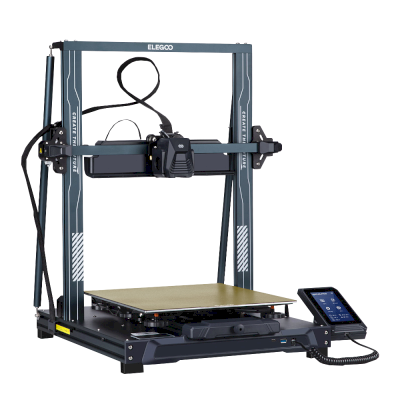
 Klipper (Moonraker)







 PrusaSlicer
 Kiri:Moto

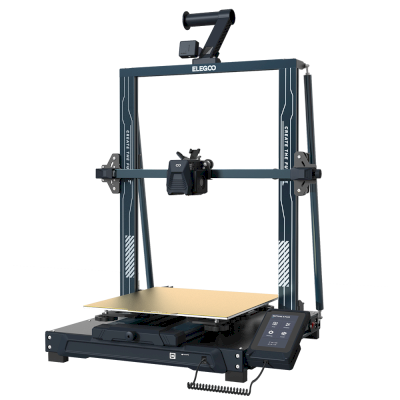
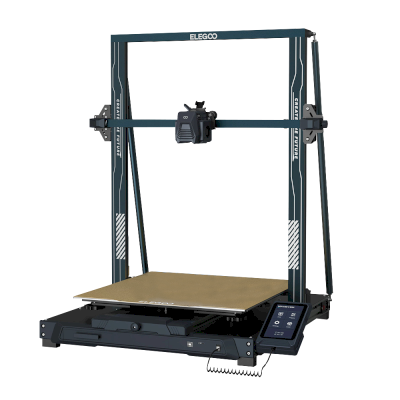
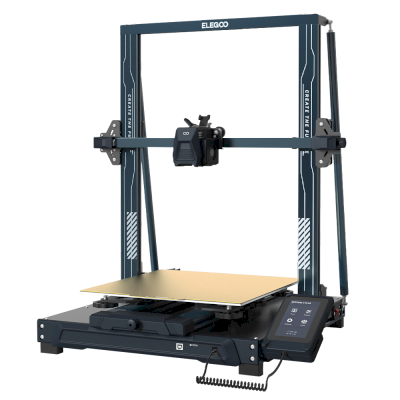
 संयुक्त राज्य अमेरिका के लिए सर्वोत्तम: संयुक्त राज्य अमेरिका के लिए ELEGOO का स्टोर
 ऑस्ट्रेलिया के लिए ELEGOO
 कनाडा के लिए ELEGOO
 यूरोपीय संघ के लिए ELEGOO
 यूनाइटेड किंगडम के लिए ELEGOO