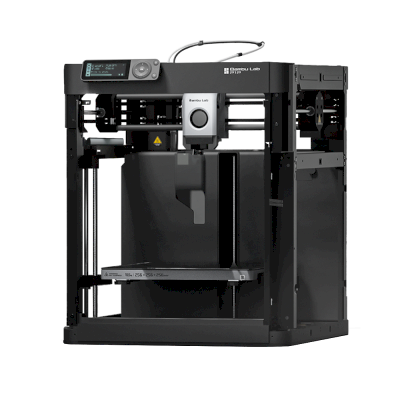
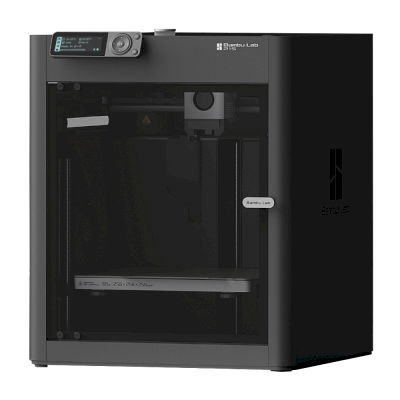
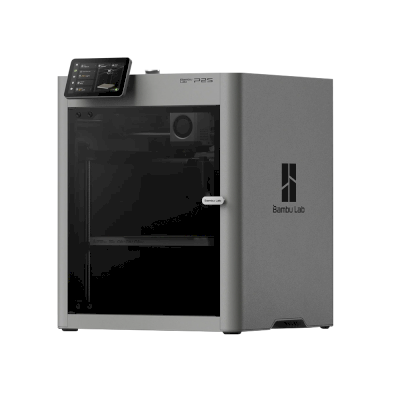
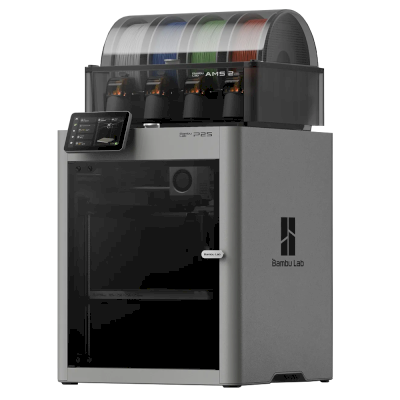
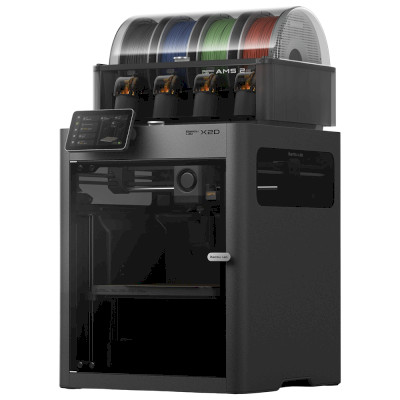
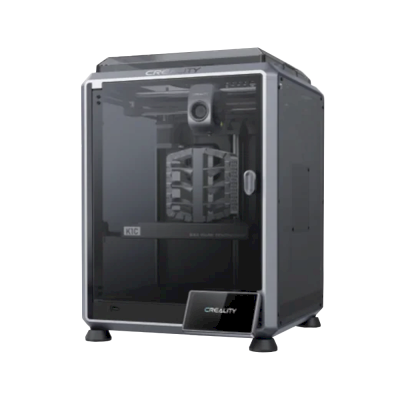
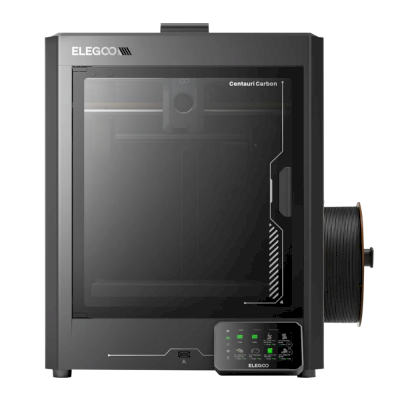
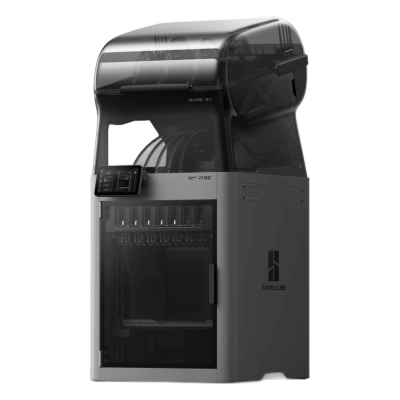
Bambu Lab's second tool changer: a smaller, cheaper H3C with a 256 × 256 × 260 mm bed, seven tool slots with five 0.4 mm PrintTools fitted, and the AMS 3P on top holding seven spools. It is built for multicolor and mixed-material printing, including very soft TPU with the optional 2.85 mm tool.
क्या Bambu Lab P3C 3D प्रिंटर SimplyPrint, OctoPrint, Mainsail और Fluidd के साथ काम करता है?
इसे कनेक्ट करने का हर तरीका, उसकी आवश्यकताएँ और उसे सेट अप करने का तरीका।
SimplyPrint क्लाइंट
काम करने की उम्मीद है
A smaller version of the Bambu Lab H3C, built on the same tool-changing platform. The H3C works with SimplyPrint through the SimplyPrint Client, so the P3C is expected to connect the same way. Not confirmed on the P3C yet.
केवल LAN मोड में SimplyPrint क्लाइंट के माध्यम से कनेक्ट होने पर, SimplyPrint के उन सभी सुविधाओं को सपोर्ट करने की उम्मीद है जो Bambu Lab P3C अन्य सॉफ़्टवेयर को करने देता है: कैमरा और AI विफलता पहचान, रिमोट प्रिंटिंग, ऑब्जेक्ट छोड़ना, तापमान और गति नियंत्रण, इसकी मल्टी-मटेरियल यूनिट के लिए filament मैपिंग और AutoPrint। एकमात्र अपवाद वे सुविधाएँ हैं जिन्हें Bambu Lab P3C अन्य सॉफ़्टवेयर को उपयोग नहीं करने देता: बेबी स्टेपिंग, बेड लेवलिंग और Z-ऑफ़सेट कैलिब्रेशन। नीचे की तालिका इसे SimplyPrint से जोड़ने के दो तरीकों की तुलना करती है।
हर SimplyPrint सुविधा, इसे SimplyPrint से कनेक्ट करने के हर तरीके के लिए
के माध्यम से SimplyPrint से कनेक्टेड
SimplyPrint सुविधा
SimplyPrint क्लाइंट (केवल LAN मोड, अनुशंसित)
काम करने की उम्मीद है
SimplyPrint क्लाइंट (Cloud मोड)
काम करने की उम्मीद है
निगरानी
लाइव स्थिति और प्रगति
हां
हां
वेबकैम
हां
हां
AI फेलियर डिटेक्शन
हां
हां
बचा हुआ समय
हां
हां
लेयर प्रगति
हां
हां
तापमान
हां
हां
प्रिंटिंग
प्रिंट शुरू करना
हां
निर्भर करता है1
रोकें, फिर शुरू करें और रद्द करें
हां
निर्भर करता है1
ऑब्जेक्ट्स छोड़ें
हां
निर्भर करता है1
प्रिंट शुरू करने के विकल्प
हां
निर्भर करता है1
फ़ाइलें
स्लाइस की गई 3MF फ़ाइलें प्रिंट करें
हां
हां
प्रिंटर कंट्रोल
तापमान बदलें
हां
निर्भर करता है1
कंट्रोल से चलाना
हां
निर्भर करता है1
होमिंग
हां
निर्भर करता है1
Extrude और retract करें
हां
निर्भर करता है1
प्रिंट स्पीड बदलें
हां
निर्भर करता है1
फैन की गति
हां
निर्भर करता है1
बेबी स्टेपिंग
प्रिंटर में उपलब्ध नहीं2
प्रिंटर में उपलब्ध नहीं2
G-code भेजें
हां
निर्भर करता है1
कैलिब्रेशन
filament बदलें
हां
निर्भर करता है1
बेड लेवलिंग
प्रिंटर में उपलब्ध नहीं2
प्रिंटर में उपलब्ध नहीं2
Z-ऑफ़सेट कैलिब्रेशन
प्रिंटर में उपलब्ध नहीं2
प्रिंटर में उपलब्ध नहीं2
Multi-material
filament को multi-material स्लॉट से मैप करें
हां3
हां3
multi-material unit से लोड किया गया filament सिंक करें
हां3
हां3
स्वचालन
AutoPrint
प्रो
हां
निर्भर करता है1
प्रिंट शुरू होने से पहले file डाउनलोड करें
हां
प्रिंटर में उपलब्ध नहीं2
SimplyPrint क्लाइंट (केवल LAN मोड, अनुशंसित) के माध्यम से SimplyPrint से कनेक्टेड
काम करने की उम्मीद है
निगरानी
लाइव स्थिति और प्रगतिहां
वेबकैमहां
AI फेलियर डिटेक्शनहां
बचा हुआ समयहां
लेयर प्रगतिहां
तापमानहां
प्रिंटिंग
प्रिंट शुरू करनाहां
रोकें, फिर शुरू करें और रद्द करेंहां
ऑब्जेक्ट्स छोड़ेंहां
प्रिंट शुरू करने के विकल्पहां
फ़ाइलें
स्लाइस की गई 3MF फ़ाइलें प्रिंट करेंहां
प्रिंटर कंट्रोल
तापमान बदलेंहां
कंट्रोल से चलानाहां
होमिंगहां
Extrude और retract करेंहां
प्रिंट स्पीड बदलेंहां
फैन की गतिहां
बेबी स्टेपिंगप्रिंटर में उपलब्ध नहीं2
G-code भेजेंहां
कैलिब्रेशन
filament बदलेंहां
बेड लेवलिंगप्रिंटर में उपलब्ध नहीं2
Z-ऑफ़सेट कैलिब्रेशनप्रिंटर में उपलब्ध नहीं2
Multi-material
filament को multi-material स्लॉट से मैप करेंहां3
multi-material unit से लोड किया गया filament सिंक करेंहां3
स्वचालन
AutoPrint प्रोहां
प्रिंट शुरू होने से पहले file डाउनलोड करेंहां
SimplyPrint क्लाइंट (Cloud मोड) के माध्यम से SimplyPrint से कनेक्टेड
काम करने की उम्मीद है
निगरानी
लाइव स्थिति और प्रगतिहां
वेबकैमहां
AI फेलियर डिटेक्शनहां
बचा हुआ समयहां
लेयर प्रगतिहां
तापमानहां
प्रिंटिंग
प्रिंट शुरू करनानिर्भर करता है1
रोकें, फिर शुरू करें और रद्द करेंनिर्भर करता है1
ऑब्जेक्ट्स छोड़ेंनिर्भर करता है1
प्रिंट शुरू करने के विकल्पनिर्भर करता है1
फ़ाइलें
स्लाइस की गई 3MF फ़ाइलें प्रिंट करेंहां
प्रिंटर कंट्रोल
तापमान बदलेंनिर्भर करता है1
कंट्रोल से चलानानिर्भर करता है1
होमिंगनिर्भर करता है1
Extrude और retract करेंनिर्भर करता है1
प्रिंट स्पीड बदलेंनिर्भर करता है1
फैन की गतिनिर्भर करता है1
बेबी स्टेपिंगप्रिंटर में उपलब्ध नहीं2
G-code भेजेंनिर्भर करता है1
कैलिब्रेशन
filament बदलेंनिर्भर करता है1
बेड लेवलिंगप्रिंटर में उपलब्ध नहीं2
Z-ऑफ़सेट कैलिब्रेशनप्रिंटर में उपलब्ध नहीं2
Multi-material
filament को multi-material स्लॉट से मैप करेंहां3
multi-material unit से लोड किया गया filament सिंक करेंहां3
स्वचालन
AutoPrint प्रोनिर्भर करता है1
प्रिंट शुरू होने से पहले file डाउनलोड करेंप्रिंटर में उपलब्ध नहीं2
काम करता है
निर्भर करता है
समर्थित नहीं
प्रिंटर में उपलब्ध नहीं
2025 से Bambu Lab firmware केवल cloud mode में मॉनिटरिंग की अनुमति देता है: प्रिंट शुरू करने और प्रिंटर नियंत्रित करने के लिए LAN-only mode इस्तेमाल करें। पुराना firmware अब भी दोनों की अनुमति देता है।
प्रिंटर यह सुविधा अन्य सॉफ़्टवेयर को नहीं देता।
multi-material unit चाहिए
Bambu Lab P3C के लिए कौन सा slicer इस्तेमाल करें
Bambu Lab प्रिंटर BambuStudio, Bambu Lab के अपने slicer, का उपयोग करते हैं। हमारे cloud में अभी Bambu Lab P3C के लिए तैयार profile नहीं है।
हम केवल उन slicer को सूचीबद्ध करते हैं जिन्हें आप SimplyPrint क्लाउड में इस्तेमाल कर सकते हैं, इसलिए Bambu Lab P3C के लिए अन्य भी हो सकते हैं।
Bambu Lab P3C के लिए cloud-based slicer: BambuStudio online इस्तेमाल करें
BambuStudio और अन्य slicers इस्तेमाल करें, सीधे अपने ब्राउज़र में SimplyPrint के ऑनलाइन क्लाउड slicer के साथ। इंस्टॉलेशन की जरूरत नहीं। दुनिया में कहीं से भी, किसी भी डिवाइस पर अपने Bambu Lab P3C मॉडल slice करें!
स्वचालित profile updates: प्रोफ़ाइलों की हर दिन जाँच होती है और slicer GitHub repositories से, साथ ही हमारे ओपन-सोर्स समुदाय-संचालित slicer प्रोफ़ाइल डेटाबेस से भी अपने-आप ली जाती हैं। इससे आपके पास हमेशा नवीनतम प्रोफ़ाइलों की पहुँच रहती है।
ध्यान दें: अन्य slicer, जैसे Simplify3D, ideaMaker, SuperSlicer और KISSlicer, हमारे cloud में नहीं हैं, इसलिए हम उनकी profiles ट्रैक नहीं करते। वे फिर भी आपके Bambu Lab P3C के साथ अच्छी तरह काम कर सकते हैं: profile के लिए slicer के दस्तावेज़ या फ़ोरम देखें। आप हमारी GitHub पर ओपन-सोर्स slicer profile डेटाबेस में profiles भी जोड़ सकते हैं।
Bambu Lab P3C के लिए ऐप
SimplyPrint, Bambu Lab P3C के ऐप के रूप में काम करता है: आपके फोन और किसी भी ब्राउज़र में, क्लाउड में slicer के साथ।
SimplyPrint के साथ आपको क्या मिलता है
iPhone और Android के लिए एक ऐप, किसी भी ब्राउज़र में वही अनुभव, और क्लाउड में एक slicer।
सिर्फ मॉनिटरिंग से अधिक: प्रिंट कतार, AI विफलता पहचान, AutoPrint और टीम के लिए खाते।
अभी SimplyPrint में Bambu Lab P3C के लिए कोई plate swapper या auto-ejection kit नहीं है, लेकिन AutoPrint इसे प्रिंट कराता रख सकता है। plate खाली होते ही यह आपकी कतार से अगला job शुरू करता है।
बंद प्रिंटर अपने प्रिंट बाहर निकालते हैं
Bambu Lab P3C का bed उसके enclosure के अंदर केवल ऊपर-नीचे चलता है, इसलिए plates बदलने के बजाय ऐसे kits toolhead को ठंडी प्रिंट को plate से धकेलकर उसके सामने के दरवाजे से बाहर निकालने देते हैं। प्रिंट पूरा होने पर वे आपके लिए दरवाजा खोल देते हैं।
हां
उपलब्ध विकल्प: Use AMS, Bed Leveling, Flow Calibration, Timelapse
प्रिंटर
प्रिंटर निर्माता / ब्रांड
Bambu Lab
प्रिंटर मॉडल नाम
P3C
निर्माता कंपनी का देश
चीन
लॉन्च हुआ
24 नवम्बर 2026
अभी भी बनाया जाता है
हां
डिस्क्लेमर:
हम इस जानकारी को जितना हो सके उतना नया और सटीक रखने की कोशिश करते हैं, लेकिन इसकी पूर्णता या भरोसेमंदी की गारंटी नहीं दे सकते। हमारा डेटा यूज़र सबमिशन और निर्माता संदर्भों पर आधारित है।
Bambu Lab P3C कौन सा filament print कर सकता है?
Bambu Lab P3C के लिए filament संगतता: वे सामग्रियाँ जिन्हें Bambu Lab इसके लिए सूचीबद्ध करता है।
फिलामेंट
उपयुक्तता
नोट्स
PLA
बहुत अच्छा
निर्माता की इस प्रिंटर वाली सामग्री सूची में।
PETG
बहुत अच्छा
निर्माता की इस प्रिंटर वाली सामग्री सूची में।
TPU और लचीले filament
बहुत अच्छा
निर्माता की इस प्रिंटर वाली सामग्री सूची में।
ABS & ASA
बहुत अच्छा
निर्माता की इस प्रिंटर वाली सामग्री सूची में।
Nylon (PA)
बहुत अच्छा
निर्माता की इस प्रिंटर वाली सामग्री सूची में।
Polycarbonate (PC)
बहुत अच्छा
निर्माता की इस प्रिंटर वाली सामग्री सूची में।
Carbon-fiber और glass-filled
बहुत अच्छा
निर्माता की इस प्रिंटर वाली सामग्री सूची में।
सुझाव: यह प्रिंटर के विनिर्देशों पर आधारित सामान्य मार्गदर्शिका है, हमेशा अपने फिलामेंट की सुझाई गई सेटिंग जांचें। SimplyPrint के साथ आप हर स्पूल के लिए प्रोफाइल सहेज सकते हैं और स्टॉक में मौजूद फिलामेंट को ठीक से ट्रैक कर सकते हैं।
Bambu Lab P3C के लिए सर्वश्रेष्ठ filament
वे filaments जिन्हें Bambu Lab P3C अच्छी तरह प्रिंट करता है, पहले Bambu Lab के अपने, फिर सबसे प्रसिद्ध।
The same tools and excellent TPU printing as the H3C at about half the price, with quick color changes, mixed nozzle sizes and materials in one print, and hardened steel nozzles. It drops the heated chamber, filament dryer and automatic filament loading; loading filament is tedious, swapping tools is fiddly, and it is tall enough to need a step stool for the back slots.
“The Bambu Lab P3C is best for anyone who wants poop-free multicolor, multi-material printing without paying H3C money.”
CNC Kitchen · 24 नवम्बर 2026
Sponsored by VoxelPLA (disclosed). Tool changes of 6-7 seconds and multicolor and multi-material quality matched only by the H3C, plus very soft TPU through the 2.85 mm tool. The biggest downside is manual filament loading: changing all seven spools takes about five minutes. ABS, ASA, nylon and PC print well, but with no heated chamber PPA and PPS are out.
Tested · 24 नवम्बर 2026
After a week and a half: thousands of tool swaps without a failed pickup and very good full-color prints, at a price below the X1C's launch price. Filament is loaded and unloaded by hand, the filament dryer is an optional extra, and it needs about 45 inches of height with the AMS lid open. He sees it as a printer for multicolor and aesthetic prints rather than engineering parts.
Bambu Lab P3C कब चुनें
Choose it when you print five or more colors or mix materials often and the H3C costs too much: tool changes take about 6-7 seconds and print quality is close to the H3C's. It starts at $1,149 with five tools; the two empty slots take extra tools at about $100 each. Filament is loaded and unloaded by hand, so it suits people who keep the same spools loaded. If you mostly print one or two colors, a dual-nozzle printer or a cheaper four-tool printer does the job for less; for PPA, PPS or other high-temperature materials, the H3C's heated chamber and 350 °C nozzles are the better fit.
फायदे
Tool changes in about 6-7 seconds, so multicolor prints are much faster than on a single-nozzle printer.
Very good print quality, close to the H3C's, at less than half its price.
An optional 2.85 mm tool prints very soft TPU, and soft and rigid materials can be combined in one print.
Different nozzle sizes and materials can be mixed in one print, and all nozzles are hardened steel.
Enclosed, with a particle and activated-carbon filter that recirculates the air when printing ABS or ASA.
Expected to work with SimplyPrint through the SimplyPrint Client, like the H3C.
कमियां
Filament is loaded and unloaded by hand: there are no feed motors, and changing all seven spools takes about five minutes.
Ships with five tools; filling the other two slots costs about $100 per tool, and the filament dryer is an optional extra.
No heated chamber and a 300 °C nozzle limit, so high-temperature materials such as PPA and PPS are out.
Tall: about 94 cm with the AMS closed and 1.2 m of height needed to open its lid.
Wi-Fi only: there is no Ethernet port.
Each tool change still primes a little filament onto a prime tower.
किसके लिए उपयुक्त है
स्कूलकाम कर सकता है
Enclosed and filtered, but manual filament loading and fiddly tool swaps add work for a classroom.
शौकिया यूज़रबेहतरीन विकल्प
The most affordable way into Bambu Lab's fast tool changing for multicolor prints and soft TPU.
व्यवसायोंअच्छा विकल्प
Multi-material parts and breakaway supports work well, but no heated chamber for high-temperature materials.
Print farmsकाम कर सकता है
Wi-Fi only and manual filament loading; for single-color jobs, simpler printers do the same work.
उसी निर्माता के, समान आकार के, वही engineering materials या इसी तरह के multi-material प्रिंट करने वाले प्रिंटर, जिन्हें आप आज खरीद सकते हैं। उनके specs और कनेक्शन के साथ अधिकतम चार प्रिंटर की साथ-साथ तुलना करें।
Bambu Lab के अन्य प्रिंटर · समान बिल्ड वॉल्यूम · ABS & ASA, Nylon (PA), Polycarbonate (PC), Carbon-fiber और glass-filled भी प्रिंट करता है · Multi-material भी
Bambu Lab के अन्य प्रिंटर · समान बिल्ड वॉल्यूम · ABS & ASA, Nylon (PA), Polycarbonate (PC), Carbon-fiber और glass-filled भी प्रिंट करता है · Multi-material भी
Bambu Lab P3C कौन बनाता है और Bambu Lab आपको कितनी स्वतंत्रता देता है: क्या इसके प्रिंटर इसके cloud के बिना चलते हैं, कोई भी filament और slicer स्वीकार करते हैं और उनकी मरम्मत की जा सकती है। हर क्षेत्र को सार्वजनिक स्रोतों के आधार पर रेट किया गया है।
खुलापन: अधिकतर बंद (5 में से 2.3)
अधिकतर बंद
बंद पारिस्थितिकी तंत्रखोलें
Bambu Lab is a Shenzhen company founded in 2020 by former DJI engineers. It makes FDM printers in four families (A, P, X and H), the AMS multi-material units, the Bambu Studio slicer, the Bambu Handy app and the MakerWorld model site, and designs them to be used together. Its printers are used by beginners, hobbyists, schools and print farms.
स्थापना:
2020 ·
मुख्यालय:
Shenzhen, China ·
स्वामित्व:
Privately held; founded by CEO Ye Tao and other former DJI staff, with venture investors (BGR, 2026) ·
वेबसाइट:bambulab.com
Bambu Lab works like Apple: printer, slicer, app, cloud and multi-material system come from one company and are made to work together. Filament and slicer choice stay open, but the firmware is closed and signed, and since 2025 third-party control needs Bambu Connect or the unsupported Developer Mode.
फर्मवेयर और कस्टम फर्मवेयर ●●●●●
The printer firmware is Bambu's own and closed; in 2022 Bambu said it would keep it in-house. Its security white paper describes secure boot that only runs verified firmware on X1, H2, P1 and A1 printers. Bambu publishes the GPL parts it uses (Linux kernel, U-Boot, BusyBox) but not the printer software. Rooting the X1 only became possible through a security flaw the X1Plus project used in 2024; Bambu then published a one-off rootable X1 firmware for owners who give up their warranty, and blocks rooting in later firmware.
[1][2][3][4][22]
स्थानीय नियंत्रण और एकीकरण ●●●●●
LAN Only mode prints and monitors from Bambu Studio or Bambu Connect without internet or an account; the Handy app, printing from outside the network and print history need Bambu's cloud. Since the 2025 authorization firmware, other software can only read status in normal mode. Full control needs Developer Mode, which cuts the cloud link and which Bambu says it cannot support because the protocols are not official. Bambu documents no local protocol; it offers a file hand-off to Bambu Connect and a Local Server SDK on application.
[23][24][6][7][5]
तृतीय-पक्ष filament, slicer और पार्ट ●●●●●
Third-party filament works, and Bambu publicly denied in 2025 that it would restrict it. OrcaSlicer and other slicers can be used, but since the 2025 firmware they send and control prints through Bambu Connect or Developer Mode. Hotends are Bambu's own designs, and Bambu says it cannot promise long-term support for accessories that control the printer unless it approved them first.
[7][6][4]
मरम्मत और स्पेयर पार्ट्स ●●●●●
Bambu's store sells individual spare parts down to motors, belts, encoders and boards, and its wiki has step-by-step replacement guides for each model (for example the P2S hotend and the H2D/H2C AP board). Many parts, hotends included, are Bambu-specific, so spares come from Bambu.
[8][9][10]
डेटा और गोपनीयता ●●●●●
Cloud features need a Bambu account, while LAN Only mode keeps jobs on the local network. Bambu publishes a Trust Center and a 38-page security white paper, says it holds ISO/IEC 27001, ISO/IEC 27701 and TRUSTe certifications, and runs a paid bug bounty. In August 2023 a cloud outage made some printers start earlier jobs on their own; Bambu apologised.
[2][11][5][12]
समुदाय और दस्तावेज़ ●●●●●
Very large user community, the MakerWorld model site, a detailed wiki and a blog where Bambu explains its policy changes. Bambu Studio is developed in public on GitHub with an open issue tracker. The printer protocol is not documented, and Developer Mode is unsupported.
[13][5][7]
फायदे
Printer, slicer, app and AMS come from one company and are designed to work together, which makes a first setup simple.
Step-by-step repair guides for each model and individual spare parts sold in Bambu's store.
LAN Only mode works without internet or an account.
Bambu Studio is open source, and third-party filament works.
Publishes security certifications and runs a public bug bounty.
कमियां
Firmware is closed and signed; current models have no supported way to run custom firmware.
Since the 2025 firmware, third-party software and accessories need Bambu Connect or the unsupported Developer Mode to control the printer.
Remote printing, the Handy app and print history depend on Bambu's cloud.
Hotends and many parts are Bambu-specific, so spares come from Bambu.
In 2026 a US jury found the X1, P1 and A1 infringe Stratasys patents; Bambu is appealing.
सिद्ध अनुभव
सितम्बर 2026: A US federal jury in Texas found that Bambu Lab's X1, P1 and A1 printers infringe Stratasys patents on prime towers and bed levelling, and awarded Stratasys $27.6 million. No injunction was placed on the printers. Bambu told Tom's Hardware it disagrees with the verdict and intends to seek post-trial review and appeal. Stratasys had filed two suits in 2024; more patents are still to be decided.
[14]
मई 2026: Bambu Lab pressed the developer of 'OrcaSlicer-bambulab', a fork that restored direct cloud printing from OrcaSlicer, to remove it, according to Manufactur3D. On 7 May Bambu said the fork impersonated the official Bambu Studio client to its cloud, which its user agreement does not allow, and that modifying and sharing its AGPL code remains fine. The developer disputed the claims.
[15][16][17]
अक्टूबर 2025: Bambu Lab opened a Trust Center with a security white paper and listed ISO/IEC 27001, ISO/IEC 27701 and TRUSTe privacy certifications. A year later it said its bug bounty had worked with over 100 researchers and that it had added a public security update log.
[2][11]
20 जनवरी 2025: After criticism from users and print farms, Bambu Lab announced an optional Developer Mode for X1, P1, A1 and A1 mini that leaves MQTT, FTP and the live stream open for third-party software in LAN mode, without official support. It also said LAN mode via Bambu Connect needs neither internet nor an account, and that third-party filament would not be restricted.
[7]
16 जनवरी 2025: Bambu Lab announced firmware with 'authorization control', first for the X1: starting prints, moving axes, changing temperatures and binding the printer now require Bambu-approved software, also in LAN mode. On updated printers, third-party slicers and accessories such as the Panda Touch could no longer control the printer except through Bambu Connect; reading status still worked. Bambu cited security and up to 30 million unauthorised cloud requests a day; older firmware stayed optional.
[6]
मार्च 2024: After the X1Plus jailbreak, Bambu Lab published a one-off rootable firmware for the X1 series for owners who give up their warranty support. It said it does not support X1Plus, and that firmware after it would block rooting again.
[4]
फ़रवरी 2024: Bambu Lab extended its A1 heatbed-cable callback to a recall of all A1 printers and asked owners to stop using them. It reported electrical faults in under 0.1% of units and offered a full refund plus an $80 voucher, or a redesigned heatbed plus a $120 voucher and six extra months of warranty. The A1 mini was not affected.
[18][19]
जनवरी 2024: Community developers rooted the X1 series through a security flaw in its firmware (up to version 1.07) and released the X1Plus custom firmware. Bambu Lab closed the flaw in later firmware.
[22]
अगस्त 2023: During a Bambu cloud outage on 15 August 2023, some printers started print jobs without user action, because jobs stuck in the cloud were resent when service returned. Bambu apologised, took responsibility and said it would add checks before a print starts.
[12]
मई 2022: Before its first printers shipped, Bambu Lab said its firmware would stay closed and in-house to remain competitive, and promised to open-source everything if the company ever could not survive.
[1]
24 स्रोतों से शोधित, अंतिम बार 20 अक्टूबर 2026 को जाँचा गया। स्रोत दिखाएं
बहुत संभव है। हमें उम्मीद है कि Bambu Lab P3C, SimplyPrint क्लाइंट के जरिए SimplyPrint से जुड़ेगा, लेकिन अभी तक किसी ने इसकी पुष्टि नहीं की है। अगर आपके पास एक है, तो सेटअप गाइड कुछ ही मिनटों में दिखा देगी कि यह काम करता है या नहीं, और आपका जवाब सभी के लिए इसकी पुष्टि करेगा।
Bambu Lab P3C को SimplyPrint से कैसे कनेक्ट करें?
Bambu Lab P3C के लिए हमारी चरण-दर-चरण सेटअप गाइड अपनाएँ। इसमें बताया गया है कि इसे SimplyPrint क्लाइंट के ज़रिए कैसे कनेक्ट करें, हर तरीके के लिए क्या चाहिए और कौन सा चुनें।
Bambu Lab P3C के लिए कौन-सा slicer उपयोग करना चाहिए?
BambuStudio, Bambu Lab का अपने प्रिंटरों के लिए बनाया गया slicer, इस्तेमाल करें। इसे आप SimplyPrint के ऑनलाइन slicer में चला सकते हैं, इसमें अभी Bambu Lab P3C के लिए तैयार प्रोफ़ाइल नहीं है।
क्या Bambu Lab P3C के साथ OrcaSlicer उपयोग किया जा सकता है?
हाँ, लेकिन हमारी जानकारी में OrcaSlicer में Bambu Lab P3C के लिए अंतर्निहित प्रोफ़ाइल नहीं है: समान प्रिंटर की प्रोफ़ाइल से शुरू करें और bed का आकार, ऊँचाई और nozzle मिलान के अनुसार सेट करें।
Bambu Lab P3C कौन सा filament print कर सकता है?
Bambu Lab, P3C के लिए PLA, PETG, TPU और लचीले filament, ABS & ASA, Nylon (PA), Polycarbonate (PC) और Carbon-fiber और glass-filled सूचीबद्ध करता है।
क्या Bambu Lab P3C, OctoPrint या Klipper के साथ काम करता है?
हमारी जानकारी में नहीं, लेकिन आपको इनमें से किसी की ज़रूरत नहीं: SimplyPrint SimplyPrint क्लाइंट के जरिए Bambu Lab P3C से कनेक्ट होता है।
Bambu Lab P3C के बेड का आकार और बिल्ड वॉल्यूम क्या है?
Bambu Lab P3C का print bed 256 x 256 mm है और यह 260 mm तक ऊंची प्रिंट कर सकता है, यानी लगभग 256 x 256 x 260 mm का build volume। bed के प्रकार, तापमान और अन्य जानकारी के लिए ऊपर पूरी specifications तालिका देखें।
Bambu Lab P3C कब जारी हुआ?
Bambu Lab ने P3C को 24 नवम्बर 2026 को लॉन्च किया।
क्या Bambu Lab P3C प्रिंट अपने आप निकाल सकता है?
अभी इसके लिए कोई समर्थित kit नहीं है, लेकिन SimplyPrint का AutoPrint toolhead से प्रिंट हटा सकता है, या आपका अपना ejection G-code चला सकता है, और फिर आपकी कतार से अगला job शुरू कर सकता है।
Affiliate खुलासा: इस पेज के कुछ link affiliate link हैं। आपके खरीदने पर हमें commission मिल सकता है, इसके लिए आपको कोई अतिरिक्त लागत नहीं देनी होगी। Amazon Associate के रूप में हम योग्य खरीद से कमाते हैं।
 चीन
 SimplyPrint क्लाइंट



 PrusaSlicer
 OrcaSlicer
 ElegooSlicer
 CrealityPrint
 Cura
 Kiri:Moto