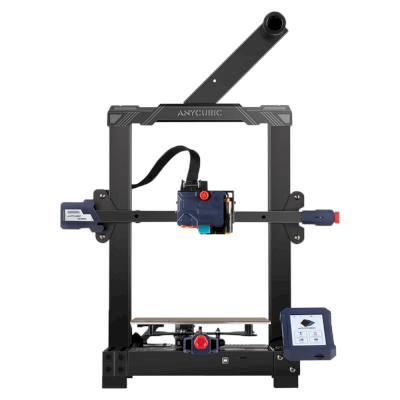
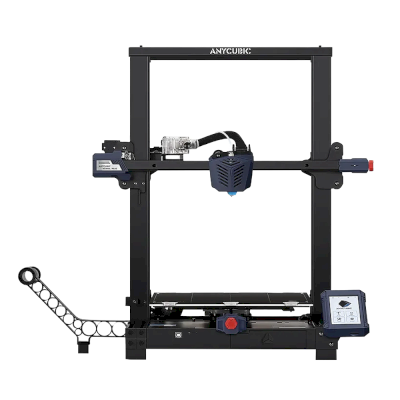
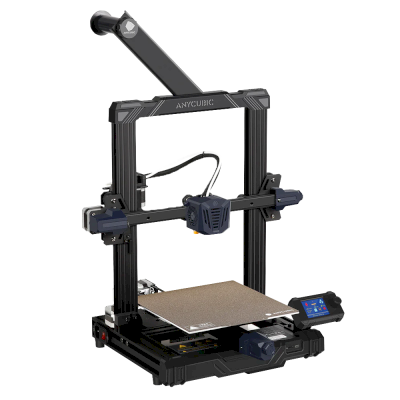
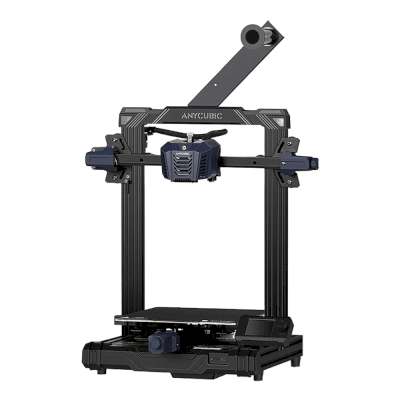
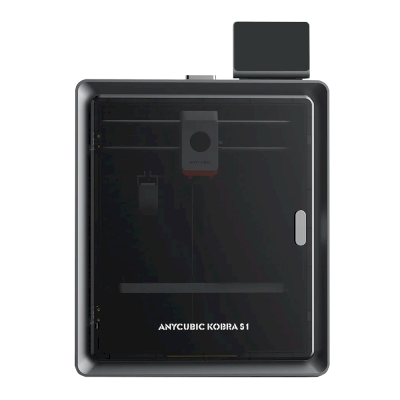
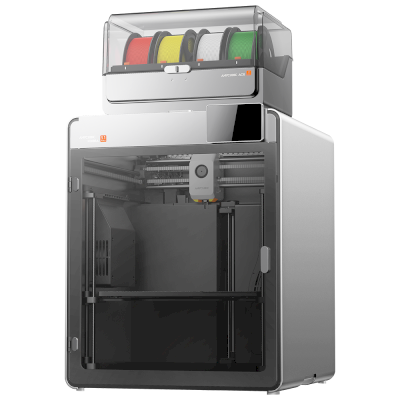
क्या Anycubic Kobra Max 3D प्रिंटर SimplyPrint, OctoPrint, Mainsail और Fluidd के साथ काम करता है?
इसे कनेक्ट करने का हर तरीका, उसकी आवश्यकताएँ और उसे सेट अप करने का तरीका।
Klipper के साथ नहीं आता: अपनी firmware के स्थान पर Klipper इंस्टॉल करने के बाद यह उसे चलाता है, यह एक संशोधन है
SimplyPrint के साथ क्या काम करता है
OctoPrint के माध्यम से कनेक्ट होने पर, SimplyPrint उन सभी सुविधाओं को सपोर्ट करता है जो Anycubic Kobra Max अन्य सॉफ़्टवेयर को करने देता है: कैमरा और AI विफलता पहचान, रिमोट प्रिंटिंग, तापमान और गति नियंत्रण और AutoPrint। 3 सुविधाएँ इस बात पर निर्भर करती हैं कि इन्हें कैसे सेट किया गया है: तालिका बताती है कि प्रत्येक को क्या चाहिए।
हर SimplyPrint सुविधा, इसे SimplyPrint से कनेक्ट करने के हर तरीके के लिए
के माध्यम से SimplyPrint से कनेक्टेड
SimplyPrint सुविधा
OctoPrint
संगत
निगरानी
लाइव स्थिति और प्रगति
हां
वेबकैम
हां1
AI फेलियर डिटेक्शन
हां1
बचा हुआ समय
हां
लेयर प्रगति
हां
तापमान
हां
प्रिंटिंग
प्रिंट शुरू करना
हां
रोकें, फिर शुरू करें और रद्द करें
हां
ऑब्जेक्ट्स छोड़ें
निर्भर करता है2
फ़ाइलें
बाइनरी G-code (.bgcode) प्रिंट करें
निर्भर करता है3
प्रिंटर कंट्रोल
तापमान बदलें
हां
कंट्रोल से चलाना
हां
होमिंग
हां
Extrude और retract करें
हां
प्रिंट स्पीड बदलें
हां
फैन की गति
हां
बेबी स्टेपिंग
हां
G-code भेजें
हां
कैलिब्रेशन
filament बदलें
हां
बेड लेवलिंग
हां
Z-ऑफ़सेट कैलिब्रेशन
हां
स्वचालन
AutoPrint
प्रो
हां
प्रिंट शुरू होने से पहले file डाउनलोड करें
निर्भर करता है4
OctoPrint के माध्यम से SimplyPrint से कनेक्टेड
संगत
निगरानी
लाइव स्थिति और प्रगतिहां
वेबकैमहां1
AI फेलियर डिटेक्शनहां1
बचा हुआ समयहां
लेयर प्रगतिहां
तापमानहां
प्रिंटिंग
प्रिंट शुरू करनाहां
रोकें, फिर शुरू करें और रद्द करेंहां
ऑब्जेक्ट्स छोड़ेंनिर्भर करता है2
फ़ाइलें
बाइनरी G-code (.bgcode) प्रिंट करेंनिर्भर करता है3
प्रिंटर कंट्रोल
तापमान बदलेंहां
कंट्रोल से चलानाहां
होमिंगहां
Extrude और retract करेंहां
प्रिंट स्पीड बदलेंहां
फैन की गतिहां
बेबी स्टेपिंगहां
G-code भेजेंहां
कैलिब्रेशन
filament बदलेंहां
बेड लेवलिंगहां
Z-ऑफ़सेट कैलिब्रेशनहां
स्वचालन
AutoPrint प्रोहां
प्रिंट शुरू होने से पहले file डाउनलोड करेंनिर्भर करता है4
काम करता है
निर्भर करता है
समर्थित नहीं
कैमरा चाहिए
OctoPrint प्लगइन Cancel Objects आवश्यक है
OctoPrint प्लगइन BGCode आवश्यक है
SimplyPrint प्लगइन का संस्करण 4.2.0 या नया आवश्यक है
SimplyPrint पर Anycubic Kobra Max के मालिक
50+ प्रिंटर SimplyPrint का उपयोग करते हैं
Anycubic Kobra Max के लिए कौन सा slicer इस्तेमाल करें
OrcaSlicer, BambuStudio, ElegooSlicer, CrealityPrint, या Cura इस्तेमाल करें: हर एक में Anycubic Kobra Max के लिए तैयार प्रोफ़ाइल है।
हम केवल उन slicer को सूचीबद्ध करते हैं जिन्हें आप SimplyPrint क्लाउड में इस्तेमाल कर सकते हैं, इसलिए Anycubic Kobra Max के लिए अन्य भी हो सकते हैं।
Anycubic Kobra Max के लिए cloud-based slicer: OrcaSlicer online इस्तेमाल करें
OrcaSlicer और अन्य slicers इस्तेमाल करें, सीधे अपने ब्राउज़र में SimplyPrint के ऑनलाइन क्लाउड slicer के साथ। इंस्टॉलेशन की जरूरत नहीं। दुनिया में कहीं से भी, किसी भी डिवाइस पर अपने Anycubic Kobra Max मॉडल slice करें!
स्वचालित profile updates: प्रोफ़ाइलों की हर दिन जाँच होती है और slicer GitHub repositories से, साथ ही हमारे ओपन-सोर्स समुदाय-संचालित slicer प्रोफ़ाइल डेटाबेस से भी अपने-आप ली जाती हैं। इससे आपके पास हमेशा नवीनतम प्रोफ़ाइलों की पहुँच रहती है।
ध्यान दें: अन्य slicer, जैसे Simplify3D, ideaMaker, SuperSlicer और KISSlicer, हमारे cloud में नहीं हैं, इसलिए हम उनकी profiles ट्रैक नहीं करते। वे फिर भी आपके Anycubic Kobra Max के साथ अच्छी तरह काम कर सकते हैं: profile के लिए slicer के दस्तावेज़ या फ़ोरम देखें। आप हमारी GitHub पर ओपन-सोर्स slicer profile डेटाबेस में profiles भी जोड़ सकते हैं।
Anycubic Kobra Max के लिए ऐप
SimplyPrint, Anycubic Kobra Max के ऐप के रूप में काम करता है: आपके फोन और किसी भी ब्राउज़र में, क्लाउड में slicer के साथ।
SimplyPrint के साथ आपको क्या मिलता है
iPhone और Android के लिए एक ऐप, किसी भी ब्राउज़र में वही अनुभव, और क्लाउड में एक slicer।
सिर्फ मॉनिटरिंग से अधिक: प्रिंट कतार, AI विफलता पहचान, AutoPrint और टीम के लिए खाते।
अभी SimplyPrint में Anycubic Kobra Max के लिए कोई plate swapper या auto-ejection kit नहीं है, लेकिन AutoPrint इसे प्रिंट कराता रख सकता है। plate खाली होते ही यह आपकी कतार से अगला job शुरू करता है।
Bed slinger को ऑटोमेट करना सबसे आसान है
Anycubic Kobra Max का bed आगे-पीछे चलता है, इसलिए इसकी plate प्रिंटर के सामने निकलती है। ऐसे plate swapper तैयार plate हटाकर नई plate लगाते हैं। kit के बिना, G-code routine toolhead से ठंडी प्रिंट को धकेलकर हटा सकता है।
डिस्क्लेमर:
हम इस जानकारी को जितना हो सके उतना नया और सटीक रखने की कोशिश करते हैं, लेकिन इसकी पूर्णता या भरोसेमंदी की गारंटी नहीं दे सकते। हमारा डेटा यूज़र सबमिशन और निर्माता संदर्भों पर आधारित है।
Anycubic Kobra Max कौन सा filament print कर सकता है?
Anycubic Kobra Max के लिए filament संगतता: वे सामग्रियाँ जिन्हें Anycubic इसके लिए सूचीबद्ध करता है।
फिलामेंट
उपयुक्तता
नोट्स
PLA
बहुत अच्छा
निर्माता की इस प्रिंटर वाली सामग्री सूची में।
PETG
बहुत अच्छा
निर्माता की इस प्रिंटर वाली सामग्री सूची में।
TPU और लचीले filament
बहुत अच्छा
निर्माता की इस प्रिंटर वाली सामग्री सूची में।
ABS & ASA
बहुत अच्छा
निर्माता की इस प्रिंटर वाली सामग्री सूची में।
Nylon (PA)
सावधानी से
सावधानी से संभव है, enclosure और बहुत सूखा filament जरूरी हैं।
Polycarbonate (PC)
आदर्श नहीं
अनुशंसित नहीं - PC के लिए बहुत अधिक हॉटेंड तापमान और बंद चैम्बर चाहिए।
Carbon-fiber और glass-filled
सावधानी से
संभव है, यदि आप hardened या wear-resistant nozzle लगाएँ, क्योंकि abrasive fibers मूल brass nozzle को जल्दी घिस देते हैं।
सुझाव: यह प्रिंटर के विनिर्देशों पर आधारित सामान्य मार्गदर्शिका है, हमेशा अपने फिलामेंट की सुझाई गई सेटिंग जांचें। SimplyPrint के साथ आप हर स्पूल के लिए प्रोफाइल सहेज सकते हैं और स्टॉक में मौजूद फिलामेंट को ठीक से ट्रैक कर सकते हैं।
Anycubic Kobra Max के लिए सर्वश्रेष्ठ filament
वे filaments जिन्हें Anycubic Kobra Max अच्छी तरह प्रिंट करता है, पहले Anycubic के अपने, फिर सबसे प्रसिद्ध।
Calls it a monster of a machine at $569: a 400x400x450 mm volume suited to prop makers and cosplayers, fast assembly, accurate auto leveling and an easy-release glass bed. Warns it is bigger, not faster, so large prints take days.
“The Kobra Max is an excellent printer with enormous print volume that needs a lot of room to operate.”
Likes the huge print area, convenient auto leveling and high-quality results, and finds it ideal for cosplay and prop making. Dislikes the slow printing, the lack of a larger nozzle and the non-removable bed.
“The Anycubic Kobra Max is a pricey investment for hobbyists and enthusiasts, but it's far from being overpriced.”
The review page (archived copy; the article body did not load) carries the headline 'Best Large 3D Printer' and a 4 out of 5 rating in its page data. Describes the 400 x 400 x 450 mm volume as among the largest for home users.
3D Printing Nerd · 2 अप्रैल 2022
Reviews the large-format Kobra Max: asks whether it packs a punch at a bigger scale and whether the prints are good. Notes the pricing changes between Amazon and Anycubic's store. Conclusion not summarised here.
Anycubic Kobra सीरीज़
सीरीज़ के 17 Anycubic प्रिंटरों में से 8, जो लॉन्च समय के अनुसार इसके सबसे निकट हैं, पुराने से नए क्रम में।
Anycubic Kobra Max की समान प्रिंटरों से तुलना करें
उसी निर्माता के, समान आकार के, वही engineering materials या इसी तरह के multi-material प्रिंट करने वाले प्रिंटर, जिन्हें आप आज खरीद सकते हैं। उनके specs और कनेक्शन के साथ अधिकतम चार प्रिंटर की साथ-साथ तुलना करें।
Anycubic Kobra Max कौन बनाता है और Anycubic आपको कितनी स्वतंत्रता देता है: क्या इसके प्रिंटर इसके cloud के बिना चलते हैं, कोई भी filament और slicer स्वीकार करते हैं और उनकी मरम्मत की जा सकती है। हर क्षेत्र को सार्वजनिक स्रोतों के आधार पर रेट किया गया है।
खुलापन: मिश्रित (5 में से 3.0)
मिश्रित
बंद पारिस्थितिकी तंत्रखोलें
Anycubic is a Chinese 3D printer maker founded in 2015. It sells the Kobra line of FDM printers, including the enclosed Kobra S1 and S1 Max, the large Kobra 3 Max and the low-cost Kobra X, the ACE Pro multi-material unit and Photon resin printers. Its printers are aimed at hobbyists and home users at budget to mid-range prices.
स्थापना:
2015 ·
मुख्यालय:
China (its global store is run by Hongkong Anycubic Technology Co., Limited) ·
वेबसाइट:www.anycubic.com
Anycubic is mixed: its printers work locally in LAN mode, take third-party filament and slicers, and have spare parts and guides, but its published firmware source leaves proprietary parts closed, custom firmware is unsupported, and its cloud had a security incident in 2024.
फर्मवेयर और कस्टम फर्मवेयर ●●●●●
The Kobra 3, 3 Max and S1 run Klipper-go, Anycubic's Go port of Klipper. Anycubic published its source with the kernel and U-Boot under GPL, for the Kobra 3 in October 2024 and for the wider family in October 2025, but says some proprietary features are kept closed, and that modifying the firmware voids the warranty. The community project Rinkhals adds Fluidd, Mainsail and SSH, and reports that the newer Kobra X only accepts signed updates.
[1][2][3]
स्थानीय नियंत्रण और एकीकरण ●●●●●
LAN mode lets Anycubic Slicer Next send prints, show progress and stream video on the local network without an account, and the S1's firmware 2.5.9.9 added sending from OrcaSlicer. With LAN mode on, the cloud, the app and AI failure detection are off, and the S1 must leave LAN mode and be bound to an account to update its firmware. Anycubic documents no local API for other software; Moonraker, Fluidd and Mainsail come only with the community firmware Rinkhals.
[4][5][3]
तृतीय-पक्ष filament, slicer और पार्ट ●●●●●
Third-party filament works. Anycubic Slicer Next is an open-source OrcaSlicer fork, and recent firmware accepts files sent from OrcaSlicer. Hotends, extruders and many other parts are model-specific Anycubic parts.
[6][5][7]
मरम्मत और स्पेयर पार्ट्स ●●●●●
Anycubic's store sells hotends, extruders, motherboards, heated beds, motors and screens, and its wiki has replacement guides for current models, for example the Kobra S1 Max XY motors and the Kobra X Y-axis motor.
[7][8][9]
डेटा और गोपनीयता ●●●●●
LAN mode keeps data on the local network, but the app and cloud need an account. Anycubic's privacy policy allows broad collection, including product usage, device signals and nearby Wi-Fi access points, and storage in the United States. In February 2024 a flaw in its cloud MQTT server let a third party push a file to Kobra 2 printers; Anycubic apologised and patched it.
[10][11][4]
समुदाय और दस्तावेज़ ●●●●●
Active user community and a wiki with guides and error codes for each model. Source releases leave proprietary parts closed, and custom firmware is a community effort.
[4][2][3]
फायदे
Budget to mid-range prices, with multi-colour Combo bundles.
LAN mode works without an account.
Spare parts and replacement guides for current models.
Open-source slicer, and third-party filament works.
कमियां
Published firmware source leaves some features closed; modifying firmware voids the warranty.
LAN mode turns off the app, cloud and AI failure detection, and firmware updates need the cloud.
The privacy policy allows broad data collection.
Its cloud was used to push files to printers in 2024 (fixed).
सिद्ध अनुभव
अक्टूबर 2025: Anycubic published Klipper-go, its Go port of Klipper, as a standalone project for the Kobra 3, Kobra 3 V2, Kobra 3 Max and Kobra S1, with the MCU firmware, Linux kernel and U-Boot sources, on GitHub under GPL-3.0. It says some proprietary features remain closed.
[2][12]
अक्टूबर 2024: Anycubic published the Kobra 3 firmware sources (Klipper-go, MCU firmware, Linux kernel and U-Boot) on GitHub under GPL-3.0.
[1]
फ़रवरी 2024: A third party used a vulnerability in Anycubic's cloud MQTT server to make Kobra 2 Pro/Plus/Max printers download a file named 'hacked_machine_readme.gcode'. Anycubic counted 237 affected printers and over 2,000 that received the file, apologised for its late response, tightened cloud authorisation and released a firmware fix.
[11]
14 स्रोतों से शोधित, अंतिम बार 18 अक्टूबर 2026 को जाँचा गया। स्रोत दिखाएं
क्या Anycubic Kobra Max, SimplyPrint के साथ संगत है?
हाँ। आप Anycubic Kobra Max को OctoPrint के ज़रिए SimplyPrint से कनेक्ट कर सकते हैं, फिर अपने ब्राउज़र या मोबाइल ऐप से प्रिंट स्लाइस कर सकते हैं, उन्हें कतार में डाल सकते हैं, शुरू कर सकते हैं और मॉनिटर कर सकते हैं।
Anycubic Kobra Max को SimplyPrint से कैसे कनेक्ट करें?
Anycubic Kobra Max के लिए हमारी चरण-दर-चरण सेटअप गाइड अपनाएँ। इसमें बताया गया है कि इसे OctoPrint के ज़रिए कैसे कनेक्ट करें, हर तरीके के लिए क्या चाहिए और कौन सा चुनें।
Anycubic Kobra Max के लिए कौन-सा slicer उपयोग करना चाहिए?
हम Anycubic Kobra Max के लिए OrcaSlicer की सलाह देते हैं। आप इसे और 6 अन्य slicer, सीधे SimplyPrint के ऑनलाइन slicer में चला सकते हैं, कोई इंस्टॉल नहीं, किसी भी डिवाइस पर, और Anycubic Kobra Max के प्रोफाइल अपने आप अपडेट रहते हैं।
क्या Anycubic Kobra Max के साथ OrcaSlicer उपयोग किया जा सकता है?
हाँ। OrcaSlicer में Anycubic Kobra Max की प्रोफ़ाइल शामिल है, और आप इसे SimplyPrint के ऑनलाइन slicer में चला सकते हैं, इसलिए कुछ इंस्टॉल करने की ज़रूरत नहीं है।
Anycubic Kobra Max कौन सा filament print कर सकता है?
Anycubic, Kobra Max के लिए PLA, ABS & ASA, PETG और TPU और लचीले filament सूचीबद्ध करता है।
क्या Anycubic Kobra Max, OctoPrint या Klipper के साथ काम करता है?
Anycubic Kobra Max, OctoPrint के साथ काम करता है और SimplyPrint इन्हीं से कनेक्ट होता है। इसके साथ आपको cloud access, कतार और camera monitoring मिलती है।
Anycubic Kobra Max के बेड का आकार और बिल्ड वॉल्यूम क्या है?
Anycubic Kobra Max का print bed 400 x 400 mm है और यह 450 mm तक ऊंची प्रिंट कर सकता है, यानी लगभग 400 x 400 x 450 mm का build volume। bed के प्रकार, तापमान और अन्य जानकारी के लिए ऊपर पूरी specifications तालिका देखें।
Anycubic Kobra Max कब जारी हुआ?
Anycubic ने Kobra Max को 27 मार्च 2022 को लॉन्च किया। इसे बंद कर दिया गया है, इसलिए आप इसे अब Anycubic से नया नहीं खरीद सकते।
क्या Anycubic Kobra Max प्रिंट अपने आप निकाल सकता है?
अभी इसके लिए कोई समर्थित kit नहीं है, लेकिन SimplyPrint का AutoPrint toolhead से प्रिंट हटा सकता है, या आपका अपना ejection G-code चला सकता है, और फिर आपकी कतार से अगला job शुरू कर सकता है।
क्या Anycubic Kobra Max अभी भी बिकता है?
नहीं। Anycubic अब Kobra Max को नया बनाता या बेचता नहीं है। आज खरीदने के लिए ऐसे प्रिंटर: ELEGOO Neptune 4 Max, Anycubic Kobra S1 और Anycubic Kobra S1 Max Combo।
Affiliate खुलासा: इस पेज के कुछ link affiliate link हैं। आपके खरीदने पर हमें commission मिल सकता है, इसके लिए आपको कोई अतिरिक्त लागत नहीं देनी होगी। Amazon Associate के रूप में हम योग्य खरीद से कमाते हैं।
 चीन
चीन
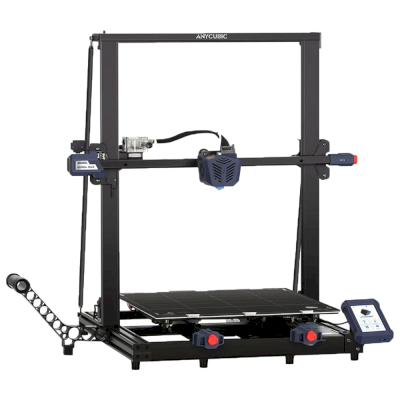
 OctoPrint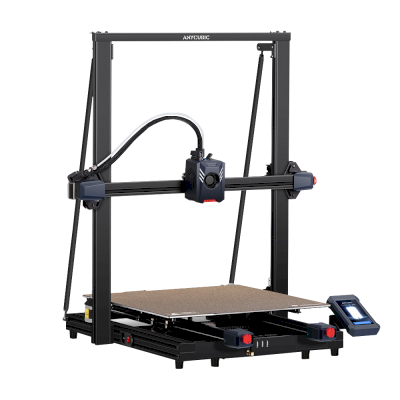







 PrusaSlicer
 Kiri:Moto