
Om denne integration
SimplyPrint er hverken støttet af eller forbundet med Zebra. Vi bruger varemærker og billeder udelukkende for at indikere kompatibilitet med vores platform. Brug af Zebra hardware med SimplyPrint kan være anderledes end hvad Zebra har tiltænkt. Alle rettigheder tilhører de respektive ejere.
Print filamentetiketter direkte på en termisk Zebra-printer
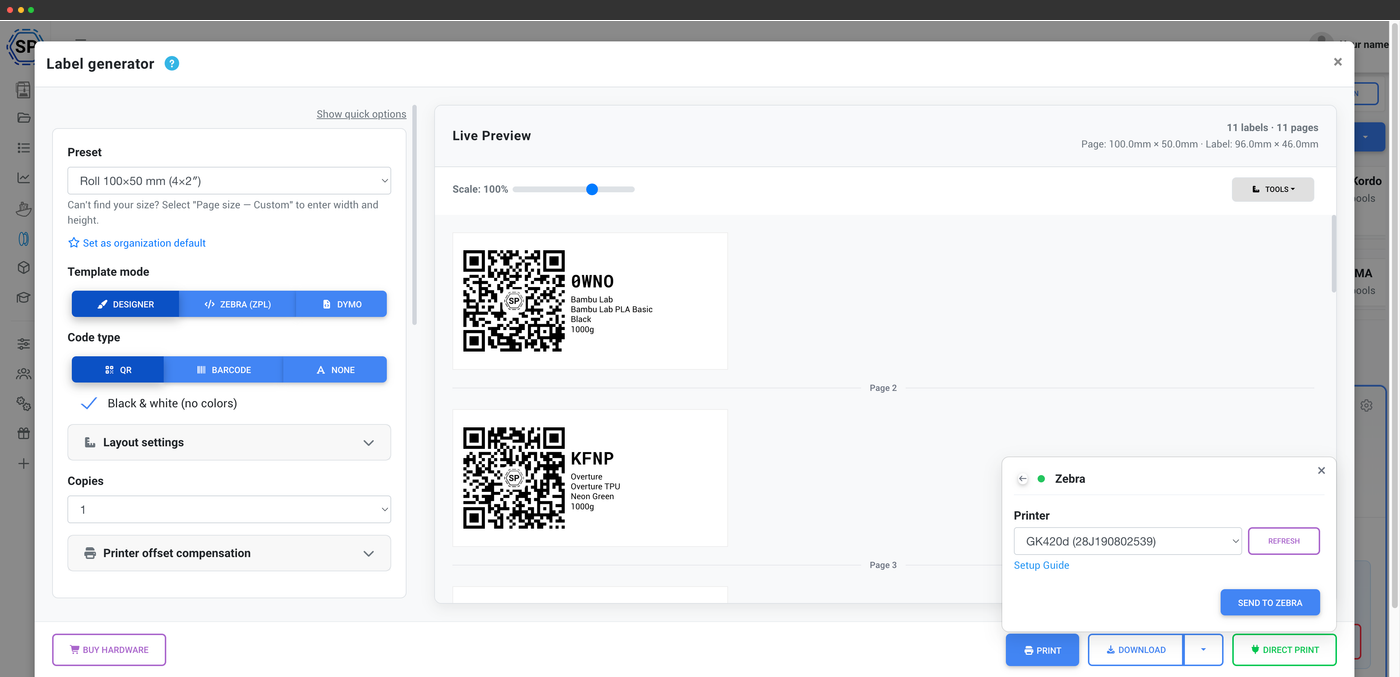
Opret en etiket med QR-kode eller stregkode til enhver spole i din SimplyPrint-filamentbeholdning, og send den direkte til din Zebra-termoprinter fra browseren uden PDF eller et importtrin.
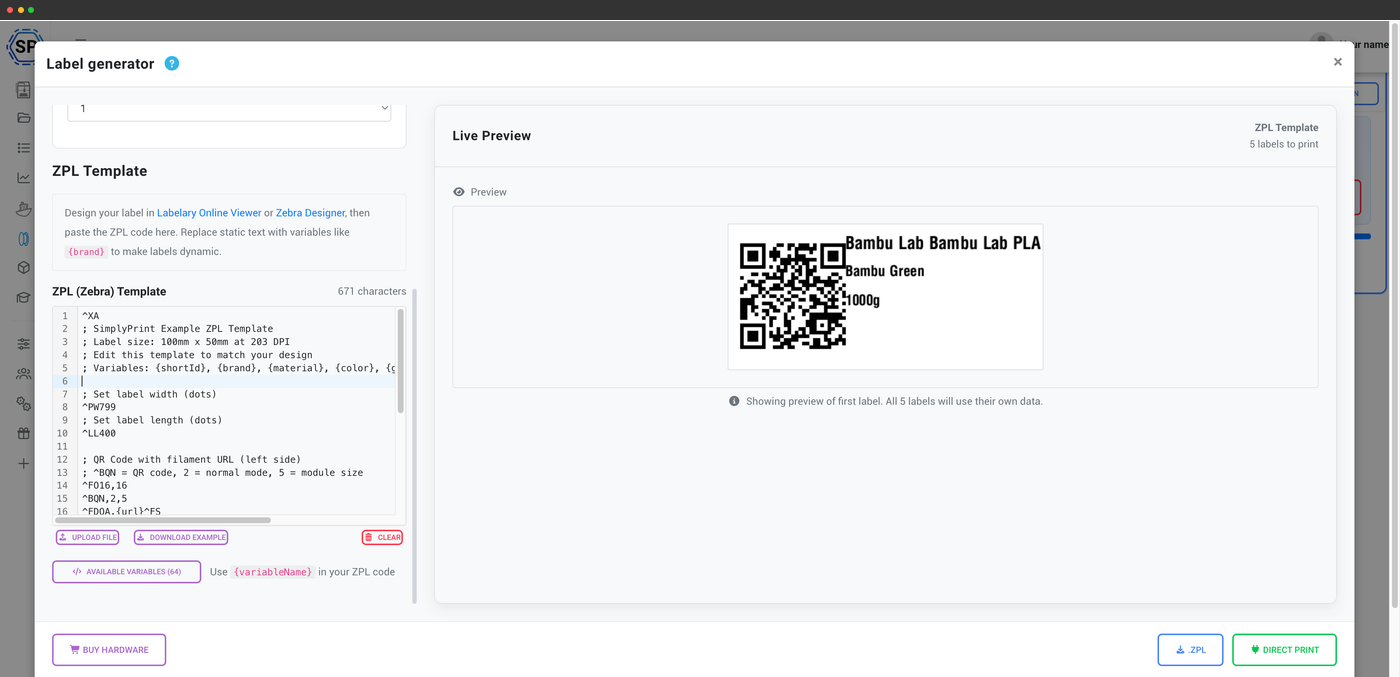
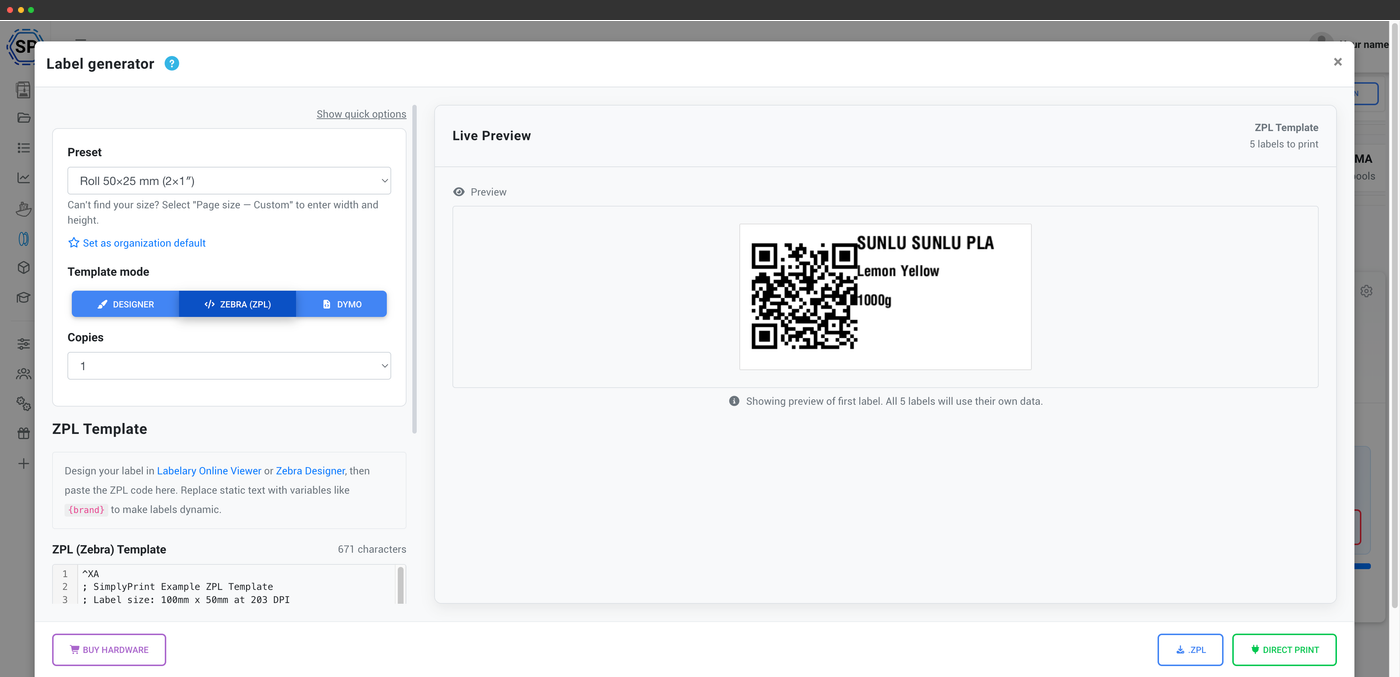
En lille gratis computerklient, Zebra Browser Print, forbinder browseren med din USB-printer. En indbygget ZPL-skabeloneditor med livevisning og kalibrering af printerforskydning giver dig præcis kontrol over layoutet. Zebra er hurtig og bygget til store mængder, så den er et godt valg til at mærke alle spolerne i en hel farm på én gang. Du kan frit vælge etiketmærke, da de fleste almindelige ruller til direkte termoprint fungerer.
- Print direkte fra browseren til en Zebra via USB med den gratis Zebra Browser Print-klient
- Hver etiket indeholder spolens mærke, materiale, farve og ID som QR-kode eller 1D-stregkode (Code-128 / Code-39)
- Indbygget ZPL-skabeloneditor med livevisning og kalibrering af printerforskydning
- Print en hel hylde labels på én gang. Zebra er valget til store mængder
Om SimplyPrint-integrationer
Integration med SimplyPrint gør det muligt for applikationer at kommunikere med dine 3D-printere og omvendt. Det giver uendelige muligheder, og vi er overbeviste om, at din 3D-printer bør kunne fungere som en IoT-enhed og arbejde sammen med enhver applikation, du kan forestille dig!
Derfor arbejder teamet bag SimplyPrint på at levere officielle integrationer til de mest populære platforme, slicere og applikationer, samtidig med at vores brugere kan oprette egne integrationer med vores API, eller godkendte tredjepartsleverandører kan oprette integrationer, som alle SimplyPrint-brugere kan anvende, med en "Log ind med SimplyPrint"-metode (med metoden "OAuth2").
Hvis du er udvikler og interesseret i at oprette en integration til SimplyPrint, så læs venligst vores dokumentation om emnet.
Hvis du ikke selv er udvikler, men gerne vil se en integration til en bestemt applikation, så tjek om den allerede er på vores roadmap eller forslagsliste, og hvis ikke, så foreslå den!