3D printing workflow software coordinates the work closest to the printer: getting an approved file and profile into a queue, assigning it to an eligible machine, showing operators what is happening, handling exceptions and maintenance, and keeping a job record. It should not quietly become the system of record for product revisions, production orders, finance or quality.
Use this boundary:
- 3D printing workflow software owns the connected printer, queue and operator workflow.
- MES owns wider manufacturing execution and production operations.
- ERP owns business planning, resources and transactions.
- PLM owns the product definition, revision and lifecycle.
- QMS owns controlled quality processes and quality records.
The exact product labels vary, but ownership must not. Integration works when each field has one authoritative home and each handoff has a defined trigger, payload, acknowledgement and failure path.
Teams searching for additive manufacturing workflow software, 3D printing ERP or 3D printing MES are often trying to solve this same boundary problem. The right answer may be an integration between focused systems rather than a single product relabeled to cover every category.
What 3D printing workflow software should do
A useful platform should cover the path an operator actually follows:
- Intake: receive a model, sliced file or approved request with the information required to process it.
- Preparation: use an approved printer, material and slicer profile, or accept validated G-code from another workflow.
- Review: confirm permissions, required fields, profile, quantity, priority and any local approval.
- Queue: place the job in a visible backlog rather than a personal inbox or USB drive.
- Match and dispatch: assign work only to a compatible, available, supported printer.
- Monitor: show state, progress and permitted camera or device information; notify the responsible operator when intervention is needed.
- Handle exceptions: pause, cancel, requeue, report a problem or start maintenance according to policy.
- Complete: retain the result, user, printer, timing, material and cost fields the organization needs for operational reporting.
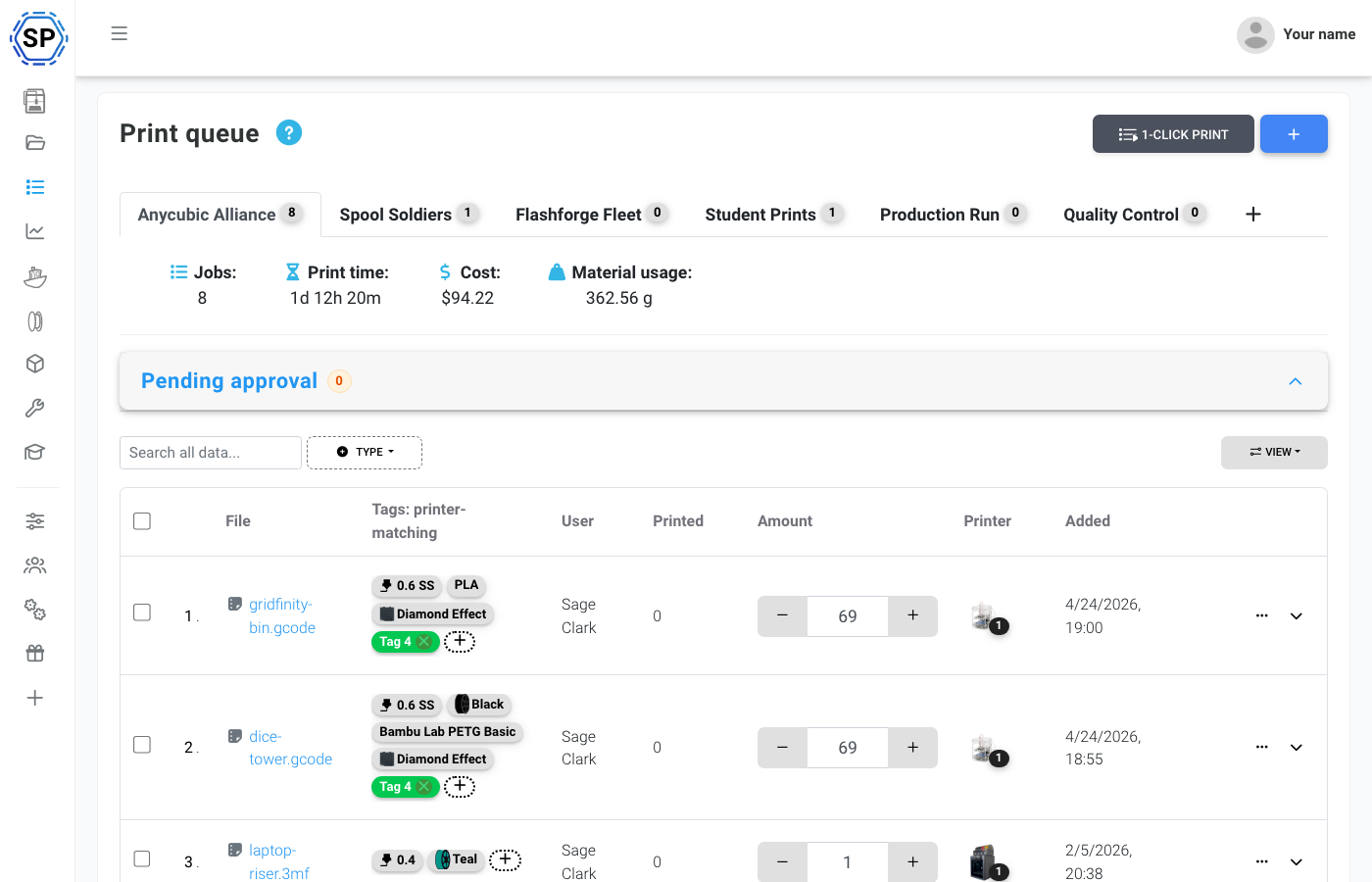
This layer is particularly valuable when several people share several printers. A single-printer control page can send a file, but it does not answer who approved the job, which request is next, why a printer is ineligible, which site owns an alert or what record should return to another system.
A practical system-of-record map
Write the map before discussing integration technology:
| Object or decision | Typical authority | What printer workflow software may need |
|---|---|---|
| Product definition and released revision | PLM | Approved file or immutable revision reference |
| Production or service demand | ERP or MES, depending on the organization | Request ID, quantity, due context and authorization |
| Manufacturing routing and plant work in progress | MES | The printer operation to execute and status to return |
| Quality procedure, inspection and nonconformity | QMS | Required gate, result reference and hold/release state |
| Printer profile and connection | 3D printing workflow platform | Machine, nozzle, material and supported connection data |
| Printer queue and assignment | 3D printing workflow platform | Priority, eligibility, operator and dispatch state |
| Live printer and job status | 3D printing workflow platform | Events other systems subscribe to when needed |
| Printer maintenance work | Printer workflow or maintenance system, by policy | Due task, machine state, owner, parts and completion record |
| Financial posting and purchasing | ERP | Approved actuals or summarized cost fields |
There is no universal answer for every company. A prototype lab may create requests in a service desk and use no MES. A production-support cell may receive approved work from MES. A university may use identity, queue, balance and reporting systems without ERP integration at all. The map prevents category names from dictating an architecture that does not fit the work.
Where MES begins
An MES is concerned with manufacturing operations beyond the printer dashboard: production execution, resources, routing, work in progress and the relationship between shop-floor activity and the production plan. The ISA-95 standards program is a useful reference for thinking about the interface between manufacturing operations and business systems.
A 3D printer platform may execute one operation and return its status. That does not make it the plant MES. Ask:
- Does this system release or merely receive the work?
- Does it coordinate the whole manufacturing route or only the printer step?
- Does it manage labor and resources beyond the printer fleet?
- Does it hold plant-wide work in progress and genealogy?
- Is it authoritative when an order is rescheduled or placed on hold?
For SimplyPrint, the honest answer is narrower: it coordinates supported connected FDM/FFF printers, their users, files, queues, status, maintenance and operational records. A manufacturing team can use the API and webhooks at the boundary, while the MES remains authoritative for broader execution.
Where ERP begins
ERP usually owns business planning and transactions: customers or internal demand, purchasing, inventory at the business level, finance and cost accounting. Printer software may calculate or record operational cost inputs, but it should not silently post them as financial truth.
A clean handoff can look like this:
- ERP or an approved request system provides a work reference and quantity.
- The printer workflow creates or updates the queue item.
- Operators prepare and run the job.
- The completed job returns actual print time, material use, result and an operational cost field.
- ERP applies its own valuation, accounting and posting rules.
Keep units, currency, rounding, scrap and retry rules explicit. If the printer workflow says a job used a quantity of filament, the ERP integration still needs to decide which inventory item, warehouse, cost method and business transaction that represents.
Where PLM begins
PLM owns the product definition and its lifecycle: part identity, revision, approved source, change process and relationships between product records. A printer queue is a poor place to decide which revision is released.
The workflow platform should receive enough immutable identity to avoid printing "latest" when latest changes:
- part or document identifier;
- revision or version;
- approved file checksum or stable file reference;
- request or order reference;
- allowed material or process information;
- release or expiry state when relevant.
If an engineer uploads a convenient local copy directly, decide whether that is permitted prototype work or a bypass of released-data control. The software cannot infer the organization's product-authority rule from a filename.
Where QMS begins
QMS owns controlled quality processes and records. That can include approved procedures, inspection, training, nonconformity, corrective action and evidence retention according to the organization's scope. A printer platform can enforce operational permissions and capture job data, but it does not become a QMS because it has an audit log or a checklist.
Define the handoff at quality gates:
- What approval allows the printer job to enter the queue?
- What inspection or test is required after printing?
- Which system records the authoritative result?
- What state prevents dispatch after a hold or nonconformity?
- Who can release, rework or scrap the item?
- Which record links the printer job to the QMS object?
Do not advertise a connected printer workflow as process qualification or regulatory compliance. The organization owns validation, procedures, training, equipment qualification and the applicability of its quality requirements.
What SimplyPrint owns, and what it does not
SimplyPrint can supply the operational control layer for supported connected FDM/FFF printers:
- cloud slicing and shared profiles;
- file storage and queue intake;
- queue groups, approval and printer matching;
- status, supported controls, notifications and camera views;
- users, groups, permissions, SSO and organization controls;
- maintenance schedules, jobs, problems and spare-parts records;
- job history, usage, material and cost views;
- REST API and real-time webhooks.
It is not an MES, ERP, PLM or QMS. It does not release product revisions, operate plant-wide manufacturing routes, post financial transactions, or certify a quality process. It is also not a connected-control platform for every additive process. Unsupported resin, powder, metal or other machines do not gain live control by being represented as virtual equipment.
That boundary is a strength when it is designed on purpose. Printer operators get a tool suited to queues, machines and exceptions; enterprise systems keep the authority they already have.
Baskı kuyruğu
Baskılarınızı zahmetsizce yönetin
Design the integration as explicit handoffs
For each handoff, complete this template:
| Decision | Question |
|---|---|
| Business event | What approved state starts the exchange? |
| Source of truth | Which system owns each identifier and field? |
| Payload | What is the minimum data the receiver needs? |
| Idempotency | How does a retry avoid creating duplicate work? |
| Acknowledgement | What proves the receiver accepted or rejected it? |
| Error owner | Which team sees and resolves a failed exchange? |
| State conflict | What happens if both systems change the object? |
| Security | Which identity, credential and network policy applies? |
| Audit | Which references let a reviewer trace the transaction? |
| Retention | How long does each system keep its authoritative record? |
Prefer a small number of business events over a mirror of every database field. Common useful events are request approved, queue item created, print started, print paused or failed, print completed, and printer unavailable. The right set depends on which decisions the surrounding system must make.
SimplyPrint's REST API supports deliberate commands and data access; webhooks deliver subscribed events to configured endpoints. The integration itself is built and operated by the customer or its integration partner. It needs authentication, authorization, retries, monitoring and a recovery process like any other production interface.
An implementation sequence that exposes bad boundaries early
1. Observe the current work
Follow a real request from source file to finished part. Record every handoff, approval, copy, re-entry and status question. USB drives and spreadsheets are symptoms; the missing decision owner is usually the cause.
2. Name the authoritative systems
For file revision, request, priority, user, printer, profile, quality result and cost, write one system of record. Resolve duplicates before building interfaces.
3. Run the printer workflow manually
Use the queue, profiles, permissions, monitoring and maintenance without upstream automation. Confirm that operators can handle rejection, rework, unavailable machines and failed prints.
4. Integrate one inbound handoff
Create printer work only from one approved source state. Include stable identifiers and make retries safe.
5. Integrate one outbound result
Return a completed or failed state with the fields the receiver truly uses. Verify how partial quantities, reruns and cancellations are represented.
6. Add exceptions before scale
Test a rejected file, duplicate event, unavailable printer, expired credential, delayed webhook and conflicting cancellation. An integration is not finished when the success path works once.
7. Measure operator outcomes
Track queue wait, exception reasons, manual re-entry and unresolved interface failures. Do not invent a savings percentage; compare the observed baseline with the new workflow.
Workflow-software buyer checklist
Use these questions in a product evaluation:
- Does connected control cover the exact FDM/FFF printer models and connection methods in scope?
- Can requesters, reviewers, operators, technicians and administrators have distinct rights?
- Can jobs wait for approval and match only eligible printers?
- Can shared profiles be owned and changed deliberately?
- Does maintenance state exclude a printer from automated dispatch, and how are manual starts controlled?
- Are job, user, printer, material, time and cost records available at the level you need?
- Can locations keep local ownership without losing central visibility?
- Are REST API and webhook boundaries documented?
- Can identity and access fit the organization's SSO and security model?
- Is the deployment model explicit, including what managed cloud and any scoped self-hosted agreement do and do not mean?
- Does the vendor state clearly that the platform is not an MES, ERP, PLM, QMS or universal additive-machine controller?
- Can you pilot with real exceptions before committing to an integration?
The answer is not to buy the system with the longest category list. Choose a narrow, reliable printer-workflow owner and make its interfaces with enterprise systems explicit. The manufacturing Enterprise page shows SimplyPrint's supported workflow and deployment boundary; the multi-location guide covers site ownership and queue policy.