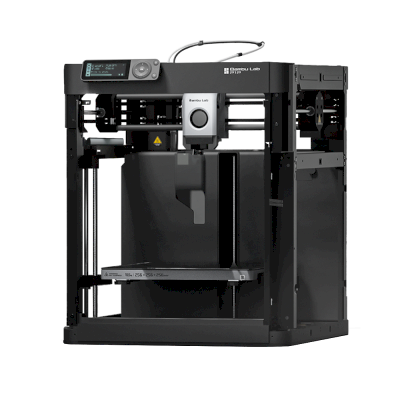
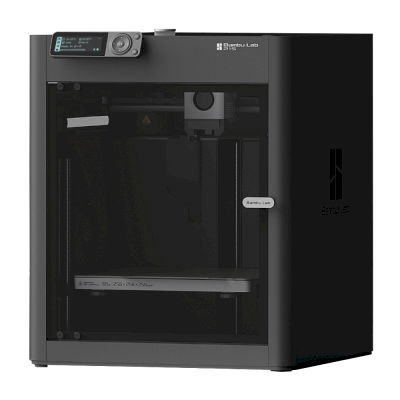
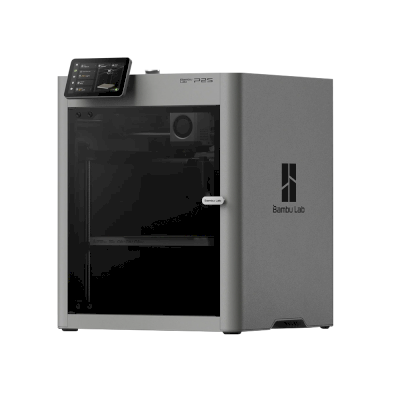
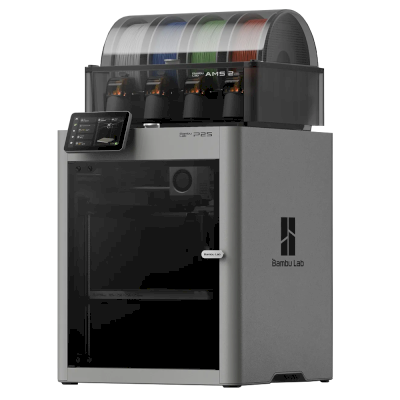
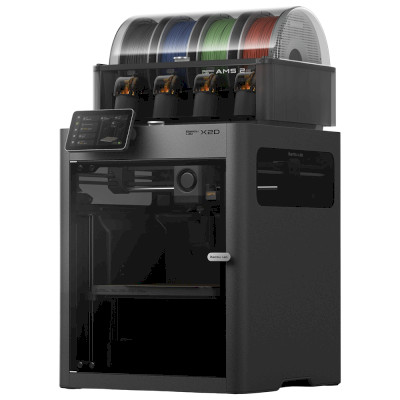
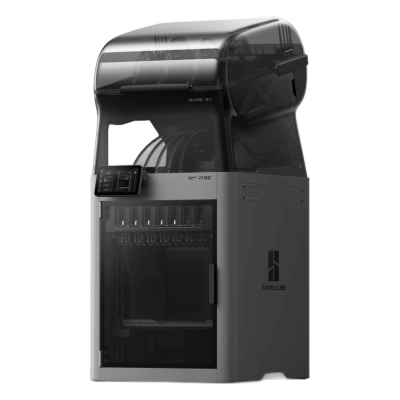
Bambu Lab's second tool changer: a smaller, cheaper H3C with a 256 × 256 × 260 mm bed, seven tool slots with five 0.4 mm PrintTools fitted, and the AMS 3P on top holding seven spools. It is built for multicolor and mixed-material printing, including very soft TPU with the optional 2.85 mm tool.
A impressora 3D Bambu Lab P3C funciona com SimplyPrint, OctoPrint, Mainsail e Fluidd?
Cada forma de conectá-la, o que é necessário e como configurá-la.
Cliente SimplyPrint
Deve funcionar
A smaller version of the Bambu Lab H3C, built on the same tool-changing platform. The H3C works with SimplyPrint through the SimplyPrint Client, so the P3C is expected to connect the same way. Not confirmed on the P3C yet.
Conectada via Cliente SimplyPrint no modo somente LAN, espera-se que a SimplyPrint suporte tudo o que a Bambu Lab P3C permite que outros softwares façam: a câmera e a detecção de falhas por IA, impressão remota, pular objetos, controle de temperatura e movimento, mapeamento de filamento para sua unidade multimaterial e AutoPrint. As únicas exceções são o que a Bambu Lab P3C não permite que outros softwares façam: Ajuste fino, Nivelamento de mesa e Calibração de Z-offset. A tabela abaixo compara as duas formas de conectá-la ao SimplyPrint.
Todos os recursos do SimplyPrint, para cada forma de conectá-la ao SimplyPrint
Conectada ao SimplyPrint via
recurso do SimplyPrint
Cliente SimplyPrint (Modo somente LAN, recomendado)
Deve funcionar
Cliente SimplyPrint (Modo nuvem)
Deve funcionar
Monitoramento
Status e progresso em tempo real
Sim
Sim
Webcam
Sim
Sim
Detecção de falhas com IA
Sim
Sim
Tempo restante
Sim
Sim
Progresso da camada
Sim
Sim
Temperaturas
Sim
Sim
Imprimindo
Iniciando uma impressão
Sim
Depende1
Pausar, continuar e cancelar
Sim
Depende1
Pular objetos
Sim
Depende1
Opções de início de impressão
Sim
Depende1
Arquivos
Imprimir arquivos 3MF fatiados
Sim
Sim
Controle da impressora
Alterar temperaturas
Sim
Depende1
Movimentação com os controles
Sim
Depende1
Referenciamento
Sim
Depende1
Extrudar e retrair
Sim
Depende1
Alterar velocidade de impressão
Sim
Depende1
Velocidade do ventilador
Sim
Depende1
Ajuste fino
Não oferecido pela impressora2
Não oferecido pela impressora2
Enviar G-code
Sim
Depende1
Calibração
Alterar filamento
Sim
Depende1
Nivelamento de mesa
Não oferecido pela impressora2
Não oferecido pela impressora2
Calibração de Z-offset
Não oferecido pela impressora2
Não oferecido pela impressora2
Multimaterial
Mapear filamento para compartimentos multimateriais
Sim3
Sim3
Sincronizar filamento carregado da unidade multimaterial
Sim3
Sim3
Automação
AutoPrint
Pro
Sim
Depende1
Baixar o arquivo antes de a impressão começar
Sim
Não oferecido pela impressora2
Conectada ao SimplyPrint via Cliente SimplyPrint (Modo somente LAN, recomendado)
Deve funcionar
Monitoramento
Status e progresso em tempo realSim
WebcamSim
Detecção de falhas com IASim
Tempo restanteSim
Progresso da camadaSim
TemperaturasSim
Imprimindo
Iniciando uma impressãoSim
Pausar, continuar e cancelarSim
Pular objetosSim
Opções de início de impressãoSim
Arquivos
Imprimir arquivos 3MF fatiadosSim
Controle da impressora
Alterar temperaturasSim
Movimentação com os controlesSim
ReferenciamentoSim
Extrudar e retrairSim
Alterar velocidade de impressãoSim
Velocidade do ventiladorSim
Ajuste finoNão oferecido pela impressora2
Enviar G-codeSim
Calibração
Alterar filamentoSim
Nivelamento de mesaNão oferecido pela impressora2
Calibração de Z-offsetNão oferecido pela impressora2
Multimaterial
Mapear filamento para compartimentos multimateriaisSim3
Sincronizar filamento carregado da unidade multimaterialSim3
Automação
AutoPrint ProSim
Baixar o arquivo antes de a impressão começarSim
Conectada ao SimplyPrint via Cliente SimplyPrint (Modo nuvem)
Deve funcionar
Monitoramento
Status e progresso em tempo realSim
WebcamSim
Detecção de falhas com IASim
Tempo restanteSim
Progresso da camadaSim
TemperaturasSim
Imprimindo
Iniciando uma impressãoDepende1
Pausar, continuar e cancelarDepende1
Pular objetosDepende1
Opções de início de impressãoDepende1
Arquivos
Imprimir arquivos 3MF fatiadosSim
Controle da impressora
Alterar temperaturasDepende1
Movimentação com os controlesDepende1
ReferenciamentoDepende1
Extrudar e retrairDepende1
Alterar velocidade de impressãoDepende1
Velocidade do ventiladorDepende1
Ajuste finoNão oferecido pela impressora2
Enviar G-codeDepende1
Calibração
Alterar filamentoDepende1
Nivelamento de mesaNão oferecido pela impressora2
Calibração de Z-offsetNão oferecido pela impressora2
Multimaterial
Mapear filamento para compartimentos multimateriaisSim3
Sincronizar filamento carregado da unidade multimaterialSim3
Automação
AutoPrint ProDepende1
Baixar o arquivo antes de a impressão começarNão oferecido pela impressora2
Funciona
Depende
Não compatível
Não oferecido pela impressora
O firmware Bambu Lab de 2025 em diante permite apenas monitoramento no modo de nuvem: use o modo somente LAN para iniciar impressões e controlar a impressora. Firmwares mais antigos ainda permitem ambos.
A impressora não oferece isso a outros softwares.
Precisa de uma unidade multimaterial
Qual slicer usar com Bambu Lab P3C
A Bambu Lab usa o BambuStudio, o slicer da própria Bambu Lab. Ainda não há um perfil pronto para a Bambu Lab P3C em nossa nuvem.
Só listamos slicers que você pode usar na nuvem do SimplyPrint, então pode haver outros para a impressora Bambu Lab P3C.
Slicer na nuvem para Bambu Lab P3C: use BambuStudio online
Usar BambuStudio e outros slicers diretamente no navegador com o slicer em nuvem online da SimplyPrint. Não é necessária instalação. Fatie seus modelos de Bambu Lab P3C em qualquer dispositivo, de qualquer lugar do mundo!
Atualizações automáticas de perfis: os perfis são verificados e obtidos automaticamente todos os dias dos repositórios GitHub dos slicers, além do nosso próprio banco de dados de perfis de slicer de código aberto criado pela comunidade. Isso garante que você sempre tenha acesso aos perfis mais recentes.
Observação: Outros slicers, como Simplify3D, ideaMaker, SuperSlicer e KISSlicer, não estão em nossa nuvem, por isso não acompanhamos seus perfis. Eles ainda podem funcionar bem com sua Bambu Lab P3C: consulte a documentação ou os fóruns do slicer para encontrar um perfil. Você também pode contribuir com perfis para nosso banco de dados open source de perfis de slicer no GitHub.
O aplicativo para a Bambu Lab P3C
O SimplyPrint funciona como o app da Bambu Lab P3C: no seu celular e em qualquer navegador, com um slicer na nuvem.
O que você recebe com SimplyPrint
Um app para iPhone e Android, igual em qualquer navegador, e um slicer na nuvem.
Mais que monitoramento: fila de impressão, detecção de falhas por IA, AutoPrint e contas para uma equipe.
Impressoras de várias marcas em um só lugar, lado a lado.
Ainda não há um trocador de placas ou kit de ejeção automática para a Bambu Lab P3C no SimplyPrint, mas o AutoPrint ainda pode mantê-la imprimindo: assim que a placa estiver livre, ele inicia o próximo trabalho da sua fila.
Impressoras fechadas empurram as impressões para fora
A mesa da Bambu Lab P3C só se move para cima e para baixo dentro do gabinete, então, em vez de trocar placas, kits como estes permitem que o cabeçote empurre a impressão resfriada para fora da placa e pela porta frontal, que eles abrem para você quando uma impressão termina.
Empurrar impressões para fora com o cabeçoteEm uma impressora CoreXY, uma rotina de G-code pode empurrar a peça resfriada para fora da frente da placa antes do próximo trabalho começar.
Seu próprio G-code de ejeçãoEscreva a rotina que limpa sua placa, e o AutoPrint a executará após cada impressão.
Sim
Opções disponíveis: Use AMS, Bed Leveling, Flow Calibration, Timelapse
A impressora
Fabricante / marca da impressora
Bambu Lab
Nome do modelo de impressora
P3C
Fabricada por uma empresa de
China
Lançado
24 de novembro de 2026
Ainda fabricada
Sim
Aviso legal:
Nos esforçamos para manter esta informação o mais atualizada e precisa possível, mas não podemos garantir sua integridade nem confiabilidade. Nossos dados são baseados em envios de usuários e referências de fabricantes.
Que filamento a Bambu Lab P3C pode imprimir?
Compatibilidade de filamento da Bambu Lab P3C: os materiais listados pela Bambu Lab.
Filamento
Adequação
Notas
PLA
Ótimo
Na lista de materiais do fabricante para esta impressora.
PETG
Ótimo
Na lista de materiais do fabricante para esta impressora.
TPU e flexíveis
Ótimo
Na lista de materiais do fabricante para esta impressora.
ABS & ASA
Ótimo
Na lista de materiais do fabricante para esta impressora.
Nylon (PA)
Ótimo
Na lista de materiais do fabricante para esta impressora.
Polycarbonate (PC)
Ótimo
Na lista de materiais do fabricante para esta impressora.
Reforçado com fibra de carbono e vidro
Ótimo
Na lista de materiais do fabricante para esta impressora.
Dica: este é um guia geral baseado nas especificações da impressora, sempre confira as configurações recomendadas para seu filamento. Com SimplyPrint, você pode salvar um perfil para cada bobina e acompanhar exatamente qual filamento tem em estoque.
Melhor filamento para a Bambu Lab P3C
Filamentos que a Bambu Lab P3C imprime bem, primeiro os da Bambu Lab, depois os mais conhecidos.
The same tools and excellent TPU printing as the H3C at about half the price, with quick color changes, mixed nozzle sizes and materials in one print, and hardened steel nozzles. It drops the heated chamber, filament dryer and automatic filament loading; loading filament is tedious, swapping tools is fiddly, and it is tall enough to need a step stool for the back slots.
“The Bambu Lab P3C is best for anyone who wants poop-free multicolor, multi-material printing without paying H3C money.”
CNC Kitchen · 24 de novembro de 2026
Sponsored by VoxelPLA (disclosed). Tool changes of 6-7 seconds and multicolor and multi-material quality matched only by the H3C, plus very soft TPU through the 2.85 mm tool. The biggest downside is manual filament loading: changing all seven spools takes about five minutes. ABS, ASA, nylon and PC print well, but with no heated chamber PPA and PPS are out.
Tested · 24 de novembro de 2026
After a week and a half: thousands of tool swaps without a failed pickup and very good full-color prints, at a price below the X1C's launch price. Filament is loaded and unloaded by hand, the filament dryer is an optional extra, and it needs about 45 inches of height with the AMS lid open. He sees it as a printer for multicolor and aesthetic prints rather than engineering parts.
Quando escolher Bambu Lab P3C
Choose it when you print five or more colors or mix materials often and the H3C costs too much: tool changes take about 6-7 seconds and print quality is close to the H3C's. It starts at $1,149 with five tools; the two empty slots take extra tools at about $100 each. Filament is loaded and unloaded by hand, so it suits people who keep the same spools loaded. If you mostly print one or two colors, a dual-nozzle printer or a cheaper four-tool printer does the job for less; for PPA, PPS or other high-temperature materials, the H3C's heated chamber and 350 °C nozzles are the better fit.
Vantagens
Tool changes in about 6-7 seconds, so multicolor prints are much faster than on a single-nozzle printer.
Very good print quality, close to the H3C's, at less than half its price.
An optional 2.85 mm tool prints very soft TPU, and soft and rigid materials can be combined in one print.
Different nozzle sizes and materials can be mixed in one print, and all nozzles are hardened steel.
Enclosed, with a particle and activated-carbon filter that recirculates the air when printing ABS or ASA.
Expected to work with SimplyPrint through the SimplyPrint Client, like the H3C.
Contras
Filament is loaded and unloaded by hand: there are no feed motors, and changing all seven spools takes about five minutes.
Ships with five tools; filling the other two slots costs about $100 per tool, and the filament dryer is an optional extra.
No heated chamber and a 300 °C nozzle limit, so high-temperature materials such as PPA and PPS are out.
Tall: about 94 cm with the AMS closed and 1.2 m of height needed to open its lid.
Wi-Fi only: there is no Ethernet port.
Each tool change still primes a little filament onto a prime tower.
Para quem é
EscolasPode funcionar
Enclosed and filtered, but manual filament loading and fiddly tool swaps add work for a classroom.
HobbistasÓtima compatibilidade
The most affordable way into Bambu Lab's fast tool changing for multicolor prints and soft TPU.
EmpresasBoa compatibilidade
Multi-material parts and breakaway supports work well, but no heated chamber for high-temperature materials.
Print farmsPode funcionar
Wi-Fi only and manual filament loading; for single-color jobs, simpler printers do the same work.
Com base nas informações do fabricante e em avaliações independentes.
Leia mais do fabricante
A série Bambu Lab P
Todas as impressoras da Bambu Lab na série, da mais antiga à mais recente.
Compare a Bambu Lab P3C com impressoras semelhantes
Impressoras do mesmo fabricante, de tamanho semelhante, que imprimem os mesmos materiais de engenharia ou em vários materiais, que você pode comprar hoje. Compare até quatro lado a lado, com suas especificações e como cada uma se conecta.
Também da Bambu Lab · Volume de impressão semelhante · Também imprime ABS & ASA, Nylon (PA), Polycarbonate (PC), Reforçado com fibra de carbono e vidro · Também multimaterial
Também da Bambu Lab · Volume de impressão semelhante · Também imprime ABS & ASA, Nylon (PA), Polycarbonate (PC), Reforçado com fibra de carbono e vidro · Também multimaterial
Quem fabrica a Bambu Lab P3C e quão aberta a Bambu Lab permite que você seja: se as impressoras dela funcionam sem a nuvem da marca, aceitam qualquer filamento e slicer e podem ser reparadas. Cada área é avaliada com base em fontes públicas.
Abertura: Majoritariamente fechada (2.3 de 5)
Majoritariamente fechada
Ecossistema fechadoAbrir
Bambu Lab is a Shenzhen company founded in 2020 by former DJI engineers. It makes FDM printers in four families (A, P, X and H), the AMS multi-material units, the Bambu Studio slicer, the Bambu Handy app and the MakerWorld model site, and designs them to be used together. Its printers are used by beginners, hobbyists, schools and print farms.
Fundada:
2020 ·
Sede:
Shenzhen, China ·
Propriedade:
Privately held; founded by CEO Ye Tao and other former DJI staff, with venture investors (BGR, 2026) ·
Site:bambulab.com
Bambu Lab works like Apple: printer, slicer, app, cloud and multi-material system come from one company and are made to work together. Filament and slicer choice stay open, but the firmware is closed and signed, and since 2025 third-party control needs Bambu Connect or the unsupported Developer Mode.
Firmware e firmware personalizado ●●●●●
The printer firmware is Bambu's own and closed; in 2022 Bambu said it would keep it in-house. Its security white paper describes secure boot that only runs verified firmware on X1, H2, P1 and A1 printers. Bambu publishes the GPL parts it uses (Linux kernel, U-Boot, BusyBox) but not the printer software. Rooting the X1 only became possible through a security flaw the X1Plus project used in 2024; Bambu then published a one-off rootable X1 firmware for owners who give up their warranty, and blocks rooting in later firmware.
[1][2][3][4][22]
Controle local e integrações ●●●●●
LAN Only mode prints and monitors from Bambu Studio or Bambu Connect without internet or an account; the Handy app, printing from outside the network and print history need Bambu's cloud. Since the 2025 authorization firmware, other software can only read status in normal mode. Full control needs Developer Mode, which cuts the cloud link and which Bambu says it cannot support because the protocols are not official. Bambu documents no local protocol; it offers a file hand-off to Bambu Connect and a Local Server SDK on application.
[23][24][6][7][5]
Filamento, slicers e peças de terceiros ●●●●●
Third-party filament works, and Bambu publicly denied in 2025 that it would restrict it. OrcaSlicer and other slicers can be used, but since the 2025 firmware they send and control prints through Bambu Connect or Developer Mode. Hotends are Bambu's own designs, and Bambu says it cannot promise long-term support for accessories that control the printer unless it approved them first.
[7][6][4]
Reparos e peças de reposição ●●●●●
Bambu's store sells individual spare parts down to motors, belts, encoders and boards, and its wiki has step-by-step replacement guides for each model (for example the P2S hotend and the H2D/H2C AP board). Many parts, hotends included, are Bambu-specific, so spares come from Bambu.
[8][9][10]
Dados e privacidade ●●●●●
Cloud features need a Bambu account, while LAN Only mode keeps jobs on the local network. Bambu publishes a Trust Center and a 38-page security white paper, says it holds ISO/IEC 27001, ISO/IEC 27701 and TRUSTe certifications, and runs a paid bug bounty. In August 2023 a cloud outage made some printers start earlier jobs on their own; Bambu apologised.
[2][11][5][12]
Comunidade e documentação ●●●●●
Very large user community, the MakerWorld model site, a detailed wiki and a blog where Bambu explains its policy changes. Bambu Studio is developed in public on GitHub with an open issue tracker. The printer protocol is not documented, and Developer Mode is unsupported.
[13][5][7]
Vantagens
Printer, slicer, app and AMS come from one company and are designed to work together, which makes a first setup simple.
Step-by-step repair guides for each model and individual spare parts sold in Bambu's store.
LAN Only mode works without internet or an account.
Bambu Studio is open source, and third-party filament works.
Publishes security certifications and runs a public bug bounty.
Contras
Firmware is closed and signed; current models have no supported way to run custom firmware.
Since the 2025 firmware, third-party software and accessories need Bambu Connect or the unsupported Developer Mode to control the printer.
Remote printing, the Handy app and print history depend on Bambu's cloud.
Hotends and many parts are Bambu-specific, so spares come from Bambu.
In 2026 a US jury found the X1, P1 and A1 infringe Stratasys patents; Bambu is appealing.
Histórico comprovado
setembro 2026: A US federal jury in Texas found that Bambu Lab's X1, P1 and A1 printers infringe Stratasys patents on prime towers and bed levelling, and awarded Stratasys $27.6 million. No injunction was placed on the printers. Bambu told Tom's Hardware it disagrees with the verdict and intends to seek post-trial review and appeal. Stratasys had filed two suits in 2024; more patents are still to be decided.
[14]
maio 2026: Bambu Lab pressed the developer of 'OrcaSlicer-bambulab', a fork that restored direct cloud printing from OrcaSlicer, to remove it, according to Manufactur3D. On 7 May Bambu said the fork impersonated the official Bambu Studio client to its cloud, which its user agreement does not allow, and that modifying and sharing its AGPL code remains fine. The developer disputed the claims.
[15][16][17]
outubro 2025: Bambu Lab opened a Trust Center with a security white paper and listed ISO/IEC 27001, ISO/IEC 27701 and TRUSTe privacy certifications. A year later it said its bug bounty had worked with over 100 researchers and that it had added a public security update log.
[2][11]
20 de janeiro de 2025: After criticism from users and print farms, Bambu Lab announced an optional Developer Mode for X1, P1, A1 and A1 mini that leaves MQTT, FTP and the live stream open for third-party software in LAN mode, without official support. It also said LAN mode via Bambu Connect needs neither internet nor an account, and that third-party filament would not be restricted.
[7]
16 de janeiro de 2025: Bambu Lab announced firmware with 'authorization control', first for the X1: starting prints, moving axes, changing temperatures and binding the printer now require Bambu-approved software, also in LAN mode. On updated printers, third-party slicers and accessories such as the Panda Touch could no longer control the printer except through Bambu Connect; reading status still worked. Bambu cited security and up to 30 million unauthorised cloud requests a day; older firmware stayed optional.
[6]
março 2024: After the X1Plus jailbreak, Bambu Lab published a one-off rootable firmware for the X1 series for owners who give up their warranty support. It said it does not support X1Plus, and that firmware after it would block rooting again.
[4]
fevereiro 2024: Bambu Lab extended its A1 heatbed-cable callback to a recall of all A1 printers and asked owners to stop using them. It reported electrical faults in under 0.1% of units and offered a full refund plus an $80 voucher, or a redesigned heatbed plus a $120 voucher and six extra months of warranty. The A1 mini was not affected.
[18][19]
janeiro 2024: Community developers rooted the X1 series through a security flaw in its firmware (up to version 1.07) and released the X1Plus custom firmware. Bambu Lab closed the flaw in later firmware.
[22]
agosto 2023: During a Bambu cloud outage on 15 August 2023, some printers started print jobs without user action, because jobs stuck in the cloud were resent when service returned. Bambu apologised, took responsibility and said it would add checks before a print starts.
[12]
maio 2022: Before its first printers shipped, Bambu Lab said its firmware would stay closed and in-house to remain competitive, and promised to open-source everything if the company ever could not survive.
[1]
Com base em 24 fontes, verificado pela última vez em 20 de outubro de 2026. Mostrar fontes
A impressora Bambu Lab P3C é compatível com SimplyPrint?
Provavelmente. Esperamos que a Bambu Lab P3C se conecte ao SimplyPrint por Cliente SimplyPrint, mas ninguém confirmou isso ainda. Se você tiver uma, o guia de configuração mostrará em minutos se funciona, e sua resposta confirmará isso para todos.
Como conecto a Bambu Lab P3C ao SimplyPrint?
Siga nosso guia de configuração passo a passo para a Bambu Lab P3C. Ele mostra como conectá-la por Cliente SimplyPrint, o que você precisa para cada opção e qual escolher.
Qual slicer devo usar para a Bambu Lab P3C?
Use BambuStudio, o slicer da Bambu Lab, feito para suas impressoras. Você pode usá-lo no slicer online do SimplyPrint; ele ainda não tem um perfil pronto para a Bambu Lab P3C.
Posso usar o OrcaSlicer com Bambu Lab P3C?
Sim, mas, pelo que sabemos, o OrcaSlicer não tem um perfil integrado para a Bambu Lab P3C: comece com o perfil de uma impressora semelhante e ajuste o tamanho e a altura da mesa e o bico conforme necessário.
Que filamento a Bambu Lab P3C pode imprimir?
A Bambu Lab lista PLA, PETG, TPU e flexíveis, ABS & ASA, Nylon (PA), Polycarbonate (PC) e Reforçado com fibra de carbono e vidro para a P3C.
A Bambu Lab P3C funciona com OctoPrint ou Klipper?
Não que saibamos, mas você também não precisa: SimplyPrint se conecta à Bambu Lab P3C via Cliente SimplyPrint.
Quais são as dimensões da mesa e o volume de impressão da Bambu Lab P3C?
A Bambu Lab P3C tem uma mesa de impressão de 256 x 256 mm e imprime até 260 mm de altura, com um volume de construção de cerca de 256 x 256 x 260 mm. Consulte a tabela de especificações completa acima para ver o tipo de mesa, temperaturas e mais.
Quando a Bambu Lab P3C foi lançada?
A Bambu Lab lançou a P3C em 24 de novembro de 2026.
A Bambu Lab P3C pode ejetar impressões automaticamente?
Ainda não há um kit compatível, mas o AutoPrint do SimplyPrint pode empurrar impressões para fora com o cabeçote ou executar seu próprio G-code de ejeção e, em seguida, iniciar o próximo trabalho da sua fila.
Aviso de afiliados: alguns links nesta página são links de afiliados. Podemos receber uma comissão se você fizer uma compra, sem custo adicional para você. Como Associado da Amazon, recebemos por compras qualificadas.
 China
 Cliente SimplyPrint



 PrusaSlicer
 OrcaSlicer
 ElegooSlicer
 CrealityPrint
 Cura
 Kiri:Moto