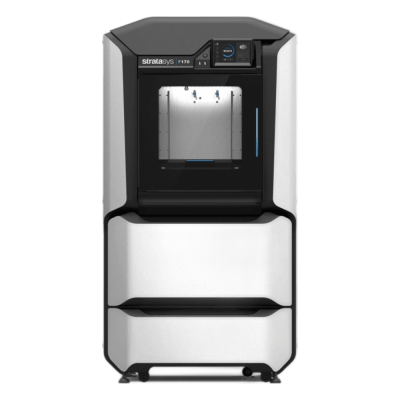
Stratasys F170の概要
The entry model of Stratasys's F123 Series: an office-friendly industrial FDM printer with a 254 x 254 x 254 mm tray, a heated build chamber and soluble support. It is built for prototyping, jigs and fixtures in companies and schools.
- 造形サイズ
- 254 x 254 x 254 mm
- エンクロージャー
- 完全密閉
- プリントに適しています
- PLA, TPU・柔軟性素材, ABS & ASA, カーボンファイバー・ガラス繊維配合
- 内蔵カメラ
- はい
- 接続機能
- Ethernet, Wi-Fi
Stratasys F170をSimplyPrintに接続
Stratasys F170 3DプリンターはSimplyPrint、OctoPrint、Mainsail、Fluiddに対応していますか? 各接続方法の概要、必要なもの、設定方法です。
-
メーカーのクラウド
対応可能、未実装
Prints through Stratasys's GrabCAD Print, and GrabCAD's SDK gives software vendors APIs to connect Stratasys FDM printers to their systems. SimplyPrint could build support on it, but it isn't built yet. ソース
-

SimplyPrintクライアント
非対応
Runs Stratasys's closed controller and takes jobs only through Stratasys's own software, such as GrabCAD Print. ソース
-


Klipper (Moonraker)
非対応
Runs Stratasys's closed controller and prints from Stratasys's own software; no Klipper or Moonraker is documented. ソース
-

OctoPrint
USBで直接接続
非対応
Runs Stratasys's closed controller and takes jobs only through Stratasys's own software, such as GrabCAD Print; no OctoPrint or serial control is documented. ソース
Stratasys F170に使用するスライサー
Stratasys F170は標準のG-codeに対応していないため、SimplyPrintのクラウドには対応するスライサーがないと考えられます。メーカー推奨のスライサーを使用してください。
Stratasys F170のプロファイルはありません
 PrusaSlicer
 OrcaSlicer
 BambuStudio
 ElegooSlicer
 CrealityPrint
 Cura
Cura Kiri:Moto
SimplyPrintのクラウドで使用できるスライサーのみを掲載しています。Stratasys F170には他にも対応するスライサーがある場合があります。
Stratasys F170のオンラインスライスは利用できません
Stratasys F170の仕様: ベッドサイズ、プリント高さなど
メーカーの情報と独自の調査に基づくサイズ、温度、マルチマテリアル、接続方法です。 メーカーの詳細情報を見る
サイズ
| 造形サイズ | 254 x 254 x 254 mm |
|---|---|
| ベッドタイプ | Square |
| ベッドサイズ | 254 x 254 mm |
| 最大プリント高さ | 254 mm |
プリント
| エンクロージャー | 完全密閉 |
|---|---|
| エクストルーダーの最高温度 | 330 °C |
| ヒートベッドあり | いいえ |
| 加熱チャンバー | はい |
| ノズル数 | 1 |
| ツールヘッド | 2 |
| ダイレクトドライブ | いいえ |
| プローブツール / 自動ベッドレベリング | いいえ |
| フィラメント幅 | 1.75 mm |
接続
| 接続機能 | Ethernet, Wi-Fi |
|---|---|
| 内蔵カメラ | はい |
| シリアルプリントに対応 | いいえ |
| 搭載ファームウェア | メーカー独自 |
ファイルとスライス
| 対応ファイル形式 | G-code(.gcode、.gco、.g) |
|---|
プリンター
| プリンターメーカー / ブランド | Stratasys |
|---|---|
| プリンター機種名 | F170 |
| リリース済み | 2月 2017 |
| 現在も製造中 | はい |
免責事項: この情報はできる限り最新かつ正確に保つよう努めていますが、完全性や信頼性を保証するものではありません。データはユーザーからの投稿とメーカーの資料に基づいています。
Stratasys F170でプリントできるフィラメントは何ですか?
Stratasys F170のフィラメント互換性:Stratasysが対応材料として挙げているものです。 Stratasys純正の材料でのみプリントできます。
| フィラメント | 適性 | メモ |
|---|---|---|
| PLA | 優秀 | このプリンターのメーカーが指定する対応材料に含まれています。 |
| PETG | 最適ではありません | メーカーの一覧になく、このプリンターはメーカー純正の材料のみでプリントできます。 |
| TPU・柔軟性素材 | 優秀 | このプリンターのメーカーが指定する対応材料に含まれています。 |
| ABS & ASA | 優秀 | このプリンターのメーカーが指定する対応材料に含まれています。 |
| Nylon (PA) | 最適ではありません | メーカーの一覧になく、このプリンターはメーカー純正の材料のみでプリントできます。 |
| Polycarbonate(PC) | 最適ではありません | メーカーの一覧になく、このプリンターはメーカー純正の材料のみでプリントできます。 |
| カーボンファイバー・ガラス繊維配合 | 優秀 | このプリンターのメーカーが指定する対応材料に含まれています。 |
ヒント:これはプリンターの仕様に基づく一般的な目安です。フィラメントの推奨設定を必ず確認してください。SimplyPrintではスプールごとにプロファイルを保存し、フィラメントの在庫を正確に把握できます。
Stratasys F170を選択するケース
Choose it when you want Stratasys's plug-and-print reliability and soluble support at the smallest F123 size. The F370 adds a larger tray, four material bays and PC-ABS, ESD and Diran materials; the F190CR adds carbon-fibre nylon.
メリット
- Soluble support material, so complex and interlocking parts need no hands-on support removal.
- Prints PLA, ABS-M30, ASA, carbon-fibre ABS-CF10 and TPU 92A elastomer.
- Quiet for an industrial machine: 46 dB while building.
- Wired Ethernet and Wi-Fi, with GrabCAD Print for preparing and queueing jobs.
デメリット
- Not supported by SimplyPrint yet: support could be built on GrabCAD's SDK.
- Runs Stratasys's closed controller with GrabCAD Print, so there is no OctoPrint or Klipper route.
- Prints only Stratasys's own material spools.
- One model and one support bay, so no automatic changeover to a second spool.
おすすめの対象
-
学校 適しています
Enclosed, quiet and GREENGUARD certified with ABS, ASA and QSR support; Stratasys aims it at schools too.
-
ホビーユーザー 適していない
An industrial machine with proprietary materials and a price to match.
-
企業 最適
Reliable, repeatable prototypes and tooling with soluble support.
-
プリントファーム 動作する場合あり
GrabCAD Print queues jobs across Stratasys printers, but SimplyPrint cannot manage it today.
メーカーの情報と第三者によるレビューを基に作成しています。 メーカーの詳細情報を見る
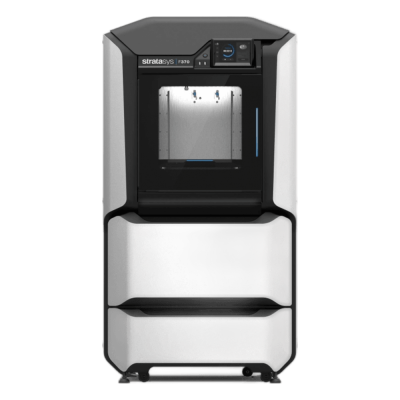
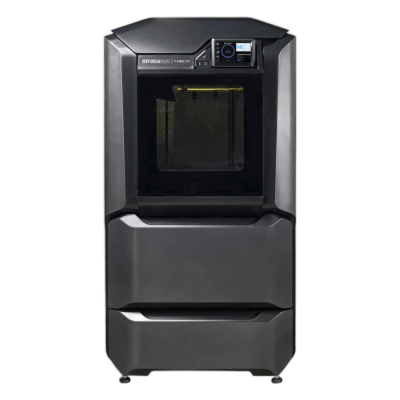
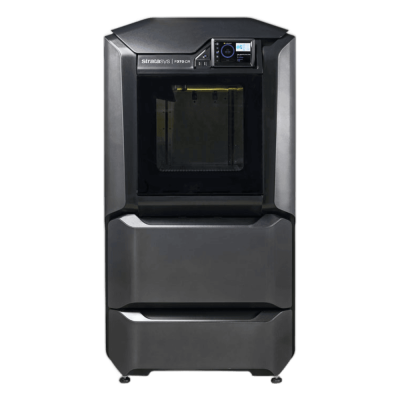
StratasysのF123シリーズ
シリーズ内のStratasysの全プリンターを古い順に表示します。
SimplyPrintに対応するStratasys F170の類似機種
同じメーカー製、同程度のサイズ、同じエンジニアリング材料やマルチマテリアルプリントに対応するなど、この機種に似たプリンターのうち、現在購入でき、SimplyPrintでの動作が確認されている機種です。
-
Bambu Lab P2S Combo
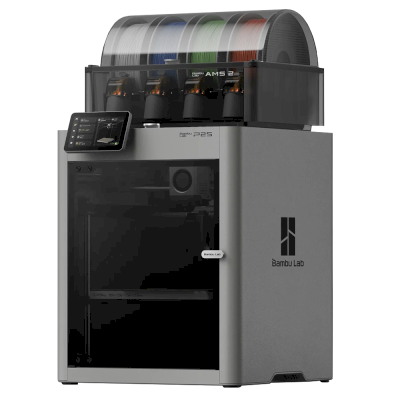 256 x 256 x 256 mm2025年10月14日にリリース接続先: SimplyPrintクライアント造形サイズが類似 · ABS & ASA, カーボンファイバー・ガラス繊維配合のプリントにも対応SimplyPrintによる動作確認済み
 -
Bambu Lab X2D Combo
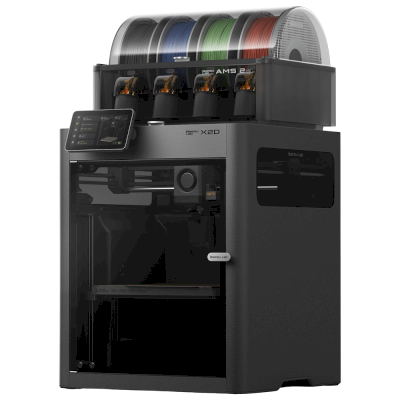 256 x 256 x 260 mm2026年4月14日にリリース接続先: SimplyPrintクライアント造形サイズが類似 · ABS & ASA, カーボンファイバー・ガラス繊維配合のプリントにも対応SimplyPrintによる動作確認済み
 -
Flashforge Creator 5 Pro
 256 x 256 x 256 mm5月 2026にリリース接続先: SimplyPrintクライアント造形サイズが類似 · ABS & ASA, カーボンファイバー・ガラス繊維配合のプリントにも対応互換性あり
 -
Bambu Lab P2S FarmLoop Combo
 256 x 256 x 256 mm接続先: SimplyPrintクライアント造形サイズが類似 · ABS & ASA, カーボンファイバー・ガラス繊維配合のプリントにも対応SimplyPrintによる動作確認済み
よくある質問
Stratasys F170はSimplyPrintに対応していますか?
まだ対応していません。メーカーのソフトウェアを使えばSimplyPrintをStratasys F170に接続できますが、連携機能はまだ開発していません。
Stratasys F170にはどのスライサーを使用すればよいですか?
Stratasys F170は標準のG-codeに対応していないため、SimplyPrintのクラウドには対応するスライサーがないと考えられます。メーカー推奨のスライサーを使用してください。
Stratasys F170でプリントできるフィラメントは何ですか?
StratasysはF170の対応材料としてPLA, ABS & ASA, TPU・柔軟性素材とカーボンファイバー・ガラス繊維配合を挙げています。 Stratasys純正の材料でのみプリントできます。
Stratasys F170のベッドサイズと造形容量はどれくらいですか?
Stratasys F170のプリントベッドは254 x 254 mmで、高さ254 mmまでプリントできます。造形サイズは約254 x 254 x 254 mmです。ベッドの種類や温度などは、上記の仕様一覧を確認してください。
Stratasys F170の発売日はいつですか?
Stratasysは2月 2017にF170を発売しました。
© 2026 SimplyPrint。無断転載を禁じます。このページと掲載されている互換性、仕様、レビューデータはSimplyPrintがまとめたものであり、事前の書面による許可なく、全部または一部をコピー、スクレイピング、複製、再公開することはできません。プリンターの画像は各メーカーに帰属し、識別のためにのみ掲載しています。SimplyPrintは画像の所有権を主張しません。引用されたレビューはその投稿者に帰属します。