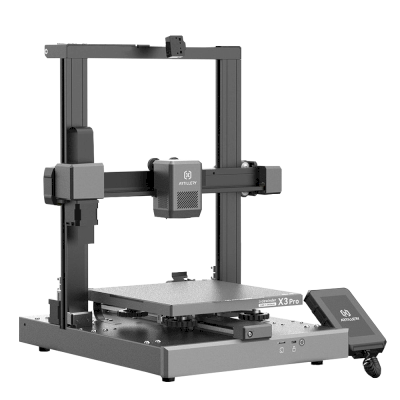
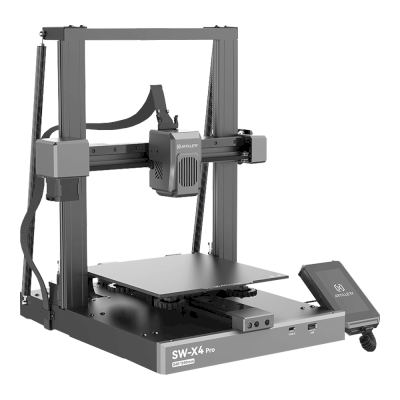
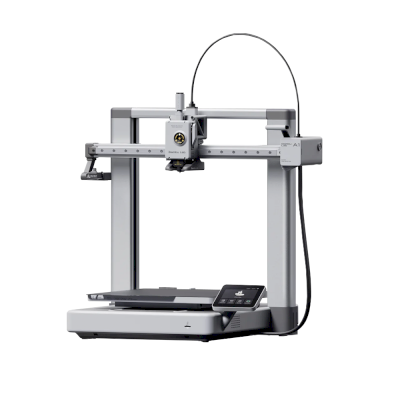
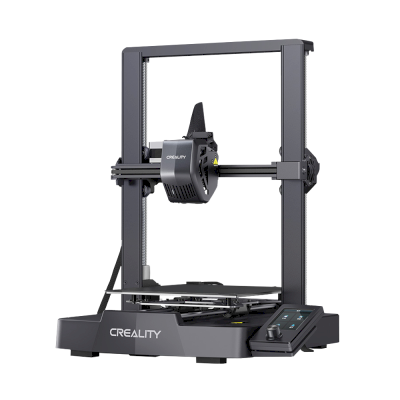
注意:Simplify3D、ideaMaker、SuperSlicer、KISSlicerなどのスライサーはクラウドに含まれていないため、そのプロファイルは管理していません。Artillery 3D Genius Proで正常に動作する場合もあります。プロファイルについては、スライサーのドキュメントやフォーラムを確認してください。GitHubのオープンソースのスライサープロファイルデータベースにプロファイルを提供することもできます。
Artillery 3D Genius Pro用アプリ
SimplyPrintはArtillery 3D Genius Proのアプリとして、スマートフォンやあらゆるブラウザーで使えます。クラウドスライサーも利用できます。
Artillery 3D Genius Proのメーカーと、Artillery 3Dのプリンターの自由度を紹介します。メーカーのクラウドなしで使えるか、フィラメントやスライサーを自由に選べるか、修理できるかを確認できます。各項目は公開情報に基づいて評価しています。
オープン性:混在(5点中3.3点)
混在
閉鎖的なエコシステム開く
Artillery is a Chinese consumer 3D printer brand founded in 2018; it says it is headquartered in Hong Kong. It is known for the Sidewinder, a large and inexpensive bed slinger, and the smaller Genius and Hornet. The Sidewinder X4 moved to Klipper in 2024, and the M1 Pro, an enclosed CoreXY on Artillery's Klipper-based Artillery OS, followed in 2025. Its buyers are mostly hobbyists on a budget.
Standard nozzles, OrcaSlicer support and a deep parts shop, but the current Klipper-based firmware is customised and its source is not published.
ファームウェアとカスタムファームウェア ●●●●●
Artillery published Marlin source for the Sidewinder X1 and X2, Genius and Hornet on GitHub (GPL-3.0, last updated 2022-2023), but we found no published source for the Klipper firmware of the X4 or M1 Pro. Asked whether the M1 Pro ships with unlocked Klipper, Artillery answers that it runs a 'customized Artillery OS'.
[10][3]
ローカル制御と連携 ●●●●●
The X4 runs Klipper with Fluidd over Wi-Fi, and Artillery's M1 support guides refer to Fluidd as well, which implies Moonraker's documented API. Artillery says the M1 Pro prints over Wi-Fi and the local network and can be monitored locally through its slicer, and names no account requirement, but describes its system only as a 'customized Artillery OS' and says nothing about access for other software.
[4][3][16][17]
サードパーティー製フィラメント、スライサー、部品 ●●●●●
Any filament; OrcaSlicer includes Artillery profiles from the Sidewinder X1 to the X4 and M1 Pro, and the X3 and X4 use standard Volcano-type brass nozzles and V6 heatbreaks. The M1 Pro's own slicer is a custom OrcaSlicer build.
[15][5][3]
修理と交換部品 ●●●●●
Artillery's shop sells parts one by one, down to screws, bearings, belts, motors, mainboards and screens, for the X2, X3, X4 and M1 series. It publishes no CAD files.
[5][6][7]
データとプライバシー ●●●●●
Printing on the local network needs no account. Artillery's privacy policy is its web shop's and does not describe what the printers or their cameras send.
[8]
コミュニティとドキュメント ●●●●●
Artillery runs an official wiki, a YouTube channel and a Facebook page; its GitHub firmware repositories have not been updated for the current models.
[9][1][10]
メリット
Low prices for large bed slingers and an enclosed CoreXY.
Spare parts sold one by one, down to screws and belts.
OrcaSlicer has profiles for current models, so you are not tied to Artillery's slicer.
Prints over the local network without an Artillery account.
デメリット
No published source for the Klipper-based firmware on the X4 and M1 Pro.
A review Artillery republished found the X4's Klipper version dated.
The privacy policy covers the web shop, not the printers or cameras.
The Sidewinder X4 was out of stock in Artillery's EU shop in October 2026.
実績
2025: Artillery launched the M1 Pro, an enclosed CoreXY on its Klipper-based Artillery OS with a custom OrcaSlicer build; asked if the firmware is unlocked Klipper, Artillery calls it a customised Artillery OS.
[3]
4月 2024: The Sidewinder X4 Plus and X4 Pro moved from Marlin to Klipper with the Fluidd web interface; a review Artillery republished found the Klipper and component versions dated.
[4]
9月 2021: Artillery published the Marlin source for the Sidewinder X2 and Genius Pro on GitHub, after the Hornet in April 2021.
[13][14]
11月 2019: Artillery published the Marlin source for the Sidewinder X1 on GitHub; the Genius followed in December 2019.
[11][12]
はい。Artillery 3D Genius ProをOctoPrint経由でSimplyPrintに接続し、ブラウザーやモバイルアプリからスライス、キューへの追加、プリントの開始と監視ができます。
Artillery 3D Genius ProをSimplyPrintに接続するには?
Artillery 3D Genius Proの設定ガイドに沿って手順を進めてください。OctoPrintでの接続方法、それぞれに必要なもの、選び方を説明します。
Artillery 3D Genius Proにはどのスライサーを使用すればよいですか?
Artillery 3D Genius ProにはOrcaSlicerをおすすめします。SimplyPrintのオンラインスライサーでは、このスライサーと他の6個のスライサーを、インストール不要でどのデバイスからでも直接利用できます。Artillery 3D Genius Proのプロファイルも自動で最新に保たれます。
OrcaSlicerをArtillery 3D Genius Proで使えますか?
はい。OrcaSlicerにはArtillery 3D Genius Pro用のプロファイルが含まれており、SimplyPrintのオンラインスライサーで使用できるため、インストールは不要です。
Artillery 3D Genius Proでプリントできるフィラメントは何ですか?
Artillery 3D Genius Proは、その仕様(ホットエンドは最大240C、ヒートベッドは最大120C)に基づき、PLA, PETG、またはTPU・柔軟性素材を問題なく扱えます。ABS、ナイロン、PC、複合素材については、上記のフィラメントガイドをご覧ください。
Artillery 3D Genius ProはOctoPrintやKlipperに対応していますか?
Artillery 3D Genius ProはOctoPrintに対応しており、SimplyPrintはこれらを通じて接続します。これにより、クラウドアクセス、キュー、カメラ監視も利用できます。
Artillery 3D Genius Proのベッドサイズと造形容量はどれくらいですか?
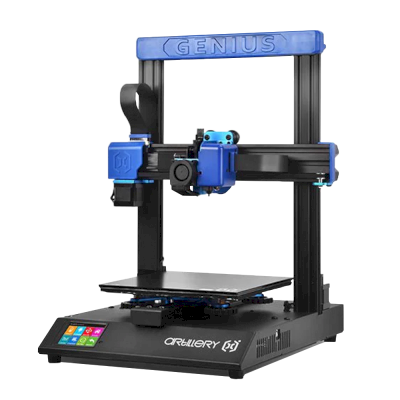
Artillery 3D Genius Proのプリントベッドは220 x 220 mmで、高さ250 mmまでプリントできます。造形サイズは約220 x 220 x 250 mmです。ベッドの種類や温度などは、上記の仕様一覧を確認してください。
 中国
中国
 OctoPrint





 PrusaSlicer
 BambuStudio
 Cura
Cura Kiri:Moto