注意:Simplify3D、ideaMaker、SuperSlicer、KISSlicerなどのスライサーはクラウドに含まれていないため、そのプロファイルは管理していません。Anycubic Kobra X Comboで正常に動作する場合もあります。プロファイルについては、スライサーのドキュメントやフォーラムを確認してください。GitHubのオープンソースのスライサープロファイルデータベースにプロファイルを提供することもできます。
Anycubic Kobra X Combo用アプリ
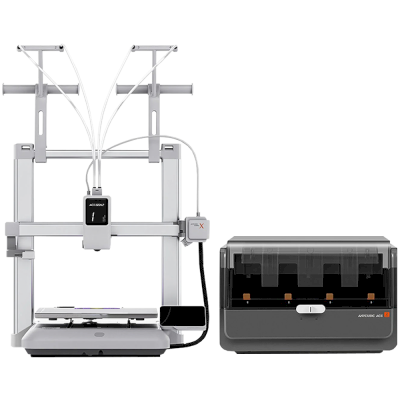
SimplyPrintはAnycubic Kobra X Comboのアプリとして、スマートフォンやあらゆるブラウザーで使えます。クラウドスライサーも利用できます。
Sees a clear step up for Anycubic's open-frame printers in build, touchscreen, speed and precision, and a credible rival to the Bambu Lab A1, with reliable results once calibrated. Cons: filament waste in multicolour prints, and the open design rules out nylon and ABS.
“the potential and print quality of the Kobra X is superb”
The ACE Gen 2 built into the toolhead swaps faster than external AMS units and feeds odd-sized spools and soft TPU without fuss, though it skips spool drying. Concludes multicolour does not need to be expensive or complicated. Editor's Choice.
“If you want affordable, reliable multicolor printing without jumping to a pricier CoreXY machine, the Kobra X is an easy recommendation.”
Aurora Tech · 2026年7月2日
Sponsored review (Anycubic supplied the unit; disclosed). Beats the three-year-old A1 in most areas and saves more filament in multicolour. Cons: no direct network sending from Orca, some inconsistent first layers, and a price that swings between $279 and $349. A no-brainer at $279.
Anycubic Kobra X Comboのメーカーと、Anycubicのプリンターの自由度を紹介します。メーカーのクラウドなしで使えるか、フィラメントやスライサーを自由に選べるか、修理できるかを確認できます。各項目は公開情報に基づいて評価しています。
オープン性:混在(5点中3.0点)
混在
閉鎖的なエコシステム開く
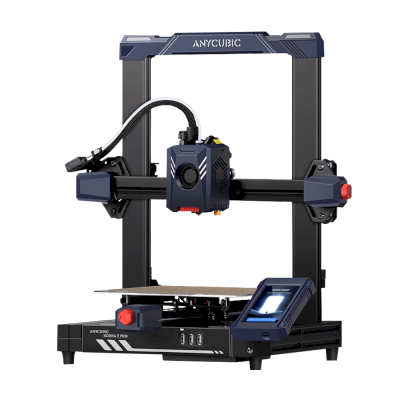
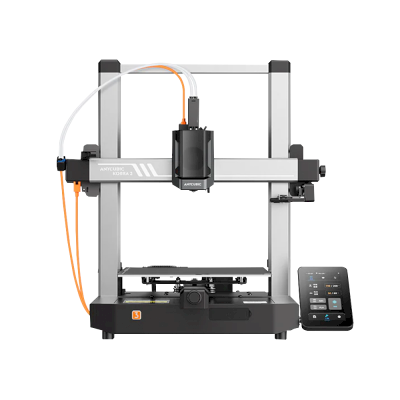
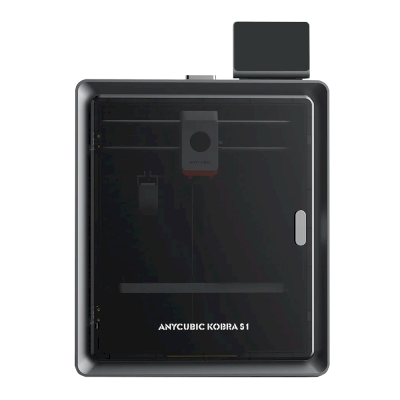
Anycubic is a Chinese 3D printer maker founded in 2015. It sells the Kobra line of FDM printers, including the enclosed Kobra S1 and S1 Max, the large Kobra 3 Max and the low-cost Kobra X, the ACE Pro multi-material unit and Photon resin printers. Its printers are aimed at hobbyists and home users at budget to mid-range prices.
設立:
2015 ·
本社:
China (its global store is run by Hongkong Anycubic Technology Co., Limited) ·
ウェブサイト:www.anycubic.com
Anycubic is mixed: its printers work locally in LAN mode, take third-party filament and slicers, and have spare parts and guides, but its published firmware source leaves proprietary parts closed, custom firmware is unsupported, and its cloud had a security incident in 2024.
ファームウェアとカスタムファームウェア ●●●●●
The Kobra 3, 3 Max and S1 run Klipper-go, Anycubic's Go port of Klipper. Anycubic published its source with the kernel and U-Boot under GPL, for the Kobra 3 in October 2024 and for the wider family in October 2025, but says some proprietary features are kept closed, and that modifying the firmware voids the warranty. The community project Rinkhals adds Fluidd, Mainsail and SSH, and reports that the newer Kobra X only accepts signed updates.
[1][2][3]
ローカル制御と連携 ●●●●●
LAN mode lets Anycubic Slicer Next send prints, show progress and stream video on the local network without an account, and the S1's firmware 2.5.9.9 added sending from OrcaSlicer. With LAN mode on, the cloud, the app and AI failure detection are off, and the S1 must leave LAN mode and be bound to an account to update its firmware. Anycubic documents no local API for other software; Moonraker, Fluidd and Mainsail come only with the community firmware Rinkhals.
[4][5][3]
サードパーティー製フィラメント、スライサー、部品 ●●●●●
Third-party filament works. Anycubic Slicer Next is an open-source OrcaSlicer fork, and recent firmware accepts files sent from OrcaSlicer. Hotends, extruders and many other parts are model-specific Anycubic parts.
[6][5][7]
修理と交換部品 ●●●●●
Anycubic's store sells hotends, extruders, motherboards, heated beds, motors and screens, and its wiki has replacement guides for current models, for example the Kobra S1 Max XY motors and the Kobra X Y-axis motor.
[7][8][9]
データとプライバシー ●●●●●
LAN mode keeps data on the local network, but the app and cloud need an account. Anycubic's privacy policy allows broad collection, including product usage, device signals and nearby Wi-Fi access points, and storage in the United States. In February 2024 a flaw in its cloud MQTT server let a third party push a file to Kobra 2 printers; Anycubic apologised and patched it.
[10][11][4]
コミュニティとドキュメント ●●●●●
Active user community and a wiki with guides and error codes for each model. Source releases leave proprietary parts closed, and custom firmware is a community effort.
[4][2][3]
メリット
Budget to mid-range prices, with multi-colour Combo bundles.
LAN mode works without an account.
Spare parts and replacement guides for current models.
Open-source slicer, and third-party filament works.
デメリット
Published firmware source leaves some features closed; modifying firmware voids the warranty.
LAN mode turns off the app, cloud and AI failure detection, and firmware updates need the cloud.
The privacy policy allows broad data collection.
Its cloud was used to push files to printers in 2024 (fixed).
実績
10月 2025: Anycubic published Klipper-go, its Go port of Klipper, as a standalone project for the Kobra 3, Kobra 3 V2, Kobra 3 Max and Kobra S1, with the MCU firmware, Linux kernel and U-Boot sources, on GitHub under GPL-3.0. It says some proprietary features remain closed.
[2][12]
10月 2024: Anycubic published the Kobra 3 firmware sources (Klipper-go, MCU firmware, Linux kernel and U-Boot) on GitHub under GPL-3.0.
[1]
2月 2024: A third party used a vulnerability in Anycubic's cloud MQTT server to make Kobra 2 Pro/Plus/Max printers download a file named 'hacked_machine_readme.gcode'. Anycubic counted 237 affected printers and over 2,000 that received the file, apologised for its late response, tightened cloud authorisation and released a firmware fix.
[11]
はい。Anycubic Kobra X ComboをSimplyPrintクライアント経由でSimplyPrintに接続し、ブラウザーやモバイルアプリからスライス、キューへの追加、プリントの開始と監視ができます。
Anycubic Kobra X ComboをSimplyPrintに接続するには?
Anycubic Kobra X Comboの設定ガイドに沿って手順を進めてください。SimplyPrintクライアントでの接続方法、それぞれに必要なもの、選び方を説明します。
Anycubic Kobra X Comboにはどのスライサーを使用すればよいですか?
Anycubic Kobra X ComboにはOrcaSlicerをおすすめします。SimplyPrintのオンラインスライサーでは、このスライサーと他の6個のスライサーを、インストール不要でどのデバイスからでも直接利用できます。Anycubic Kobra X Comboのプロファイルも自動で最新に保たれます。
OrcaSlicerをAnycubic Kobra X Comboで使えますか?
はい。OrcaSlicerにはAnycubic Kobra X Combo用のプロファイルが含まれており、SimplyPrintのオンラインスライサーで使用できるため、インストールは不要です。
Anycubic Kobra X Comboでプリントできるフィラメントは何ですか?
Anycubic Kobra X Comboは、その仕様(ホットエンドは最大300C、ヒートベッドは最大100C)に基づき、PLA, PETG、またはTPU・柔軟性素材を問題なく扱えます。ABS、ナイロン、PC、複合素材については、上記のフィラメントガイドをご覧ください。
Anycubic Kobra X ComboはOctoPrintやKlipperに対応していますか?
把握している限りではありませんが、どちらも必要ありません。SimplyPrintはSimplyPrintクライアントを介してAnycubic Kobra X Comboに接続します。
Anycubic Kobra X Comboのベッドサイズと造形容量はどれくらいですか?
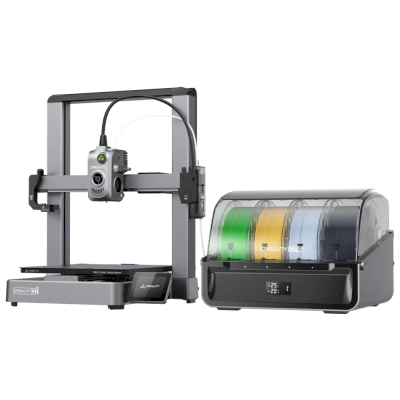
Anycubic Kobra X Comboのプリントベッドは260 x 260 mmで、高さ260 mmまでプリントできます。造形サイズは約260 x 260 x 260 mmです。ベッドの種類や温度などは、上記の仕様一覧を確認してください。
 中国
中国
 SimplyPrintクライアント




 PrusaSlicer
 BambuStudio
 CrealityPrint
 Cura
Cura Kiri:Moto


 米国に最適:Anycubicの米国向けストア