आपके हर printer के लिए एक spool manager
चाहे आप घर पर एक प्रिंटर चलाते हों या 200 प्रिंटरों का फ़ार्म, filament manager आपके filament, उसके स्थान, लागत और बची मात्रा की सटीक व ताज़ा जानकारी रखता है। यह Bambu Lab, Creality, Prusa और SimplyPrint द्वारा सपोर्ट किए जाने वाले हर ब्रांड के साथ काम करता है तथा आपकी प्रिंट कतार, आँकड़ों और slicer सेटिंग से जुड़ता है।
अपने-आप चलने वाली filament tracking
यही SimplyPrint को स्प्रेडशीट या बेसिक स्पूल ट्रैकर से अलग करता है: इस्तेमाल की मात्रा अपने-आप घट जाती है। जब आप SimplyPrint से प्रिंट शुरू करते हैं, तो हम G-code का विश्लेषण करके ठीक-ठीक पता लगाते हैं कि जॉब कितना फिलामेंट इस्तेमाल करती है, उसे स्पूल के व्यास और सामग्री घनत्व के आधार पर ग्राम में बदलते हैं, और प्रिंट खत्म होने पर असाइन किए गए स्पूल से घटा देते हैं। प्रिंट बीच में रद्द या विफल होने पर हम लगभग आधी मात्रा घटाते हैं। आपको कोई संख्या खुद दर्ज नहीं करनी पड़ती।
यह हर कनेक्टेड प्रिंटर के लिए बैकग्राउंड में होता है, इसलिए वास्तविक कार्यभार चलाने वाले लोग स्विच करते ही Excel का उपयोग बंद कर देते हैं।
automatic tracking काम करते देखें
प्रिंट चलते देखें, spool का बचा वज़न अपने आप घटता रहेगा, न स्केल, न टाइपिंग।
SimplyPrint से print शुरू करें और assigned spool का weight अपने-आप घटते देखें। हम G-code पढ़कर grams निकालते और deduct करते हैं। scale, spreadsheet या typing नहीं।
 अभी प्रिंट हो रहा है
- benchy.gcode -12 g 2 घंटे पहले
- cable-clips-x8.3mf -31 g कल
interactive demo में filament manager tour करें
वास्तविक spool इन्वेंट्री खुद click करके देखें, खाता नहीं चाहिए।
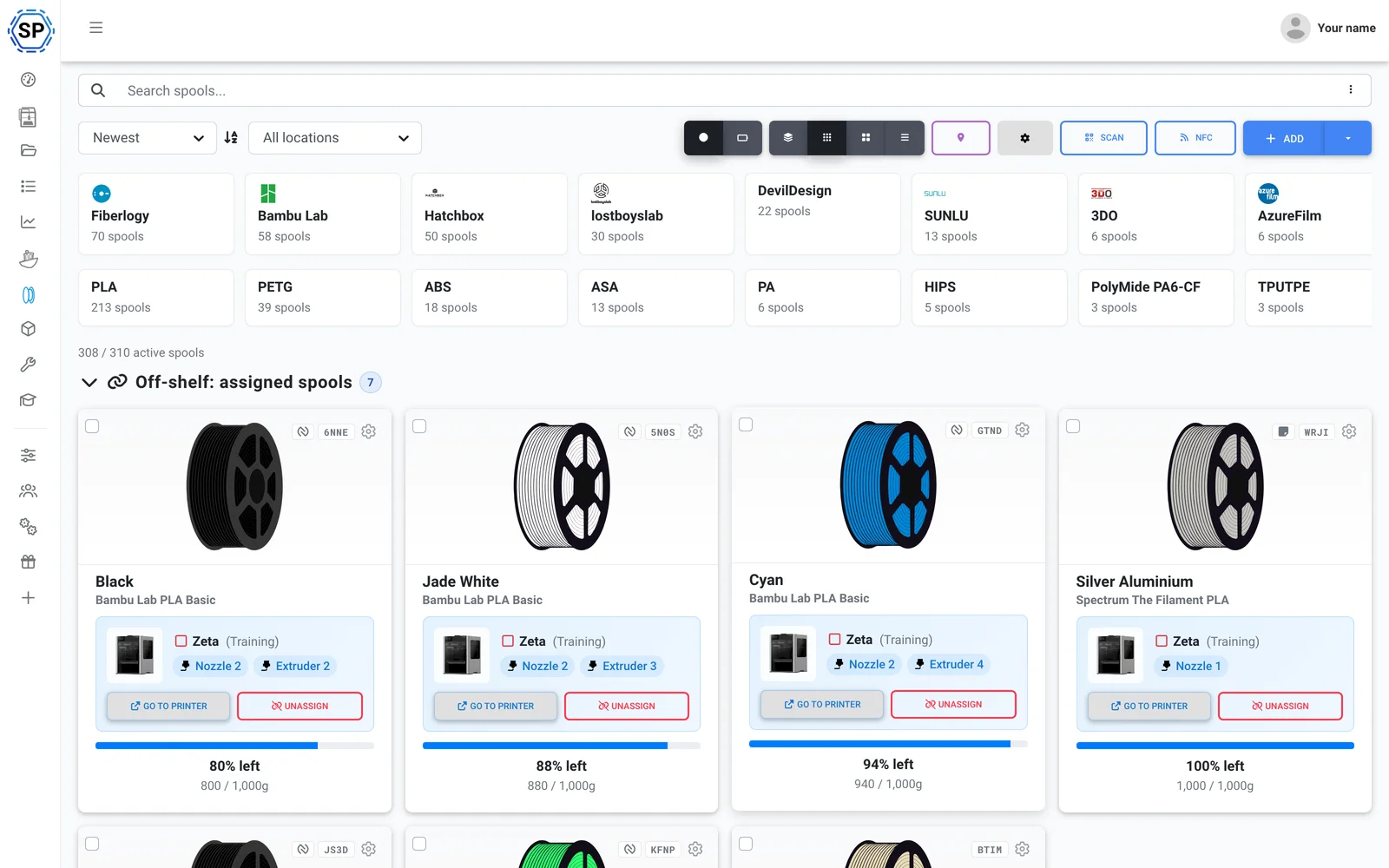
हर spool, आपके तरीके से व्यवस्थित
हर spool रंग, ब्रांड, material, व्यास, लागत, खरीद की तारीख और बचे हुए वजन के साथ अपना अलग रिकॉर्ड होता है। अपनी इन्वेंट्री को अपनी सुविधा के अनुसार देखें और spools को क्षमता सीमाओं वाली स्तरबद्ध जगहों में रखें।
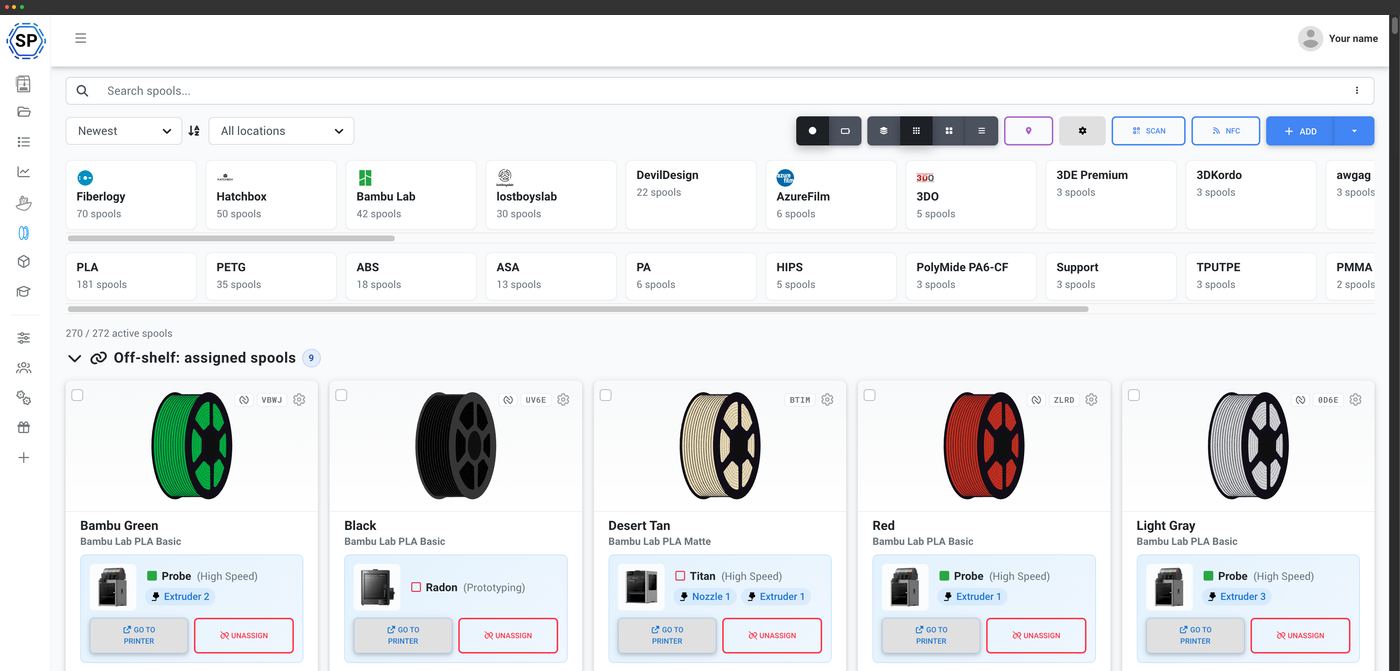
color swatches और remaining weight वाले visual cards।
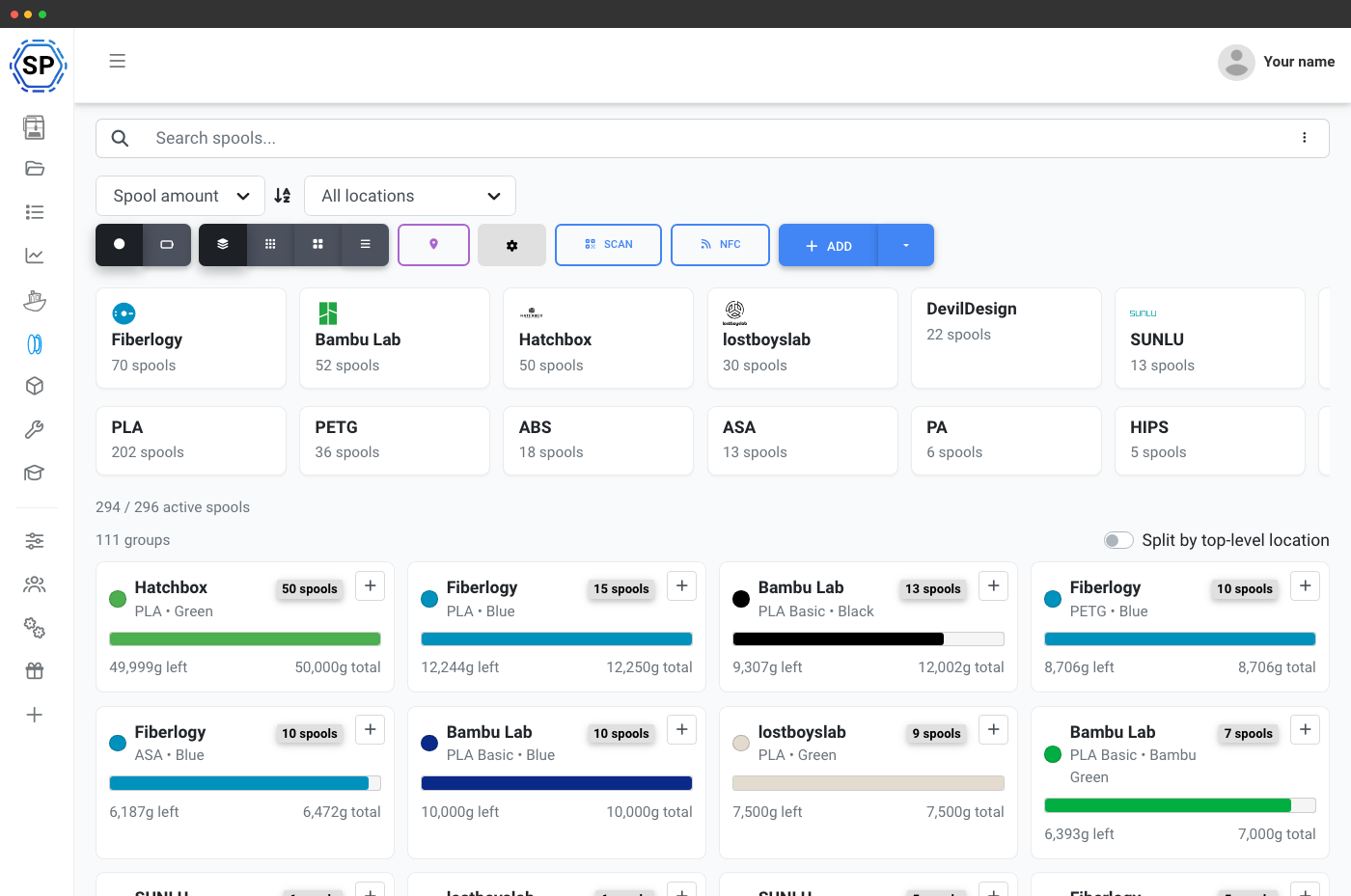
ब्रांड और सामग्री के आधार पर स्पूल समूहित करें, ताकि डुप्लीकेट साथ रहें.
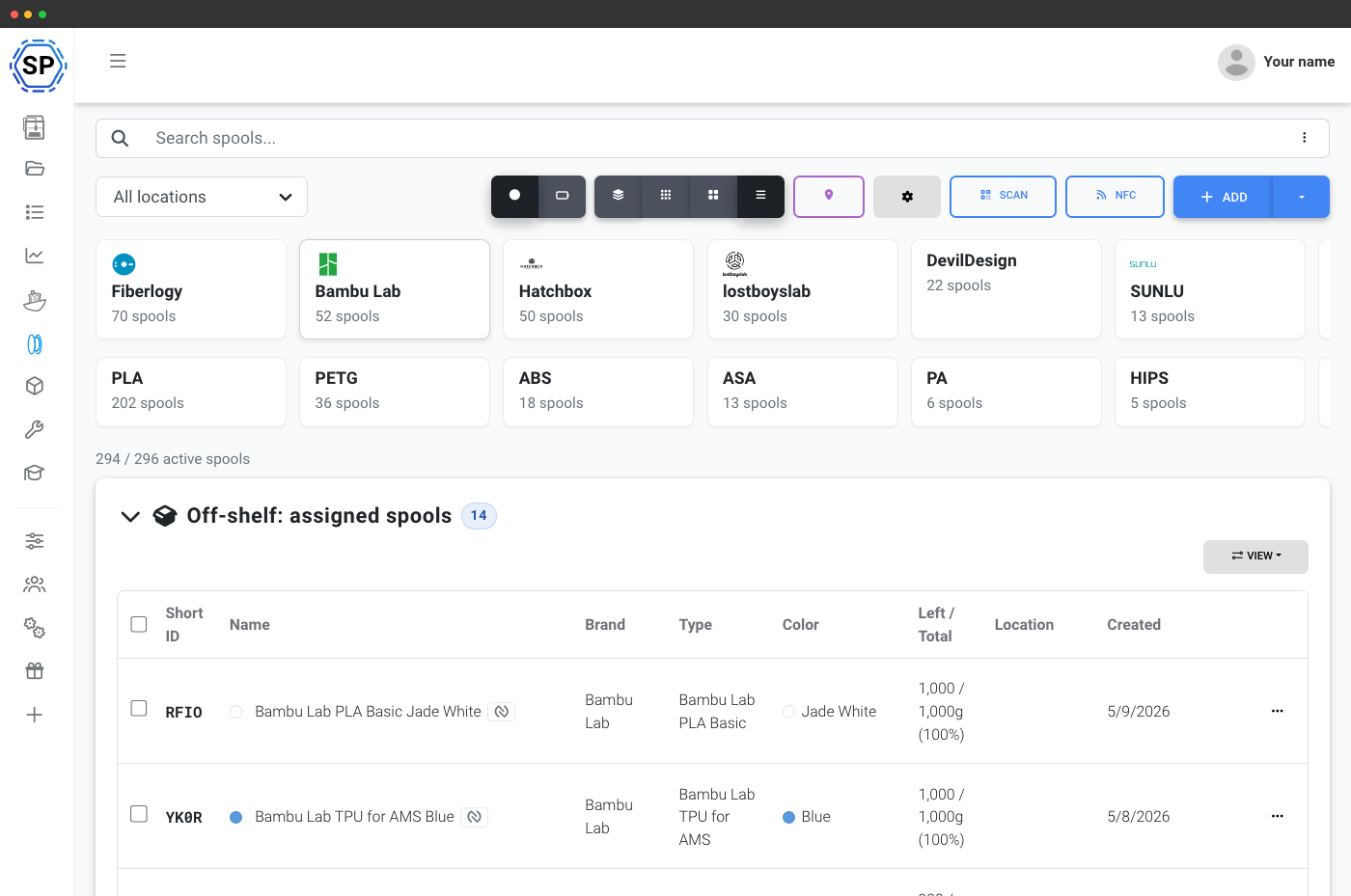
बड़ी इन्वेंट्री स्कैन करने के लिए हर फ़ील्ड sortable कॉलम में।
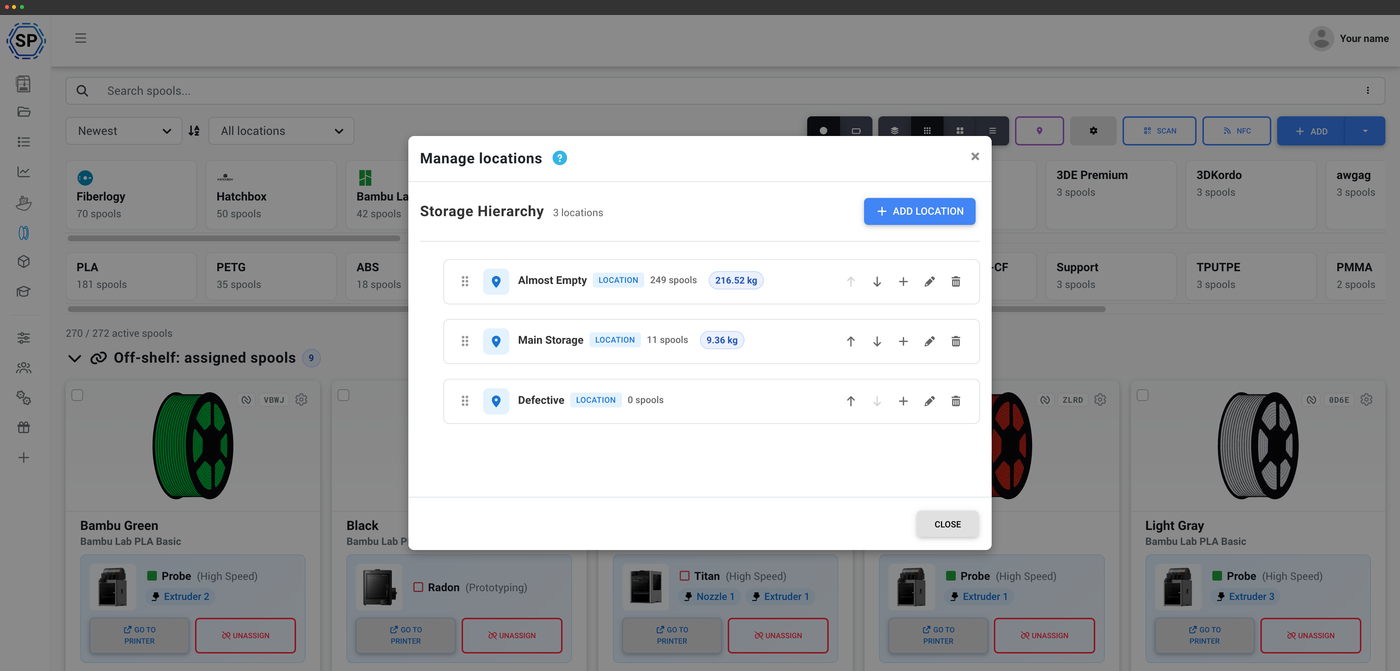
हर स्थान पर spool गिनती के साथ नेस्टेड कमरे, शेल्फ़ और दराज़।
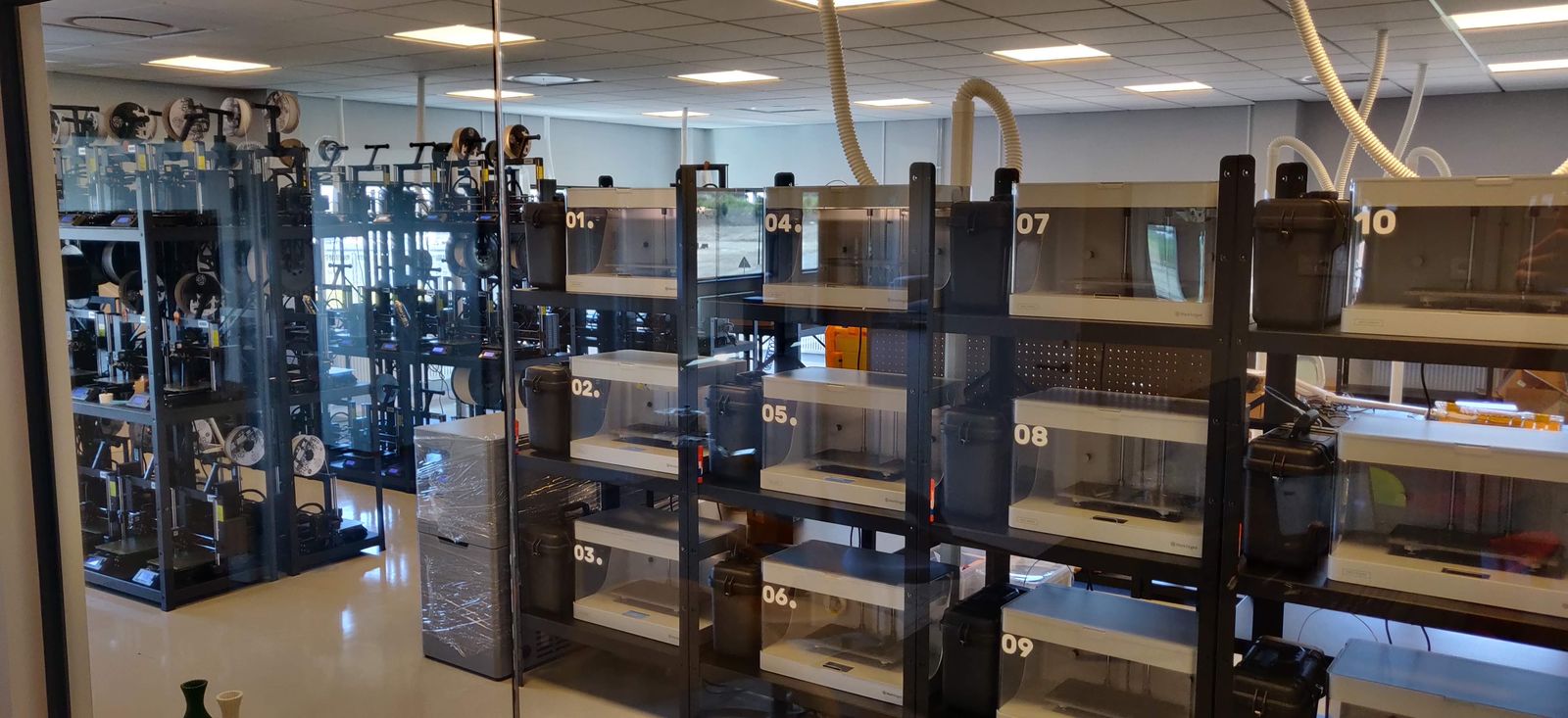
देखें कि lostboyslab, ~100 printers across 3 farms (Prusa, Markforged, Voron, Modix) चलाने के लिए फिलामेंट मैनेजमेंट का उपयोग कैसे करता है
The Filament Manager is the backbone of how we work. With an NFC tag on each spool, we track the exact material on each print - and because of our own system, we know where that spool came from.
printer द्वारा पहचाने जाने वाले NFC tags
हर standard में पढ़ने और लिखने के लिए टैप करें
spool का data NFC tag पर encode करें और डालते ही प्रिंटर को पता चल जाता है कि क्या लोड है। SimplyPrint प्रमुख open standards को साथ-साथ read और write करता है, Creality CFS, Prusa OpenPrintTag, OpenSpool and OpenTag, और Bambu Lab AMS tags पढ़ता है, अपने फोन, ब्राउज़र या desktop USB reader से। एक ब्रांड के ecosystem में कोई lock-in नहीं।
NFC filament ट्रैकिंग देखें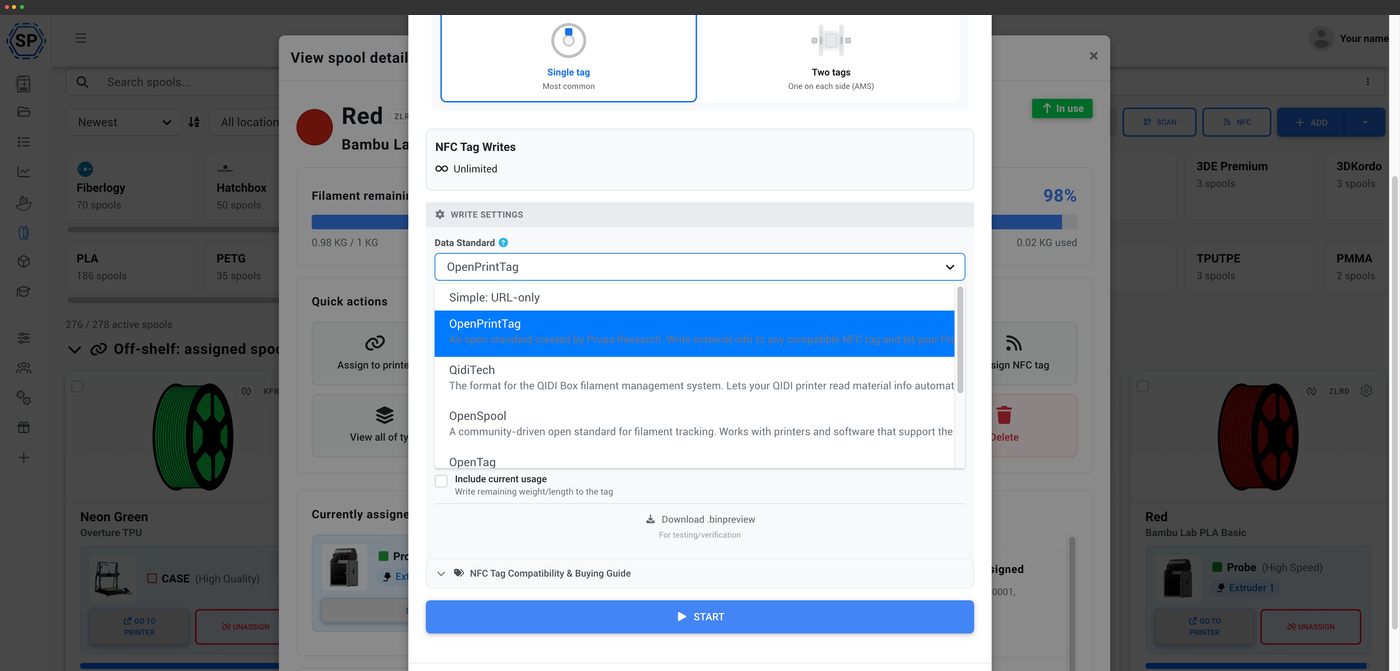
एक spool टैप करें, तुरंत पढ़ें
टैग लगे spool को अपने फ़ोन या रीडर के पास रखें और उसकी जानकारी लगभग एक सेकंड में लोड हो जाएगी।
एक filament ट्रैकर, हर NFC मानक
अपने प्रिंटर का ecosystem चुनें, या मिलाकर इस्तेमाल करें। हर standard उसी filament manager से पढ़ता और लिखता है।
लेबल प्रिंट करें, spool स्कैन करें
तुरंत खोज के लिए QR codes और barcodes
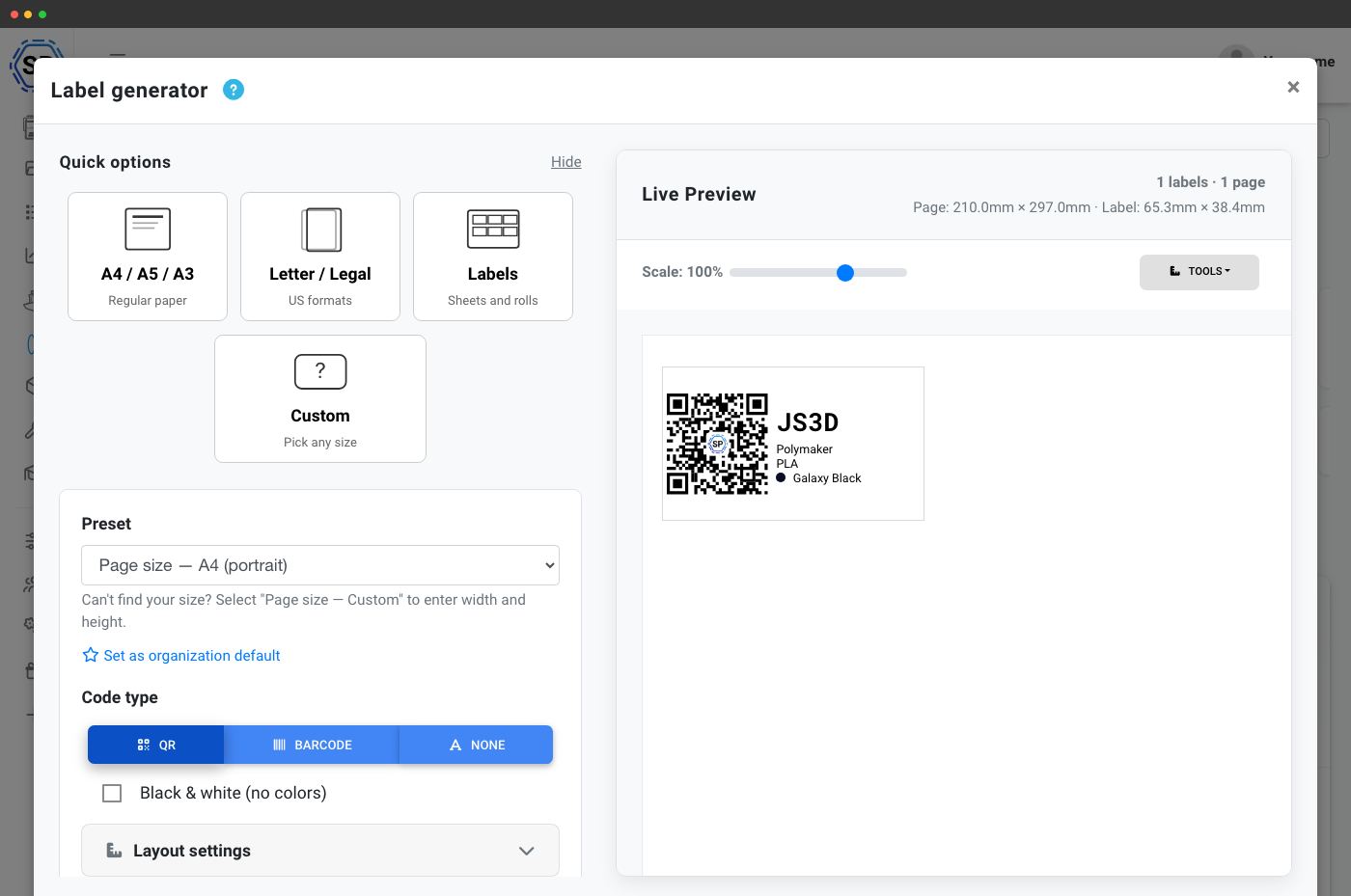
हर spool के लिए QR-code या barcode label बनाएँ और normal printer या Dymo या Zebra जैसे thermal label printer पर print करें। spool तुरंत खोलने के लिए phone camera, webcam या USB barcode scanner से label scan करें। shelf से सही spool लेने या seconds में बचा वजन जाँचने के लिए बेहतरीन।
लेबल जनरेटर और स्कैनिंगलेबल स्कैन करें, spool खोजें
हर spool के लिए QR code या barcode प्रिंट करें, फिर अपने फ़ोन कैमरा, webcam या USB barcode scanner से उसे स्कैन करके अपनी इन्वेंटरी में वह filament देखें।
- रंग
- Galaxy Black
- लोकेशन
- शेल्फ B · बिन 12
- Spool ID
- RX-7K2
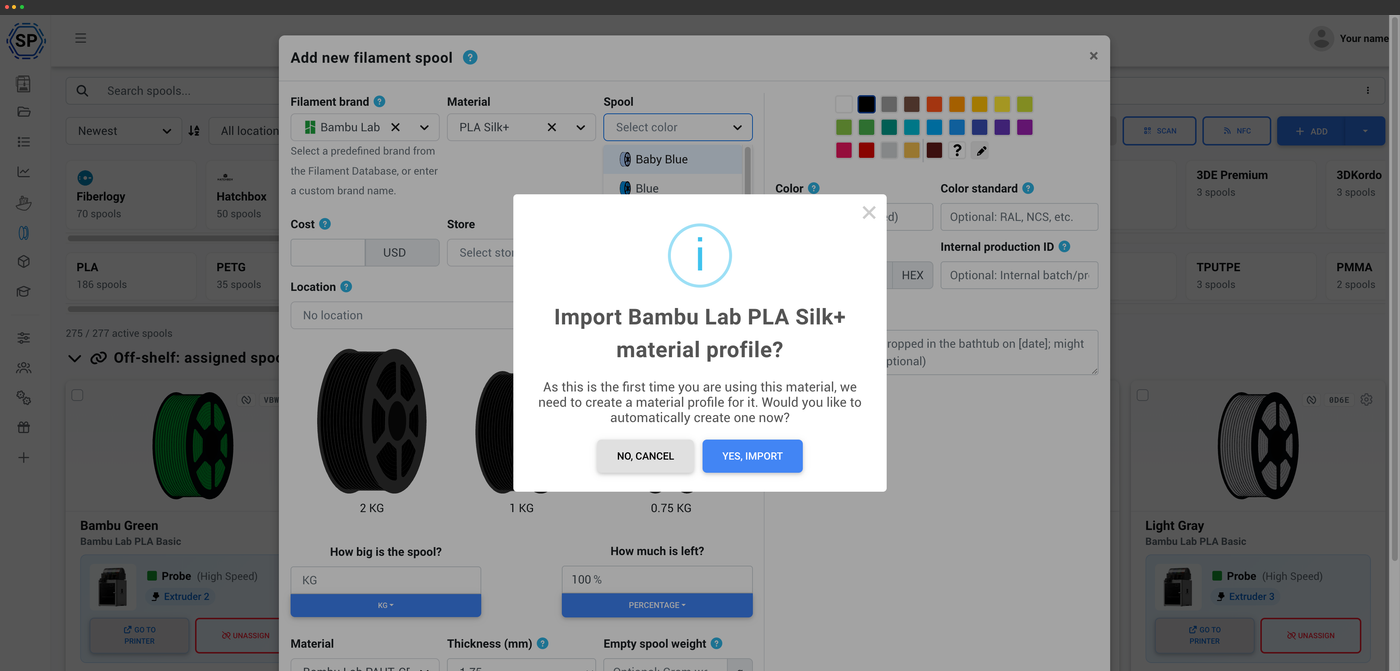
Open Filament Database से संचालित
182 ब्रांड, 2,188 filaments, 15,323 variants, और बढ़ रहे हैं
spool जोड़ते समय आप Open Filament Database में खोजते हैं: यह open-source, समुदाय द्वारा मेंटेन किया जाने वाला filament कैटलॉग है, जिसकी देखरेख SimplyPrint करता है। अपना ब्रांड और मटीरियल चुनें, और तापमान, घनत्व और spool का वज़न अपने आप भर जाते हैं - यही डेटा आपके spools को उनके slicing profiles से जोड़ता है। यह मुफ़्त और MIT-लाइसेंस प्राप्त है, और कोई भी बिना coding के कुछ ही मिनटों में योगदान कर सकता है।
Open Filament Database के बारे मेंphone से filament प्रबंधित करें
NFC और स्कैनिंग के साथ iOS और Android
SimplyPrint ऐप आपकी पूरी इन्वेंट्री आपकी जेब में रखता है। NFC tags पढ़ें और लिखें, QR codes और barcodes स्कैन करें, वजन समायोजित करें, और spool को स्थानों के बीच ले जाएँ, वहीं जहाँ आप अपना filament रखते हैं। Android हर NFC मानक संभालता है; iOS खुले NDEF मानकों को संभालता है।
मोबाइल ऐप में filament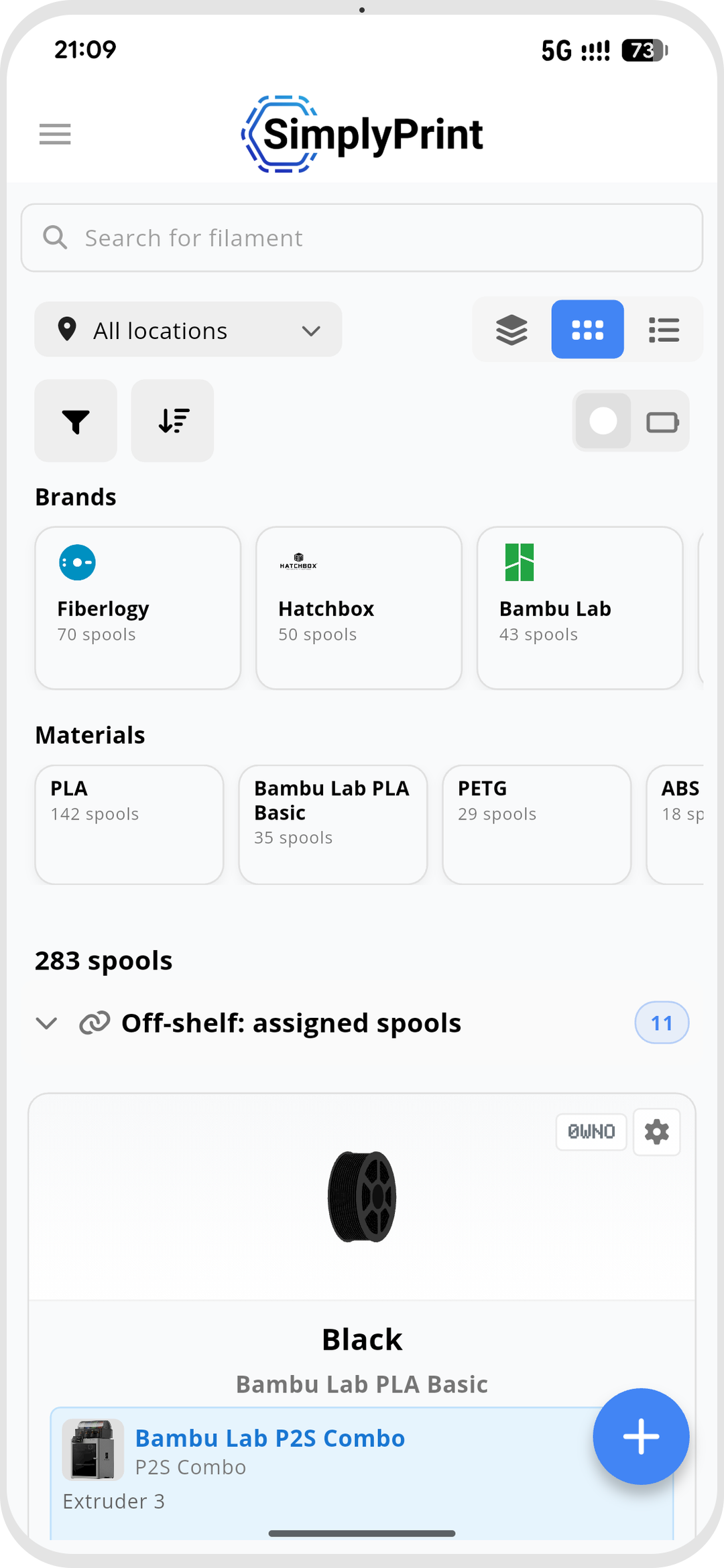
इंस्टॉल करना मुफ़्त, हर SimplyPrint plan में शामिल।


iPhone, iPad और Android phones तथा tablets पर काम करता है।
Filament manager में सब कुछ जानें
filament manager के हर भाग का अपना विस्तृत विवरण है।
अपने आप tracking
Filament usage अपने-आप घटता है, scale की ज़रूरत नहीं
NFC filament टैग
हर standard पर NFC tags पढ़ें और लिखें
लेबल और स्कैनिंग
QR और barcode लेबल प्रिंट करें, spool खोजने के लिए स्कैन करें
मोबाइल ऐप
phone से filament, NFC और scanning प्रबंधित करें
प्लान एक्सेस: क्या शामिल है?
filament manager Free तक हर SimplyPrint plan में शामिल है, automatic usage tracking, spool records और Open Filament Database हमेशा free। higher plans richer views, scanning, label printing, locations और बड़ा monthly NFC-write allowance unlock करते हैं।
| सुविधा / सीमा | मुफ़्त | Basic | प्रो | प्रिंट फार्म | एंटरप्राइज़ | स्कूल | Cloud Slicer | फिलामेंट मैनेजर |
|---|---|---|---|---|---|---|---|---|
|
फिलामेंट मैनेजर
हर प्लान में स्पूल रिकॉर्ड और उपयोग की स्वचालित कटौती, Free में भी।
|
||||||||
|
प्रति माह NFC टैग पर लिखने की संख्या
हर महीने spools पर कितने NFC टैग लिखे जा सकते हैं।
|
10 | 30 | 100 | 10 | ||||
|
Barcode और QR scanning
spool खोजने के लिए फोन, webcam या USB barcode scanner से लेबल स्कैन करें।
|
||||||||
|
लेबल जनरेटर: QR कस्टमाइज़ेशन
अपने spool के लिए बनाए QR-code label अनुकूलित करें।
|
||||||||
|
लेबल जनरेटर: thermal printer सपोर्ट
Dymo और Zebra जैसे थर्मल लेबल प्रिंटरों पर सीधे प्रिंट करें।
|
||||||||
|
कॉम्पैक्ट व्यू
बड़ी इन्वेंट्री के लिए अधिक सघन spool सूची।
|
||||||||
|
तालिका दृश्य
हर spool और उसके फ़ील्ड का पूरा टेबल दृश्य।
|
||||||||
|
समूहबद्ध दृश्य
स्पूलों को ब्रांड और रंग के अनुसार समूहित करें और उनका संयुक्त बचा हुआ वज़न दिखाएँ।
|
||||||||
|
स्पूल वज़न समायोजित करें
किसी भी समय spool का remaining weight हाथ से सुधारें।
|
||||||||
|
filament को सूखा हुआ चिह्नित करें
ट्रैक करें कि हर spool को पिछली बार कब सुखाया गया था।
|
||||||||
|
तुरंत जोड़ें
अपने सबसे अधिक इस्तेमाल किए जाने वाले brand और material presets से एक क्लिक में जोड़ें।
|
||||||||
|
उन्नत खोज और filtering
अपनी इन्वेंटरी को ब्रांड, मटेरियल, रंग, स्थान आदि से फ़िल्टर करें।
|
||||||||
|
स्टोरेज लोकेशन
क्षमता सीमा के साथ नेस्टेड स्थान (कमरा, शेल्फ़, दराज़)।
|
||||||||
|
कस्टम फ़ील्ड
हर spool रिकॉर्ड में अपने field जोड़ें।
|
क्या आप हमारी योजनाओं के बारे में और जानना चाहते हैं?
पूरी कीमत और सुविधाओं की तुलना देखें