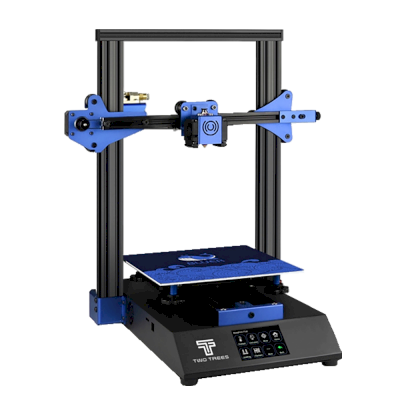
Two Trees Sapphire Pro को SimplyPrint से कनेक्ट करें
क्या Two Trees Sapphire Pro 3D प्रिंटर SimplyPrint, OctoPrint, Mainsail और Fluidd के साथ काम करता है?
इसे कनेक्ट करने का हर तरीका, उसकी आवश्यकताएँ और उसे सेट अप करने का तरीका।
Klipper के साथ नहीं आता: अपनी firmware के स्थान पर Klipper इंस्टॉल करने के बाद यह उसे चलाता है, यह एक संशोधन है
SimplyPrint के साथ क्या काम करता है
OctoPrint के माध्यम से कनेक्ट होने पर, SimplyPrint उन सभी सुविधाओं को सपोर्ट करता है जो Two Trees Sapphire Pro अन्य सॉफ़्टवेयर को करने देता है: कैमरा और AI विफलता पहचान, रिमोट प्रिंटिंग, तापमान और गति नियंत्रण और AutoPrint। 3 सुविधाएँ इस बात पर निर्भर करती हैं कि इन्हें कैसे सेट किया गया है: तालिका बताती है कि प्रत्येक को क्या चाहिए।
हर SimplyPrint सुविधा, इसे SimplyPrint से कनेक्ट करने के हर तरीके के लिए
के माध्यम से SimplyPrint से कनेक्टेड
SimplyPrint सुविधा
OctoPrint
संगत
निगरानी
लाइव स्थिति और प्रगति
हां
वेबकैम
हां1
AI फेलियर डिटेक्शन
हां1
बचा हुआ समय
हां
लेयर प्रगति
हां
तापमान
हां
प्रिंटिंग
प्रिंट शुरू करना
हां
रोकें, फिर शुरू करें और रद्द करें
हां
ऑब्जेक्ट्स छोड़ें
निर्भर करता है2
फ़ाइलें
बाइनरी G-code (.bgcode) प्रिंट करें
निर्भर करता है3
प्रिंटर कंट्रोल
तापमान बदलें
हां
कंट्रोल से चलाना
हां
होमिंग
हां
Extrude और retract करें
हां
प्रिंट स्पीड बदलें
हां
फैन की गति
हां
बेबी स्टेपिंग
हां
G-code भेजें
हां
कैलिब्रेशन
filament बदलें
हां
बेड लेवलिंग
हां
Z-ऑफ़सेट कैलिब्रेशन
हां
स्वचालन
AutoPrint
प्रो
हां
प्रिंट शुरू होने से पहले file डाउनलोड करें
निर्भर करता है4
OctoPrint के माध्यम से SimplyPrint से कनेक्टेड
संगत
निगरानी
लाइव स्थिति और प्रगतिहां
वेबकैमहां1
AI फेलियर डिटेक्शनहां1
बचा हुआ समयहां
लेयर प्रगतिहां
तापमानहां
प्रिंटिंग
प्रिंट शुरू करनाहां
रोकें, फिर शुरू करें और रद्द करेंहां
ऑब्जेक्ट्स छोड़ेंनिर्भर करता है2
फ़ाइलें
बाइनरी G-code (.bgcode) प्रिंट करेंनिर्भर करता है3
प्रिंटर कंट्रोल
तापमान बदलेंहां
कंट्रोल से चलानाहां
होमिंगहां
Extrude और retract करेंहां
प्रिंट स्पीड बदलेंहां
फैन की गतिहां
बेबी स्टेपिंगहां
G-code भेजेंहां
कैलिब्रेशन
filament बदलेंहां
बेड लेवलिंगहां
Z-ऑफ़सेट कैलिब्रेशनहां
स्वचालन
AutoPrint प्रोहां
प्रिंट शुरू होने से पहले file डाउनलोड करेंनिर्भर करता है4
काम करता है
निर्भर करता है
समर्थित नहीं
कैमरा चाहिए
OctoPrint प्लगइन Cancel Objects आवश्यक है
OctoPrint प्लगइन BGCode आवश्यक है
SimplyPrint प्लगइन का संस्करण 4.2.0 या नया आवश्यक है
SimplyPrint पर Two Trees Sapphire Pro के मालिक
SimplyPrint के साथ उपयोग में
Two Trees Sapphire Pro के लिए कौन सा slicer इस्तेमाल करें
Cura इस्तेमाल करें: इसमें Two Trees Sapphire Pro के लिए तैयार प्रोफ़ाइल है।
हम केवल उन slicer को सूचीबद्ध करते हैं जिन्हें आप SimplyPrint क्लाउड में इस्तेमाल कर सकते हैं, इसलिए Two Trees Sapphire Pro के लिए अन्य भी हो सकते हैं।
Two Trees Sapphire Pro के लिए cloud-based slicer: Cura online इस्तेमाल करें
Cura और अन्य slicers इस्तेमाल करें, सीधे अपने ब्राउज़र में SimplyPrint के ऑनलाइन क्लाउड slicer के साथ। इंस्टॉलेशन की जरूरत नहीं। दुनिया में कहीं से भी, किसी भी डिवाइस पर अपने Two Trees Sapphire Pro मॉडल slice करें!
स्वचालित profile updates: प्रोफ़ाइलों की हर दिन जाँच होती है और slicer GitHub repositories से, साथ ही हमारे ओपन-सोर्स समुदाय-संचालित slicer प्रोफ़ाइल डेटाबेस से भी अपने-आप ली जाती हैं। इससे आपके पास हमेशा नवीनतम प्रोफ़ाइलों की पहुँच रहती है।
ध्यान दें: अन्य slicer, जैसे Simplify3D, ideaMaker, SuperSlicer और KISSlicer, हमारे cloud में नहीं हैं, इसलिए हम उनकी profiles ट्रैक नहीं करते। वे फिर भी आपके Two Trees Sapphire Pro के साथ अच्छी तरह काम कर सकते हैं: profile के लिए slicer के दस्तावेज़ या फ़ोरम देखें। आप हमारी GitHub पर ओपन-सोर्स slicer profile डेटाबेस में profiles भी जोड़ सकते हैं।
Two Trees Sapphire Pro के लिए ऐप
SimplyPrint, Two Trees Sapphire Pro के ऐप के रूप में काम करता है: आपके फोन और किसी भी ब्राउज़र में, क्लाउड में slicer के साथ।
SimplyPrint के साथ आपको क्या मिलता है
iPhone और Android के लिए एक ऐप, किसी भी ब्राउज़र में वही अनुभव, और क्लाउड में एक slicer।
सिर्फ मॉनिटरिंग से अधिक: प्रिंट कतार, AI विफलता पहचान, AutoPrint और टीम के लिए खाते।
अभी SimplyPrint में Two Trees Sapphire Pro के लिए कोई plate swapper या auto-ejection kit नहीं है, लेकिन AutoPrint इसे प्रिंट कराता रख सकता है। plate खाली होते ही यह आपकी कतार से अगला job शुरू करता है।
CoreXY प्रिंटर अपने प्रिंट को धकेलकर उतारते हैं
Two Trees Sapphire Pro का bed केवल ऊपर-नीचे चलता है, इसलिए इसे स्वचालित करने का सामान्य तरीका G-code routine है, जो अगला job शुरू होने से पहले toolhead को ठंडी प्रिंट को plate के सामने से धकेलकर हटाने देता है।
इसे स्वचालित करने के तरीके
toolhead से प्रिंट हटाएँCoreXY प्रिंटर पर, अगला काम शुरू होने से पहले G-code रूटीन ठंडे प्रिंट को plate के आगे से धकेल सकता है।
आपका अपना इजेक्शन G-codeप्लेट साफ़ करने वाला रूटीन लिखें, और AutoPrint हर प्रिंट के बाद इसे चलाएगा।
AutoPrint Pro प्लान और उससे ऊपर के प्लान में शामिल है।
Two Trees Sapphire Pro के विनिर्देश: bed आकार, प्रिंट ऊंचाई और अधिक
निर्माता और हमारे शोध के अनुसार इसका आकार, तापमान, मल्टी-मटेरियल और कनेक्शन।
साइज़
निर्माण आयतन
235 x 235 x 235 mm
बेड टाइप
Square
बेड साइज़
235 x 235 mm
अधिकतम प्रिंट ऊंचाई
235 mm
प्रिंटिंग
Enclosure
खुला फ्रेम
Motion system
CoreXY
अधिकतम एक्सट्रूडर तापमान
260 °C
हीटेड बेड है
हां
अधिकतम बेड तापमान
125 °C
नोज़ल की संख्या
1
Toolheads
1
डायरेक्ट ड्राइव
नहीं
प्रोबिंग टूल / ऑटो बेड लेवलिंग
नहीं
फिलामेंट की चौड़ाई
1.75 mm
Multi-material
Toolchanger या hotend changer
नहीं
IDEX (स्वतंत्र डुअल extruder)
नहीं
कनेक्ट हो रहा है
सीरियल प्रिंटिंग समर्थित है
हां
शिप किया गया firmware
Marlin
फ़ाइलें और slicing
समर्थित फ़ाइल फ़ॉर्मेट
G-code (.gcode, .gco, .g)
प्रिंटर
प्रिंटर निर्माता / ब्रांड
Two Trees
प्रिंटर मॉडल नाम
Sapphire Pro
निर्माता कंपनी का देश
चीन
लॉन्च हुआ
2019
डिस्क्लेमर:
हम इस जानकारी को जितना हो सके उतना नया और सटीक रखने की कोशिश करते हैं, लेकिन इसकी पूर्णता या भरोसेमंदी की गारंटी नहीं दे सकते। हमारा डेटा यूज़र सबमिशन और निर्माता संदर्भों पर आधारित है।
Two Trees Sapphire Pro कौन सा filament print कर सकता है?
Two Trees Sapphire Pro के लिए filament संगतता: hotend, bed, chamber और enclosure के आधार पर आंकी गई वे सामग्रियाँ जिन्हें यह संभाल सकता है।
फिलामेंट
उपयुक्तता
नोट्स
PLA
बहुत अच्छा
print करने में सबसे आसान filament। लगभग हर printer पर चलता है; heated bed adhesion में मदद करता है लेकिन जरूरी नहीं।
PETG
बहुत अच्छा
आराम से range में (PETG को ~230-250C hotend और ~70-85C bed पसंद है)।
TPU और लचीले filament
सावधानी से
संभव है, लेकिन Bowden extruder flexible filament को कठिन बनाता है; धीरे प्रिंट करें और अधिक कठोर (high-shore) TPU चुनें।
ABS & ASA
सावधानी से
बेड पर्याप्त गर्म है, लेकिन enclosure के बिना ABS और ASA मुड़ जाते हैं। साफ़ प्रिंट के लिए enclosure की दृढ़ अनुशंसा है।
Nylon (PA)
सावधानी से
सावधानी से संभव है, enclosure और बहुत सूखा filament जरूरी हैं।
Polycarbonate (PC)
आदर्श नहीं
अनुशंसित नहीं - PC के लिए बहुत अधिक हॉटेंड तापमान और बंद चैम्बर चाहिए।
Carbon-fiber और glass-filled
सावधानी से
संभव है, यदि आप hardened या wear-resistant nozzle लगाएँ, क्योंकि abrasive fibers मूल brass nozzle को जल्दी घिस देते हैं।
सुझाव: यह प्रिंटर के विनिर्देशों पर आधारित सामान्य मार्गदर्शिका है, हमेशा अपने फिलामेंट की सुझाई गई सेटिंग जांचें। SimplyPrint के साथ आप हर स्पूल के लिए प्रोफाइल सहेज सकते हैं और स्टॉक में मौजूद फिलामेंट को ठीक से ट्रैक कर सकते हैं।
Two Trees Sapphire Pro के लिए सर्वश्रेष्ठ filament
वे filaments जिन्हें Two Trees Sapphire Pro अच्छी तरह प्रिंट करता है, पहले Two Trees के अपने, फिर सबसे प्रसिद्ध।
Two Trees Sapphire Pro की समान प्रिंटरों से तुलना करें
उसी निर्माता के, समान आकार के, वही engineering materials या इसी तरह के multi-material प्रिंट करने वाले प्रिंटर, जिन्हें आप आज खरीद सकते हैं। उनके specs और कनेक्शन के साथ अधिकतम चार प्रिंटर की साथ-साथ तुलना करें।
Two Trees Sapphire Pro कौन बनाता है और Two Trees आपको कितनी स्वतंत्रता देता है: क्या इसके प्रिंटर इसके cloud के बिना चलते हैं, कोई भी filament और slicer स्वीकार करते हैं और उनकी मरम्मत की जा सकती है। हर क्षेत्र को सार्वजनिक स्रोतों के आधार पर रेट किया गया है।
खुलापन: अधिकतर खुला (5 में से 3.9)
अधिकतर खुला
बंद पारिस्थितिकी तंत्रखोलें
Two Trees (TwoTrees) is a Shenzhen maker of desktop fabrication machines, founded in 2017. It built budget 3D printers from 2018 (the Sapphire Pro and Sapphire Plus, and the Bluer) and launched the SK1, a Klipper-based CoreXY printer, at the end of 2023. By October 2026 its own stores sell CNC routers and laser engravers; the 3D printer section lists no printers, and only spare parts for the SK1 remain. Its printers were bought mostly by hobbyists who like to tinker.
Open in practice: the SK1 runs stock Klipper with no cloud, and the older printers ran Marlin. The weak spot is support rather than lock-in: Two Trees has moved on to CNC and laser machines, documentation is thin and some SK1 parts are hard to find.
फर्मवेयर और कस्टम फर्मवेयर ●●●●●
Tom's Hardware found the SK1 runs unmodified ('vanilla') Klipper, which is open source and replaceable. For the older Sapphire printers, a GitHub account named TwoTrees-china published Marlin 2.0 source for their MKS Robin Nano board in 2020 (not updated since), and upstream Klipper ships configs for the Sapphire Pro and Sapphire Plus.
[7][9][10]
स्थानीय नियंत्रण और एकीकरण ●●●●●
Tom's Hardware found the SK1 runs vanilla Klipper: files and settings are reachable from a computer on the home network, files can also go by USB stick, and there is no cloud or phone app to use. Klipper's standard web stack, Moonraker, documents its API, so other software can control the printer locally.
[7][16]
तृतीय-पक्ष filament, slicer और पार्ट ●●●●●
Any 1.75 mm filament and any slicer (Cura and PrusaSlicer profiles come on the SK1's USB stick). But the SK1's hotend copies Bambu Lab's design with a small separate nozzle, which Tom's Hardware found hard to source.
[7]
मरम्मत और स्पेयर पार्ट्स ●●●●●
Two Trees' store still sells SK1 parts: mainboard, heated bed, touchscreen, fans, PEI plate and power adapter, and it published a printable SK1 extruder kit on GitHub. Tom's Hardware found nozzles and hotends hard to find, and we found none listed in the store.
[11][12][13][8][7]
समुदाय और दस्तावेज़ ●●●●●
Tom's Hardware called the SK1's documentation sparse. Two Trees has a wiki and a download page, now centred on its CNC and laser machines; beyond that, owners rely on upstream projects such as Klipper.
[7][14][15]
फायदे
The SK1 runs stock Klipper: control it from a browser on your own network, with no account or cloud.
Open-source firmware, so the SK1 can be modified and tuned freely.
Common SK1 spare parts (mainboard, heated bed, touchscreen, fans) are still sold by Two Trees.
Works with any 1.75 mm filament and any slicer; Cura and PrusaSlicer profiles are included.
कमियां
Two Trees no longer lists any 3D printer in its own stores; it now focuses on CNC routers and laser engravers.
Sparse documentation for the SK1, per Tom's Hardware.
The SK1's Bambu-style hotend and nozzle are hard to source.
Tom's Hardware found typos and wrong-language menus on the SK1 touchscreen.
सिद्ध अनुभव
फ़रवरी 2026: By February 2026 the 3D printer page of Two Trees' US store listed no products; in October 2025 it still showed the SK1 (Internet Archive captures). In October 2026 the store sells CNC routers and lasers, plus SK1 spare parts.
[5][6][4]
अक्टूबर 2024: Two Trees published a redesigned SK1 extruder kit (filament cutter, consumable detection) on GitHub under GPL-3.0, with firmware and printable STL files.
[8]
2023: Two Trees introduced the SK1, its first high-speed CoreXY printer, at the end of 2023.
[1]
16 स्रोतों से शोधित, अंतिम बार 18 अक्टूबर 2026 को जाँचा गया। स्रोत दिखाएं
क्या Two Trees Sapphire Pro, SimplyPrint के साथ संगत है?
हाँ। आप Two Trees Sapphire Pro को OctoPrint के ज़रिए SimplyPrint से कनेक्ट कर सकते हैं, फिर अपने ब्राउज़र या मोबाइल ऐप से प्रिंट स्लाइस कर सकते हैं, उन्हें कतार में डाल सकते हैं, शुरू कर सकते हैं और मॉनिटर कर सकते हैं।
Two Trees Sapphire Pro को SimplyPrint से कैसे कनेक्ट करें?
Two Trees Sapphire Pro के लिए हमारी चरण-दर-चरण सेटअप गाइड अपनाएँ। इसमें बताया गया है कि इसे OctoPrint के ज़रिए कैसे कनेक्ट करें, हर तरीके के लिए क्या चाहिए और कौन सा चुनें।
Two Trees Sapphire Pro के लिए कौन-सा slicer उपयोग करना चाहिए?
हम Two Trees Sapphire Pro के लिए Cura की सलाह देते हैं। आप इसे और 6 अन्य slicer, सीधे SimplyPrint के ऑनलाइन slicer में चला सकते हैं, कोई इंस्टॉल नहीं, किसी भी डिवाइस पर, और Two Trees Sapphire Pro के प्रोफाइल अपने आप अपडेट रहते हैं।
क्या Two Trees Sapphire Pro के साथ OrcaSlicer उपयोग किया जा सकता है?
हाँ, लेकिन हमारी जानकारी में OrcaSlicer में Two Trees Sapphire Pro के लिए अंतर्निहित प्रोफ़ाइल नहीं है: समान प्रिंटर की प्रोफ़ाइल से शुरू करें और bed का आकार, ऊँचाई और nozzle मिलान के अनुसार सेट करें।
Two Trees Sapphire Pro कौन सा filament print कर सकता है?
इसके स्पेसिफिकेशन (hotend 260C तक, heated bed 125C तक) के आधार पर Two Trees Sapphire Pro, PLA या PETG को अच्छी तरह संभालता है। ABS, nylon, PC और composites के लिए ऊपर पूरी filament गाइड देखें।
क्या Two Trees Sapphire Pro, OctoPrint या Klipper के साथ काम करता है?
Two Trees Sapphire Pro, OctoPrint के साथ काम करता है और SimplyPrint इन्हीं से कनेक्ट होता है। इसके साथ आपको cloud access, कतार और camera monitoring मिलती है।
Two Trees Sapphire Pro के बेड का आकार और बिल्ड वॉल्यूम क्या है?
Two Trees Sapphire Pro का print bed 235 x 235 mm है और यह 235 mm तक ऊंची प्रिंट कर सकता है, यानी लगभग 235 x 235 x 235 mm का build volume। bed के प्रकार, तापमान और अन्य जानकारी के लिए ऊपर पूरी specifications तालिका देखें।
Two Trees Sapphire Pro कब जारी हुआ?
Two Trees ने Sapphire Pro को 2019 में लॉन्च किया।
क्या Two Trees Sapphire Pro प्रिंट अपने आप निकाल सकता है?
अभी इसके लिए कोई समर्थित kit नहीं है, लेकिन SimplyPrint का AutoPrint toolhead से प्रिंट हटा सकता है, या आपका अपना ejection G-code चला सकता है, और फिर आपकी कतार से अगला job शुरू कर सकता है।
Affiliate खुलासा: इस पेज के कुछ link affiliate link हैं। आपके खरीदने पर हमें commission मिल सकता है, इसके लिए आपको कोई अतिरिक्त लागत नहीं देनी होगी। Amazon Associate के रूप में हम योग्य खरीद से कमाते हैं।
 चीन
चीन
 OctoPrint


 PrusaSlicer
 OrcaSlicer
 BambuStudio
 ElegooSlicer
 CrealityPrint
 Kiri:Moto