 चीन
चीन
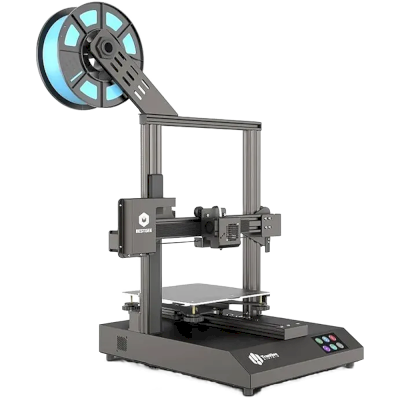
TronHoo BestGee T220S Lite एक नज़र में
TronHoo का TronHoo BestGee T220S Lite, 220 x 220 x 250 mm build volume वाला 3D प्रिंटर है।
- निर्माण आयतन
- 220 x 220 x 250 mm
- अधिकतम प्रिंट गति
- 150 mm/s
- अच्छी तरह प्रिंट करता है
- PLA, PETG
- कनेक्टिविटी
- USB, SD कार्ड
TronHoo BestGee T220S Lite को SimplyPrint से कनेक्ट करें
क्या TronHoo BestGee T220S Lite 3D प्रिंटर SimplyPrint, OctoPrint, Mainsail और Fluidd के साथ काम करता है? इसे कनेक्ट करने का हर तरीका, उसकी आवश्यकताएँ और उसे सेट अप करने का तरीका।
-

OctoPrint
सीधे, USB के जरिए
संगत
आपको क्या चाहिए: USB केबल से प्रिंटर से जुड़ा OctoPrint चलाने वाला Raspberry Pi
-


Klipper (Moonraker)
संगत नहीं
- Klipper के साथ नहीं आता: अपनी firmware के स्थान पर Klipper इंस्टॉल करने के बाद यह उसे चलाता है, यह एक संशोधन है

SimplyPrint के साथ क्या काम करता है
OctoPrint के माध्यम से कनेक्ट होने पर, SimplyPrint उन सभी सुविधाओं को सपोर्ट करता है जो TronHoo BestGee T220S Lite अन्य सॉफ़्टवेयर को करने देता है: कैमरा और AI विफलता पहचान, रिमोट प्रिंटिंग, तापमान और गति नियंत्रण और AutoPrint। 3 सुविधाएँ इस बात पर निर्भर करती हैं कि इन्हें कैसे सेट किया गया है: तालिका बताती है कि प्रत्येक को क्या चाहिए।
हर SimplyPrint सुविधा, इसे SimplyPrint से कनेक्ट करने के हर तरीके के लिए
| के माध्यम से SimplyPrint से कनेक्टेड | |
|---|---|
| SimplyPrint सुविधा | OctoPrint संगत |
| निगरानी | |
| लाइव स्थिति और प्रगति | हां |
| वेबकैम | हां 1 |
| AI फेलियर डिटेक्शन | हां 1 |
| बचा हुआ समय | हां |
| लेयर प्रगति | हां |
| तापमान | हां |
| प्रिंटिंग | |
| प्रिंट शुरू करना | हां |
| रोकें, फिर शुरू करें और रद्द करें | हां |
| ऑब्जेक्ट्स छोड़ें | निर्भर करता है 2 |
| फ़ाइलें | |
| बाइनरी G-code (.bgcode) प्रिंट करें | निर्भर करता है 3 |
| प्रिंटर कंट्रोल | |
| तापमान बदलें | हां |
| कंट्रोल से चलाना | हां |
| होमिंग | हां |
| Extrude और retract करें | हां |
| प्रिंट स्पीड बदलें | हां |
| फैन की गति | हां |
| बेबी स्टेपिंग | हां |
| G-code भेजें | हां |
| कैलिब्रेशन | |
| filament बदलें | हां |
| बेड लेवलिंग | हां |
| Z-ऑफ़सेट कैलिब्रेशन | हां |
| स्वचालन | |
| AutoPrint प्रो | हां |
| प्रिंट शुरू होने से पहले file डाउनलोड करें | निर्भर करता है 4 |
OctoPrint के माध्यम से SimplyPrint से कनेक्टेड
संगत
निगरानी
- लाइव स्थिति और प्रगति हां
- वेबकैम हां 1
- AI फेलियर डिटेक्शन हां 1
- बचा हुआ समय हां
- लेयर प्रगति हां
- तापमान हां
प्रिंटिंग
- प्रिंट शुरू करना हां
- रोकें, फिर शुरू करें और रद्द करें हां
- ऑब्जेक्ट्स छोड़ें निर्भर करता है 2
फ़ाइलें
- बाइनरी G-code (.bgcode) प्रिंट करें निर्भर करता है 3
प्रिंटर कंट्रोल
- तापमान बदलें हां
- कंट्रोल से चलाना हां
- होमिंग हां
- Extrude और retract करें हां
- प्रिंट स्पीड बदलें हां
- फैन की गति हां
- बेबी स्टेपिंग हां
- G-code भेजें हां
कैलिब्रेशन
- filament बदलें हां
- बेड लेवलिंग हां
- Z-ऑफ़सेट कैलिब्रेशन हां
स्वचालन
- AutoPrint प्रो हां
- प्रिंट शुरू होने से पहले file डाउनलोड करें निर्भर करता है 4
काम करता है निर्भर करता है समर्थित नहीं
- कैमरा चाहिए
- OctoPrint प्लगइन Cancel Objects आवश्यक है
- OctoPrint प्लगइन BGCode आवश्यक है
- SimplyPrint प्लगइन का संस्करण 4.2.0 या नया आवश्यक है
TronHoo BestGee T220S Lite के लिए कौन सा slicer इस्तेमाल करें
SimplyPrint के cloud के किसी भी slicer में TronHoo BestGee T220S Lite के लिए तैयार प्रोफ़ाइल नहीं है, लेकिन यह मानक G-code स्वीकार करता है: किसी मिलते-जुलते प्रिंटर की प्रोफ़ाइल से शुरू करें और bed का आकार, ऊंचाई और nozzle मिलान के अनुसार सेट करें।
TronHoo BestGee T220S Lite के लिए कोई प्रोफ़ाइल नहीं है
 PrusaSlicer
 OrcaSlicer
 BambuStudio
 ElegooSlicer
 CrealityPrint
 Cura
Cura Kiri:Moto
हम केवल उन slicer को सूचीबद्ध करते हैं जिन्हें आप SimplyPrint क्लाउड में इस्तेमाल कर सकते हैं, इसलिए TronHoo BestGee T220S Lite के लिए अन्य भी हो सकते हैं।
TronHoo BestGee T220S Lite के लिए cloud-based slicer
सभी समर्थित slicer, सीधे अपने ब्राउज़र में SimplyPrint के ऑनलाइन cloud slicer के साथ। इंस्टॉलेशन की ज़रूरत नहीं। दुनिया में कहीं से भी, किसी भी डिवाइस पर अपने TronHoo BestGee T220S Lite मॉडल slice करें!
Online slicer अभी आजमाएँप्रोफाइल और अन्य slicer
स्वचालित profile updates: प्रोफ़ाइलों की हर दिन जाँच होती है और slicer GitHub repositories से, साथ ही हमारे ओपन-सोर्स समुदाय-संचालित slicer प्रोफ़ाइल डेटाबेस से भी अपने-आप ली जाती हैं। इससे आपके पास हमेशा नवीनतम प्रोफ़ाइलों की पहुँच रहती है।
ध्यान दें: अन्य slicer, जैसे Simplify3D, ideaMaker, SuperSlicer और KISSlicer, हमारे cloud में नहीं हैं, इसलिए हम उनकी profiles ट्रैक नहीं करते। वे फिर भी आपके TronHoo BestGee T220S Lite के साथ अच्छी तरह काम कर सकते हैं: profile के लिए slicer के दस्तावेज़ या फ़ोरम देखें। आप हमारी GitHub पर ओपन-सोर्स slicer profile डेटाबेस में profiles भी जोड़ सकते हैं।
TronHoo BestGee T220S Lite के लिए ऐप
SimplyPrint, TronHoo BestGee T220S Lite के ऐप के रूप में काम करता है: आपके फोन और किसी भी ब्राउज़र में, क्लाउड में slicer के साथ।
SimplyPrint के साथ आपको क्या मिलता है
- iPhone और Android के लिए एक ऐप, किसी भी ब्राउज़र में वही अनुभव, और क्लाउड में एक slicer।
- सिर्फ मॉनिटरिंग से अधिक: प्रिंट कतार, AI विफलता पहचान, AutoPrint और टीम के लिए खाते।
- कई ब्रांड के प्रिंटर एक जगह, साथ-साथ।
- एक यूरोपीय क्लाउड, जर्मनी के फ्रैंकफर्ट में होस्ट किया गया, GDPR के तहत।


TronHoo BestGee T220S Lite को ऑटोमेट करें
अभी SimplyPrint में TronHoo BestGee T220S Lite के लिए कोई plate swapper या auto-ejection kit नहीं है, लेकिन AutoPrint इसे प्रिंट कराता रख सकता है। plate खाली होते ही यह आपकी कतार से अगला job शुरू करता है।
इसे स्वचालित करने के तरीके
- आपका अपना इजेक्शन G-code प्लेट साफ़ करने वाला रूटीन लिखें, और AutoPrint हर प्रिंट के बाद इसे चलाएगा।
- रोबोट आर्म या API वाली कोई भी चीज़ रोबोट आर्म या अपने सिस्टम से API या webhook के ज़रिए SimplyPrint को बताएँ कि बिल्ड प्लेट खाली है।
- इसे हाथ से साफ़ करें, कतार रखें AutoPrint आपके प्लेट खाली चिह्नित करने की प्रतीक्षा करता है, फिर अगला जॉब शुरू करता है।
AutoPrint Pro प्लान और उससे ऊपर के प्लान में शामिल है।
TronHoo BestGee T220S Lite के विनिर्देश: bed आकार, प्रिंट ऊंचाई और अधिक
निर्माता और हमारे शोध के अनुसार इसका आकार, तापमान, मल्टी-मटेरियल और कनेक्शन। निर्माता की और जानकारी पढ़ें
साइज़
| निर्माण आयतन | 220 x 220 x 250 mm |
|---|---|
| बेड टाइप | Square |
| बेड साइज़ | 220 x 220 mm |
| अधिकतम प्रिंट ऊंचाई | 250 mm |
प्रिंटिंग
| अधिकतम प्रिंट गति | 150 mm/s |
|---|---|
| अधिकतम एक्सट्रूडर तापमान | 260 °C |
| हीटेड बेड है | हां |
| अधिकतम बेड तापमान | 100 °C |
| नोज़ल की संख्या | 1 |
| Toolheads | 1 |
| डायरेक्ट ड्राइव | नहीं |
| प्रोबिंग टूल / ऑटो बेड लेवलिंग | नहीं |
| फिलामेंट की चौड़ाई | 1.75 mm |
कनेक्ट हो रहा है
| कनेक्टिविटी | USB, SD कार्ड |
|---|---|
| से प्रिंट | microSD कार्ड |
| सीरियल प्रिंटिंग समर्थित है | हां |
| शिप किया गया firmware | Marlin |
फ़ाइलें और slicing
| समर्थित फ़ाइल फ़ॉर्मेट | G-code (.gcode, .gco, .g) |
|---|
प्रिंटर
| प्रिंटर निर्माता / ब्रांड | TronHoo |
|---|---|
| प्रिंटर मॉडल नाम | BestGee T220S Lite |
| निर्माता कंपनी का देश | चीन |
डिस्क्लेमर: हम इस जानकारी को जितना हो सके उतना नया और सटीक रखने की कोशिश करते हैं, लेकिन इसकी पूर्णता या भरोसेमंदी की गारंटी नहीं दे सकते। हमारा डेटा यूज़र सबमिशन और निर्माता संदर्भों पर आधारित है।
TronHoo BestGee T220S Lite कौन सा filament print कर सकता है?
TronHoo BestGee T220S Lite के लिए filament संगतता: hotend, bed, chamber और enclosure के आधार पर आंकी गई वे सामग्रियाँ जिन्हें यह संभाल सकता है।
| फिलामेंट | उपयुक्तता | नोट्स |
|---|---|---|
| PLA | बहुत अच्छा | print करने में सबसे आसान filament। लगभग हर printer पर चलता है; heated bed adhesion में मदद करता है लेकिन जरूरी नहीं। |
| PETG | बहुत अच्छा | आराम से range में (PETG को ~230-250C hotend और ~70-85C bed पसंद है)। |
| TPU और लचीले filament | सावधानी से | संभव है, लेकिन Bowden extruder flexible filament को कठिन बनाता है; धीरे प्रिंट करें और अधिक कठोर (high-shore) TPU चुनें। |
| ABS & ASA | सावधानी से | बेड पर्याप्त गर्म है, लेकिन enclosure के बिना ABS और ASA मुड़ जाते हैं। साफ़ प्रिंट के लिए enclosure की दृढ़ अनुशंसा है। |
| Nylon (PA) | सावधानी से | सावधानी से संभव है, enclosure और बहुत सूखा filament जरूरी हैं। |
| Polycarbonate (PC) | आदर्श नहीं | अनुशंसित नहीं - PC के लिए बहुत अधिक हॉटेंड तापमान और बंद चैम्बर चाहिए। |
| Carbon-fiber और glass-filled | सावधानी से | संभव है, यदि आप hardened या wear-resistant nozzle लगाएँ, क्योंकि abrasive fibers मूल brass nozzle को जल्दी घिस देते हैं। |
सुझाव: यह प्रिंटर के विनिर्देशों पर आधारित सामान्य मार्गदर्शिका है, हमेशा अपने फिलामेंट की सुझाई गई सेटिंग जांचें। SimplyPrint के साथ आप हर स्पूल के लिए प्रोफाइल सहेज सकते हैं और स्टॉक में मौजूद फिलामेंट को ठीक से ट्रैक कर सकते हैं।
TronHoo BestGee T220S Lite के लिए सर्वश्रेष्ठ filament
वे filaments जिन्हें TronHoo BestGee T220S Lite अच्छी तरह प्रिंट करता है, पहले TronHoo के अपने, फिर सबसे प्रसिद्ध।
TronHoo BestGee T220S Lite की समान प्रिंटरों से तुलना करें
उसी निर्माता के, समान आकार के, वही engineering materials या इसी तरह के multi-material प्रिंट करने वाले प्रिंटर, जिन्हें आप आज खरीद सकते हैं। उनके specs और कनेक्शन के साथ अधिकतम चार प्रिंटर की साथ-साथ तुलना करें।
-
TronHoo BestGee T220 Pro
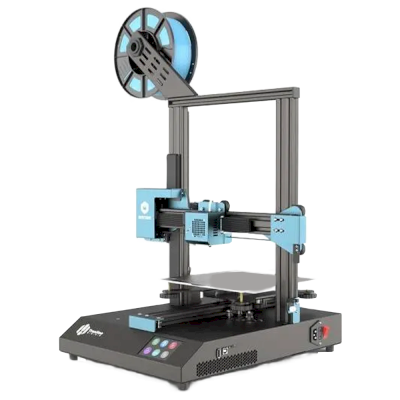 220 x 220 x 250 mmसे कनेक्ट होता है: OctoPrintTronHoo के अन्य प्रिंटर · समान बिल्ड वॉल्यूम
 -
TronHoo BestGee T220S
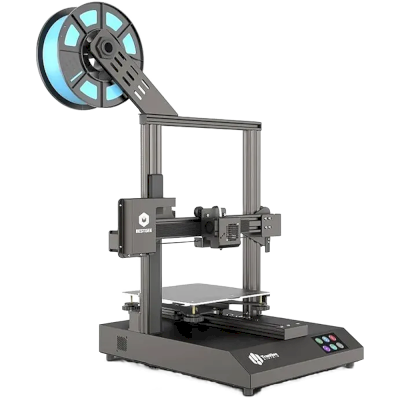 220 x 220 x 250 mm2020 को लॉन्च हुआसे कनेक्ट होता है: OctoPrintTronHoo के अन्य प्रिंटर · समान बिल्ड वॉल्यूम
 -
Bambu Lab P1S
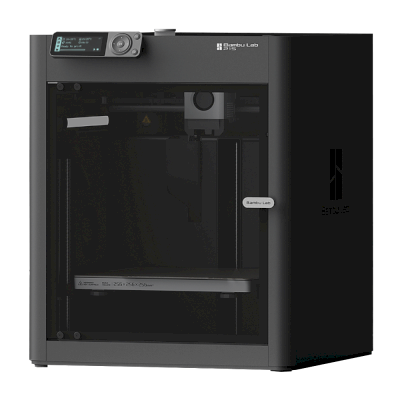 256 x 256 x 256 mm13 जुलाई 2023 को लॉन्च हुआसे कनेक्ट होता है: SimplyPrint क्लाइंटसमान बिल्ड वॉल्यूमSimplyPrint द्वारा सत्यापित साथ-साथ तुलना करें Bambu Lab P1S
 -
Bambu Lab A1
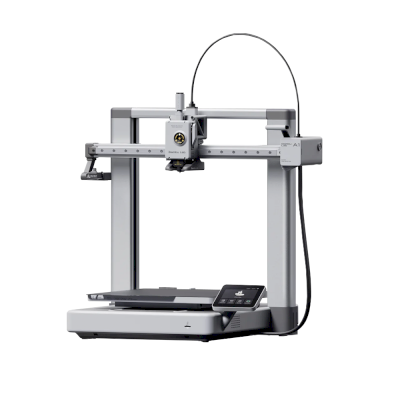 256 x 256 x 256 mm14 दिसम्बर 2023 को लॉन्च हुआसे कनेक्ट होता है: SimplyPrint क्लाइंटसमान बिल्ड वॉल्यूमSimplyPrint द्वारा सत्यापित साथ-साथ तुलना करें Bambu Lab A1
अक्सर पूछे जाने वाले सवाल
क्या TronHoo BestGee T220S Lite, SimplyPrint के साथ संगत है?
हाँ। आप TronHoo BestGee T220S Lite को OctoPrint के ज़रिए SimplyPrint से कनेक्ट कर सकते हैं, फिर अपने ब्राउज़र या मोबाइल ऐप से प्रिंट स्लाइस कर सकते हैं, उन्हें कतार में डाल सकते हैं, शुरू कर सकते हैं और मॉनिटर कर सकते हैं।
TronHoo BestGee T220S Lite को SimplyPrint से कैसे कनेक्ट करें?
TronHoo BestGee T220S Lite के लिए हमारी चरण-दर-चरण सेटअप गाइड अपनाएँ। इसमें बताया गया है कि इसे OctoPrint के ज़रिए कैसे कनेक्ट करें, हर तरीके के लिए क्या चाहिए और कौन सा चुनें।
TronHoo BestGee T220S Lite के लिए कौन-सा slicer उपयोग करना चाहिए?
Cura, PrusaSlicer और OrcaSlicer सभी TronHoo BestGee T220S Lite के साथ काम करते हैं और आप इन्हें किसी भी डिवाइस पर SimplyPrint के ऑनलाइन ब्राउज़र slicer में चला सकते हैं। इंस्टॉल करने की जरूरत नहीं।
क्या TronHoo BestGee T220S Lite के साथ OrcaSlicer उपयोग किया जा सकता है?
हाँ, लेकिन हमारी जानकारी में OrcaSlicer में TronHoo BestGee T220S Lite के लिए अंतर्निहित प्रोफ़ाइल नहीं है: समान प्रिंटर की प्रोफ़ाइल से शुरू करें और bed का आकार, ऊँचाई और nozzle मिलान के अनुसार सेट करें।
TronHoo BestGee T220S Lite कौन सा filament print कर सकता है?
इसके स्पेसिफिकेशन (hotend 260C तक, heated bed 100C तक) के आधार पर TronHoo BestGee T220S Lite, PLA या PETG को अच्छी तरह संभालता है। ABS, nylon, PC और composites के लिए ऊपर पूरी filament गाइड देखें।
क्या TronHoo BestGee T220S Lite, OctoPrint या Klipper के साथ काम करता है?
TronHoo BestGee T220S Lite, OctoPrint के साथ काम करता है और SimplyPrint इन्हीं से कनेक्ट होता है। इसके साथ आपको cloud access, कतार और camera monitoring मिलती है।
TronHoo BestGee T220S Lite के बेड का आकार और बिल्ड वॉल्यूम क्या है?
TronHoo BestGee T220S Lite का print bed 220 x 220 mm है और यह 250 mm तक ऊंची प्रिंट कर सकता है, यानी लगभग 220 x 220 x 250 mm का build volume। bed के प्रकार, तापमान और अन्य जानकारी के लिए ऊपर पूरी specifications तालिका देखें।
क्या TronHoo BestGee T220S Lite प्रिंट अपने आप निकाल सकता है?
अभी इसके लिए कोई समर्थित kit नहीं है, लेकिन SimplyPrint का AutoPrint आपका अपना ejection G-code चला सकता है, API के माध्यम से रोबोटिक भुजा के साथ काम कर सकता है, या आपके plate साफ करने की प्रतीक्षा कर सकता है, और फिर आपकी कतार से अगला job शुरू कर सकता है।
Affiliate खुलासा: इस पेज के कुछ link affiliate link हैं। आपके खरीदने पर हमें commission मिल सकता है, इसके लिए आपको कोई अतिरिक्त लागत नहीं देनी होगी। Amazon Associate के रूप में हम योग्य खरीद से कमाते हैं।
© 2026 SimplyPrint। सर्वाधिकार सुरक्षित। यह पृष्ठ और इस पर मौजूद संगतता, विनिर्देश और समीक्षा डेटा SimplyPrint द्वारा संकलित किए गए हैं और पूर्व लिखित अनुमति के बिना इन्हें पूर्ण या आंशिक रूप से कॉपी, स्क्रैप, पुनरुत्पादित या पुनर्प्रकाशित नहीं किया जा सकता। प्रिंटर छवियां उनके संबंधित निर्माताओं की संपत्ति हैं और केवल पहचान के उद्देश्य से दिखाई गई हैं, SimplyPrint इन पर कोई स्वामित्व दावा नहीं करता। उद्धृत समीक्षाएं उनके लेखकों की हैं।