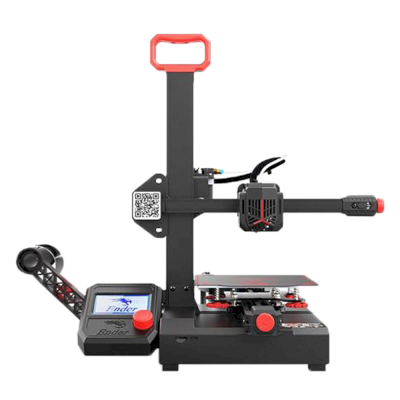
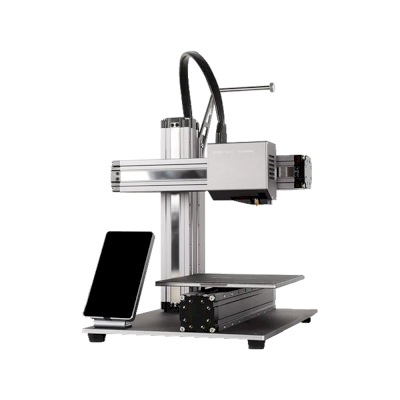
क्या Snapmaker 2.0 A150 3D प्रिंटर SimplyPrint, OctoPrint, Mainsail और Fluidd के साथ काम करता है?
इसे कनेक्ट करने का हर तरीका, उसकी आवश्यकताएँ और उसे सेट अप करने का तरीका।
Klipper के साथ नहीं आता: अपनी firmware के स्थान पर Klipper इंस्टॉल करने के बाद यह उसे चलाता है, यह एक संशोधन है
SimplyPrint के साथ क्या काम करता है
OctoPrint के माध्यम से कनेक्ट होने पर, SimplyPrint उन सभी सुविधाओं को सपोर्ट करता है जो Snapmaker 2.0 A150 अन्य सॉफ़्टवेयर को करने देता है: कैमरा और AI विफलता पहचान, रिमोट प्रिंटिंग, तापमान और गति नियंत्रण और AutoPrint। 3 सुविधाएँ इस बात पर निर्भर करती हैं कि इन्हें कैसे सेट किया गया है: तालिका बताती है कि प्रत्येक को क्या चाहिए।
हर SimplyPrint सुविधा, इसे SimplyPrint से कनेक्ट करने के हर तरीके के लिए
के माध्यम से SimplyPrint से कनेक्टेड
SimplyPrint सुविधा
OctoPrint
संगत
निगरानी
लाइव स्थिति और प्रगति
हां
वेबकैम
हां1
AI फेलियर डिटेक्शन
हां1
बचा हुआ समय
हां
लेयर प्रगति
हां
तापमान
हां
प्रिंटिंग
प्रिंट शुरू करना
हां
रोकें, फिर शुरू करें और रद्द करें
हां
ऑब्जेक्ट्स छोड़ें
निर्भर करता है2
फ़ाइलें
बाइनरी G-code (.bgcode) प्रिंट करें
निर्भर करता है3
प्रिंटर कंट्रोल
तापमान बदलें
हां
कंट्रोल से चलाना
हां
होमिंग
हां
Extrude और retract करें
हां
प्रिंट स्पीड बदलें
हां
फैन की गति
हां
बेबी स्टेपिंग
हां
G-code भेजें
हां
कैलिब्रेशन
filament बदलें
हां
बेड लेवलिंग
हां
Z-ऑफ़सेट कैलिब्रेशन
हां
स्वचालन
AutoPrint
प्रो
हां
प्रिंट शुरू होने से पहले file डाउनलोड करें
निर्भर करता है4
OctoPrint के माध्यम से SimplyPrint से कनेक्टेड
संगत
निगरानी
लाइव स्थिति और प्रगतिहां
वेबकैमहां1
AI फेलियर डिटेक्शनहां1
बचा हुआ समयहां
लेयर प्रगतिहां
तापमानहां
प्रिंटिंग
प्रिंट शुरू करनाहां
रोकें, फिर शुरू करें और रद्द करेंहां
ऑब्जेक्ट्स छोड़ेंनिर्भर करता है2
फ़ाइलें
बाइनरी G-code (.bgcode) प्रिंट करेंनिर्भर करता है3
प्रिंटर कंट्रोल
तापमान बदलेंहां
कंट्रोल से चलानाहां
होमिंगहां
Extrude और retract करेंहां
प्रिंट स्पीड बदलेंहां
फैन की गतिहां
बेबी स्टेपिंगहां
G-code भेजेंहां
कैलिब्रेशन
filament बदलेंहां
बेड लेवलिंगहां
Z-ऑफ़सेट कैलिब्रेशनहां
स्वचालन
AutoPrint प्रोहां
प्रिंट शुरू होने से पहले file डाउनलोड करेंनिर्भर करता है4
काम करता है
निर्भर करता है
समर्थित नहीं
कैमरा चाहिए
OctoPrint प्लगइन Cancel Objects आवश्यक है
OctoPrint प्लगइन BGCode आवश्यक है
SimplyPrint प्लगइन का संस्करण 4.2.0 या नया आवश्यक है
SimplyPrint पर Snapmaker 2.0 A150 के मालिक
SimplyPrint के साथ उपयोग में
Snapmaker 2.0 A150 के लिए कौन सा slicer इस्तेमाल करें
SimplyPrint के cloud के किसी भी slicer में Snapmaker 2.0 A150 के लिए तैयार प्रोफ़ाइल नहीं है, लेकिन यह मानक G-code स्वीकार करता है: किसी मिलते-जुलते प्रिंटर की प्रोफ़ाइल से शुरू करें और bed का आकार, ऊंचाई और nozzle मिलान के अनुसार सेट करें।
हम केवल उन slicer को सूचीबद्ध करते हैं जिन्हें आप SimplyPrint क्लाउड में इस्तेमाल कर सकते हैं, इसलिए Snapmaker 2.0 A150 के लिए अन्य भी हो सकते हैं।
Snapmaker 2.0 A150 के लिए cloud-based slicer
सभी समर्थित slicer, सीधे अपने ब्राउज़र में SimplyPrint के ऑनलाइन cloud slicer के साथ। इंस्टॉलेशन की ज़रूरत नहीं। दुनिया में कहीं से भी, किसी भी डिवाइस पर अपने Snapmaker 2.0 A150 मॉडल slice करें!
स्वचालित profile updates: प्रोफ़ाइलों की हर दिन जाँच होती है और slicer GitHub repositories से, साथ ही हमारे ओपन-सोर्स समुदाय-संचालित slicer प्रोफ़ाइल डेटाबेस से भी अपने-आप ली जाती हैं। इससे आपके पास हमेशा नवीनतम प्रोफ़ाइलों की पहुँच रहती है।
ध्यान दें: अन्य slicer, जैसे Simplify3D, ideaMaker, SuperSlicer और KISSlicer, हमारे cloud में नहीं हैं, इसलिए हम उनकी profiles ट्रैक नहीं करते। वे फिर भी आपके Snapmaker 2.0 A150 के साथ अच्छी तरह काम कर सकते हैं: profile के लिए slicer के दस्तावेज़ या फ़ोरम देखें। आप हमारी GitHub पर ओपन-सोर्स slicer profile डेटाबेस में profiles भी जोड़ सकते हैं।
Snapmaker 2.0 A150 के लिए ऐप
SimplyPrint, Snapmaker 2.0 A150 के ऐप के रूप में काम करता है: आपके फोन और किसी भी ब्राउज़र में, क्लाउड में slicer के साथ।
SimplyPrint के साथ आपको क्या मिलता है
iPhone और Android के लिए एक ऐप, किसी भी ब्राउज़र में वही अनुभव, और क्लाउड में एक slicer।
सिर्फ मॉनिटरिंग से अधिक: प्रिंट कतार, AI विफलता पहचान, AutoPrint और टीम के लिए खाते।
अभी SimplyPrint में Snapmaker 2.0 A150 के लिए कोई plate swapper या auto-ejection kit नहीं है, लेकिन AutoPrint इसे प्रिंट कराता रख सकता है। plate खाली होते ही यह आपकी कतार से अगला job शुरू करता है।
इसे स्वचालित करने के तरीके
आपका अपना इजेक्शन G-codeप्लेट साफ़ करने वाला रूटीन लिखें, और AutoPrint हर प्रिंट के बाद इसे चलाएगा।
डिस्क्लेमर:
हम इस जानकारी को जितना हो सके उतना नया और सटीक रखने की कोशिश करते हैं, लेकिन इसकी पूर्णता या भरोसेमंदी की गारंटी नहीं दे सकते। हमारा डेटा यूज़र सबमिशन और निर्माता संदर्भों पर आधारित है।
Snapmaker 2.0 A150 कौन सा filament print कर सकता है?
Snapmaker 2.0 A150 के लिए filament संगतता: hotend, bed, chamber और enclosure के आधार पर आंकी गई वे सामग्रियाँ जिन्हें यह संभाल सकता है।
फिलामेंट
उपयुक्तता
नोट्स
PLA
बहुत अच्छा
print करने में सबसे आसान filament। लगभग हर printer पर चलता है; heated bed adhesion में मदद करता है लेकिन जरूरी नहीं।
PETG
बहुत अच्छा
आराम से range में (PETG को ~230-250C hotend और ~70-85C bed पसंद है)।
TPU और लचीले filament
बहुत अच्छा
direct-drive extruder flexible filament अच्छी तरह feed करता है। clean results के लिए slow print करें।
ABS & ASA
सावधानी से
बेड पर्याप्त गर्म है, लेकिन enclosure के बिना ABS और ASA मुड़ जाते हैं। साफ़ प्रिंट के लिए enclosure की दृढ़ अनुशंसा है।
Nylon (PA)
सावधानी से
सावधानी से संभव है, enclosure और बहुत सूखा filament जरूरी हैं।
Polycarbonate (PC)
सावधानी से
सीमांत स्थिति में, वार्पिंग से बचने के लिए PC को बंद, गर्म chamber चाहिए।
Carbon-fiber और glass-filled
सावधानी से
संभव है, यदि आप hardened या wear-resistant nozzle लगाएँ, क्योंकि abrasive fibers मूल brass nozzle को जल्दी घिस देते हैं।
सुझाव: यह प्रिंटर के विनिर्देशों पर आधारित सामान्य मार्गदर्शिका है, हमेशा अपने फिलामेंट की सुझाई गई सेटिंग जांचें। SimplyPrint के साथ आप हर स्पूल के लिए प्रोफाइल सहेज सकते हैं और स्टॉक में मौजूद फिलामेंट को ठीक से ट्रैक कर सकते हैं।
Snapmaker 2.0 A150 के लिए सर्वश्रेष्ठ filament
वे filaments जिन्हें Snapmaker 2.0 A150 अच्छी तरह प्रिंट करता है, पहले Snapmaker के अपने, फिर सबसे प्रसिद्ध।
Snapmaker 2.0 A150 की समान प्रिंटरों से तुलना करें
उसी निर्माता के, समान आकार के, वही engineering materials या इसी तरह के multi-material प्रिंट करने वाले प्रिंटर, जिन्हें आप आज खरीद सकते हैं। उनके specs और कनेक्शन के साथ अधिकतम चार प्रिंटर की साथ-साथ तुलना करें।
Snapmaker 2.0 A150 कौन बनाता है और Snapmaker आपको कितनी स्वतंत्रता देता है: क्या इसके प्रिंटर इसके cloud के बिना चलते हैं, कोई भी filament और slicer स्वीकार करते हैं और उनकी मरम्मत की जा सकती है। हर क्षेत्र को सार्वजनिक स्रोतों के आधार पर रेट किया गया है।
खुलापन: अधिकतर खुला (5 में से 4.1)
अधिकतर खुला
बंद पारिस्थितिकी तंत्रखोलें
Snapmaker is a Shenzhen company founded in 2016, built around machines that swap tool heads; its Original, 2.0 and U1 machines were launched on Kickstarter. It sells the U1, a CoreXY printer with four tool heads that change in about five seconds for multi-colour printing, and the Artisan, which combines 3D printing, laser engraving and CNC carving. Its buyers are makers, hobbyists and small workshops.
स्थापना:
2016 ·
मुख्यालय:
Shenzhen, China ·
स्वामित्व:
Shenzhen Snapmaker Technologies Co., Ltd.; its main products were crowdfunded on Kickstarter ·
वेबसाइट:www.snapmaker.com
Snapmaker is mostly open: the U1 runs Klipper with a local Fluidd interface and published source, and nearly every part is sold separately. Its proprietary hotends and RFID system are the closed parts.
फर्मवेयर और कस्टम फर्मवेयर ●●●●●
The U1 runs modified Klipper, Moonraker and Fluidd. Snapmaker published its changes on GitHub under GPL-3.0 on 30 March 2026, about three months after Kickstarter deliveries finished. Firmware for the Snapmaker 2.0 and, since August 2026, the Artisan controller is also on GitHub under GPL.
[1][2][3][4]
स्थानीय नियंत्रण और एकीकरण ●●●●●
The U1 runs Klipper, Moonraker and Fluidd on the printer and prints from Snapmaker Orca over Wi-Fi or from a USB drive, so other software can use Moonraker's documented API; Snapmaker publishes its Moonraker changes on GitHub. For the Artisan, Snapmaker documents its G-code commands and has Luban pass jobs from OrcaSlicer over the OctoPrint protocol. The Snapmaker app is for remote monitoring.
[1][5][13][14][15]
तृतीय-पक्ष filament, slicer और पार्ट ●●●●●
Third-party 1.75 mm filament works and the U1 is supported in OrcaSlicer, but its RFID filament recognition is proprietary and only reads Snapmaker spools, and its hotends are proprietary one-piece units. Snapmaker documents using Cura, OrcaSlicer and PrusaSlicer with its older machines.
[1][6][7]
मरम्मत और स्पेयर पार्ट्स ●●●●●
Snapmaker's shop sells most U1 parts on their own, including the main board, heated bed, extruder motor, toolhead board, belts, fans and touchscreen, and its wiki has replacement guides such as the U1 XY motor. Hotends can only be replaced as a whole unit.
[8][9][1]
डेटा और गोपनीयता ●●●●●
Cloud features need a Snapmaker account. The privacy policy says personal data is stored on servers in the United States, may be shared with affiliates and third parties in China for some functions, and some data is kept for three years.
[10]
समुदाय और दस्तावेज़ ●●●●●
Active forum and a wiki with detailed FAQs and guides, firmware and slicer sources on GitHub, and frequent public updates and livestreams during the U1 campaign.
[1][2][11]
फायदे
The U1's four-head tool changer wastes little filament on colour changes.
Klipper-based U1 with a local Fluidd interface and published firmware source.
Nearly every U1 part is sold separately, with replacement guides.
Has delivered all of its Kickstarter campaigns, the U1 ahead of schedule by its own account.
कमियां
U1 hotends are proprietary one-piece units.
RFID filament recognition is proprietary and only works with Snapmaker spools.
U1 firmware source came after deliveries, at the end of a self-set deadline.
Personal data is stored in the US and may be shared with affiliates in China.
The U1 does not work with Luban, so owners of older machines need a different slicer.
सिद्ध अनुभव
अगस्त 2026: Snapmaker published the Artisan's Marlin-based controller firmware on GitHub under GPL-3.0.
[4]
30 मार्च 2026: Snapmaker published its modified Klipper, Moonraker and Fluidd for the U1 on GitHub under GPL-3.0, on the last day of the deadline it had set itself.
[1][2]
दिसम्बर 2025: Snapmaker says all U1 Kickstarter orders shipped by 23 December 2025, ahead of its schedule. It says it delivered all three of its Kickstarter campaigns.
[12]
सितम्बर 2025: The U1 Kickstarter raised $20.2 million from more than 20,000 backers by 30 September 2025, the most for any 3D printer on the platform. Snapmaker gives the final total as $20.6 million from 20,680 backers.
[11][12]
15 स्रोतों से शोधित, अंतिम बार 18 अक्टूबर 2026 को जाँचा गया। स्रोत दिखाएं
क्या Snapmaker 2.0 A150, SimplyPrint के साथ संगत है?
हाँ। आप Snapmaker 2.0 A150 को OctoPrint के ज़रिए SimplyPrint से कनेक्ट कर सकते हैं, फिर अपने ब्राउज़र या मोबाइल ऐप से प्रिंट स्लाइस कर सकते हैं, उन्हें कतार में डाल सकते हैं, शुरू कर सकते हैं और मॉनिटर कर सकते हैं।
Snapmaker 2.0 A150 को SimplyPrint से कैसे कनेक्ट करें?
Snapmaker 2.0 A150 के लिए हमारी चरण-दर-चरण सेटअप गाइड अपनाएँ। इसमें बताया गया है कि इसे OctoPrint के ज़रिए कैसे कनेक्ट करें, हर तरीके के लिए क्या चाहिए और कौन सा चुनें।
Snapmaker 2.0 A150 के लिए कौन-सा slicer उपयोग करना चाहिए?
Cura, PrusaSlicer और OrcaSlicer सभी Snapmaker 2.0 A150 के साथ काम करते हैं और आप इन्हें किसी भी डिवाइस पर SimplyPrint के ऑनलाइन ब्राउज़र slicer में चला सकते हैं। इंस्टॉल करने की जरूरत नहीं।
क्या Snapmaker 2.0 A150 के साथ OrcaSlicer उपयोग किया जा सकता है?
हाँ, लेकिन हमारी जानकारी में OrcaSlicer में Snapmaker 2.0 A150 के लिए अंतर्निहित प्रोफ़ाइल नहीं है: समान प्रिंटर की प्रोफ़ाइल से शुरू करें और bed का आकार, ऊँचाई और nozzle मिलान के अनुसार सेट करें।
Snapmaker 2.0 A150 कौन सा filament print कर सकता है?
इसके स्पेसिफिकेशन (hotend 275C तक, heated bed 110C तक) के आधार पर Snapmaker 2.0 A150, PLA, PETG, या TPU और लचीले filament को अच्छी तरह संभालता है। ABS, nylon, PC और composites के लिए ऊपर पूरी filament गाइड देखें।
क्या Snapmaker 2.0 A150, OctoPrint या Klipper के साथ काम करता है?
Snapmaker 2.0 A150, OctoPrint के साथ काम करता है और SimplyPrint इन्हीं से कनेक्ट होता है। इसके साथ आपको cloud access, कतार और camera monitoring मिलती है।
Snapmaker 2.0 A150 के बेड का आकार और बिल्ड वॉल्यूम क्या है?
Snapmaker 2.0 A150 का print bed 160 x 160 mm है और यह 145 mm तक ऊंची प्रिंट कर सकता है, यानी लगभग 160 x 160 x 145 mm का build volume। bed के प्रकार, तापमान और अन्य जानकारी के लिए ऊपर पूरी specifications तालिका देखें।
Snapmaker 2.0 A150 कब जारी हुआ?
Snapmaker ने 2.0 A150 को मई 2019 में लॉन्च किया।
क्या Snapmaker 2.0 A150 प्रिंट अपने आप निकाल सकता है?
अभी इसके लिए कोई समर्थित kit नहीं है, लेकिन SimplyPrint का AutoPrint आपका अपना ejection G-code चला सकता है, API के माध्यम से रोबोटिक भुजा के साथ काम कर सकता है, या आपके plate साफ करने की प्रतीक्षा कर सकता है, और फिर आपकी कतार से अगला job शुरू कर सकता है।
Affiliate खुलासा: इस पेज के कुछ link affiliate link हैं। आपके खरीदने पर हमें commission मिल सकता है, इसके लिए आपको कोई अतिरिक्त लागत नहीं देनी होगी। Amazon Associate के रूप में हम योग्य खरीद से कमाते हैं।
 चीन
चीन
 OctoPrint


 PrusaSlicer
 OrcaSlicer
 BambuStudio
 ElegooSlicer
 CrealityPrint
 Cura
Cura Kiri:Moto