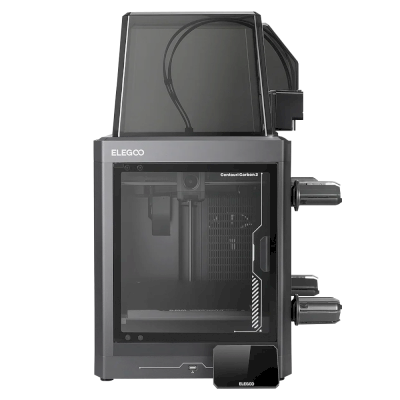
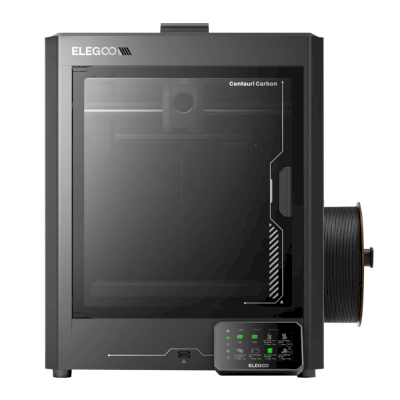
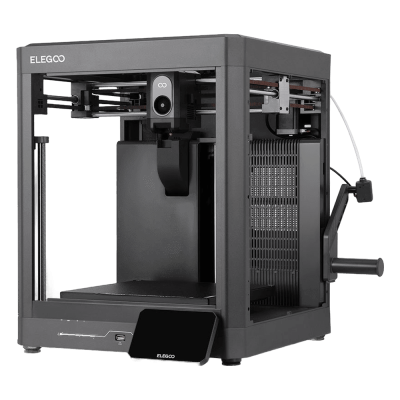
The Centauri Carbon 2 is Elegoo's second fully enclosed CoreXY printer: the original's 256 mm build cube with a 350 degree C hardened-steel nozzle, a 5-inch touchscreen and a better camera and lighting, and the Combo adds Elegoo's Canvas unit for four colours ($449 at launch). It is for hobbyists and small workshops who want an enclosed printer for engineering filaments, and multi-colour, on a budget.
Ciò significa che condivide molte caratteristiche con il modello base, ma può avere modifiche specifiche, funzioni aggiuntive o accessori inclusi.
Collegare ELEGOO Centauri Carbon 2 Combo a SimplyPrint
La stampante 3D ELEGOO Centauri Carbon 2 Combo è compatibile con SimplyPrint, OctoPrint, Mainsail e Fluidd?
Ogni modalità di connessione, requisiti e configurazione.
SimplyPrint Client
Compatibile
Cosa serve: Un computer o un Raspberry Pi sulla stessa rete, sempre acceso, con SimplyPrint Client in esecuzione
Collegata tramite SimplyPrint Client, SimplyPrint supporta tutto ciò che ELEGOO Centauri Carbon 2 Combo consente ad altri software di fare: la fotocamera e il rilevamento degli errori tramite IA, stampa remota, esclusione degli oggetti, controllo di temperatura e movimento, mappatura del filamento per l'unità multi-materiale e AutoPrint. Le uniche eccezioni sono le funzioni che ELEGOO Centauri Carbon 2 Combo non consente ad altri software di usare: Baby stepping, Inviare G-code, Cambio filamento, Livellamento del piano e Calibrazione Z-offset.
Ogni funzionalità di SimplyPrint, per ogni modalità di connessione a SimplyPrint
Collegata a SimplyPrint tramite
funzione di SimplyPrint
SimplyPrint Client
Compatibile
Monitoraggio
Stato e avanzamento in tempo reale
Sì
Webcam
Sì
Rilevamento errori con IA
Sì
Tempo rimanente
Sì
Avanzamento dei layer
Sì
Temperature
Sì
Stampa
Avvio della stampa
Sì
Mettere in pausa, riprendere e annullare
Sì
Ignorare oggetti
Sì
Opzioni di avvio della stampa
Sì
Controllo della stampante
Modificare le temperature
Sì
Movimento con i comandi
Sì
Ritorno all'origine
Sì
Estrudere e retrarre
Sì
Modificare la velocità di stampa
Sì
Velocità ventola
Sì
Baby stepping
Non offerto dalla stampante1
Inviare G-code
Non offerto dalla stampante1
Calibrazione
Cambio filamento
Non offerto dalla stampante1
Livellamento del piano
Non offerto dalla stampante1
Calibrazione Z-offset
Non offerto dalla stampante1
Multimateriale
Associare filamento agli slot multi-materiale
Sì
Sincronizzare il filamento caricato dall'unità multimateriale
Sì
Automazione
AutoPrint
Pro
Sì
Scaricare il file prima dell'avvio della stampa
Sì
Collegata a SimplyPrint tramite SimplyPrint Client
Compatibile
Monitoraggio
Stato e avanzamento in tempo realeSì
WebcamSì
Rilevamento errori con IASì
Tempo rimanenteSì
Avanzamento dei layerSì
TemperatureSì
Stampa
Avvio della stampaSì
Mettere in pausa, riprendere e annullareSì
Ignorare oggettiSì
Opzioni di avvio della stampaSì
Controllo della stampante
Modificare le temperatureSì
Movimento con i comandiSì
Ritorno all'origineSì
Estrudere e retrarreSì
Modificare la velocità di stampaSì
Velocità ventolaSì
Baby steppingNon offerto dalla stampante1
Inviare G-codeNon offerto dalla stampante1
Calibrazione
Cambio filamentoNon offerto dalla stampante1
Livellamento del pianoNon offerto dalla stampante1
Calibrazione Z-offsetNon offerto dalla stampante1
Multimateriale
Associare filamento agli slot multi-materialeSì
Sincronizzare il filamento caricato dall'unità multimaterialeSì
Automazione
AutoPrint ProSì
Scaricare il file prima dell'avvio della stampaSì
Funziona
Dipende
Non supportato
Non offerto dalla stampante
La stampante non offre questa funzione ad altri software.
Proprietari di ELEGOO Centauri Carbon 2 Combo su SimplyPrint
100+ stampanti usano SimplyPrint
Quale slicer usare per la ELEGOO Centauri Carbon 2 Combo
Usare ElegooSlicer, lo slicer di ELEGOO: dispone di un profilo preconfigurato per la ELEGOO Centauri Carbon 2 Combo. Profilo disponibile anche per: OrcaSlicer.
Usare ElegooSlicer e altri slicer, direttamente nel browser con lo slicer cloud online di SimplyPrint. Non richiede installazione. Sezionare i modelli ELEGOO Centauri Carbon 2 Combo da qualsiasi dispositivo, ovunque nel mondo.
Aggiornamenti automatici dei profili: i profili vengono verificati e recuperati automaticamente ogni giorno dai repository GitHub degli slicer, oltre che dal nostro database open source di profili slicer gestito dalla community. Questo garantisce sempre l'accesso ai profili più recenti.
Nota: Altri slicer, come Simplify3D, ideaMaker, SuperSlicer e KISSlicer, non sono nel nostro cloud, quindi i relativi profili non vengono monitorati. Potrebbero comunque funzionare bene con ELEGOO Centauri Carbon 2 Combo: consultare la documentazione o i forum dello slicer per un profilo. È inoltre possibile contribuire con profili al nostro database open source dei profili slicer su GitHub.
L'app per ELEGOO Centauri Carbon 2 Combo
Usare SimplyPrint come app per la ELEGOO Centauri Carbon 2 Combo: consente di monitorarla e gestirla da telefono o browser, eseguire lo slicing nel cloud e tenerla accanto alle altre stampanti. Si può iniziare gratis. L'app proprietaria di ELEGOO è ELEGOO Matrix.
Cosa fa
SimplyPrint
ELEGOO Matrix
Stampanti di altri marchi
Sì
Solo stampanti ELEGOO
Anche in SimplyPrint
Un'app per iPhone e Android, accessibile da qualsiasi browser, e uno slicer nel cloud.
Più del monitoraggio: coda di stampa, rilevamento guasti con IA, AutoPrint e account per un team.
Non esiste ancora un dispositivo di sostituzione della piastra o un kit di espulsione automatica per la ELEGOO Centauri Carbon 2 Combo in SimplyPrint, ma AutoPrint può comunque mantenerla operativa: quando la piastra è libera, avvia il lavoro successivo dalla coda.
Le stampanti chiuse espellono le stampe
Il piano di stampa della stampante ELEGOO Centauri Carbon 2 Combo si muove solo su e giù all'interno della sua camera chiusa, quindi, invece di sostituire le piastre, una routine di espulsione consente alla testa di stampa di spingere la stampa raffreddata fuori dalla piastra e dalla porta frontale, che deve restare aperta durante l'esecuzione. Alcune stampanti non stampano con la porta aperta, la Prusa CORE One ha un sensore della porta, quindi verificare prima.
Modalità di automazione
Spingere via le stampe con la testa di stampaSu una stampante CoreXY, una routine G-code può spingere la stampa raffreddata fuori dal davanti del piano di stampa prima dell'avvio del lavoro successivo.
Specifiche di ELEGOO Centauri Carbon 2 Combo: dimensioni del piano di stampa, altezza di stampa e altro
Dimensioni, temperature, multi-materiale e modalità di connessione, secondo il produttore e le nostre ricerche.
Leggere di più dal produttore
Dimensione
Volume di stampa
256 x 256 x 256 mm
Tipo di piano di stampa
Square
Dimensioni del piano di stampa
256 x 256 mm
Altezza massima di stampa
256 mm
Stampa
Camera chiusa
Completamente chiusa
Sistema di movimento
CoreXY
Velocità di stampa massima
500 mm/s
Temperatura massima dell'estrusore
350 °C
Ha il piano di stampa riscaldato
Sì
Temperatura massima del piano di stampa
110 °C
Numero di ugelli
1
Teste di stampa
1
Direct drive
Sì
Sonda / livellamento automatico del piano di stampa
Sì
Larghezza del filamento
1.75 mm
Multimateriale
Include il multi-materiale
Elegoo Canvas
Unità multimateriale compatibili
Elegoo Canvas
Cambiautensili o cambiatore di hotend
No
IDEX (doppi estrusori indipendenti)
No
Connessione in corso
Connettività
Wi-Fi, USB
Fotocamera integrata
Sì
Supporta la stampa seriale
No
Firmware fornito
Del produttore
File e slicing
Formati file supportati
G-code (.gcode, .gco, .g)
Include opzioni di avvio
Sì
Opzioni disponibili: Bed Leveling, Timelapse
La stampante
Produttore / marca della stampante
ELEGOO
Nome del modello di stampante
Centauri Carbon 2 Combo
Prodotto da un'azienda di
Cina
Lanciato
26 gennaio 2026
Ancora in produzione
Sì
Avviso legale:
Ci impegniamo a mantenere queste informazioni il più aggiornate e accurate possibile, ma non possiamo garantirne la completezza o l'affidabilità. I dati si basano su segnalazioni degli utenti e riferimenti dei produttori.
Quale filamento può stampare ELEGOO Centauri Carbon 2 Combo?
Compatibilità dei filamenti per ELEGOO Centauri Carbon 2 Combo: materiali gestibili, valutati in base a hotend, piano di stampa, camera e involucro.
Filamento
Idoneità
Note
PLA
Ottimo
Il filamento più facile da stampare. Funziona su quasi tutte le stampanti; un piano di stampa riscaldato aiuta l'adesione ma non è obbligatorio.
PETG
Ottimo
Comodamente nell'intervallo (il PETG funziona bene con un hotend a ~230-250C e un piano di stampa a ~70-85C).
TPU e flessibili
Ottimo
L'estrusore direct-drive alimenta bene il filamento flessibile. La stampa lenta offre risultati puliti.
ABS & ASA
Ottimo
Chiusa, con hotend e piano di stampa abbastanza caldi: ABS e ASA si stampano bene.
Nylon (PA)
Buono
Possibile con cautela: asciugare bene il filamento, una camera chiusa aiuta molto.
Polycarbonate (PC)
Buono
Rientra nell'intervallo adatto al PC. Per risultati ottimali, asciugare il filamento, stampare lentamente e usare un enclosure.
Con fibra di carbonio e vetro
Con cura
È possibile montando un ugello temprato o resistente all'usura: le fibre abrasive consumano rapidamente un ugello standard in ottone.
Suggerimento: questa è una guida generale basata sulle specifiche della stampante. Controlla sempre le impostazioni consigliate per il filamento. Con SimplyPrint puoi salvare un profilo per ogni bobina e tracciare con precisione il filamento disponibile.
Miglior filamento per ELEGOO Centauri Carbon 2 Combo
Filamenti stampati bene da ELEGOO Centauri Carbon 2 Combo, prima quelli di ELEGOO, poi i più noti.
Tested the Combo (unit supplied by Elegoo). PLA, PLA-CF and PETG print well on stock profiles and Canvas is easy to use; it measured 44-47 dB. Cons: unreliable connections from ElegooSlicer and the Matrix app, false spaghetti alerts, ASA warping until the bed was preheated, lots of purge waste and print-time estimates more than 17% off.
“Overall, the hardware is on point but the software needs more tuning”
Tested the Combo at $449. Prints PAHT-CF and polycarbonate cleanly without a heated chamber, handles 95A TPU through Canvas, needs no cloud, and has an excellent camera. Cons: the loading routine is too cool to clear PC or PA, spool holders that fit other brands poorly, and a cold plate that is not sticky enough. Says the original Centauri Carbon is still its pick for single colour.
“Like the first Centauri Carbon, the CC2 is a delightful Core XY 3D printer that’s easy on the budget.”
Recommended. Scored 29 of 30 in its print tests, with strong dimensional accuracy, very little colour contamination and engineering filaments that fed reliably. Cons: only four filaments, spools stored outside the enclosure with no drying (damp filament caused stringing), purge waste, and a locked-down slicer. For single-colour printing it says the original Centauri is still superb.
“If you are a small business looking to make functional parts on a budget, then the Centauri Carbon 2 really does live up to expectations.”
Aurora Tech · 19 febbraio 2026
Sponsored by Elegoo (disclosed). Over 2,000 colour changes with two false unload errors; faster changes and less purge than first-gen AMS, about half the K2 Pro's waste, but far slower than a Snapmaker U1. Printed PPS-CF and ABS well. Cons: average surface quality, skinned OrcaSlicer with poor estimates. Names it the best-value enclosed multi-colour printer.
Quando scegliere ELEGOO Centauri Carbon 2 Combo
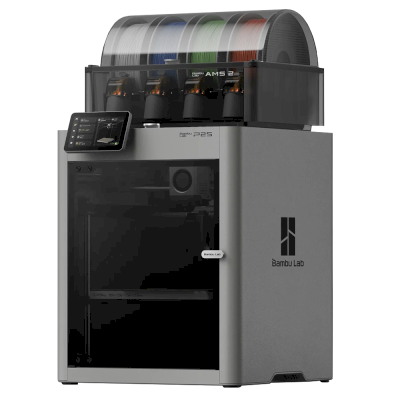
Choose the Centauri Carbon 2 for one of the cheapest ways into enclosed four-colour CoreXY printing: Tom's Hardware rated it 4/5, TechRadar recommended it and scored its prints 29 of 30. Every review we found tested the Combo. If you only print one colour, Tom's Hardware and TechRadar both say the original Centauri Carbon is still a superb, cheaper pick. The Bambu Lab P2S Combo costs much more and may be a bit more polished (Tom's Hardware). In Aurora Tech's tests the Creality K2 Pro printed faster with a cleaner surface but purged about twice as much, and a tool changer such as the Snapmaker U1 was far faster at multi-colour with almost no waste.
Vantaggi
Fully enclosed with a 350 degree C hardened-steel nozzle: Tom's Hardware printed PAHT-CF and polycarbonate without warping, and Aurora Tech printed PPS-CF and ABS.
Four colours for little money with the Combo's Canvas unit, which Aurora Tech ran through over 2,000 colour changes and found faster and less wasteful than first-generation AMS-style systems.
Accurate, clean prints: TechRadar scored it 29 of 30 in its print tests, with very little colour contamination.
Quiet for an enclosed printer (Elegoo says 45 dB; Notebookcheck measured 44-47 dB), with a glass door and an excellent camera with AI detection (Tom's Hardware).
Needs no cloud account (Tom's Hardware), so it can stay on your own network.
Works with SimplyPrint through the SimplyPrint Client, for one queue and remote monitoring across your printers.
Svantaggi
Elegoo's software lags the hardware: Notebookcheck had unreliable connections from ElegooSlicer and the Matrix app, print-time estimates were off by up to about 20% (Notebookcheck, Aurora Tech), and TechRadar calls the slicer locked down.
Multi-colour prints waste a lot of filament in purge (Notebookcheck, TechRadar), and the spools sit outside the enclosure with no drying, so damp filament shows (TechRadar).
Its monitoring can cry wolf: Notebookcheck saw false spaghetti alerts, and Aurora Tech saw false unload errors that paused prints until someone pressed continue.
No heated chamber, and with high-temperature filaments the loading routine is too cool to clear PC or PA (Tom's Hardware) and the Z offset runs low (Aurora Tech).
The side spool holders suit Elegoo spools but not some other brands, and the cold plate is not sticky enough (Tom's Hardware).
A chi è adatto
ScuoleBuona compatibilità
Enclosed with a glass door, quiet and self-calibrating, with a good camera; Elegoo's software and alerts are still uneven, and SimplyPrint adds queue approval and control over who can start prints.
HobbistiOttima compatibilità
Four colours, engineering filaments and an enclosure for $449 at launch; Tom's Hardware, TechRadar and Aurora Tech all rate it highly for value.
AziendeBuona compatibilità
TechRadar says it lives up to expectations for small businesses making functional parts, and it needs no cloud; the build cube is small and Elegoo's software still needs work.
Farm di stampaPuò funzionare
Cheap per machine and works with SimplyPrint through the Client, but false alerts can pause prints, multi-colour purges a lot, and no AutoPrint plate-swapping kit is listed for it.
Confrontare ELEGOO Centauri Carbon 2 Combo con stampanti simili
Stampanti dello stesso produttore, di dimensioni simili, che stampano gli stessi materiali tecnici o multimateriale, acquistabili oggi. È possibile confrontarne fino a quattro affiancate, con specifiche e modalità di connessione.
Chi produce ELEGOO Centauri Carbon 2 Combo e quanto margine di libertà offre ELEGOO: se le sue stampanti funzionano senza il suo cloud, accettano qualsiasi filamento e slicer e possono essere riparate. Ogni aspetto è valutato su fonti pubbliche.
Apertura: Per lo più aperta (3.8 su 5)
Per lo più aperta
Sistema chiusoAperto
ELEGOO is a Shenzhen company founded in 2015 that makes FDM and resin 3D printers, filament, laser engravers and STEM electronics kits. Its FDM range is the Centauri Carbon, an enclosed CoreXY printer, and the Neptune 4 series of open-frame Klipper printers, sold to hobbyists at budget to mid-range prices. DJI became a shareholder in 2025.
Fondata:
2015 ·
Sede centrale:
Shenzhen, China ·
Proprietà:
Privately held through its parent, Shenzhen Zhinengpai (SmartPie) Technology; DJI became a shareholder in 2025 ·
Sito web:www.elegoo.com
ELEGOO is fairly open in daily use: its printers work over the LAN with open slicers and any filament, and it now publishes firmware source. Source releases have followed community pressure rather than launch, and spare parts for the newest printers are thin in its store.
Firmware e firmware personalizzato ●●●●●
The Neptune 4 series runs Klipper. For the Centauri Carbon, which went on sale in February 2025, ELEGOO published its modified source on GitHub under GPL-3.0 in September 2025, saying it did so in response to user feedback.
[1][2][3][4]
Controllo locale e integrazioni ●●●●●
ELEGOO's printers connect to its slicer on the local network by IP without an account. The Neptune 4 series serves Klipper's web interface and Moonraker, which OrcaSlicer reaches as an Octo/Klipper host. For the Centauri Carbon and Centauri Carbon 2, ELEGOO published Elegoo Link on GitHub in January 2026, an Apache-2.0 SDK for local discovery, status, file upload and print control. The Matrix phone app adds remote printing while the printer is online.
[5][4][16][6][17]
Filamenti, slicer e parti di terze parti ●●●●●
Third-party filament works; ElegooSlicer is an open-source OrcaSlicer-based slicer, OrcaSlicer works with the Neptune 4, and ELEGOO published the data format of its RFID filament tags so others can use it.
[7][8][4]
Riparazioni e ricambi ●●●●●
ELEGOO sells hotend, extruder and nozzle kits and some boards for the Neptune 4, and its wiki has many replacement guides, including the Centauri Carbon motherboard. The store's Centauri Carbon parts list is short (hotend kit, touchscreen, upper shell).
[9][10][11]
Dati e privacy ●●●●●
LAN printing needs no account; the Matrix app and cloud do. The privacy policy names the companies responsible for personal data in each region (Shenzhen, Hong Kong, United States) but is written mainly for the online store.
[12][5]
Community e documentazione ●●●●●
Active community and a wiki with guides per model; firmware and slicer sources are on GitHub, although the Centauri Carbon source came after users asked for it.
[11][7][1]
Vantaggi
Works on the local network with ElegooSlicer or OrcaSlicer, with no account needed.
Open-source slicer and a published RFID tag format for filament.
Many step-by-step replacement guides in its wiki.
Offered owners compensation when the Centauri Carbon multi-colour add-on was delayed.
Svantaggi
Centauri Carbon firmware source came about seven months after sales began, after users asked.
The Centauri Carbon's multi-colour add-on only became available in April 2026, after ELEGOO said in November 2025 it could not give a date.
Few complete Centauri Carbon parts are listed in its store.
The privacy policy is written mainly for the online store.
Esperienza comprovata
maggio 2026: ELEGOO's parent closed a B+ financing round of over 500 million yuan (about $73 million) from investors including Meituan, Hillhouse Capital and Shenzhen Capital Group. It reported 2025 revenue of 2.3 billion yuan.
[13]
27 aprile 2026: CANVAS, the multi-colour system for the Centauri Carbon, became available, five months after ELEGOO said it could not give a release date.
[14]
18 novembre 2025: DJI and Hangzhou Jiangyu Technology became shareholders of ELEGOO's parent company, according to a business registration update reported by TechNode. The size of the stake was not disclosed.
[15]
novembre 2025: ELEGOO said the multi-colour system it was developing for the Centauri Carbon did not yet perform as it wanted and that it could not guarantee a release date. It offered owners a choice of a $50 filament coupon, a 365-day warranty extension or $80 off a Centauri Carbon 2 Combo.
[14]
26 settembre 2025: In response to user feedback, ELEGOO published the modified source code of the Centauri series firmware on GitHub under GPL-3.0.
[1][2]
febbraio 2025: ELEGOO opened pre-orders for the Centauri Carbon, its first enclosed CoreXY printer, on 17 February 2025.
[3]
Basato su 17 fonti, ultima verifica 18 ottobre 2026. Mostrare le fonti
ELEGOO Centauri Carbon 2 Combo è compatibile con SimplyPrint?
Sì. È possibile connettere ELEGOO Centauri Carbon 2 Combo a SimplyPrint tramite SimplyPrint Client, quindi eseguire lo slicing, accodare, avviare e monitorare le stampe dal browser o dall'app mobile.
Come collegare ELEGOO Centauri Carbon 2 Combo a SimplyPrint?
Seguire la guida alla configurazione passo passo per ELEGOO Centauri Carbon 2 Combo. Mostra come collegare la stampante tramite SimplyPrint Client, cosa serve per ciascun metodo e quale scegliere.
Quale slicer usare per la stampante ELEGOO Centauri Carbon 2 Combo?
Si consiglia ElegooSlicer per ELEGOO Centauri Carbon 2 Combo. Può essere usato, insieme a 6 altri slicer, direttamente nello slicer online di SimplyPrint: nessuna installazione, su qualsiasi dispositivo, con profili per ELEGOO Centauri Carbon 2 Combo aggiornati automaticamente.
È possibile usare OrcaSlicer con ELEGOO Centauri Carbon 2 Combo?
Sì. OrcaSlicer include un profilo per ELEGOO Centauri Carbon 2 Combo e può essere usato nello slicer online di SimplyPrint, senza necessità di installazione.
Quale filamento può stampare ELEGOO Centauri Carbon 2 Combo?
In base alle specifiche (hotend fino a 350C, piano di stampa riscaldato fino a 110C), ELEGOO Centauri Carbon 2 Combo gestisce bene PLA, PETG, TPU e flessibili o ABS & ASA. Consultare sopra la guida completa ai filamenti per ABS, nylon, PC e compositi.
ELEGOO Centauri Carbon 2 Combo funziona con OctoPrint o Klipper?
Non risulta, ma non serve nessuno dei due: SimplyPrint si collega a ELEGOO Centauri Carbon 2 Combo tramite SimplyPrint Client.
Quali sono le dimensioni del piano di stampa e il volume di stampa della ELEGOO Centauri Carbon 2 Combo?
La stampante ELEGOO Centauri Carbon 2 Combo ha un piano di stampa di 256 x 256 mm e stampa fino a 256 mm di altezza, con un volume di stampa di circa 256 x 256 x 256 mm. Per il tipo di piano di stampa, le temperature e altro, consultare la tabella delle specifiche completa qui sopra.
Quando è uscita la ELEGOO Centauri Carbon 2 Combo?
ELEGOO ha lanciato Centauri Carbon 2 Combo il 26 gennaio 2026.
La ELEGOO Centauri Carbon 2 Combo può espellere automaticamente le stampe?
Non esiste ancora un kit supportato, ma AutoPrint di SimplyPrint può espellere le stampe con la testa di stampa oppure eseguire un G-code di espulsione personalizzato, quindi avviare il lavoro successivo dalla coda.
Dove acquistare ELEGOO Centauri Carbon 2 Combo?
Dal negozio di ELEGOO, con punti vendita in Australia, Canada, l'UE, il Regno Unito, gli USA e ovunque. I link in questa pagina rimandano a questi negozi. Alcuni sono link affiliati, quindi potremmo ricevere una commissione senza costi aggiuntivi.
Informativa di affiliazione: alcuni link in questa pagina sono link di affiliazione. Potremmo ricevere una commissione per gli acquisti, senza costi aggiuntivi. In qualità di Associati Amazon, guadagniamo dagli acquisti idonei.
 Cina
Cina
 SimplyPrint Client




 PrusaSlicer
 BambuStudio
 CrealityPrint
 Cura
Cura Kiri:Moto




 Ideale per Stati Uniti: negozio di ELEGOO per gli USA
 ELEGOO per Australia
 ELEGOO per Canada
 ELEGOO per l'UE
 ELEGOO per il Regno Unito