3 प्रकार की पहचान के साथ, और आगे और भी आएँगे
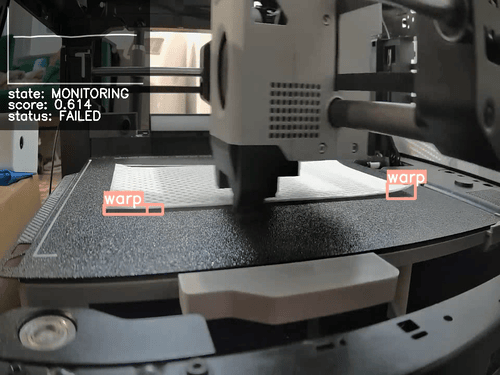
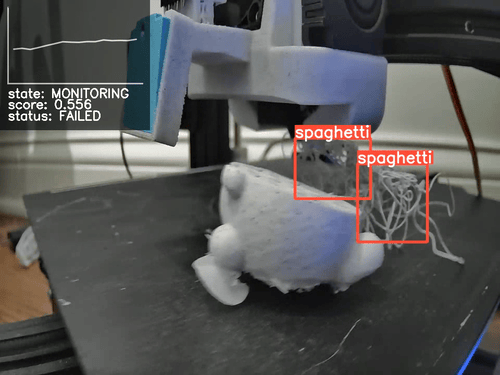
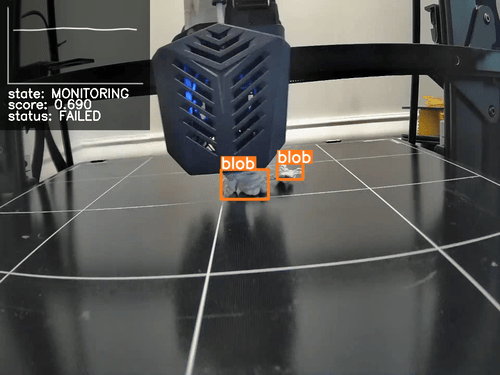
SimplyPrint Failure Detection AI फिलहाल Spaghetti, Warping और Blobbing का पता लगाता है। जल्द ही हम layer shift, stringing और zits जैसे अधिक detection types जोड़ेंगे।
वार्पिंग पहचान
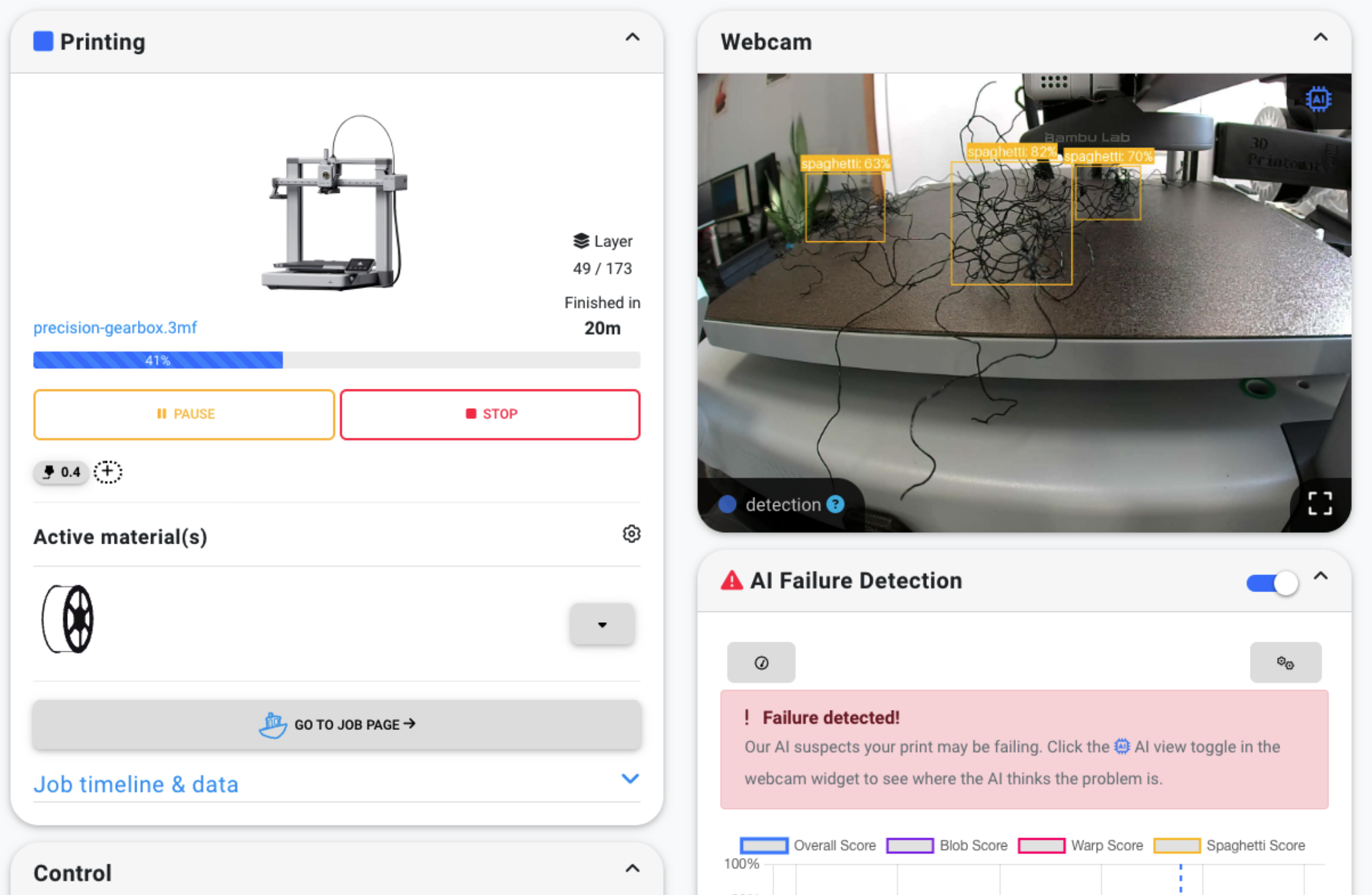
Spaghetti की पहचान
ब्लॉबिंग पहचान
1-क्लिक AI विफलता पहचान
AI विफलता पहचान चालू करना बटन क्लिक करने जितना आसान है। प्रिंटिंग के दौरान AI आपके प्रिंटर के कैमरे से इमेज का विश्लेषण करता है और विफलता पहचानने पर आपको सूचित करता है। Basic या उससे ऊपर के प्लान में, यह आपकी सेटिंग के आधार पर प्रिंट को अपने आप रोक या रद्द भी कर सकता है।
- 1 क्लिक में AI विफलता पहचान सक्षम करें
- अगर हमें error दिखने लगे, तो हम आपको सूचना देंगे
- Basic या उससे ऊपर के प्लान में, AI आपकी सेटिंग के आधार पर प्रिंट को अपने आप रोक या रद्द कर सकता है
लगभग किसी भी 3D प्रिंटर के साथ काम करता है
SimplyPrint 500 से अधिक अलग-अलग 3D प्रिंटर के साथ संगत है; संभव है कि आपका प्रिंटर भी उनमें से एक हो। कोई भी प्रिंटर स्मार्ट और AI-सक्षम बन सकता है, चाहे उसमें कैमरा पहले से लगा हो या आप कोई बाहरी कैमरा जोड़ें।
हमारी संगतता सूची देखें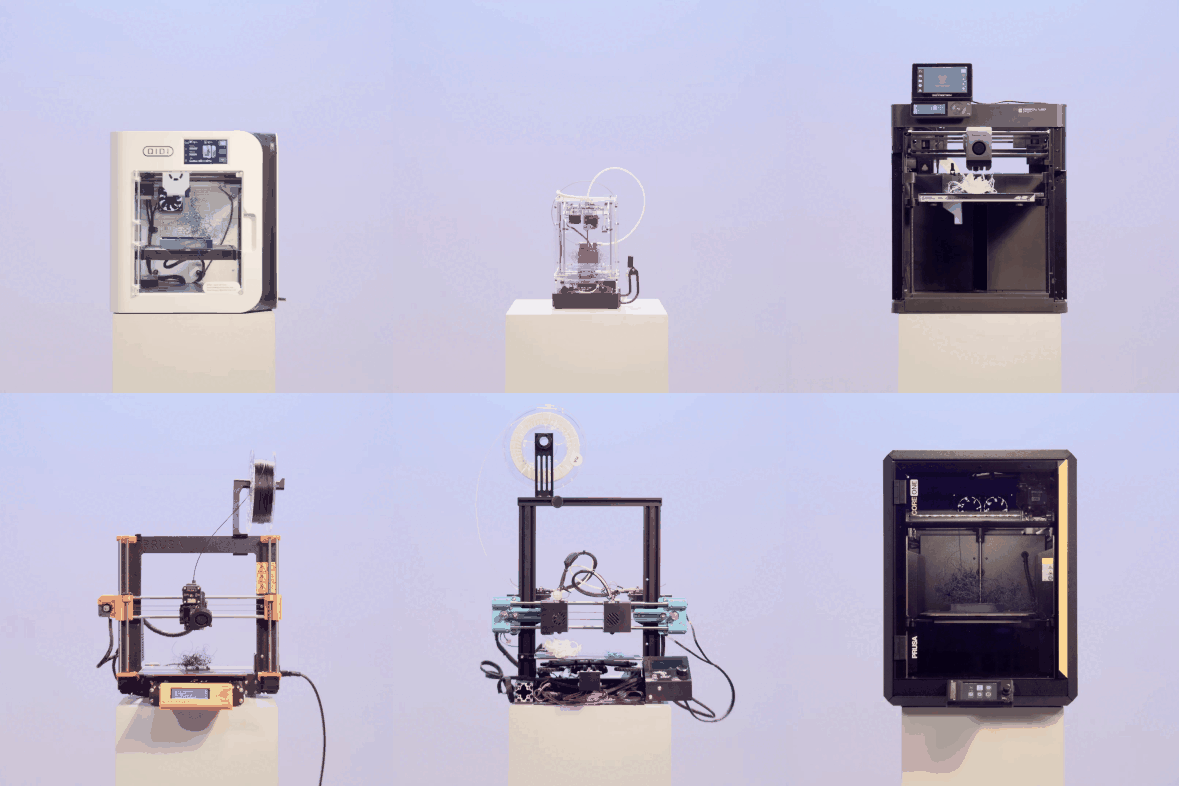
केवल हमारी बात पर भरोसा न करें, खुद देखकर तय करें!
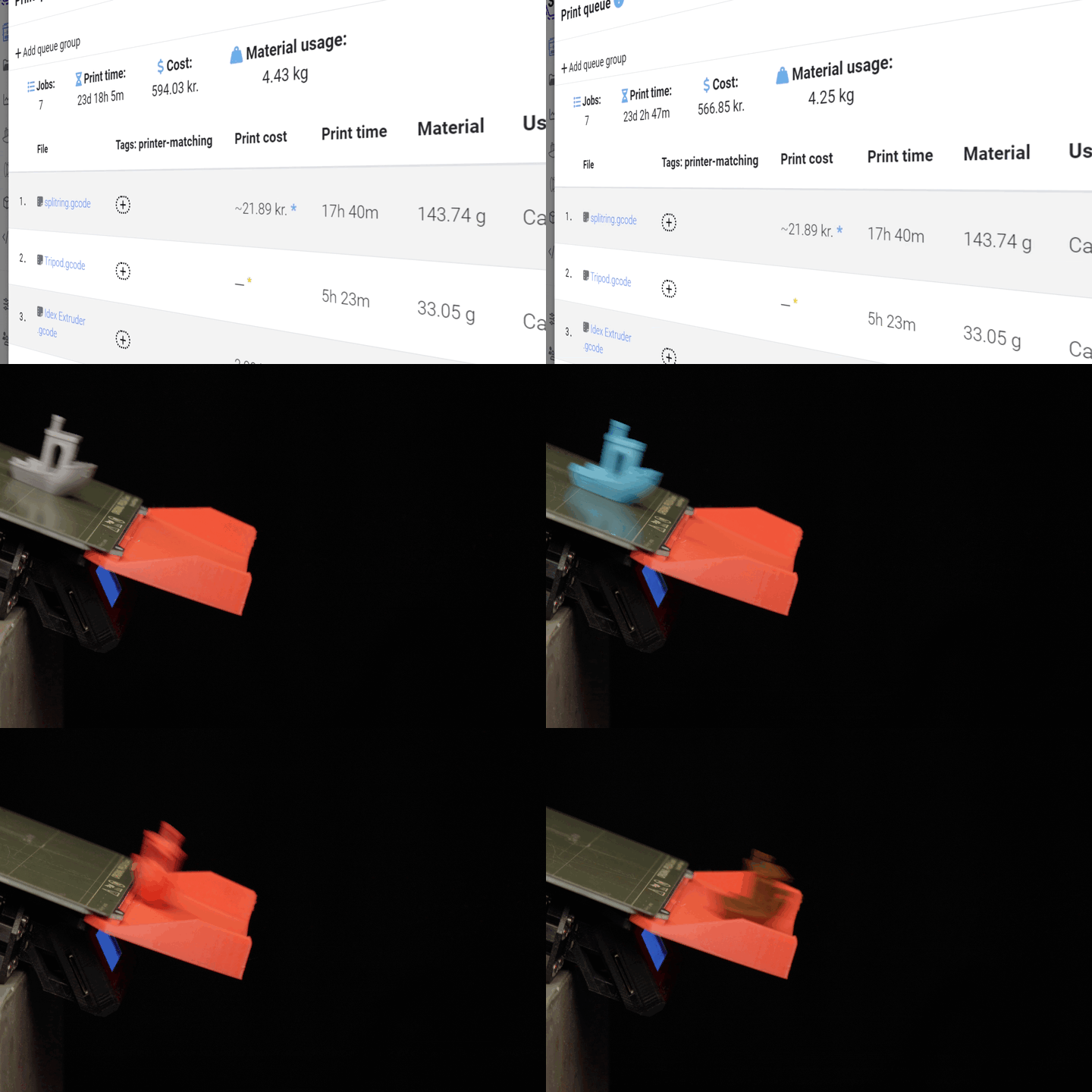
ये असफल प्रिंट के कुछ timelapse हैं, जिन्हें SimplyPrint AI Failure Detection ने पहचाना है।
SimplyPrint ecosystem का एक एकीकृत हिस्सा
SimplyPrint केवल AI विफलता पहचान नहीं है। यह आपके 3D प्रिंटरों को आसानी से प्रबंधित करने के लिए एक पूरा इकोसिस्टम है। AI हमारे शक्तिशाली platform के साथ सहजता से जुड़कर आपको failure detection, remote control, प्रिंट इतिहास, analytics और बहुत कुछ एक ही जगह देता है।
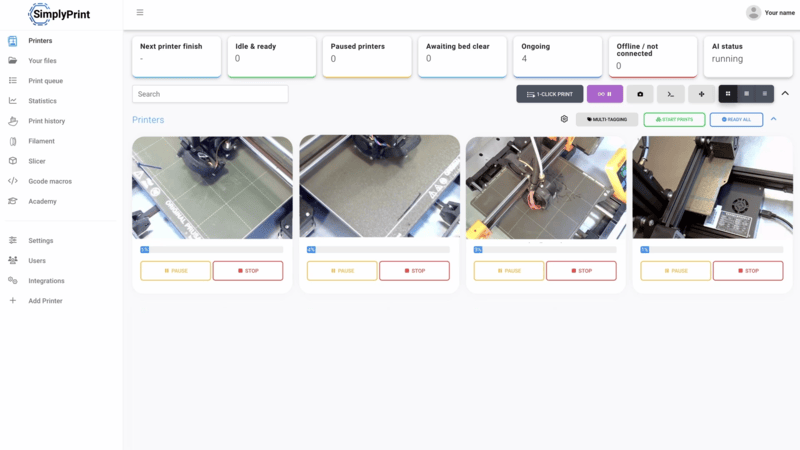
प्रिंटर पैनल के अंदर
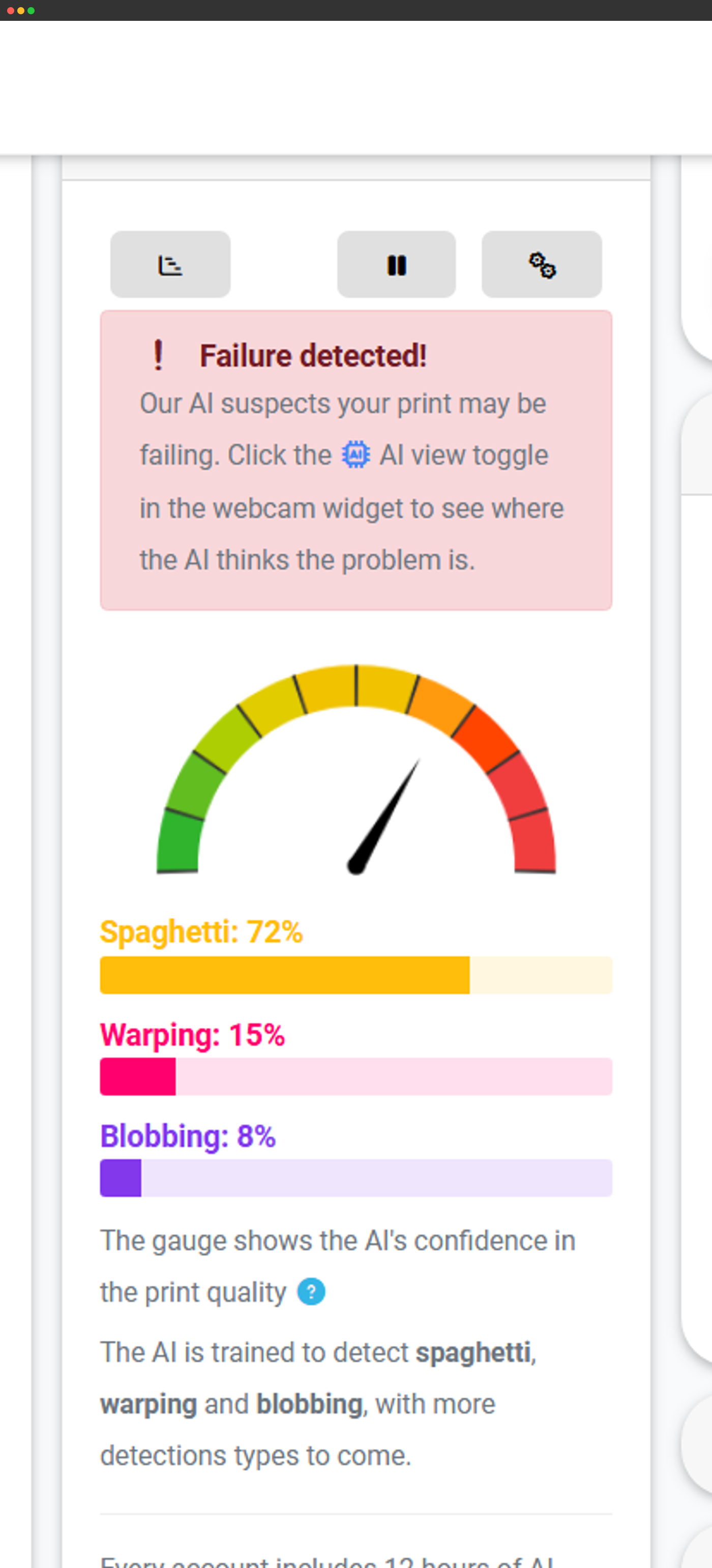
AI पूर्वानुमान रीयल टाइम में सीधे प्रिंटर पैनल में दिखते हैं।
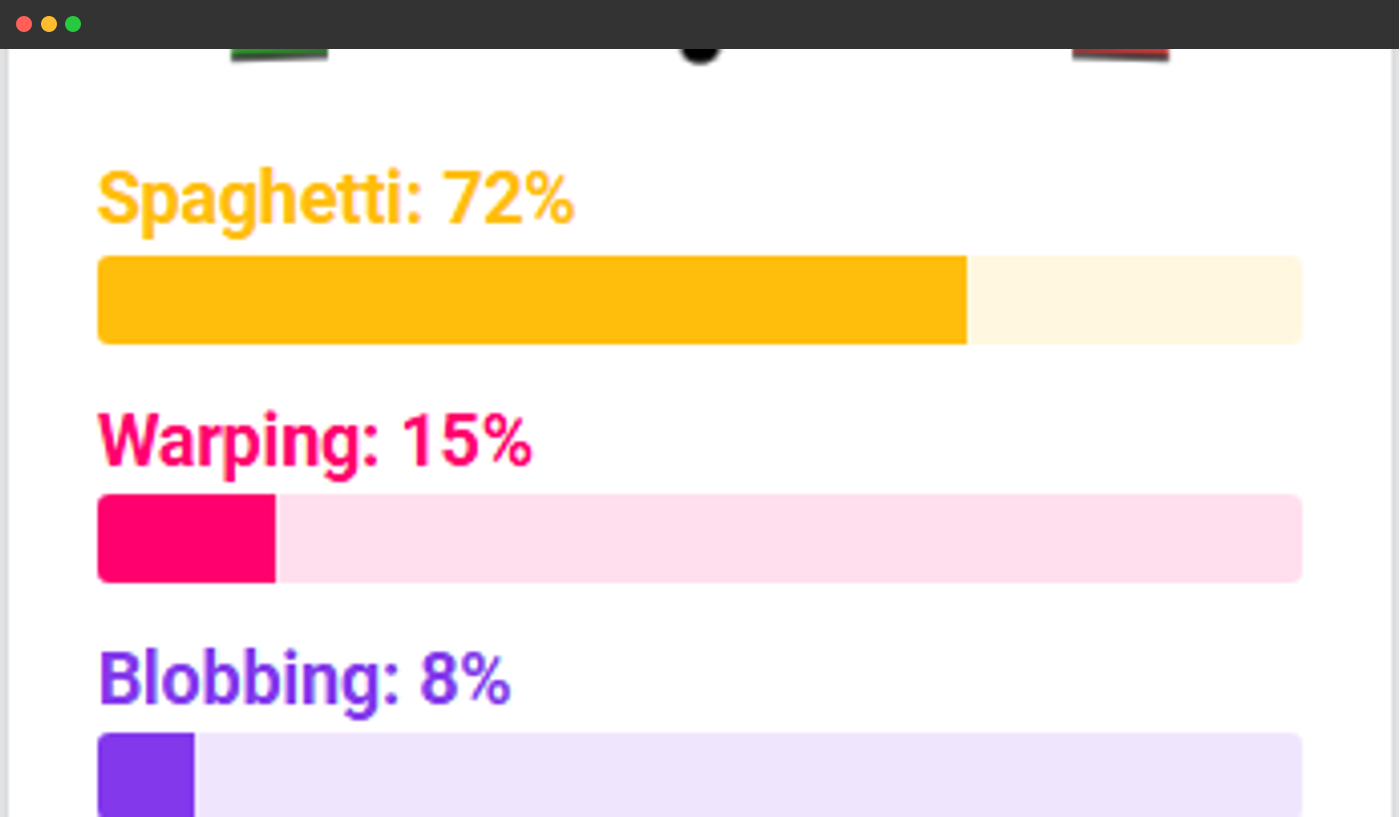
त्वरित गेज सारांश
समय के साथ ट्रैक की गई पहचानी गई विफलताओं का गेज दृश्य।
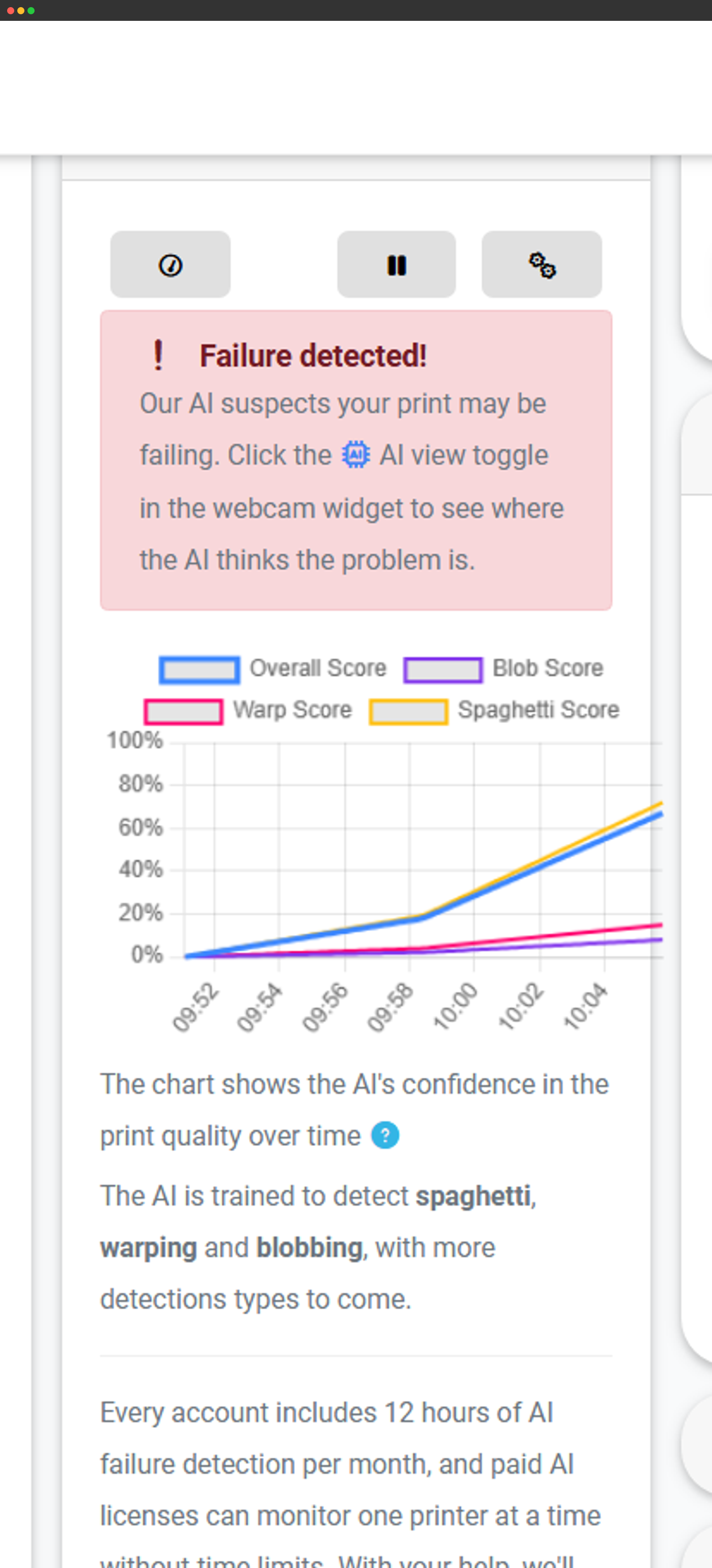
ग्राफ़ दृश्य
प्रिंट अवधि के graph पर दिखाई गई पहचानी विफलताएँ।
टाइमलाइन और आँकड़े
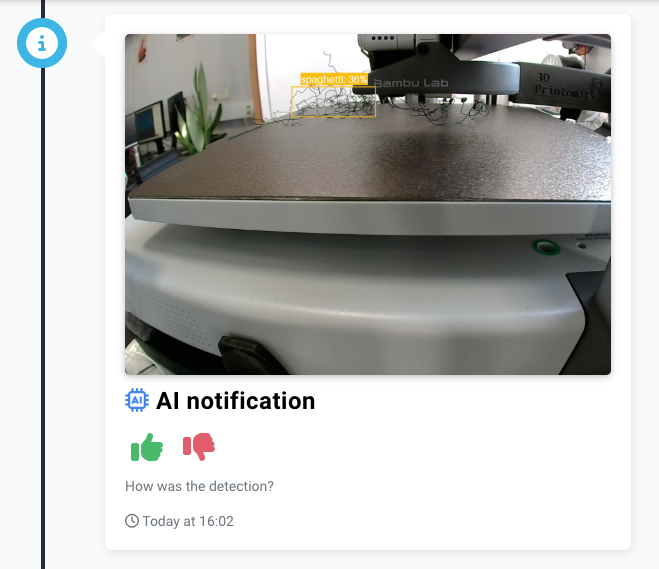
AI डिटेक्शन जॉब टाइमलाइन और खाते के आंकड़ों में भी दिखते हैं।
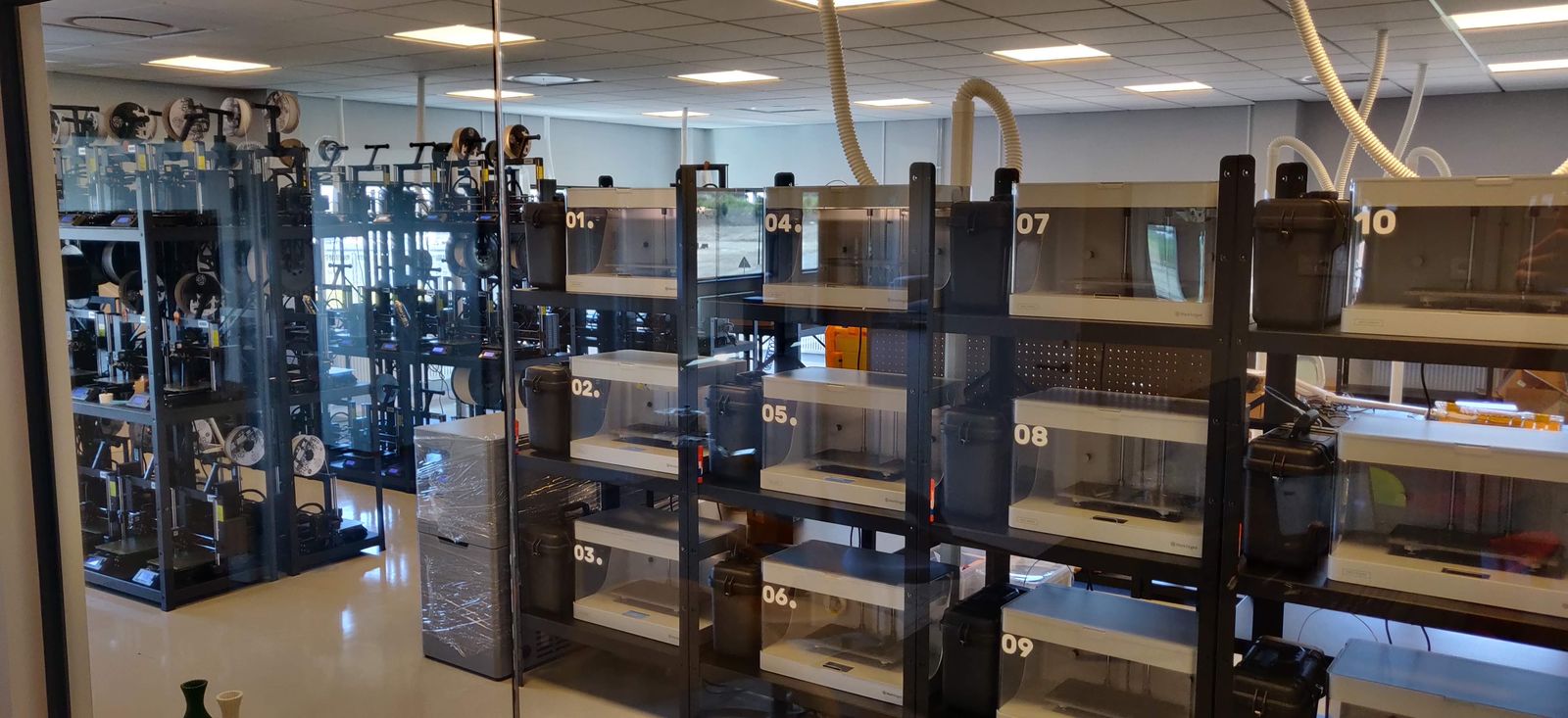
देखें कि lostboyslab, ~100 printers across 3 farms (Prusa, Markforged, Voron, Modix) चलाने के लिए AI फेलियर डिटेक्शन का उपयोग कैसे करता है
When you print in your own recycled material, a failed print is expensive. The AI failure detection catches it early, and across a hundred printers that saving adds up fast.
विफलता का पता चलने पर सूचना पाएं
SimplyPrint AI किसी संभावित विफलता का पता लगाते ही आपको अलर्ट करता है। आप तय करते हैं कि प्रिंट रोकना है या जारी रखना है। अगर AI को और अधिक भरोसा हो जाता है कि प्रिंट विफल हो गया है, तो वह आपकी सेटिंग के आधार पर इसे अपने आप रोक या रद्द कर सकता है।


SimplyPrint ⚫ अभी
Printer 1 पर प्रिंट शुरू हुआ
अनुमानित प्रिंट समय 3d 4h है
SimplyPrint ⚫ अभी
प्रिंटर 2 में विफलता का पता चला!
रोकना या रद्द करना चाहते हैं?

आपके अनुसार AI: कस्टमाइज़ करने योग्य सेटिंग्स
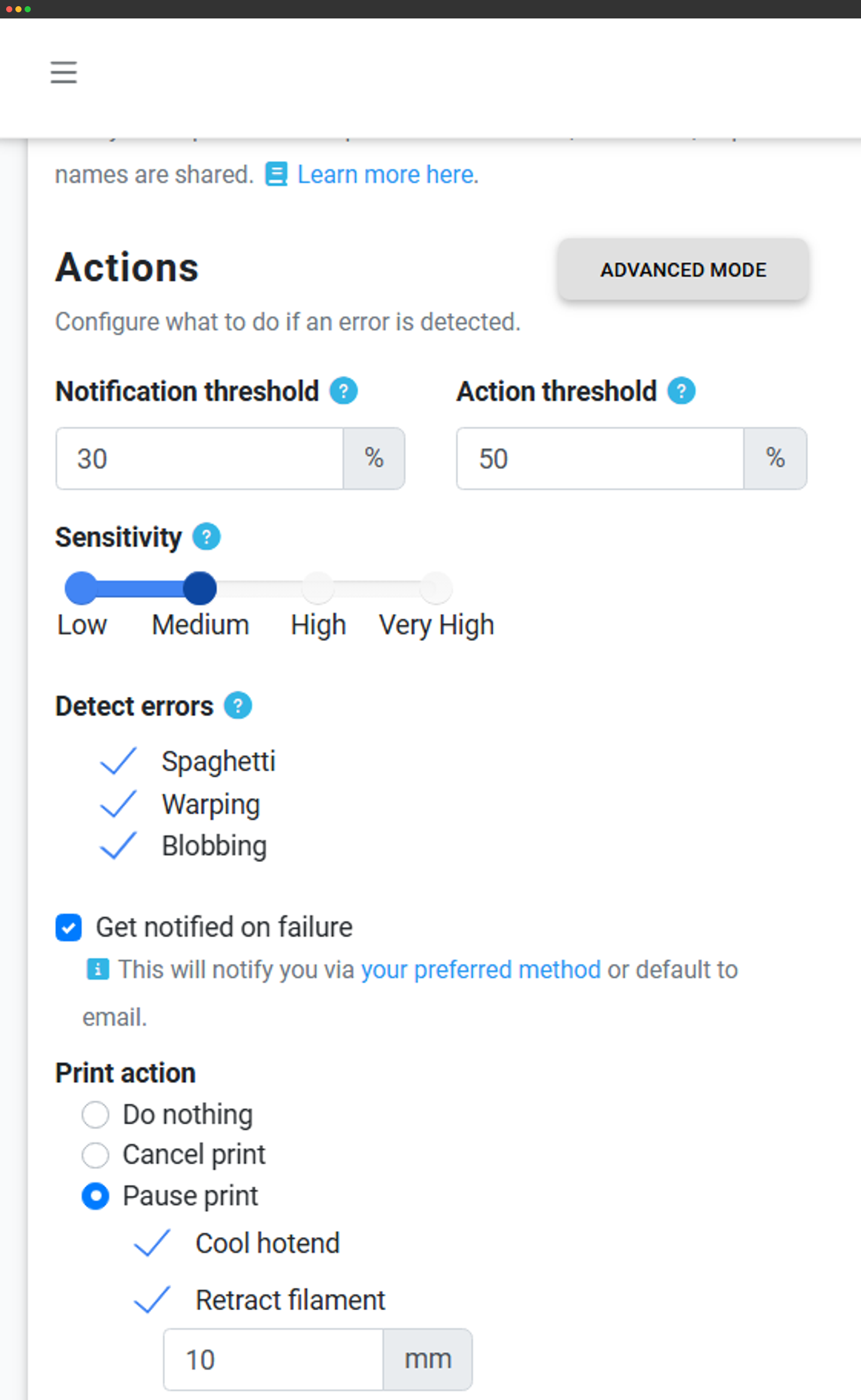
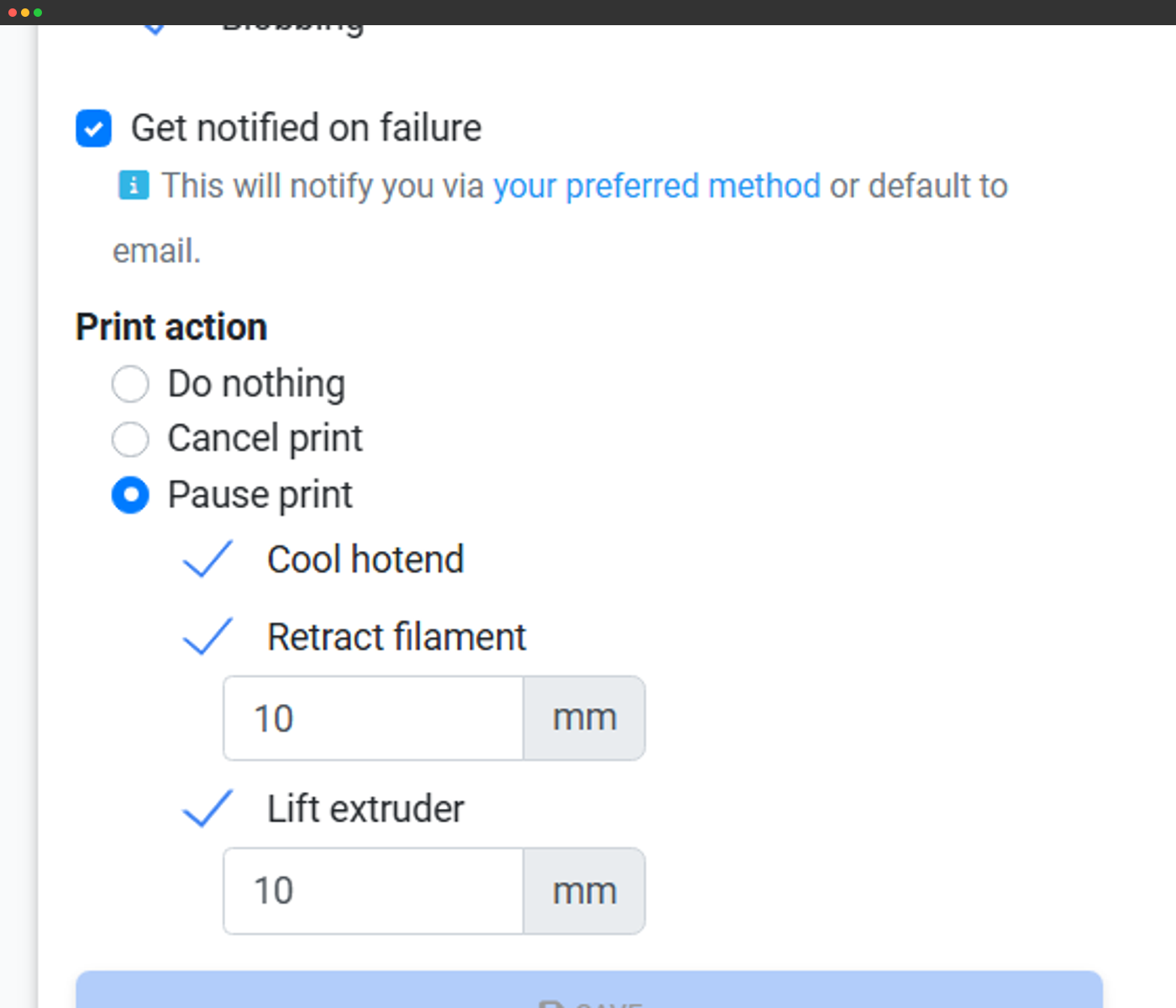
आप detection zones, AI मॉडल की संवेदनशीलता और कार्रवाई व सूचना सेटिंग्स समायोजित करके AI Failure Detection को अपनी पसंद के अनुसार ट्यून कर सकते हैं।
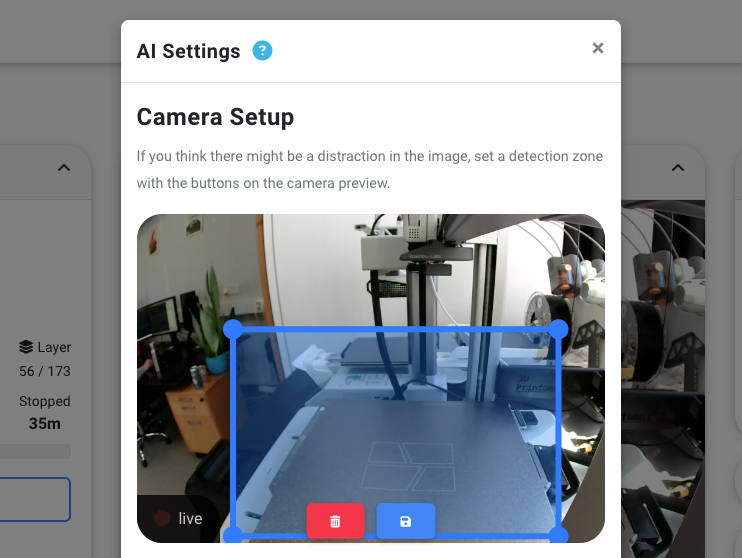
पहचान क्षेत्र
आप detection zones को अपने printer के build volume के अनुरूप adjust कर सकते हैं।
संवेदनशीलता और कार्रवाई सेटिंग
आप AI मॉडल की संवेदनशीलता और विफलता का पता चलने पर की जाने वाली कार्रवाइयों को समायोजित कर सकते हैं।
हर कार्रवाई की सेटिंग्स
आप चाहें तो हर detection type की action settings बदल सकते हैं।
कई printers? Print Farm? School? हम संभालते हैं!
SimplyPrint AI केवल एक printer के साथ काम करने के लिए नहीं बनाया गया है। इसे अनेक printers, print farm या school setting में काम करने के लिए बनाया गया है। इसलिए आपका setup जैसा भी हो, समय, पैसा और filament बचाया जा सकता है!
अक्सर पूछे जाने वाले सवाल
क्या AI model को मेरे प्रिंट से training मिलती है? (data sharing वैकल्पिक है; default रूप से बंद)
TLDR; नहीं। अगर आप नहीं चाहते कि हम आपके प्रिंट से AI मॉडल को प्रशिक्षित करें, तो हम ऐसा नहीं करेंगे।
AI कैसे काम करता है?
क्या SimplyPrint AI मुफ़्त है?
क्या मेरे प्रिंटर को कैमरा चाहिए? / मेरे प्रिंटर में built-in कैमरा नहीं है
क्या मेरे प्रिंटर का इंटरनेट से जुड़ा होना ज़रूरी है?
हमारा AI कैसे बनाया और प्रशिक्षित किया जाता है
5,000,000+
विश्लेषित प्रिंट समय के घंटे
1,000s
प्रशिक्षित किए गए अलग-अलग प्रिंटर मॉडल
5+ वर्ष
2020 से AI प्रशिक्षण
प्रमुख AI experts के साथ विकसित
SimplyPrint में हम सहज 3D प्रिंट प्रबंधन बनाते हैं, लेकिन हम AI विशेषज्ञ नहीं हैं। इसलिए हमने Printpal के प्रतिभाशाली विशेषज्ञों के साथ साझेदारी की है, जिन्हें Forbes में दिखाया गया है, ताकि हमारा AI सिर्फ अच्छा नहीं, बल्कि उद्योग में अग्रणी हो।
आपका डेटा आपका ही रहता है
आपकी गोपनीयता हमारी प्राथमिकता है। हम AI को विशेष रूप से SimplyPrint के सुरक्षित सर्वरों पर होस्ट करते हैं, इसलिए कोई तीसरा पक्ष आपके संवेदनशील डेटा तक पहुंच या उसे नियंत्रित नहीं कर सकता। आपकी webcam इमेज का विश्लेषण होते ही उसे तुरंत हटा दिया जाता है, हमेशा के लिए।
- आपके डेटा पर AI ट्रेनिंग नहीं जब तक आप स्पष्ट रूप से ऑप्ट इन न करें
- पूर्ण गोपनीयता - छवियों का केवल एक बार विश्लेषण होता है और सहमति के बिना कभी संग्रहीत नहीं किया जाता

देखें कि हमारा AI क्या देखता है
हमारे AI ने 2020 से अब तक प्रिंटिंग के 5 मिलियन घंटे से अधिक का विश्लेषण किया है और हज़ारों प्रिंटरों व सैकड़ों मॉडलों से सीखा है। यह उन्नत कंप्यूटर विज़न से दोषों को आपके प्रिंट खराब होने से बहुत पहले पहचान लेता है।