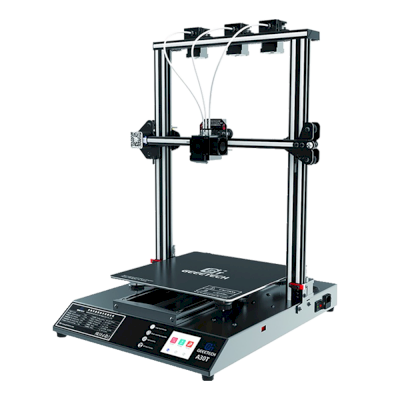
क्या Geeetech Mizar Max 3D प्रिंटर SimplyPrint, OctoPrint, Mainsail और Fluidd के साथ काम करता है?
इसे कनेक्ट करने का हर तरीका, उसकी आवश्यकताएँ और उसे सेट अप करने का तरीका।
Geeetech Mizar Max के लिए कौन सा slicer इस्तेमाल करें
हमारी जानकारी में SimplyPrint के cloud का कोई भी slicer Geeetech Mizar Max के लिए slice नहीं कर सकता: यह मानक G-code स्वीकार नहीं करता। इसके निर्माता के सुझाए slicer का उपयोग करें।
डिस्क्लेमर:
हम इस जानकारी को जितना हो सके उतना नया और सटीक रखने की कोशिश करते हैं, लेकिन इसकी पूर्णता या भरोसेमंदी की गारंटी नहीं दे सकते। हमारा डेटा यूज़र सबमिशन और निर्माता संदर्भों पर आधारित है।
Geeetech Mizar Max कौन सा filament print कर सकता है?
Geeetech Mizar Max के लिए filament संगतता: hotend, bed, chamber और enclosure के आधार पर आंकी गई वे सामग्रियाँ जिन्हें यह संभाल सकता है।
फिलामेंट
उपयुक्तता
नोट्स
PLA
बहुत अच्छा
print करने में सबसे आसान filament। लगभग हर printer पर चलता है; heated bed adhesion में मदद करता है लेकिन जरूरी नहीं।
PETG
बहुत अच्छा
आराम से range में (PETG को ~230-250C hotend और ~70-85C bed पसंद है)।
TPU और लचीले filament
सावधानी से
संभव है, लेकिन Bowden extruder flexible filament को कठिन बनाता है; धीरे प्रिंट करें और अधिक कठोर (high-shore) TPU चुनें।
ABS & ASA
सावधानी से
बेड पर्याप्त गर्म है, लेकिन enclosure के बिना ABS और ASA मुड़ जाते हैं। साफ़ प्रिंट के लिए enclosure की दृढ़ अनुशंसा है।
Nylon (PA)
सावधानी से
सावधानी से संभव है, enclosure और बहुत सूखा filament जरूरी हैं।
Polycarbonate (PC)
आदर्श नहीं
अनुशंसित नहीं - PC के लिए बहुत अधिक हॉटेंड तापमान और बंद चैम्बर चाहिए।
Carbon-fiber और glass-filled
सावधानी से
संभव है, यदि आप hardened या wear-resistant nozzle लगाएँ, क्योंकि abrasive fibers मूल brass nozzle को जल्दी घिस देते हैं।
सुझाव: यह प्रिंटर के विनिर्देशों पर आधारित सामान्य मार्गदर्शिका है, हमेशा अपने फिलामेंट की सुझाई गई सेटिंग जांचें। SimplyPrint के साथ आप हर स्पूल के लिए प्रोफाइल सहेज सकते हैं और स्टॉक में मौजूद फिलामेंट को ठीक से ट्रैक कर सकते हैं।
Geeetech Mizar Max जैसे प्रिंटर जो SimplyPrint के साथ काम करते हैं
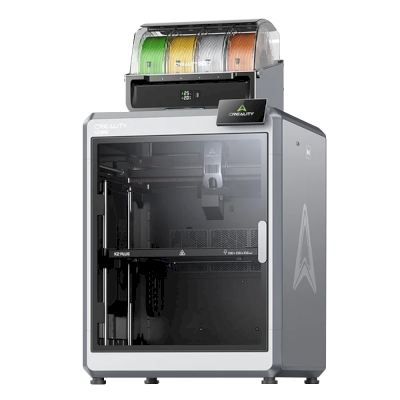
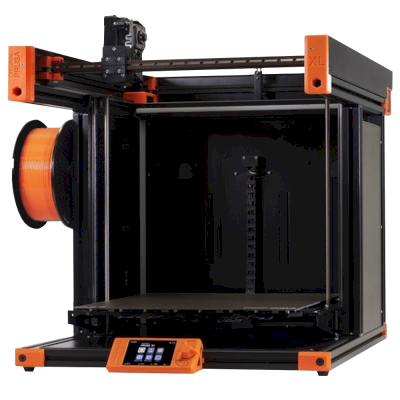
उसी निर्माता के, समान आकार के, वही engineering materials या इसी तरह के multi-material प्रिंट करने वाले प्रिंटर, जिन्हें आप आज खरीद सकते हैं और जो SimplyPrint के साथ काम करते हैं।
Geeetech Mizar Max कौन बनाता है और Geeetech आपको कितनी स्वतंत्रता देता है: क्या इसके प्रिंटर इसके cloud के बिना चलते हैं, कोई भी filament और slicer स्वीकार करते हैं और उनकी मरम्मत की जा सकती है। हर क्षेत्र को सार्वजनिक स्रोतों के आधार पर रेट किया गया है।
खुलापन: अधिकतर खुला (5 में से 3.6)
अधिकतर खुला
बंद पारिस्थितिकी तंत्रखोलें
Geeetech (HK GETECH Co., Limited, with its office at Shenzhen Getech Technology) is a Chinese 3D printer and filament maker that says it has worked on 3D printers since 2011. It made a long line of budget printers, from Prusa i3 kits through the A10/A20/A30, Mizar and Thunder series, and now sells the compact M1 and M1S for children and beginners alongside a large filament range.
स्थापना:
2011 ·
मुख्यालय:
Shenzhen, China (company registered in Hong Kong) ·
स्वामित्व:
HK GETECH Co., Limited; China office Shenzhen Getech Technology Co., Ltd ·
वेबसाइट:www.geeetech.com
Mostly open, with a caveat: the older printers came with published Marlin source and schematics, while the current M1 line has closed firmware but still runs locally with any filament and open slicers.
फर्मवेयर और कस्टम फर्मवेयर ●●●●●
Geeetech published Marlin-based firmware source and board schematics for its earlier printers on GitHub (Geeetech3D) and its download centre, including open-source files for the Mizar S updated until 2024. For the current M1 and M1S it offers firmware binaries only; we found no source.
[11][12][9][7]
स्थानीय नियंत्रण और एकीकरण ●●●●●
The M1 Mini prints from a TF card or over USB with no account. The M1S adds Wi-Fi and the Geeetech app for printing from its model library 'anywhere', a remote feature that runs through Geeetech's app. Geeetech documents no network interface for other software, and for these models it offers only firmware binaries.
[4][5][8]
तृतीय-पक्ष filament, slicer और पार्ट ●●●●●
Any 1.75 mm filament (PLA and TPU on the M1), and Geeetech publishes Cura and OrcaSlicer profiles for it. Nozzles and hot-end parts for the M1 are Geeetech's own, sold in its store.
[4][7][10]
मरम्मत और स्पेयर पार्ट्स ●●●●●
Geeetech sells M1 parts (hotbed, nozzles, hot-end components, PEI plate) and posts videos on replacing the nozzle and the motherboard; schematics for older boards are published.
[10][7][9]
समुदाय और दस्तावेज़ ●●●●●
A long-running wiki, a download centre with manuals, firmware, profiles and videos per model, and GitHub repositories. Independent coverage of the current M1 line is scarce.
[13][6][11]
फायदे
Inexpensive compact printers aimed at children and beginners.
Any 1.75 mm filament, with Cura and OrcaSlicer profiles published.
Spare nozzles, hotbeds and hot-end parts for the M1, plus repair videos.
Downloads (manuals, firmware) kept online for printers going back many years.
कमियां
No published firmware source for the current M1 and M1S.
The M1S's remote printing runs through Geeetech's phone app; we found no privacy terms covering the app.
Small 100 x 110 x 100 mm build volume on the M1.
Little independent testing of the current models that we could find.
सिद्ध अनुभव
नवम्बर 2025: Geeetech added the M1S, an M1 with Wi-Fi and a phone app; its app was posted in September 2025 and its quick guide in November 2025.
[8]
फ़रवरी 2025: Geeetech released the M1 mini printer for children and beginners; its first setup and maintenance videos were posted in February 2025 and its manual in March 2025.
[7]
अक्टूबर 2022: Geeetech published open-source files for the Mizar S on GitHub, updated until March 2024; files for the Mizar and Mizar Pro followed in November 2022.
[12][11]
13 स्रोतों से शोधित, अंतिम बार 18 अक्टूबर 2026 को जाँचा गया। स्रोत दिखाएं
क्या Geeetech Mizar Max, SimplyPrint के साथ संगत है?
हम अभी नहीं जानते। SimplyPrint OctoPrint, Klipper और अंतर्निर्मित एकीकरणों के माध्यम से 130+ ब्रांड और 600+ मॉडलों के साथ काम करता है; अगर आपके पास Geeetech Mizar Max है, तो हमारी संगतता जांच कुछ सवालों में बताएगी कि यह कैसे जुड़ सकता है।
Geeetech Mizar Max के लिए कौन-सा slicer उपयोग करना चाहिए?
हमारी जानकारी में SimplyPrint के cloud का कोई भी slicer Geeetech Mizar Max के लिए slice नहीं कर सकता: यह मानक G-code स्वीकार नहीं करता। इसके निर्माता के सुझाए slicer का उपयोग करें।
Geeetech Mizar Max कौन सा filament print कर सकता है?
इसके स्पेसिफिकेशन (hotend 250C तक, heated bed 100C तक) के आधार पर Geeetech Mizar Max, PLA या PETG को अच्छी तरह संभालता है। ABS, nylon, PC और composites के लिए ऊपर पूरी filament गाइड देखें।
Geeetech Mizar Max के बेड का आकार और बिल्ड वॉल्यूम क्या है?
Geeetech Mizar Max का print bed 320 x 320 mm है और यह 400 mm तक ऊंची प्रिंट कर सकता है, यानी लगभग 320 x 320 x 400 mm का build volume। bed के प्रकार, तापमान और अन्य जानकारी के लिए ऊपर पूरी specifications तालिका देखें।
 चीन
चीन


 PrusaSlicer
 OrcaSlicer
 BambuStudio
 ElegooSlicer
 CrealityPrint
 Cura
Cura Kiri:Moto