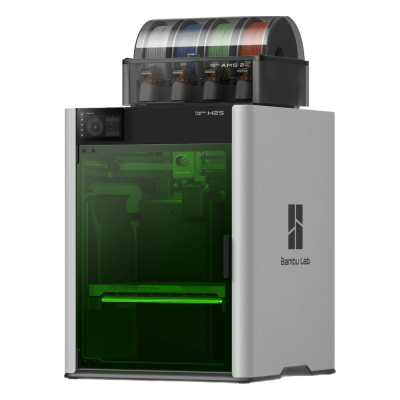
Bambu Lab H2S Laser Full Combo, Bambu Lab H2S का एक प्रकार है।
इसका मतलब है कि इसमें बेस मॉडल की कई विशेषताएँ समान हैं, लेकिन इसमें खास बदलाव, अतिरिक्त सुविधाएँ या साथ मिलने वाली एक्सेसरी हो सकती हैं।
Bambu Lab H2S Laser Full Combo को SimplyPrint से कनेक्ट करें
क्या Bambu Lab H2S Laser Full Combo 3D प्रिंटर SimplyPrint, OctoPrint, Mainsail और Fluidd के साथ काम करता है?
इसे कनेक्ट करने का हर तरीका, उसकी आवश्यकताएँ और उसे सेट अप करने का तरीका।
SimplyPrint क्लाइंट
काम करने की उम्मीद है
Same printer as the H2S (verified with the Client), plus the laser module and an AMS 2 Pro.
सोर्स
केवल LAN मोड में SimplyPrint क्लाइंट के माध्यम से कनेक्ट होने पर, SimplyPrint के उन सभी सुविधाओं को सपोर्ट करने की उम्मीद है जो Bambu Lab H2S Laser Full Combo अन्य सॉफ़्टवेयर को करने देता है: कैमरा और AI विफलता पहचान, रिमोट प्रिंटिंग, ऑब्जेक्ट छोड़ना, तापमान और गति नियंत्रण, इसकी मल्टी-मटेरियल यूनिट के लिए filament मैपिंग और AutoPrint। एकमात्र अपवाद वे सुविधाएँ हैं जिन्हें Bambu Lab H2S Laser Full Combo अन्य सॉफ़्टवेयर को उपयोग नहीं करने देता: बेबी स्टेपिंग, बेड लेवलिंग और Z-ऑफ़सेट कैलिब्रेशन। नीचे की तालिका इसे SimplyPrint से जोड़ने के दो तरीकों की तुलना करती है।
हर SimplyPrint सुविधा, इसे SimplyPrint से कनेक्ट करने के हर तरीके के लिए
के माध्यम से SimplyPrint से कनेक्टेड
SimplyPrint सुविधा
SimplyPrint क्लाइंट (केवल LAN मोड, अनुशंसित)
काम करने की उम्मीद है
SimplyPrint क्लाइंट (Cloud मोड)
काम करने की उम्मीद है
निगरानी
लाइव स्थिति और प्रगति
हां
हां
वेबकैम
हां1
हां1
AI फेलियर डिटेक्शन
हां1
हां1
बचा हुआ समय
हां
हां
लेयर प्रगति
हां
हां
तापमान
हां
हां
प्रिंटिंग
प्रिंट शुरू करना
हां
निर्भर करता है2
रोकें, फिर शुरू करें और रद्द करें
हां
निर्भर करता है2
ऑब्जेक्ट्स छोड़ें
हां
निर्भर करता है2
फ़ाइलें
स्लाइस की गई 3MF फ़ाइलें प्रिंट करें
हां
हां
प्रिंटर कंट्रोल
तापमान बदलें
हां
हां
कंट्रोल से चलाना
हां
निर्भर करता है2
होमिंग
हां
निर्भर करता है2
Extrude और retract करें
हां
निर्भर करता है2
प्रिंट स्पीड बदलें
हां
निर्भर करता है2
फैन की गति
हां
निर्भर करता है2
बेबी स्टेपिंग
प्रिंटर में उपलब्ध नहीं3
प्रिंटर में उपलब्ध नहीं3
G-code भेजें
हां
निर्भर करता है2
कैलिब्रेशन
filament बदलें
हां
निर्भर करता है2
बेड लेवलिंग
प्रिंटर में उपलब्ध नहीं3
प्रिंटर में उपलब्ध नहीं3
Z-ऑफ़सेट कैलिब्रेशन
प्रिंटर में उपलब्ध नहीं3
प्रिंटर में उपलब्ध नहीं3
Multi-material
filament को multi-material स्लॉट से मैप करें
हां4
हां4
multi-material unit से लोड किया गया filament सिंक करें
हां4
हां4
स्वचालन
AutoPrint
प्रो
हां
निर्भर करता है2
प्रिंट शुरू होने से पहले file डाउनलोड करें
हां
प्रिंटर में उपलब्ध नहीं3
SimplyPrint क्लाइंट (केवल LAN मोड, अनुशंसित) के माध्यम से SimplyPrint से कनेक्टेड
काम करने की उम्मीद है
निगरानी
लाइव स्थिति और प्रगतिहां
वेबकैमहां1
AI फेलियर डिटेक्शनहां1
बचा हुआ समयहां
लेयर प्रगतिहां
तापमानहां
प्रिंटिंग
प्रिंट शुरू करनाहां
रोकें, फिर शुरू करें और रद्द करेंहां
ऑब्जेक्ट्स छोड़ेंहां
फ़ाइलें
स्लाइस की गई 3MF फ़ाइलें प्रिंट करेंहां
प्रिंटर कंट्रोल
तापमान बदलेंहां
कंट्रोल से चलानाहां
होमिंगहां
Extrude और retract करेंहां
प्रिंट स्पीड बदलेंहां
फैन की गतिहां
बेबी स्टेपिंगप्रिंटर में उपलब्ध नहीं3
G-code भेजेंहां
कैलिब्रेशन
filament बदलेंहां
बेड लेवलिंगप्रिंटर में उपलब्ध नहीं3
Z-ऑफ़सेट कैलिब्रेशनप्रिंटर में उपलब्ध नहीं3
Multi-material
filament को multi-material स्लॉट से मैप करेंहां4
multi-material unit से लोड किया गया filament सिंक करेंहां4
स्वचालन
AutoPrint प्रोहां
प्रिंट शुरू होने से पहले file डाउनलोड करेंहां
SimplyPrint क्लाइंट (Cloud मोड) के माध्यम से SimplyPrint से कनेक्टेड
काम करने की उम्मीद है
निगरानी
लाइव स्थिति और प्रगतिहां
वेबकैमहां1
AI फेलियर डिटेक्शनहां1
बचा हुआ समयहां
लेयर प्रगतिहां
तापमानहां
प्रिंटिंग
प्रिंट शुरू करनानिर्भर करता है2
रोकें, फिर शुरू करें और रद्द करेंनिर्भर करता है2
ऑब्जेक्ट्स छोड़ेंनिर्भर करता है2
फ़ाइलें
स्लाइस की गई 3MF फ़ाइलें प्रिंट करेंहां
प्रिंटर कंट्रोल
तापमान बदलेंहां
कंट्रोल से चलानानिर्भर करता है2
होमिंगनिर्भर करता है2
Extrude और retract करेंनिर्भर करता है2
प्रिंट स्पीड बदलेंनिर्भर करता है2
फैन की गतिनिर्भर करता है2
बेबी स्टेपिंगप्रिंटर में उपलब्ध नहीं3
G-code भेजेंनिर्भर करता है2
कैलिब्रेशन
filament बदलेंनिर्भर करता है2
बेड लेवलिंगप्रिंटर में उपलब्ध नहीं3
Z-ऑफ़सेट कैलिब्रेशनप्रिंटर में उपलब्ध नहीं3
Multi-material
filament को multi-material स्लॉट से मैप करेंहां4
multi-material unit से लोड किया गया filament सिंक करेंहां4
स्वचालन
AutoPrint प्रोनिर्भर करता है2
प्रिंट शुरू होने से पहले file डाउनलोड करेंप्रिंटर में उपलब्ध नहीं3
काम करता है
निर्भर करता है
समर्थित नहीं
प्रिंटर में उपलब्ध नहीं
कैमरा चाहिए
2025 से Bambu Lab firmware केवल cloud mode में मॉनिटरिंग की अनुमति देता है: प्रिंट शुरू करने और प्रिंटर नियंत्रित करने के लिए LAN-only mode इस्तेमाल करें। पुराना firmware अब भी दोनों की अनुमति देता है।
प्रिंटर यह सुविधा अन्य सॉफ़्टवेयर को नहीं देता।
multi-material unit चाहिए
Bambu Lab H2S Laser Full Combo के लिए कौन सा slicer इस्तेमाल करें
Bambu Lab प्रिंटर BambuStudio, Bambu Lab के अपने slicer, का उपयोग करते हैं। हमारे cloud में अभी Bambu Lab H2S Laser Full Combo के लिए तैयार profile नहीं है।
हम केवल उन slicer को सूचीबद्ध करते हैं जिन्हें आप SimplyPrint क्लाउड में इस्तेमाल कर सकते हैं, इसलिए Bambu Lab H2S Laser Full Combo के लिए अन्य भी हो सकते हैं।
Bambu Lab H2S Laser Full Combo के लिए cloud-based slicer: BambuStudio online इस्तेमाल करें
BambuStudio और अन्य slicers इस्तेमाल करें, सीधे अपने ब्राउज़र में SimplyPrint के ऑनलाइन क्लाउड slicer के साथ। इंस्टॉलेशन की जरूरत नहीं। दुनिया में कहीं से भी, किसी भी डिवाइस पर अपने Bambu Lab H2S Laser Full Combo मॉडल slice करें!
स्वचालित profile updates: प्रोफ़ाइलों की हर दिन जाँच होती है और slicer GitHub repositories से, साथ ही हमारे ओपन-सोर्स समुदाय-संचालित slicer प्रोफ़ाइल डेटाबेस से भी अपने-आप ली जाती हैं। इससे आपके पास हमेशा नवीनतम प्रोफ़ाइलों की पहुँच रहती है।
ध्यान दें: अन्य slicer, जैसे Simplify3D, ideaMaker, SuperSlicer और KISSlicer, हमारे cloud में नहीं हैं, इसलिए हम उनकी profiles ट्रैक नहीं करते। वे फिर भी आपके Bambu Lab H2S Laser Full Combo के साथ अच्छी तरह काम कर सकते हैं: profile के लिए slicer के दस्तावेज़ या फ़ोरम देखें। आप हमारी GitHub पर ओपन-सोर्स slicer profile डेटाबेस में profiles भी जोड़ सकते हैं।
Bambu Lab H2S Laser Full Combo के लिए ऐप
SimplyPrint, Bambu Lab H2S Laser Full Combo के ऐप के रूप में काम करता है: आपके फोन और किसी भी ब्राउज़र में, क्लाउड में slicer के साथ।
SimplyPrint के साथ आपको क्या मिलता है
iPhone और Android के लिए एक ऐप, किसी भी ब्राउज़र में वही अनुभव, और क्लाउड में एक slicer।
सिर्फ मॉनिटरिंग से अधिक: प्रिंट कतार, AI विफलता पहचान, AutoPrint और टीम के लिए खाते।
अभी SimplyPrint में Bambu Lab H2S Laser Full Combo के लिए कोई plate swapper या auto-ejection kit नहीं है, लेकिन AutoPrint इसे प्रिंट कराता रख सकता है। plate खाली होते ही यह आपकी कतार से अगला job शुरू करता है।
इसे स्वचालित करने के तरीके
आपका अपना इजेक्शन G-codeप्लेट साफ़ करने वाला रूटीन लिखें, और AutoPrint हर प्रिंट के बाद इसे चलाएगा।
AutoPrint Pro प्लान और उससे ऊपर के प्लान में शामिल है।
Bambu Lab H2S Laser Full Combo के विनिर्देश: bed आकार, प्रिंट ऊंचाई और अधिक
निर्माता और हमारे शोध के अनुसार इसका आकार, तापमान, मल्टी-मटेरियल और कनेक्शन।
साइज़
निर्माण आयतन
340 x 320 x 340 mm
बेड टाइप
Rectangle
बेड साइज़
340 x 320 mm
अधिकतम प्रिंट ऊंचाई
340 mm
प्रिंटिंग
अधिकतम एक्सट्रूडर तापमान
350 °C
हीटेड बेड है
हां
अधिकतम बेड तापमान
120 °C
हीटेड चैंबर
हां
नोज़ल की संख्या
1
डायरेक्ट ड्राइव
हां
प्रोबिंग टूल / ऑटो बेड लेवलिंग
हां
फिलामेंट की चौड़ाई
1.75 mm
कनेक्ट हो रहा है
सीरियल प्रिंटिंग समर्थित है
अज्ञात
शिप किया गया firmware
निर्माता का अपना
फ़ाइलें और slicing
समर्थित फ़ाइल फ़ॉर्मेट
G-code (.gcode, .gco, .g), Zip फ़ॉर्मेट की फ़ाइलें (जैसे 3MF)
प्रिंटर
प्रिंटर निर्माता / ब्रांड
Bambu Lab
प्रिंटर मॉडल नाम
H2S Laser Full Combo
निर्माता कंपनी का देश
चीन
डिस्क्लेमर:
हम इस जानकारी को जितना हो सके उतना नया और सटीक रखने की कोशिश करते हैं, लेकिन इसकी पूर्णता या भरोसेमंदी की गारंटी नहीं दे सकते। हमारा डेटा यूज़र सबमिशन और निर्माता संदर्भों पर आधारित है।
Bambu Lab H2S Laser Full Combo कौन सा filament print कर सकता है?
Bambu Lab H2S Laser Full Combo के लिए filament संगतता: hotend, bed, chamber और enclosure के आधार पर आंकी गई वे सामग्रियाँ जिन्हें यह संभाल सकता है।
फिलामेंट
उपयुक्तता
नोट्स
PLA
बहुत अच्छा
print करने में सबसे आसान filament। लगभग हर printer पर चलता है; heated bed adhesion में मदद करता है लेकिन जरूरी नहीं।
PETG
बहुत अच्छा
आराम से range में (PETG को ~230-250C hotend और ~70-85C bed पसंद है)।
TPU और लचीले filament
बहुत अच्छा
direct-drive extruder flexible filament अच्छी तरह feed करता है। clean results के लिए slow print करें।
ABS & ASA
बहुत अच्छा
हाई-टेम्परेचर hotend और hot bed ABS व ASA को अच्छी तरह संभालते हैं। बड़े पार्ट के लिए enclosure और मदद करता है।
Nylon (PA)
अच्छा
सावधानी से संभव है। filament को अच्छी तरह सुखाएँ, और enclosure से काफ़ी मदद मिलती है।
Polycarbonate (PC)
अच्छा
PC के लिए उपयुक्त। सर्वोत्तम परिणामों के लिए filament सुखाएँ, धीरे प्रिंट करें और enclosure का उपयोग करें।
Carbon-fiber और glass-filled
सावधानी से
संभव है, यदि आप hardened या wear-resistant nozzle लगाएँ, क्योंकि abrasive fibers मूल brass nozzle को जल्दी घिस देते हैं।
सुझाव: यह प्रिंटर के विनिर्देशों पर आधारित सामान्य मार्गदर्शिका है, हमेशा अपने फिलामेंट की सुझाई गई सेटिंग जांचें। SimplyPrint के साथ आप हर स्पूल के लिए प्रोफाइल सहेज सकते हैं और स्टॉक में मौजूद फिलामेंट को ठीक से ट्रैक कर सकते हैं।
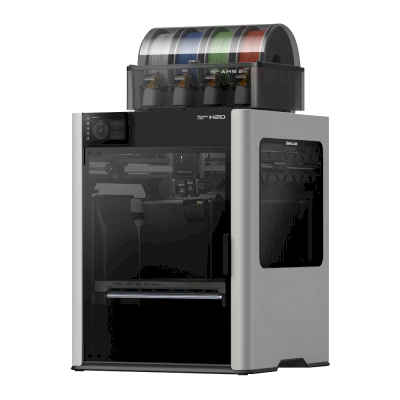
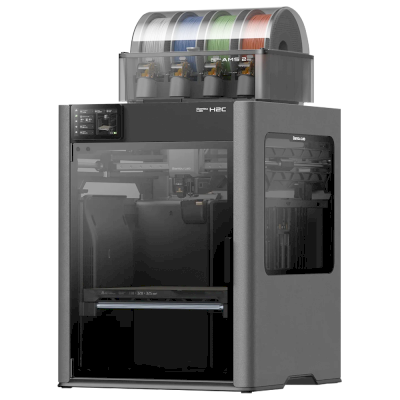
Bambu Lab H2S Laser Full Combo की समान प्रिंटरों से तुलना करें
उसी निर्माता के, समान आकार के, वही engineering materials या इसी तरह के multi-material प्रिंट करने वाले प्रिंटर, जिन्हें आप आज खरीद सकते हैं। उनके specs और कनेक्शन के साथ अधिकतम चार प्रिंटर की साथ-साथ तुलना करें।
मल्टी-मटेरियल यूनिट के बिना भी, Bambu Lab H2S के रूप में बिकता है।
Bambu Lab के बारे में
Bambu Lab H2S Laser Full Combo कौन बनाता है और Bambu Lab आपको कितनी स्वतंत्रता देता है: क्या इसके प्रिंटर इसके cloud के बिना चलते हैं, कोई भी filament और slicer स्वीकार करते हैं और उनकी मरम्मत की जा सकती है। हर क्षेत्र को सार्वजनिक स्रोतों के आधार पर रेट किया गया है।
खुलापन: अधिकतर बंद (5 में से 2.3)
अधिकतर बंद
बंद पारिस्थितिकी तंत्रखोलें
Bambu Lab is a Shenzhen company founded in 2020 by former DJI engineers. It makes FDM printers in four families (A, P, X and H), the AMS multi-material units, the Bambu Studio slicer, the Bambu Handy app and the MakerWorld model site, and designs them to be used together. Its printers are used by beginners, hobbyists, schools and print farms.
स्थापना:
2020 ·
मुख्यालय:
Shenzhen, China ·
स्वामित्व:
Privately held; founded by CEO Ye Tao and other former DJI staff, with venture investors (BGR, 2026) ·
वेबसाइट:bambulab.com
Bambu Lab works like Apple: printer, slicer, app, cloud and multi-material system come from one company and are made to work together. Filament and slicer choice stay open, but the firmware is closed and signed, and since 2025 third-party control needs Bambu Connect or the unsupported Developer Mode.
फर्मवेयर और कस्टम फर्मवेयर ●●●●●
The printer firmware is Bambu's own and closed; in 2022 Bambu said it would keep it in-house. Its security white paper describes secure boot that only runs verified firmware on X1, H2, P1 and A1 printers. Bambu publishes the GPL parts it uses (Linux kernel, U-Boot, BusyBox) but not the printer software. Rooting the X1 only became possible through a security flaw the X1Plus project used in 2024; Bambu then published a one-off rootable X1 firmware for owners who give up their warranty, and blocks rooting in later firmware.
[1][2][3][4][22]
स्थानीय नियंत्रण और एकीकरण ●●●●●
LAN Only mode prints and monitors from Bambu Studio or Bambu Connect without internet or an account; the Handy app, printing from outside the network and print history need Bambu's cloud. Since the 2025 authorization firmware, other software can only read status in normal mode. Full control needs Developer Mode, which cuts the cloud link and which Bambu says it cannot support because the protocols are not official. Bambu documents no local protocol; it offers a file hand-off to Bambu Connect and a Local Server SDK on application.
[23][24][6][7][5]
तृतीय-पक्ष filament, slicer और पार्ट ●●●●●
Third-party filament works, and Bambu publicly denied in 2025 that it would restrict it. OrcaSlicer and other slicers can be used, but since the 2025 firmware they send and control prints through Bambu Connect or Developer Mode. Hotends are Bambu's own designs, and Bambu says it cannot promise long-term support for accessories that control the printer unless it approved them first.
[7][6][4]
मरम्मत और स्पेयर पार्ट्स ●●●●●
Bambu's store sells individual spare parts down to motors, belts, encoders and boards, and its wiki has step-by-step replacement guides for each model (for example the P2S hotend and the H2D/H2C AP board). Many parts, hotends included, are Bambu-specific, so spares come from Bambu.
[8][9][10]
डेटा और गोपनीयता ●●●●●
Cloud features need a Bambu account, while LAN Only mode keeps jobs on the local network. Bambu publishes a Trust Center and a 38-page security white paper, says it holds ISO/IEC 27001, ISO/IEC 27701 and TRUSTe certifications, and runs a paid bug bounty. In August 2023 a cloud outage made some printers start earlier jobs on their own; Bambu apologised.
[2][11][5][12]
समुदाय और दस्तावेज़ ●●●●●
Very large user community, the MakerWorld model site, a detailed wiki and a blog where Bambu explains its policy changes. Bambu Studio is developed in public on GitHub with an open issue tracker. The printer protocol is not documented, and Developer Mode is unsupported.
[13][5][7]
फायदे
Printer, slicer, app and AMS come from one company and are designed to work together, which makes a first setup simple.
Step-by-step repair guides for each model and individual spare parts sold in Bambu's store.
LAN Only mode works without internet or an account.
Bambu Studio is open source, and third-party filament works.
Publishes security certifications and runs a public bug bounty.
कमियां
Firmware is closed and signed; current models have no supported way to run custom firmware.
Since the 2025 firmware, third-party software and accessories need Bambu Connect or the unsupported Developer Mode to control the printer.
Remote printing, the Handy app and print history depend on Bambu's cloud.
Hotends and many parts are Bambu-specific, so spares come from Bambu.
In 2026 a US jury found the X1, P1 and A1 infringe Stratasys patents; Bambu is appealing.
सिद्ध अनुभव
सितम्बर 2026: A US federal jury in Texas found that Bambu Lab's X1, P1 and A1 printers infringe Stratasys patents on prime towers and bed levelling, and awarded Stratasys $27.6 million. No injunction was placed on the printers. Bambu told Tom's Hardware it disagrees with the verdict and intends to seek post-trial review and appeal. Stratasys had filed two suits in 2024; more patents are still to be decided.
[14]
मई 2026: Bambu Lab pressed the developer of 'OrcaSlicer-bambulab', a fork that restored direct cloud printing from OrcaSlicer, to remove it, according to Manufactur3D. On 7 May Bambu said the fork impersonated the official Bambu Studio client to its cloud, which its user agreement does not allow, and that modifying and sharing its AGPL code remains fine. The developer disputed the claims.
[15][16][17]
अक्टूबर 2025: Bambu Lab opened a Trust Center with a security white paper and listed ISO/IEC 27001, ISO/IEC 27701 and TRUSTe privacy certifications. A year later it said its bug bounty had worked with over 100 researchers and that it had added a public security update log.
[2][11]
20 जनवरी 2025: After criticism from users and print farms, Bambu Lab announced an optional Developer Mode for X1, P1, A1 and A1 mini that leaves MQTT, FTP and the live stream open for third-party software in LAN mode, without official support. It also said LAN mode via Bambu Connect needs neither internet nor an account, and that third-party filament would not be restricted.
[7]
16 जनवरी 2025: Bambu Lab announced firmware with 'authorization control', first for the X1: starting prints, moving axes, changing temperatures and binding the printer now require Bambu-approved software, also in LAN mode. On updated printers, third-party slicers and accessories such as the Panda Touch could no longer control the printer except through Bambu Connect; reading status still worked. Bambu cited security and up to 30 million unauthorised cloud requests a day; older firmware stayed optional.
[6]
मार्च 2024: After the X1Plus jailbreak, Bambu Lab published a one-off rootable firmware for the X1 series for owners who give up their warranty support. It said it does not support X1Plus, and that firmware after it would block rooting again.
[4]
फ़रवरी 2024: Bambu Lab extended its A1 heatbed-cable callback to a recall of all A1 printers and asked owners to stop using them. It reported electrical faults in under 0.1% of units and offered a full refund plus an $80 voucher, or a redesigned heatbed plus a $120 voucher and six extra months of warranty. The A1 mini was not affected.
[18][19]
जनवरी 2024: Community developers rooted the X1 series through a security flaw in its firmware (up to version 1.07) and released the X1Plus custom firmware. Bambu Lab closed the flaw in later firmware.
[22]
अगस्त 2023: During a Bambu cloud outage on 15 August 2023, some printers started print jobs without user action, because jobs stuck in the cloud were resent when service returned. Bambu apologised, took responsibility and said it would add checks before a print starts.
[12]
मई 2022: Before its first printers shipped, Bambu Lab said its firmware would stay closed and in-house to remain competitive, and promised to open-source everything if the company ever could not survive.
[1]
24 स्रोतों से शोधित, अंतिम बार 20 अक्टूबर 2026 को जाँचा गया। स्रोत दिखाएं
क्या Bambu Lab H2S Laser Full Combo, SimplyPrint के साथ संगत है?
बहुत संभव है। हमें उम्मीद है कि Bambu Lab H2S Laser Full Combo, SimplyPrint क्लाइंट के जरिए SimplyPrint से जुड़ेगा, लेकिन अभी तक किसी ने इसकी पुष्टि नहीं की है। अगर आपके पास एक है, तो सेटअप गाइड कुछ ही मिनटों में दिखा देगी कि यह काम करता है या नहीं, और आपका जवाब सभी के लिए इसकी पुष्टि करेगा।
Bambu Lab H2S Laser Full Combo को SimplyPrint से कैसे कनेक्ट करें?
Bambu Lab H2S Laser Full Combo के लिए हमारी चरण-दर-चरण सेटअप गाइड अपनाएँ। इसमें बताया गया है कि इसे SimplyPrint क्लाइंट के ज़रिए कैसे कनेक्ट करें, हर तरीके के लिए क्या चाहिए और कौन सा चुनें।
Bambu Lab H2S Laser Full Combo के लिए कौन-सा slicer उपयोग करना चाहिए?
BambuStudio, Bambu Lab का अपने प्रिंटरों के लिए बनाया गया slicer, इस्तेमाल करें। इसे आप SimplyPrint के ऑनलाइन slicer में चला सकते हैं, इसमें अभी Bambu Lab H2S Laser Full Combo के लिए तैयार प्रोफ़ाइल नहीं है।
क्या Bambu Lab H2S Laser Full Combo के साथ OrcaSlicer उपयोग किया जा सकता है?
हाँ, लेकिन हमारी जानकारी में OrcaSlicer में Bambu Lab H2S Laser Full Combo के लिए अंतर्निहित प्रोफ़ाइल नहीं है: समान प्रिंटर की प्रोफ़ाइल से शुरू करें और bed का आकार, ऊँचाई और nozzle मिलान के अनुसार सेट करें।
Bambu Lab H2S Laser Full Combo कौन सा filament print कर सकता है?
इसके स्पेसिफिकेशन (hotend 350C तक, heated bed 120C तक) के आधार पर Bambu Lab H2S Laser Full Combo, PLA, PETG, TPU और लचीले filament, या ABS & ASA को अच्छी तरह संभालता है। ABS, nylon, PC और composites के लिए ऊपर पूरी filament गाइड देखें।
क्या Bambu Lab H2S Laser Full Combo, OctoPrint या Klipper के साथ काम करता है?
सीधे नहीं: समुदाय का OctoPrint प्लगइन इसे नेटवर्क से कनेक्ट कर सकता है। लेकिन आपको इनमें से किसी की ज़रूरत नहीं: SimplyPrint SimplyPrint क्लाइंट के जरिए Bambu Lab H2S Laser Full Combo से कनेक्ट होता है।
Bambu Lab H2S Laser Full Combo के बेड का आकार और बिल्ड वॉल्यूम क्या है?
Bambu Lab H2S Laser Full Combo का print bed 340 x 320 mm है और यह 340 mm तक ऊंची प्रिंट कर सकता है, यानी लगभग 340 x 320 x 340 mm का build volume। bed के प्रकार, तापमान और अन्य जानकारी के लिए ऊपर पूरी specifications तालिका देखें।
क्या Bambu Lab H2S Laser Full Combo प्रिंट अपने आप निकाल सकता है?
अभी इसके लिए कोई समर्थित kit नहीं है, लेकिन SimplyPrint का AutoPrint आपका अपना ejection G-code चला सकता है, API के माध्यम से रोबोटिक भुजा के साथ काम कर सकता है, या आपके plate साफ करने की प्रतीक्षा कर सकता है, और फिर आपकी कतार से अगला job शुरू कर सकता है।
मैं Bambu Lab H2S Laser Full Combo कहाँ से खरीदूँ?
Bambu Lab के अपने स्टोर से, जिसकी यूरोपीय संघ में दुकानें हैं। इस पेज के लिंक उन स्टोर पर जाते हैं। कुछ affiliate लिंक हैं, इसलिए हमें आपको बिना अतिरिक्त लागत के कमीशन मिल सकता है।
 चीन
चीन
 SimplyPrint क्लाइंट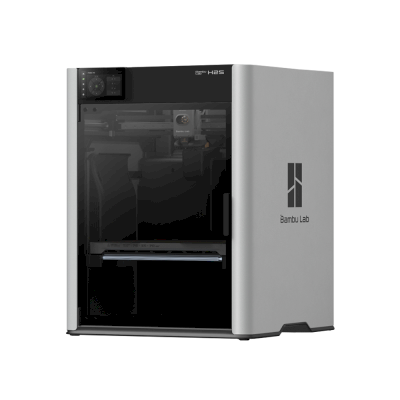



 PrusaSlicer
 OrcaSlicer
 ElegooSlicer
 CrealityPrint
 Cura
Cura Kiri:Moto


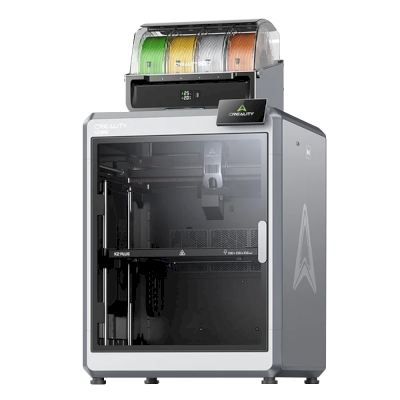

 Bambu Lab का संयुक्त राज्य अमेरिका के लिए कोई स्टोर नहीं है: यूरोपीय संघ के लिए उसका स्टोर आज़माएँ