¿Funciona la impresora 3D Bambu Lab H2C con SimplyPrint, OctoPrint, Mainsail y Fluidd?
Cada forma de conectarla, lo que necesita y cómo configurarla.
Cliente de SimplyPrint
Verificado por SimplyPrint
SimplyPrint can't choose yet which nozzle each AMS slot feeds (nozzle mapping), so multi-material prints that use both nozzles can be awkward to start from SimplyPrint.
Votar a favor
Qué necesitas: Un ordenador o Raspberry Pi en la misma red que permanece encendido y ejecuta el Cliente de SimplyPrint
Mediante Cliente de SimplyPrint en modo solo LAN, SimplyPrint admite todo lo que Bambu Lab H2C permite hacer a otros programas: la cámara y la detección de fallos por IA, Impresión remota, Omitir objetos, Control de temperatura y movimiento, asignación de filamento para su unidad multimaterial y AutoPrint. Las únicas excepciones son lo que Bambu Lab H2C no permite que haga otro software: Ajuste fino, Nivelación de cama y Calibración de Z-offset. La tabla siguiente compara las dos formas de conectarla a SimplyPrint.
Todas las funciones de SimplyPrint, para cada forma de conectarla a SimplyPrint
Conexión con SimplyPrint mediante
función de SimplyPrint
Cliente de SimplyPrint (Modo solo LAN, recomendado)
Verificado por SimplyPrint
Cliente de SimplyPrint (Modo nube)
Verificado por SimplyPrint
Supervisión
Estado y progreso en tiempo real
Sí
Sí
Webcam
Sí
Sí
Detección de fallos con IA
Sí
Sí
Tiempo restante
Sí
Sí
Progreso de capa
Sí
Sí
Temperaturas
Sí
Sí
Impresión
Iniciar una impresión
Sí
Depende1
Pausar, reanudar y cancelar
Sí
Depende1
Omitir objetos
Sí
Depende1
Opciones de inicio de impresión
Sí
Depende1
Archivos
Imprimir archivos 3MF laminados
Sí
Sí
Control de la impresora
Cambiar temperaturas
Sí
Sí
Mover con los controles
Sí
Depende1
Retorno al origen
Sí
Depende1
Extruir y retraer
Sí
Depende1
Cambiar velocidad de impresión
Sí
Depende1
Velocidad del ventilador
Sí
Depende1
Ajuste fino
No ofrecido por la impresora2
No ofrecido por la impresora2
Enviar G-code
Sí
Depende1
Calibración
Cambiar filamento
Sí
Depende1
Nivelación de cama
No ofrecido por la impresora2
No ofrecido por la impresora2
Calibración de Z-offset
No ofrecido por la impresora2
No ofrecido por la impresora2
Multimaterial
Asignar filamento a ranuras multimaterial
Sí3
Sí3
Sincronizar el filamento cargado desde la unidad multimaterial
Sí3
Sí3
Automatización
AutoPrint
Pro
Sí
Depende1
Descargar el archivo antes de iniciar la impresión
Sí
No ofrecido por la impresora2
Conexión con SimplyPrint mediante Cliente de SimplyPrint (Modo solo LAN, recomendado)
Verificado por SimplyPrint
Supervisión
Estado y progreso en tiempo realSí
WebcamSí
Detección de fallos con IASí
Tiempo restanteSí
Progreso de capaSí
TemperaturasSí
Impresión
Iniciar una impresiónSí
Pausar, reanudar y cancelarSí
Omitir objetosSí
Opciones de inicio de impresiónSí
Archivos
Imprimir archivos 3MF laminadosSí
Control de la impresora
Cambiar temperaturasSí
Mover con los controlesSí
Retorno al origenSí
Extruir y retraerSí
Cambiar velocidad de impresiónSí
Velocidad del ventiladorSí
Ajuste finoNo ofrecido por la impresora2
Enviar G-codeSí
Calibración
Cambiar filamentoSí
Nivelación de camaNo ofrecido por la impresora2
Calibración de Z-offsetNo ofrecido por la impresora2
Multimaterial
Asignar filamento a ranuras multimaterialSí3
Sincronizar el filamento cargado desde la unidad multimaterialSí3
Automatización
AutoPrint ProSí
Descargar el archivo antes de iniciar la impresiónSí
Conexión con SimplyPrint mediante Cliente de SimplyPrint (Modo nube)
Verificado por SimplyPrint
Supervisión
Estado y progreso en tiempo realSí
WebcamSí
Detección de fallos con IASí
Tiempo restanteSí
Progreso de capaSí
TemperaturasSí
Impresión
Iniciar una impresiónDepende1
Pausar, reanudar y cancelarDepende1
Omitir objetosDepende1
Opciones de inicio de impresiónDepende1
Archivos
Imprimir archivos 3MF laminadosSí
Control de la impresora
Cambiar temperaturasSí
Mover con los controlesDepende1
Retorno al origenDepende1
Extruir y retraerDepende1
Cambiar velocidad de impresiónDepende1
Velocidad del ventiladorDepende1
Ajuste finoNo ofrecido por la impresora2
Enviar G-codeDepende1
Calibración
Cambiar filamentoDepende1
Nivelación de camaNo ofrecido por la impresora2
Calibración de Z-offsetNo ofrecido por la impresora2
Multimaterial
Asignar filamento a ranuras multimaterialSí3
Sincronizar el filamento cargado desde la unidad multimaterialSí3
Automatización
AutoPrint ProDepende1
Descargar el archivo antes de iniciar la impresiónNo ofrecido por la impresora2
Funciona
Depende
No compatible
No ofrecido por la impresora
El firmware de Bambu Lab de 2025 en adelante solo permite monitorización en modo nube: usa el modo solo LAN para iniciar impresiones y controlar la impresora. El firmware anterior permite ambas opciones.
La impresora no ofrece esto a otro software.
Requiere una unidad multimaterial
Propietarios de Bambu Lab H2C en SimplyPrint
10+ impresoras usan SimplyPrint
Cliente de SimplyPrint
4,3 de 5
3 propietarios verificados
Las valoraciones proceden de propietarios cuyas impresoras han completado al menos 10 impresiones con SimplyPrint.
Qué slicer usar con Bambu Lab H2C
Usa BambuStudio, el slicer propio de Bambu Lab: tiene un perfil listo para la Bambu Lab H2C.
Solo incluimos slicers que puedes usar en la nube de SimplyPrint, por lo que puede haber otros para la Bambu Lab H2C.
Slicer en la nube para Bambu Lab H2C: usa BambuStudio online
Usa BambuStudio y otros slicers, directamente en tu navegador con el slicer en la nube online de SimplyPrint. No requiere instalación. Lamina tus modelos de Bambu Lab H2C desde cualquier dispositivo y lugar del mundo.
Nota: Otros slicers, como Simplify3D, ideaMaker, SuperSlicer y KISSlicer, no están en nuestra nube, por lo que no hacemos seguimiento de sus perfiles. Aun así, pueden funcionar bien con tu Bambu Lab H2C: consulta la documentación o los foros del propio slicer para encontrar un perfil. También puedes aportar perfiles a nuestra base de datos de código abierto de perfiles de slicer en GitHub.
La aplicación para Bambu Lab H2C
SimplyPrint funciona como la aplicación de la impresora Bambu Lab H2C: en tu teléfono y en cualquier navegador, con un slicer en la nube.
Qué obtienes con SimplyPrint
Una aplicación para iPhone y Android, igual en cualquier navegador, y un slicer en la nube.
Mucho más que supervisión: una cola de impresión, detección de fallos mediante IA, AutoPrint y cuentas para un equipo.
Impresoras de muchas marcas en un mismo lugar, una junto a otra.
Aún no hay cambiador de placas ni kit de expulsión automática para la Bambu Lab H2C en SimplyPrint, pero AutoPrint puede mantenerla imprimiendo: cuando la placa esté libre, iniciará el siguiente trabajo de tu cola.
Las impresoras cerradas expulsan sus impresiones
La cama de la Bambu Lab H2C solo se mueve hacia arriba y abajo dentro de su cerramiento, así que, en lugar de cambiar placas, kits como estos permiten que el cabezal empuje la impresión enfriada fuera de la placa y por su puerta frontal, que abren automáticamente al terminar una impresión.
Retirar las impresiones con el cabezalEn una impresora CoreXY, una rutina de G-code puede expulsar la pieza fría por la parte delantera de la placa antes de que comience el siguiente trabajo.
Tu propio G-code de expulsiónEscribe la rutina que deje libre la placa y AutoPrint la ejecutará después de cada impresión.
Sí
Opciones disponibles: Use AMS, Bed Leveling, Flow Calibration, Timelapse
La impresora
Fabricante / marca de la impresora
Bambu Lab
Nombre del modelo de impresora
H2C
Fabricada por una empresa de
China
Lanzado
18 de noviembre de 2025
Se sigue fabricando
Sí
Aviso legal:
Nos esforzamos por mantener esta información lo más actualizada y precisa posible, pero no podemos garantizar su integridad ni su fiabilidad. Nuestros datos se basan en aportaciones de usuarios y referencias de fabricantes.
¿Qué filamento admite Bambu Lab H2C?
Compatibilidad de filamento de la Bambu Lab H2C: los materiales que Bambu Lab indica para ella.
Filamento
Idoneidad
Notas
PLA
Genial
En la lista de materiales del fabricante para esta impresora.
PETG
Genial
En la lista de materiales del fabricante para esta impresora.
TPU y flexibles
Genial
En la lista de materiales del fabricante para esta impresora.
ABS & ASA
Genial
En la lista de materiales del fabricante para esta impresora.
Nylon (PA)
Genial
En la lista de materiales del fabricante para esta impresora.
Polycarbonate (PC)
Genial
En la lista de materiales del fabricante para esta impresora.
Con fibra de carbono y relleno de vidrio
Genial
En la lista de materiales del fabricante para esta impresora.
Alta temperatura (PEI, PEEK, PEKK)
Genial
En la lista de materiales del fabricante para esta impresora.
Consejo: esta es una guía general basada en las especificaciones de la impresora. Comprueba siempre los ajustes recomendados para tu filamento. Con SimplyPrint puedes guardar un perfil para cada bobina y saber exactamente qué filamento tienes en inventario.
Mejor filamento para la Bambu Lab H2C
Filamentos que Bambu Lab H2C imprime bien, primero los de Bambu Lab y luego los más conocidos.
The Vortek hotend changer cut a nearly 24-hour five-color print from the H2D to under 12 hours with almost no waste, but swaps colors slower than true tool changers such as the Snapmaker U1 and Prusa XL. The $2,399 price is $400 above the H2D. Editor's Choice.
“The only thing the H2C lacks is the speed of a true tool changer, which is a real shame considering what the competition has been cooking up.”
A multi-nozzle changer rather than a tool changer, but it prints seven filaments out of the box and cuts waste sharply. Cons are the premium $2,399 price, more moving parts than the H2S and H2D, and an AMS dependency that adds footprint and cost.
“So, whilst it's still not perfect, it's a huge step in the right direction and again reinforces Bambu Lab's position in innovation.”
Uncle Jessy · 13 de abril de 2026
Bambu Lab sent the printer but did not pay for the video (disclosed). After about 500 hours he highly recommends it: the Snapmaker U1 is quicker and less wasteful but limited to four colors, the H2C does up to seven. Problems: a silicone pad in the AMS adapter jammed filament until he removed it, a short power cable, loose feet and a slow startup.
Aurora Tech · 3 de diciembre de 2025
Bambu Lab sent the printer and VoxelPLA sponsored the video (disclosed). Tests the H2C against the Snapmaker U1, Prusa XL and others: almost no purge waste up to seven colors, and up to 24 with AMS units, while a tool changer is faster at four or five colors. Cons include the AMS 2 Pro not drying during prints. Ranked first on his list.
CNC Kitchen · 18 de noviembre de 2025
Sponsored by VoxelPLA (disclosed). A deep dive into the Vortek nozzle changer and how it compares with tool changers: good multicolor and almost any material, but the Prusa XL and Snapmaker U1 are faster and cheaper for PLA multicolor. Calls it a solid addition, not a revolution, and a versatile but pricey business printer.
La serie Bambu Lab H
Todas las impresoras Bambu Lab de la serie, primero las más antiguas.
Impresoras del mismo fabricante, de tamaño similar, que imprimen los mismos materiales técnicos o en multimaterial, que puedes comprar hoy. Compara hasta cuatro una junto a otra, con sus especificaciones y cómo se conecta cada una.
También de Bambu Lab · Volumen de impresión similar · También imprime ABS & ASA, Nylon (PA), Polycarbonate (PC), Con fibra de carbono y relleno de vidrio, Alta temperatura (PEI, PEEK, PEKK) · También multimaterial
También de Bambu Lab · Volumen de impresión similar · También imprime ABS & ASA, Nylon (PA), Polycarbonate (PC), Con fibra de carbono y relleno de vidrio, Alta temperatura (PEI, PEEK, PEKK) · También multimaterial
Quién fabrica Bambu Lab H2C y cuánta libertad te da Bambu Lab: si sus impresoras funcionan sin su nube, aceptan cualquier filamento y slicer, y se pueden reparar. Cada área se valora con fuentes públicas.
Apertura: Mayormente cerrada (2.3 de 5)
Mayormente cerrada
Ecosistema cerradoAbrir
Bambu Lab is a Shenzhen company founded in 2020 by former DJI engineers. It makes FDM printers in four families (A, P, X and H), the AMS multi-material units, the Bambu Studio slicer, the Bambu Handy app and the MakerWorld model site, and designs them to be used together. Its printers are used by beginners, hobbyists, schools and print farms.
Fundada:
2020 ·
Sede central:
Shenzhen, China ·
Propiedad:
Privately held; founded by CEO Ye Tao and other former DJI staff, with venture investors (BGR, 2026) ·
Sitio web:bambulab.com
Bambu Lab works like Apple: printer, slicer, app, cloud and multi-material system come from one company and are made to work together. Filament and slicer choice stay open, but the firmware is closed and signed, and since 2025 third-party control needs Bambu Connect or the unsupported Developer Mode.
Firmware y firmware personalizado ●●●●●
The printer firmware is Bambu's own and closed; in 2022 Bambu said it would keep it in-house. Its security white paper describes secure boot that only runs verified firmware on X1, H2, P1 and A1 printers. Bambu publishes the GPL parts it uses (Linux kernel, U-Boot, BusyBox) but not the printer software. Rooting the X1 only became possible through a security flaw the X1Plus project used in 2024; Bambu then published a one-off rootable X1 firmware for owners who give up their warranty, and blocks rooting in later firmware.
[1][2][3][4][22]
Control local e integraciones ●●●●●
LAN Only mode prints and monitors from Bambu Studio or Bambu Connect without internet or an account; the Handy app, printing from outside the network and print history need Bambu's cloud. Since the 2025 authorization firmware, other software can only read status in normal mode. Full control needs Developer Mode, which cuts the cloud link and which Bambu says it cannot support because the protocols are not official. Bambu documents no local protocol; it offers a file hand-off to Bambu Connect and a Local Server SDK on application.
[23][24][6][7][5]
Filamento, slicers y piezas de terceros ●●●●●
Third-party filament works, and Bambu publicly denied in 2025 that it would restrict it. OrcaSlicer and other slicers can be used, but since the 2025 firmware they send and control prints through Bambu Connect or Developer Mode. Hotends are Bambu's own designs, and Bambu says it cannot promise long-term support for accessories that control the printer unless it approved them first.
[7][6][4]
Reparaciones y repuestos ●●●●●
Bambu's store sells individual spare parts down to motors, belts, encoders and boards, and its wiki has step-by-step replacement guides for each model (for example the P2S hotend and the H2D/H2C AP board). Many parts, hotends included, are Bambu-specific, so spares come from Bambu.
[8][9][10]
Datos y privacidad ●●●●●
Cloud features need a Bambu account, while LAN Only mode keeps jobs on the local network. Bambu publishes a Trust Center and a 38-page security white paper, says it holds ISO/IEC 27001, ISO/IEC 27701 and TRUSTe certifications, and runs a paid bug bounty. In August 2023 a cloud outage made some printers start earlier jobs on their own; Bambu apologised.
[2][11][5][12]
Comunidad y documentación ●●●●●
Very large user community, the MakerWorld model site, a detailed wiki and a blog where Bambu explains its policy changes. Bambu Studio is developed in public on GitHub with an open issue tracker. The printer protocol is not documented, and Developer Mode is unsupported.
[13][5][7]
Ventajas
Printer, slicer, app and AMS come from one company and are designed to work together, which makes a first setup simple.
Step-by-step repair guides for each model and individual spare parts sold in Bambu's store.
LAN Only mode works without internet or an account.
Bambu Studio is open source, and third-party filament works.
Publishes security certifications and runs a public bug bounty.
Desventajas
Firmware is closed and signed; current models have no supported way to run custom firmware.
Since the 2025 firmware, third-party software and accessories need Bambu Connect or the unsupported Developer Mode to control the printer.
Remote printing, the Handy app and print history depend on Bambu's cloud.
Hotends and many parts are Bambu-specific, so spares come from Bambu.
In 2026 a US jury found the X1, P1 and A1 infringe Stratasys patents; Bambu is appealing.
Trayectoria
septiembre 2026: A US federal jury in Texas found that Bambu Lab's X1, P1 and A1 printers infringe Stratasys patents on prime towers and bed levelling, and awarded Stratasys $27.6 million. No injunction was placed on the printers. Bambu told Tom's Hardware it disagrees with the verdict and intends to seek post-trial review and appeal. Stratasys had filed two suits in 2024; more patents are still to be decided.
[14]
mayo 2026: Bambu Lab pressed the developer of 'OrcaSlicer-bambulab', a fork that restored direct cloud printing from OrcaSlicer, to remove it, according to Manufactur3D. On 7 May Bambu said the fork impersonated the official Bambu Studio client to its cloud, which its user agreement does not allow, and that modifying and sharing its AGPL code remains fine. The developer disputed the claims.
[15][16][17]
octubre 2025: Bambu Lab opened a Trust Center with a security white paper and listed ISO/IEC 27001, ISO/IEC 27701 and TRUSTe privacy certifications. A year later it said its bug bounty had worked with over 100 researchers and that it had added a public security update log.
[2][11]
20 de enero de 2025: After criticism from users and print farms, Bambu Lab announced an optional Developer Mode for X1, P1, A1 and A1 mini that leaves MQTT, FTP and the live stream open for third-party software in LAN mode, without official support. It also said LAN mode via Bambu Connect needs neither internet nor an account, and that third-party filament would not be restricted.
[7]
16 de enero de 2025: Bambu Lab announced firmware with 'authorization control', first for the X1: starting prints, moving axes, changing temperatures and binding the printer now require Bambu-approved software, also in LAN mode. On updated printers, third-party slicers and accessories such as the Panda Touch could no longer control the printer except through Bambu Connect; reading status still worked. Bambu cited security and up to 30 million unauthorised cloud requests a day; older firmware stayed optional.
[6]
marzo 2024: After the X1Plus jailbreak, Bambu Lab published a one-off rootable firmware for the X1 series for owners who give up their warranty support. It said it does not support X1Plus, and that firmware after it would block rooting again.
[4]
febrero 2024: Bambu Lab extended its A1 heatbed-cable callback to a recall of all A1 printers and asked owners to stop using them. It reported electrical faults in under 0.1% of units and offered a full refund plus an $80 voucher, or a redesigned heatbed plus a $120 voucher and six extra months of warranty. The A1 mini was not affected.
[18][19]
enero 2024: Community developers rooted the X1 series through a security flaw in its firmware (up to version 1.07) and released the X1Plus custom firmware. Bambu Lab closed the flaw in later firmware.
[22]
agosto 2023: During a Bambu cloud outage on 15 August 2023, some printers started print jobs without user action, because jobs stuck in the cloud were resent when service returned. Bambu apologised, took responsibility and said it would add checks before a print starts.
[12]
mayo 2022: Before its first printers shipped, Bambu Lab said its firmware would stay closed and in-house to remain competitive, and promised to open-source everything if the company ever could not survive.
[1]
Investigado a partir de 24 fuentes, última comprobación: 20 de octubre de 2026. Mostrar fuentes
Sí. Puedes conectar la Bambu Lab H2C a SimplyPrint mediante Cliente de SimplyPrint, y después laminar, poner en cola, iniciar y supervisar impresiones desde tu navegador o la aplicación móvil.
¿Cómo conecto la Bambu Lab H2C a SimplyPrint?
Sigue nuestra guía de configuración paso a paso para Bambu Lab H2C. Te muestra cómo conectarla mediante Cliente de SimplyPrint, qué necesitas para cada opción y cuál elegir.
¿Qué slicer debo usar para la Bambu Lab H2C?
Recomendamos BambuStudio para la Bambu Lab H2C. Puedes usarlo, junto con 6 slicers adicionales, directamente en el slicer online de SimplyPrint: sin instalar nada, en cualquier dispositivo y con los perfiles de la Bambu Lab H2C actualizados automáticamente.
¿Puedo usar OrcaSlicer con Bambu Lab H2C?
Sí, pero que sepamos OrcaSlicer no tiene un perfil integrado para Bambu Lab H2C: parte del perfil de una impresora similar y ajusta el tamaño de la cama, la altura y la boquilla.
¿Qué filamento admite Bambu Lab H2C?
Bambu Lab indica PLA, PETG, TPU y flexibles, ABS & ASA, Nylon (PA), Polycarbonate (PC), Con fibra de carbono y relleno de vidrio y Alta temperatura (PEI, PEEK, PEKK) para el modelo H2C.
¿La Bambu Lab H2C funciona con OctoPrint o Klipper?
No directamente: un plugin comunitario de OctoPrint puede conectarla por red. Pero no necesitas ninguno de los dos: SimplyPrint se conecta con Bambu Lab H2C mediante Cliente de SimplyPrint.
¿Cuál es el tamaño de la cama y el volumen de impresión de Bambu Lab H2C?
La Bambu Lab H2C tiene una cama de impresión de 330 x 320 mm e imprime piezas de hasta 325 mm de alto, con un volumen de impresión de unos 330 x 320 x 325 mm. Consulta la tabla de especificaciones completa de arriba para ver el tipo de cama, temperaturas y más.
¿Cuándo salió Bambu Lab H2C?
Bambu Lab lanzó el modelo H2C el 18 de noviembre de 2025.
¿Puede Bambu Lab H2C expulsar automáticamente las piezas impresas?
Aún no hay un kit compatible para ella, pero AutoPrint de SimplyPrint puede expulsar impresiones con el cabezal o ejecutar tu propio G-code de expulsión, y después iniciar el siguiente trabajo de tu cola.
¿Dónde puedo comprar la Bambu Lab H2C?
Desde la tienda de Bambu Lab, que tiene tiendas para Australia, Canadá, La UE, El Reino Unido y EE. UU.. Los enlaces de esta página llevan a esas tiendas; algunos son enlaces de afiliados, por lo que podemos recibir una comisión sin coste adicional para ti.
Aviso de afiliación: algunos enlaces de esta página son enlaces de afiliados. Podemos recibir una comisión si realizas una compra, sin coste adicional para ti. Como asociados de Amazon, obtenemos ingresos por las compras que cumplen los requisitos.
 China
China
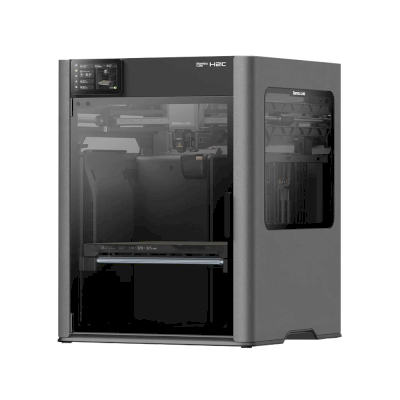
 Cliente de SimplyPrint



 PrusaSlicer
 OrcaSlicer
 ElegooSlicer
 CrealityPrint
 Cura
Cura Kiri:Moto

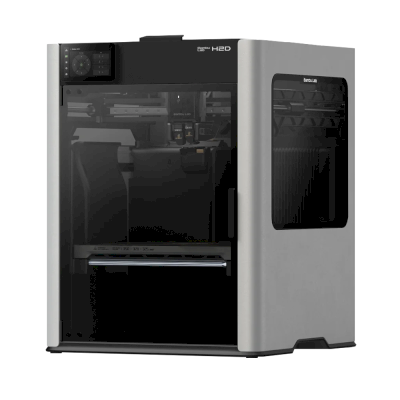
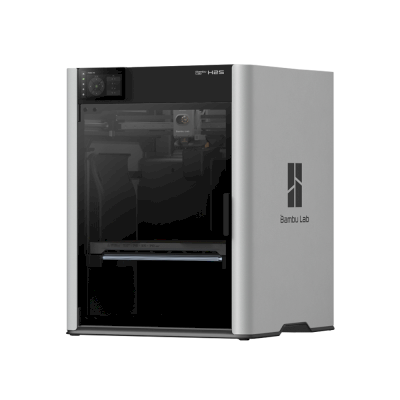
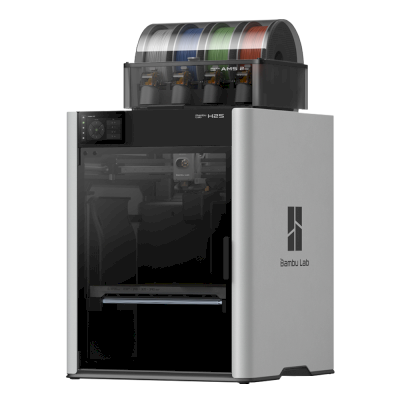
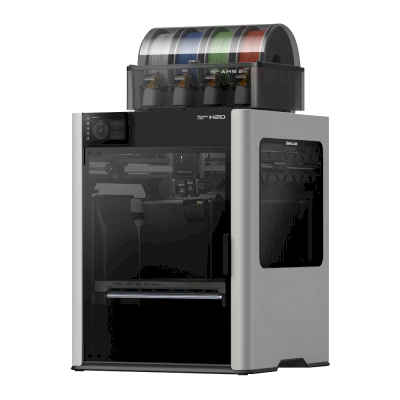

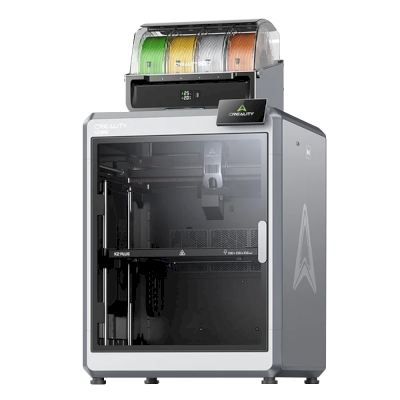

 Mejor opción para EE. UU.: tienda de Bambu Lab para EE. UU.
 Bambu Lab para Australia
 Bambu Lab para Canadá
 Bambu Lab para La UE
 Bambu Lab para El Reino Unido