-
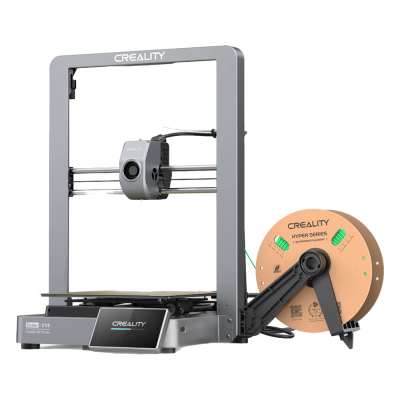
1 正在准备 Ender-3 V3
-
2 启用SimplyPrint
Add [simplyprint] to the moonraker.conf config file
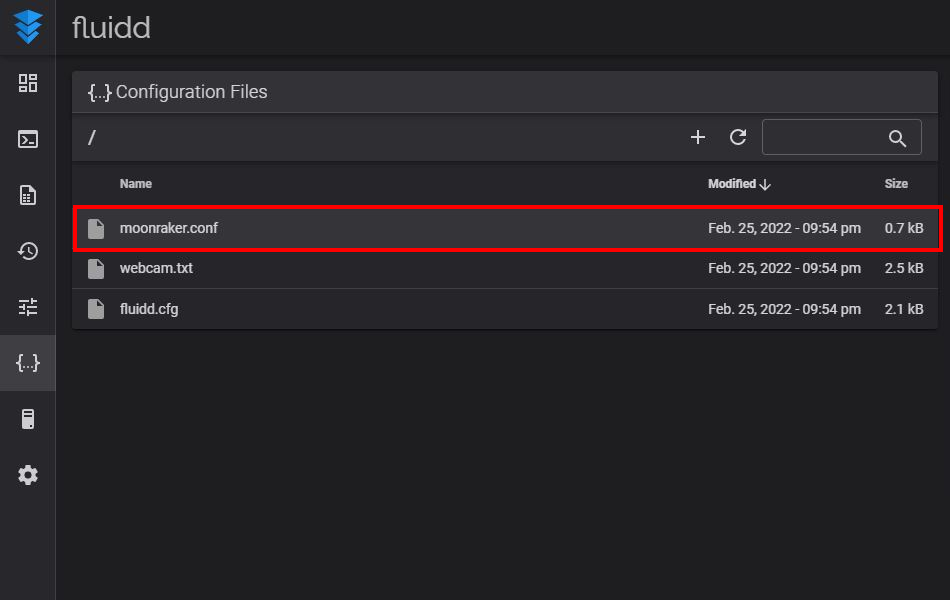
- 前往“配置”选项卡
- Under "Configuration Files", click on the
moonraker.conffile- NOTE: depending on your printer, the Moonraker config file may go by a different name. Common names are
moonraker.conf,user.moonraker.conf,moonraker.generated.config, or a custom filename. Ifmoonraker.confisn't present, edit whichever file Moonraker is actually loading on your printer.
- NOTE: depending on your printer, the Moonraker config file may go by a different name. Common names are
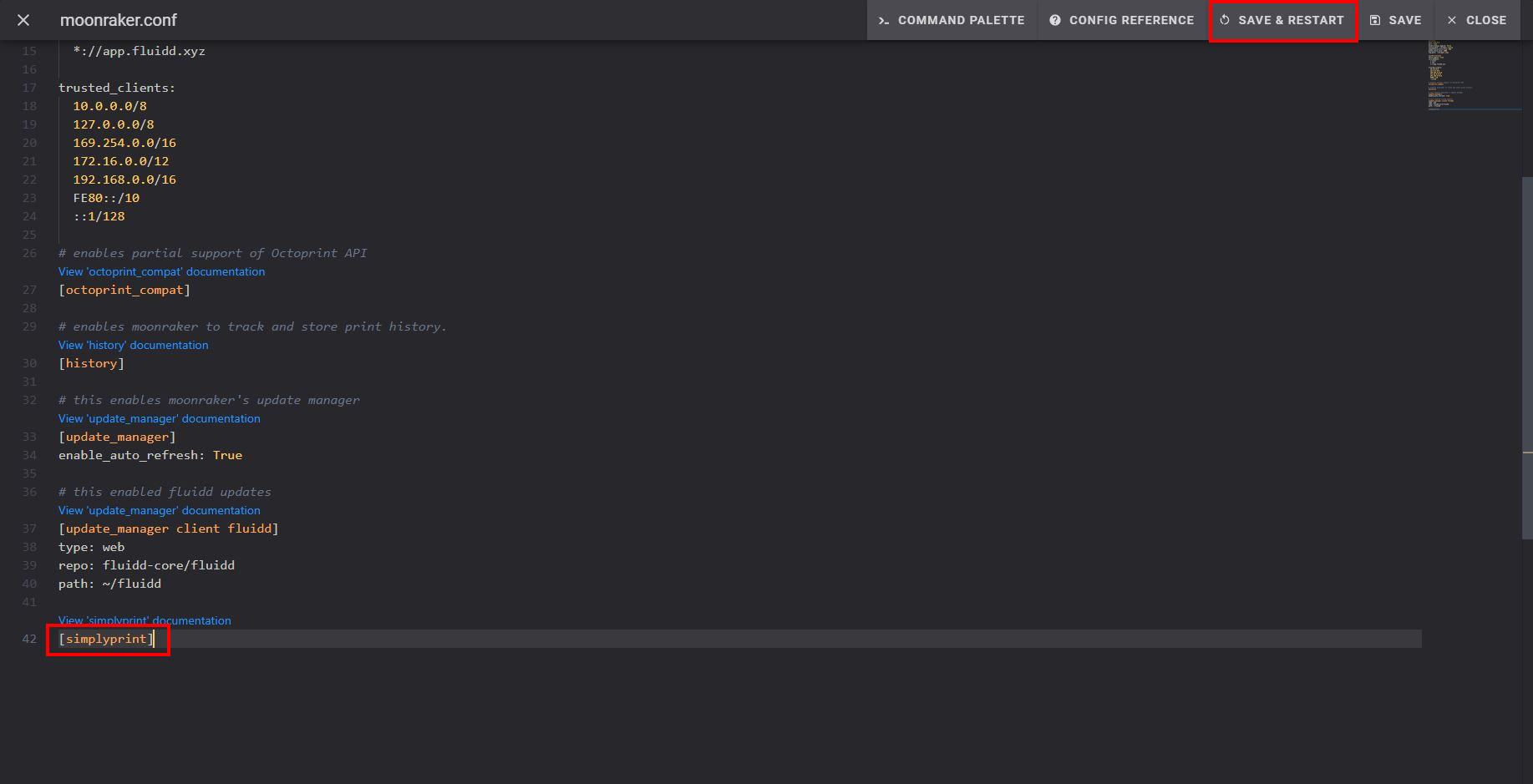
- 将
[simplyprint]添加到文件末尾(上方留一个空行) - 点击"保存并重启"按钮
最后,将您的打印机关联到 SimplyPrint
保存并重启后,您的打印机应该会自动出现在 SimplyPrint 中!
- 前往SimplyPrint.io,点击添加打印机
- 查看待处理打印机,您的打印机通常会自动出现在其中
- 点击添加,完成!
如果您的打印机未出现在待处理打印机中:
如果您与打印机不在同一网络下(出口IP不同),可能会出现此情况。此时请使用设置代码:
- 在顶部栏的“公告”铃铛(🔔)图标中,找到“SimplyPrint设置请求”消息
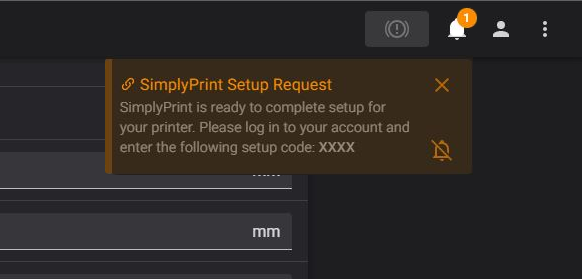
- 复制设置代码,并将其粘贴到SimplyPrint中的添加打印机下
仍然遇到问题? 请查看我们的指南:设置过程中未检测到打印机/找不到设置代码。