 OctoPrint
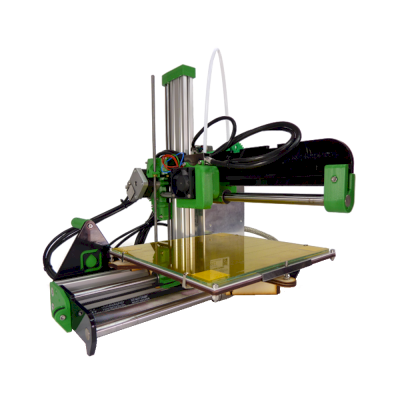
 RepRap Ormerod概览
RepRap Ormerod是RepRap生产的一款3D打印机,构建体积为200 x 200 x 500 mm。
- 成型尺寸
- 200 × 200 × 500 mm
- 运动系统
- 其他运动学结构
- 打印效果好
- PLA, PETG
- 连接性
- 以太网, USB, SD 卡
将RepRap Ormerod连接至SimplyPrint
这台RepRap Ormerod 3D打印机是否兼容SimplyPrint、OctoPrint、Mainsail和Fluidd? 每种连接方式、所需条件及设置方法。
-


Klipper(Moonraker)
不兼容
- 不预装Klipper:安装后将替代其原有固件运行,这属于改装

与SimplyPrint兼容的功能
通过OctoPrint连接后,SimplyPrint支持RepRap Ormerod允许其他软件执行的所有功能:摄像头和AI故障检测, 远程打印, 温度和运动控制和AutoPrint。 3项功能取决于其设置方式:表格说明了各项所需条件。
每种连接至SimplyPrint的方式所支持的全部SimplyPrint功能
| 已通过以下方式连接至SimplyPrint | |
|---|---|
| SimplyPrint功能 | OctoPrint 兼容 |
| 监控 | |
| 实时状态和进度 | 是 |
| 摄像头 | 是 1 |
| AI打印失败检测 | 是 1 |
| 剩余时间 | 是 |
| 层进度 | 是 |
| 温度 | 是 |
| 打印 | |
| 开始打印 | 是 |
| 暂停、继续和取消 | 是 |
| 跳过对象 | 视情况而定 2 |
| 文件 | |
| 打印二进制G-code(.bgcode) | 视情况而定 3 |
| 打印机控制 | |
| 更改温度 | 是 |
| 使用控制器移动 | 是 |
| 回零 | 是 |
| 挤出和回抽 | 是 |
| 更改打印速度 | 是 |
| 风扇速度 | 是 |
| 步进微调 | 是 |
| 发送 G-code | 是 |
| 校准 | |
| 更换耗材 | 是 |
| 打印床调平 | 是 |
| Z轴偏移校准 | 是 |
| 自动化 | |
| AutoPrint 专业版 | 是 |
| 打印开始前下载文件 | 视情况而定 4 |
已通过OctoPrint连接至SimplyPrint
兼容
监控
- 实时状态和进度 是
- 摄像头 是 1
- AI打印失败检测 是 1
- 剩余时间 是
- 层进度 是
- 温度 是
打印
- 开始打印 是
- 暂停、继续和取消 是
- 跳过对象 视情况而定 2
文件
- 打印二进制G-code(.bgcode) 视情况而定 3
打印机控制
- 更改温度 是
- 使用控制器移动 是
- 回零 是
- 挤出和回抽 是
- 更改打印速度 是
- 风扇速度 是
- 步进微调 是
- 发送 G-code 是
校准
- 更换耗材 是
- 打印床调平 是
- Z轴偏移校准 是
自动化
- AutoPrint 专业版 是
- 打印开始前下载文件 视情况而定 4
可用 视情况而定 不支持
- 需要摄像头
- 需要OctoPrint插件Cancel Objects
- 需要OctoPrint插件BGCode
- 需要SimplyPrint插件4.2.0或更高版本
RepRap Ormerod应使用什么切片软件
SimplyPrint云端的切片软件均没有适用于RepRap Ormerod的现成配置文件,但它使用标准G-code:请从类似打印机的配置文件开始,并设置匹配的打印床尺寸、高度和喷嘴。
没有适用于RepRap Ormerod的配置文件
 PrusaSlicer
 OrcaSlicer
 BambuStudio
 ElegooSlicer
 CrealityPrint
 Cura
Cura Kiri:Moto
我们只列出可在SimplyPrint云端使用的切片软件,因此RepRap Ormerod可能还有其他可用的切片软件。
适用于RepRap Ormerod的云端切片软件
所有受支持的切片软件,可直接在您的浏览器中使用SimplyPrint的在线云切片软件。无需安装。您可在全球任何地点使用任何设备切片您的RepRap Ormerod模型!
立即试用在线切片软件配置文件和其他切片软件
自动更新配置文件:系统每天都会检查并从切片软件GitHub仓库以及我们自己的开源、社区驱动的切片软件配置文件数据库获取配置文件,确保您始终能使用最新配置文件。
注意:其他切片软件,例如Simplify3D、ideaMaker、SuperSlicer和KISSlicer,不在我们的云端,因此我们不会跟踪其配置文件。它们仍可能与您的RepRap Ormerod良好配合:请查看切片软件自身的文档或论坛以获取配置文件。您也可以向我们的GitHub开源切片软件配置文件数据库贡献配置文件。
适用于RepRap Ormerod的应用
SimplyPrint可作为RepRap Ormerod的应用:可在您的手机和任何浏览器中使用,并提供云端切片软件。


让RepRap Ormerod自动化
SimplyPrint暂未提供适用于RepRap Ormerod的自动换板装置或自动退件套件,但AutoPrint仍可让它持续打印:打印平台清空后,会从您的队列启动下一个任务。
自动化方式
- 您自己的弹出G-code 编写清理打印平台的流程,AutoPrint会在每次打印后运行它。
- 机械臂或任何带有API的设备 通过API或webhook,将打印板已清空的信息告知SimplyPrint,信息可来自机械臂或您自己的系统。
- 手动清除,保留队列 AutoPrint会等待您将打印板标记为已清空,然后开始下一个任务。
AutoPrint随Pro及更高套餐提供。
RepRap Ormerod规格:打印床尺寸、打印高度等
其尺寸、温度、多材料支持和连接方式,来自制造商资料及我们的研究。 阅读制造商提供的更多信息
大小
| 成型尺寸 | 200 × 200 × 500 mm |
|---|---|
| 打印床类型 | Square |
| 打印床尺寸 | 200 × 200 mm |
| 最大打印高度 | 500 mm |
打印
| 运动系统 | 其他运动学结构 |
|---|---|
| 最高挤出机温度 | 230 °C |
| 配备热床 | 是 |
| 最高热床温度 | 60 °C |
| 喷嘴数量 | 1 |
| 工具头 | 1 |
| 直驱 | 否 |
| 探针工具/自动调平 | 否 |
| 耗材宽度 | 1.75 mm |
多材料
| 换刀器或热端更换器 | 否 |
|---|---|
| IDEX(独立双挤出机) | 否 |
正在连接
| 连接性 | 以太网, USB, SD 卡 |
|---|---|
| 从以下位置打印 | microSD卡 |
| 支持串口打印 | 是 |
| 随设备提供的固件 | RepRapFirmware (Duet) |
文件和切片
| 支持的文件格式 | G-code(.gcode、.gco、.g) |
|---|
打印机
| 打印机制造商/品牌 | RepRap |
|---|---|
| 打印机型号名称 | Ormerod |
| 上线日期 | 2014 |
免责声明: 我们致力于让这些信息尽可能保持最新和准确,但无法保证其完整性或可靠性。我们的数据来源于用户提交内容和制造商参考资料。
RepRap Ormerod可以打印哪些耗材?
RepRap Ormerod的耗材兼容性:根据其热端、打印床、腔体和封闭外壳评估可使用的材料。
| 耗材 | 适用性 | 备注 |
|---|---|---|
| PLA | 太好了 | 最容易打印的耗材。几乎适用于任何打印机,热床有助于附着,但并非必需。 |
| PETG | 良好 | 可打印,建议将热床设为约70至80C,以获得最佳附着力。 |
| TPU和柔性材料 | 精心打造 | 可行,但Bowden挤出机使柔性材料更难打印,请低速打印并优先使用较硬(较高邵氏硬度)的TPU。 |
| ABS & ASA | 不太理想 | 不建议,打印床无法达到ABS和ASA所需的约90至110C。 |
| Nylon(PA) | 不太理想 | 不建议,尼龙需要更高的hotend温度(约250至270C),最好配备封闭外壳。 |
| Polycarbonate(PC) | 不太理想 | 不建议,PC需要很高的hotend温度和封闭腔室。 |
| 碳纤维和玻璃纤维填充 | 精心打造 | 只要安装硬化或耐磨喷嘴即可,但磨蚀性纤维会很快磨损原装黄铜喷嘴。 |
提示:这是基于打印机规格的一般指南,请始终查看耗材的推荐设置。使用SimplyPrint,您可以为每个料盘保存配置,并准确追踪库存中的耗材。
最适合RepRap Ormerod的耗材
RepRap Ormerod适合打印的耗材,优先显示RepRap自有品牌,其次是最知名的品牌。
将RepRap Ormerod与类似打印机比较
与它同一制造商、尺寸相近、可打印相同工程材料或同样支持多材料打印,且目前可购买的打印机。最多可并排比较四台,包括其规格和连接方式。
-
Bambu Lab P1S
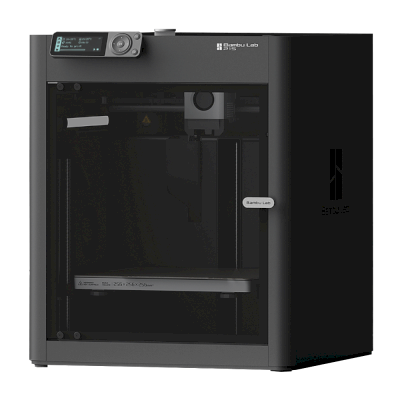 256 × 256 × 256 mm发布于2023年7月13日连接方式: SimplyPrint客户端相近的打印体积已由SimplyPrint验证 并排比较 Bambu Lab P1S
 -
Bambu Lab A1
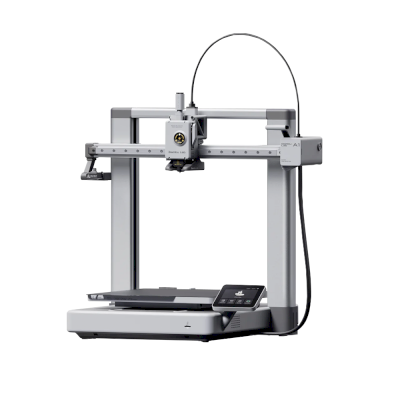 256 × 256 × 256 mm发布于2023年12月14日连接方式: SimplyPrint客户端相近的打印体积已由SimplyPrint验证 并排比较 Bambu Lab A1
 -
Bambu Lab P2S Combo
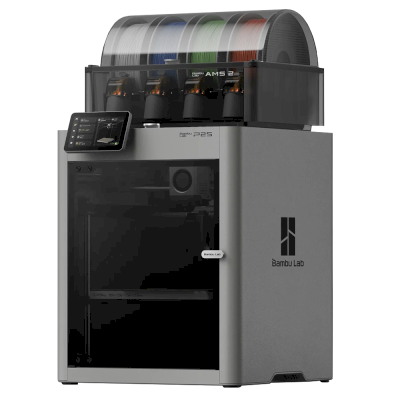 256 × 256 × 256 mm发布于2025年10月14日连接方式: SimplyPrint客户端相近的打印体积已由SimplyPrint验证 并排比较 Bambu Lab P2S Combo

常见问题
RepRap Ormerod与SimplyPrint兼容吗?
是的。您可通过OctoPrint将RepRap Ormerod连接至SimplyPrint,然后通过浏览器或移动应用进行切片、加入打印队列、开始打印并监控进度。
如何将RepRap Ormerod连接到SimplyPrint?
请按照RepRap Ormerod的分步设置指南操作。指南会说明如何通过OctoPrint连接、每种方式需要什么以及该选哪种。
RepRap Ormerod 应使用哪款切片软件?
Cura、PrusaSlicer和OrcaSlicer均支持RepRap Ormerod,您还可以在SimplyPrint的在线浏览器切片软件中运行它们,无需安装,任何设备均可使用。
我可以将OrcaSlicer与RepRap Ormerod一起使用吗?
是,但据我们所知,OrcaSlicer没有适用于RepRap Ormerod的内置配置文件:请从类似打印机的配置文件开始,并将打印平台尺寸、高度和喷嘴设置为匹配值。
RepRap Ormerod可以打印哪些耗材?
根据规格(hotend最高230C,热床最高60C),RepRap Ormerod能够良好处理PLA或PETG。有关ABS、尼龙、PC和复合材料,请参阅上方完整耗材指南。
RepRap Ormerod支持OctoPrint或Klipper吗?
RepRap Ormerod 支持 OctoPrint,SimplyPrint 可通过这些方式连接,从而额外提供云端访问、打印队列和摄像头监控。
RepRap Ormerod的打印床尺寸和构建体积是多少?
RepRap Ormerod的打印床尺寸为200 x 200 mm,最大打印高度为500 mm,构建体积约为200 x 200 x 500 mm。请查看上方完整规格表,了解打印床类型、温度等信息。
RepRap Ormerod何时发布?
RepRap于2014推出Ormerod。
RepRap Ormerod可以自动推出打印件吗?
我们暂未支持适用于它的套件,但SimplyPrint的AutoPrint可以运行您自己的退件G-code,通过API与机械臂配合,或等待您清空打印平台,然后从您的队列启动下一个任务。
联盟披露:本页面的部分链接为联盟链接。如果您购买,我们可能会获得佣金,您无需支付额外费用。作为 Amazon 联盟会员,我们从符合条件的购买中获得收入。
© 2026 SimplyPrint。保留所有权利。本页面及其兼容性、规格和评价数据由SimplyPrint编制,未经事先书面许可,不得全部或部分复制、抓取、转载或再发布。打印机图片归各自制造商所有,仅用于识别用途;SimplyPrint不主张对其拥有所有权。引用的评价归其作者所有。