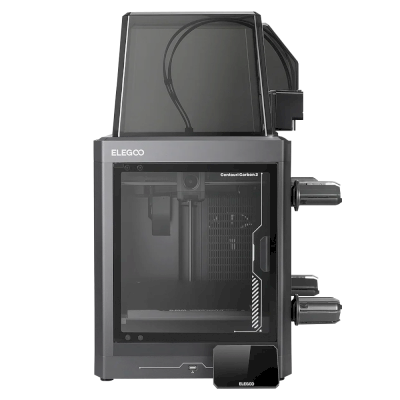
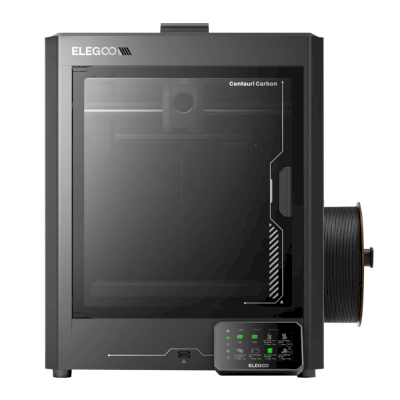
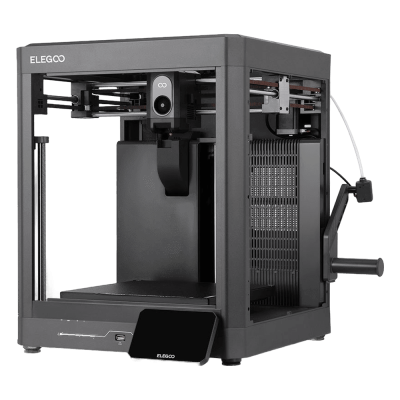
The Centauri Carbon 2 is Elegoo's second fully enclosed CoreXY printer: the original's 256 mm build cube with a 350 degree C hardened-steel nozzle, a 5-inch touchscreen and a better camera and lighting, and the Combo adds Elegoo's Canvas unit for four colours ($449 at launch). It is for hobbyists and small workshops who want an enclosed printer for engineering filaments, and multi-colour, on a budget.
Esto significa que comparte muchas características con el modelo base, pero puede tener modificaciones específicas, funciones adicionales o accesorios incluidos.
Conecta ELEGOO Centauri Carbon 2 Combo a SimplyPrint
¿Funciona la impresora 3D ELEGOO Centauri Carbon 2 Combo con SimplyPrint, OctoPrint, Mainsail y Fluidd?
Cada forma de conectarla, lo que necesita y cómo configurarla.
Cliente de SimplyPrint
Compatible
Qué necesitas: Un ordenador o Raspberry Pi en la misma red que permanece encendido y ejecuta el Cliente de SimplyPrint
Mediante Cliente de SimplyPrint, SimplyPrint admite todo lo que ELEGOO Centauri Carbon 2 Combo permite hacer a otros programas: la cámara y la detección de fallos por IA, Impresión remota, Omitir objetos, Control de temperatura y movimiento, asignación de filamento para su unidad multimaterial y AutoPrint. Las únicas excepciones son lo que ELEGOO Centauri Carbon 2 Combo no permite que haga otro software: Ajuste fino, Enviar G-code, Cambiar filamento, Nivelación de cama y Calibración de Z-offset.
Todas las funciones de SimplyPrint, para cada forma de conectarla a SimplyPrint
Conexión con SimplyPrint mediante
función de SimplyPrint
Cliente de SimplyPrint
Compatible
Supervisión
Estado y progreso en tiempo real
Sí
Webcam
Sí
Detección de fallos con IA
Sí
Tiempo restante
Sí
Progreso de capa
Sí
Temperaturas
Sí
Impresión
Iniciar una impresión
Sí
Pausar, reanudar y cancelar
Sí
Omitir objetos
Sí
Opciones de inicio de impresión
Sí
Control de la impresora
Cambiar temperaturas
Sí
Mover con los controles
Sí
Retorno al origen
Sí
Extruir y retraer
Sí
Cambiar velocidad de impresión
Sí
Velocidad del ventilador
Sí
Ajuste fino
No ofrecido por la impresora1
Enviar G-code
No ofrecido por la impresora1
Calibración
Cambiar filamento
No ofrecido por la impresora1
Nivelación de cama
No ofrecido por la impresora1
Calibración de Z-offset
No ofrecido por la impresora1
Multimaterial
Asignar filamento a ranuras multimaterial
Sí
Sincronizar el filamento cargado desde la unidad multimaterial
Sí
Automatización
AutoPrint
Pro
Sí
Descargar el archivo antes de iniciar la impresión
Sí
Conexión con SimplyPrint mediante Cliente de SimplyPrint
Compatible
Supervisión
Estado y progreso en tiempo realSí
WebcamSí
Detección de fallos con IASí
Tiempo restanteSí
Progreso de capaSí
TemperaturasSí
Impresión
Iniciar una impresiónSí
Pausar, reanudar y cancelarSí
Omitir objetosSí
Opciones de inicio de impresiónSí
Control de la impresora
Cambiar temperaturasSí
Mover con los controlesSí
Retorno al origenSí
Extruir y retraerSí
Cambiar velocidad de impresiónSí
Velocidad del ventiladorSí
Ajuste finoNo ofrecido por la impresora1
Enviar G-codeNo ofrecido por la impresora1
Calibración
Cambiar filamentoNo ofrecido por la impresora1
Nivelación de camaNo ofrecido por la impresora1
Calibración de Z-offsetNo ofrecido por la impresora1
Multimaterial
Asignar filamento a ranuras multimaterialSí
Sincronizar el filamento cargado desde la unidad multimaterialSí
Automatización
AutoPrint ProSí
Descargar el archivo antes de iniciar la impresiónSí
Funciona
Depende
No compatible
No ofrecido por la impresora
La impresora no ofrece esto a otro software.
Propietarios de ELEGOO Centauri Carbon 2 Combo en SimplyPrint
100+ impresoras usan SimplyPrint
Qué slicer usar con ELEGOO Centauri Carbon 2 Combo
Usa ElegooSlicer, el slicer propio de ELEGOO: tiene un perfil listo para la ELEGOO Centauri Carbon 2 Combo. También con un perfil para ella: OrcaSlicer.
Perfil preparado para ELEGOO Centauri Carbon 2 Combo
Solo incluimos slicers que puedes usar en la nube de SimplyPrint, por lo que puede haber otros para la ELEGOO Centauri Carbon 2 Combo.
Slicer en la nube para ELEGOO Centauri Carbon 2 Combo: usa ElegooSlicer online
Usa ElegooSlicer y otros slicers, directamente en tu navegador con el slicer en la nube online de SimplyPrint. No requiere instalación. Lamina tus modelos de ELEGOO Centauri Carbon 2 Combo desde cualquier dispositivo y lugar del mundo.
Nota: Otros slicers, como Simplify3D, ideaMaker, SuperSlicer y KISSlicer, no están en nuestra nube, por lo que no hacemos seguimiento de sus perfiles. Aun así, pueden funcionar bien con tu ELEGOO Centauri Carbon 2 Combo: consulta la documentación o los foros del propio slicer para encontrar un perfil. También puedes aportar perfiles a nuestra base de datos de código abierto de perfiles de slicer en GitHub.
La aplicación para ELEGOO Centauri Carbon 2 Combo
Usa SimplyPrint como la aplicación para tu ELEGOO Centauri Carbon 2 Combo: contrólala y úsala desde tu teléfono o cualquier navegador, lamina en la nube y mantenla junto a tus otras impresoras. Empezar es gratis. La aplicación propia de ELEGOO es ELEGOO Matrix.
Qué hace
SimplyPrint
ELEGOO Matrix
Impresoras de otras marcas
Sí
Solo impresoras ELEGOO
También en SimplyPrint
Una aplicación para iPhone y Android, igual en cualquier navegador, y un slicer en la nube.
Mucho más que supervisión: una cola de impresión, detección de fallos mediante IA, AutoPrint y cuentas para un equipo.
Aún no hay cambiador de placas ni kit de expulsión automática para la ELEGOO Centauri Carbon 2 Combo en SimplyPrint, pero AutoPrint puede mantenerla imprimiendo: cuando la placa esté libre, iniciará el siguiente trabajo de tu cola.
Las impresoras cerradas expulsan sus impresiones
La cama de la ELEGOO Centauri Carbon 2 Combo solo se mueve hacia arriba y abajo dentro de su cerramiento, así que, en lugar de cambiar placas, una rutina de expulsión permite que el cabezal empuje la impresión enfriada fuera de la placa y por su puerta frontal, que debe estar abierta mientras funciona. Algunas impresoras no imprimen con la puerta abierta, la Prusa CORE One tiene un sensor de puerta, así que comprueba primero la tuya.
Formas de automatizarla
Retirar las impresiones con el cabezalEn una impresora CoreXY, una rutina de G-code puede expulsar la pieza fría por la parte delantera de la placa antes de que comience el siguiente trabajo.
Tu propio G-code de expulsiónEscribe la rutina que deje libre la placa y AutoPrint la ejecutará después de cada impresión.
Especificaciones de ELEGOO Centauri Carbon 2 Combo: tamaño de cama, altura de impresión y más
Su tamaño, temperaturas, multimaterial y cómo se conecta, según el fabricante y nuestra propia investigación.
Más información del fabricante
Tamaño
Volumen de impresión
256 x 256 x 256 mm
Tipo de cama
Square
Tamaño de cama
256 x 256 mm
Altura máxima de impresión
256 mm
Impresión
Cerramiento
Totalmente cerrada
Sistema de movimiento
CoreXY
Velocidad máxima de impresión
500 mm/s
Temperatura máxima del extrusor
350 °C
Tiene cama caliente
Sí
Temperatura máxima de la cama
110 °C
Número de boquillas
1
Cabezales de impresión
1
Direct drive
Sí
Herramienta de sondeo / Nivelación automática de la cama
Sí
Ancho del filamento
1.75 mm
Multimaterial
Incluye multimaterial
Elegoo Canvas
Unidades multimaterial compatibles
Elegoo Canvas
Cambiador de herramientas o de hotends
No
IDEX (extrusores dobles independientes)
No
Conectando
Conectividad
Wi-Fi, USB
Cámara integrada
Sí
Admite impresión por puerto serie
No
Firmware incluido
El propio del fabricante
Archivos y laminado
Formatos de archivo compatibles
G-code (.gcode, .gco, .g)
Tiene opciones de inicio
Sí
Opciones disponibles: Bed Leveling, Timelapse
La impresora
Fabricante / marca de la impresora
ELEGOO
Nombre del modelo de impresora
Centauri Carbon 2 Combo
Fabricada por una empresa de
China
Lanzado
26 de enero de 2026
Se sigue fabricando
Sí
Aviso legal:
Nos esforzamos por mantener esta información lo más actualizada y precisa posible, pero no podemos garantizar su integridad ni su fiabilidad. Nuestros datos se basan en aportaciones de usuarios y referencias de fabricantes.
Compatibilidad de filamento de la ELEGOO Centauri Carbon 2 Combo: los materiales que puede usar, según su hotend, cama, cámara y cerramiento.
Filamento
Idoneidad
Notas
PLA
Genial
El filamento más fácil de imprimir. Funciona en casi cualquier impresora; una cama caliente ayuda a la adhesión, pero no es necesaria.
PETG
Genial
Dentro del rango óptimo (PETG funciona bien con un hotend de unos 230 a 250C y una cama de unos 70 a 85C).
TPU y flexibles
Genial
El extrusor de accionamiento directo alimenta bien el filamento flexible. Imprime despacio para obtener resultados limpios.
ABS & ASA
Genial
Cerrada, con un hotend y una cama lo bastante calientes: ABS y ASA se imprimen bien.
Nylon (PA)
Bueno
Es posible con cuidado: seca bien el filamento y un cerramiento ayuda mucho.
Polycarbonate (PC)
Bueno
En el rango del PC. Seca el filamento, imprime despacio y usa una carcasa cerrada para obtener los mejores resultados.
Con fibra de carbono y relleno de vidrio
Con cuidado
Es posible si instalas una boquilla endurecida o resistente al desgaste. Las fibras abrasivas desgastan rápido una boquilla de latón estándar.
Consejo: esta es una guía general basada en las especificaciones de la impresora. Comprueba siempre los ajustes recomendados para tu filamento. Con SimplyPrint puedes guardar un perfil para cada bobina y saber exactamente qué filamento tienes en inventario.
Mejor filamento para la ELEGOO Centauri Carbon 2 Combo
Filamentos que ELEGOO Centauri Carbon 2 Combo imprime bien, primero los de ELEGOO y luego los más conocidos.
Tested the Combo (unit supplied by Elegoo). PLA, PLA-CF and PETG print well on stock profiles and Canvas is easy to use; it measured 44-47 dB. Cons: unreliable connections from ElegooSlicer and the Matrix app, false spaghetti alerts, ASA warping until the bed was preheated, lots of purge waste and print-time estimates more than 17% off.
“Overall, the hardware is on point but the software needs more tuning”
Tested the Combo at $449. Prints PAHT-CF and polycarbonate cleanly without a heated chamber, handles 95A TPU through Canvas, needs no cloud, and has an excellent camera. Cons: the loading routine is too cool to clear PC or PA, spool holders that fit other brands poorly, and a cold plate that is not sticky enough. Says the original Centauri Carbon is still its pick for single colour.
“Like the first Centauri Carbon, the CC2 is a delightful Core XY 3D printer that’s easy on the budget.”
Recommended. Scored 29 of 30 in its print tests, with strong dimensional accuracy, very little colour contamination and engineering filaments that fed reliably. Cons: only four filaments, spools stored outside the enclosure with no drying (damp filament caused stringing), purge waste, and a locked-down slicer. For single-colour printing it says the original Centauri is still superb.
“If you are a small business looking to make functional parts on a budget, then the Centauri Carbon 2 really does live up to expectations.”
Aurora Tech · 19 de febrero de 2026
Sponsored by Elegoo (disclosed). Over 2,000 colour changes with two false unload errors; faster changes and less purge than first-gen AMS, about half the K2 Pro's waste, but far slower than a Snapmaker U1. Printed PPS-CF and ABS well. Cons: average surface quality, skinned OrcaSlicer with poor estimates. Names it the best-value enclosed multi-colour printer.
Cuándo elegir la ELEGOO Centauri Carbon 2 Combo
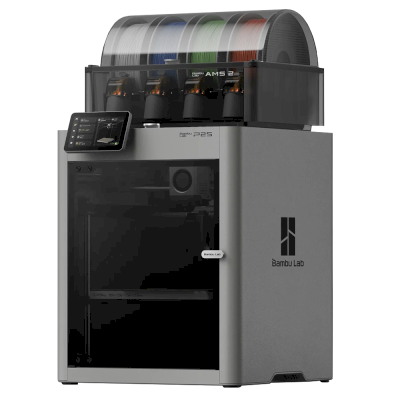
Choose the Centauri Carbon 2 for one of the cheapest ways into enclosed four-colour CoreXY printing: Tom's Hardware rated it 4/5, TechRadar recommended it and scored its prints 29 of 30. Every review we found tested the Combo. If you only print one colour, Tom's Hardware and TechRadar both say the original Centauri Carbon is still a superb, cheaper pick. The Bambu Lab P2S Combo costs much more and may be a bit more polished (Tom's Hardware). In Aurora Tech's tests the Creality K2 Pro printed faster with a cleaner surface but purged about twice as much, and a tool changer such as the Snapmaker U1 was far faster at multi-colour with almost no waste.
Ventajas
Fully enclosed with a 350 degree C hardened-steel nozzle: Tom's Hardware printed PAHT-CF and polycarbonate without warping, and Aurora Tech printed PPS-CF and ABS.
Four colours for little money with the Combo's Canvas unit, which Aurora Tech ran through over 2,000 colour changes and found faster and less wasteful than first-generation AMS-style systems.
Accurate, clean prints: TechRadar scored it 29 of 30 in its print tests, with very little colour contamination.
Quiet for an enclosed printer (Elegoo says 45 dB; Notebookcheck measured 44-47 dB), with a glass door and an excellent camera with AI detection (Tom's Hardware).
Needs no cloud account (Tom's Hardware), so it can stay on your own network.
Works with SimplyPrint through the SimplyPrint Client, for one queue and remote monitoring across your printers.
Desventajas
Elegoo's software lags the hardware: Notebookcheck had unreliable connections from ElegooSlicer and the Matrix app, print-time estimates were off by up to about 20% (Notebookcheck, Aurora Tech), and TechRadar calls the slicer locked down.
Multi-colour prints waste a lot of filament in purge (Notebookcheck, TechRadar), and the spools sit outside the enclosure with no drying, so damp filament shows (TechRadar).
Its monitoring can cry wolf: Notebookcheck saw false spaghetti alerts, and Aurora Tech saw false unload errors that paused prints until someone pressed continue.
No heated chamber, and with high-temperature filaments the loading routine is too cool to clear PC or PA (Tom's Hardware) and the Z offset runs low (Aurora Tech).
The side spool holders suit Elegoo spools but not some other brands, and the cold plate is not sticky enough (Tom's Hardware).
A quién va dirigido
Centros educativosBuena opción
Enclosed with a glass door, quiet and self-calibrating, with a good camera; Elegoo's software and alerts are still uneven, and SimplyPrint adds queue approval and control over who can start prints.
AficionadosExcelente opción
Four colours, engineering filaments and an enclosure for $449 at launch; Tom's Hardware, TechRadar and Aurora Tech all rate it highly for value.
EmpresasBuena opción
TechRadar says it lives up to expectations for small businesses making functional parts, and it needs no cloud; the build cube is small and Elegoo's software still needs work.
Granjas de impresiónPuede funcionar
Cheap per machine and works with SimplyPrint through the Client, but false alerts can pause prints, multi-colour purges a lot, and no AutoPrint plate-swapping kit is listed for it.
Compara ELEGOO Centauri Carbon 2 Combo con impresoras similares
Impresoras del mismo fabricante, de tamaño similar, que imprimen los mismos materiales técnicos o en multimaterial, que puedes comprar hoy. Compara hasta cuatro una junto a otra, con sus especificaciones y cómo se conecta cada una.
Quién fabrica ELEGOO Centauri Carbon 2 Combo y cuánta libertad te da ELEGOO: si sus impresoras funcionan sin su nube, aceptan cualquier filamento y slicer, y se pueden reparar. Cada área se valora con fuentes públicas.
Apertura: Mayormente abierta (3.8 de 5)
Mayormente abierta
Ecosistema cerradoAbrir
ELEGOO is a Shenzhen company founded in 2015 that makes FDM and resin 3D printers, filament, laser engravers and STEM electronics kits. Its FDM range is the Centauri Carbon, an enclosed CoreXY printer, and the Neptune 4 series of open-frame Klipper printers, sold to hobbyists at budget to mid-range prices. DJI became a shareholder in 2025.
Fundada:
2015 ·
Sede central:
Shenzhen, China ·
Propiedad:
Privately held through its parent, Shenzhen Zhinengpai (SmartPie) Technology; DJI became a shareholder in 2025 ·
Sitio web:www.elegoo.com
ELEGOO is fairly open in daily use: its printers work over the LAN with open slicers and any filament, and it now publishes firmware source. Source releases have followed community pressure rather than launch, and spare parts for the newest printers are thin in its store.
Firmware y firmware personalizado ●●●●●
The Neptune 4 series runs Klipper. For the Centauri Carbon, which went on sale in February 2025, ELEGOO published its modified source on GitHub under GPL-3.0 in September 2025, saying it did so in response to user feedback.
[1][2][3][4]
Control local e integraciones ●●●●●
ELEGOO's printers connect to its slicer on the local network by IP without an account. The Neptune 4 series serves Klipper's web interface and Moonraker, which OrcaSlicer reaches as an Octo/Klipper host. For the Centauri Carbon and Centauri Carbon 2, ELEGOO published Elegoo Link on GitHub in January 2026, an Apache-2.0 SDK for local discovery, status, file upload and print control. The Matrix phone app adds remote printing while the printer is online.
[5][4][16][6][17]
Filamento, slicers y piezas de terceros ●●●●●
Third-party filament works; ElegooSlicer is an open-source OrcaSlicer-based slicer, OrcaSlicer works with the Neptune 4, and ELEGOO published the data format of its RFID filament tags so others can use it.
[7][8][4]
Reparaciones y repuestos ●●●●●
ELEGOO sells hotend, extruder and nozzle kits and some boards for the Neptune 4, and its wiki has many replacement guides, including the Centauri Carbon motherboard. The store's Centauri Carbon parts list is short (hotend kit, touchscreen, upper shell).
[9][10][11]
Datos y privacidad ●●●●●
LAN printing needs no account; the Matrix app and cloud do. The privacy policy names the companies responsible for personal data in each region (Shenzhen, Hong Kong, United States) but is written mainly for the online store.
[12][5]
Comunidad y documentación ●●●●●
Active community and a wiki with guides per model; firmware and slicer sources are on GitHub, although the Centauri Carbon source came after users asked for it.
[11][7][1]
Ventajas
Works on the local network with ElegooSlicer or OrcaSlicer, with no account needed.
Open-source slicer and a published RFID tag format for filament.
Many step-by-step replacement guides in its wiki.
Offered owners compensation when the Centauri Carbon multi-colour add-on was delayed.
Desventajas
Centauri Carbon firmware source came about seven months after sales began, after users asked.
The Centauri Carbon's multi-colour add-on only became available in April 2026, after ELEGOO said in November 2025 it could not give a date.
Few complete Centauri Carbon parts are listed in its store.
The privacy policy is written mainly for the online store.
Trayectoria
mayo 2026: ELEGOO's parent closed a B+ financing round of over 500 million yuan (about $73 million) from investors including Meituan, Hillhouse Capital and Shenzhen Capital Group. It reported 2025 revenue of 2.3 billion yuan.
[13]
27 de abril de 2026: CANVAS, the multi-colour system for the Centauri Carbon, became available, five months after ELEGOO said it could not give a release date.
[14]
18 de noviembre de 2025: DJI and Hangzhou Jiangyu Technology became shareholders of ELEGOO's parent company, according to a business registration update reported by TechNode. The size of the stake was not disclosed.
[15]
noviembre 2025: ELEGOO said the multi-colour system it was developing for the Centauri Carbon did not yet perform as it wanted and that it could not guarantee a release date. It offered owners a choice of a $50 filament coupon, a 365-day warranty extension or $80 off a Centauri Carbon 2 Combo.
[14]
26 de septiembre de 2025: In response to user feedback, ELEGOO published the modified source code of the Centauri series firmware on GitHub under GPL-3.0.
[1][2]
febrero 2025: ELEGOO opened pre-orders for the Centauri Carbon, its first enclosed CoreXY printer, on 17 February 2025.
[3]
Investigado a partir de 17 fuentes, última comprobación: 18 de octubre de 2026. Mostrar fuentes
¿La ELEGOO Centauri Carbon 2 Combo es compatible con SimplyPrint?
Sí. Puedes conectar la ELEGOO Centauri Carbon 2 Combo a SimplyPrint mediante Cliente de SimplyPrint, y después laminar, poner en cola, iniciar y supervisar impresiones desde tu navegador o la aplicación móvil.
¿Cómo conecto la ELEGOO Centauri Carbon 2 Combo a SimplyPrint?
Sigue nuestra guía de configuración paso a paso para ELEGOO Centauri Carbon 2 Combo. Te muestra cómo conectarla mediante Cliente de SimplyPrint, qué necesitas para cada opción y cuál elegir.
¿Qué slicer debo usar para la ELEGOO Centauri Carbon 2 Combo?
Recomendamos ElegooSlicer para la ELEGOO Centauri Carbon 2 Combo. Puedes usarlo, junto con 6 slicers adicionales, directamente en el slicer online de SimplyPrint: sin instalar nada, en cualquier dispositivo y con los perfiles de la ELEGOO Centauri Carbon 2 Combo actualizados automáticamente.
¿Puedo usar OrcaSlicer con ELEGOO Centauri Carbon 2 Combo?
Sí. OrcaSlicer incluye un perfil para ELEGOO Centauri Carbon 2 Combo y puedes usarlo en el slicer en línea de SimplyPrint, así que no tienes que instalar nada.
Según sus especificaciones (hotend hasta 350C y cama caliente hasta 110C), la ELEGOO Centauri Carbon 2 Combo trabaja bien con PLA, PETG, TPU y flexibles o ABS & ASA. Consulta arriba la guía completa de filamentos para ABS, nailon, PC y compuestos.
¿La ELEGOO Centauri Carbon 2 Combo funciona con OctoPrint o Klipper?
Que sepamos, no, pero tampoco necesitas ninguno de los dos: SimplyPrint se conecta con ELEGOO Centauri Carbon 2 Combo mediante Cliente de SimplyPrint.
¿Cuál es el tamaño de la cama y el volumen de impresión de ELEGOO Centauri Carbon 2 Combo?
La ELEGOO Centauri Carbon 2 Combo tiene una cama de impresión de 256 x 256 mm e imprime piezas de hasta 256 mm de alto, con un volumen de impresión de unos 256 x 256 x 256 mm. Consulta la tabla de especificaciones completa de arriba para ver el tipo de cama, temperaturas y más.
¿Cuándo salió ELEGOO Centauri Carbon 2 Combo?
ELEGOO lanzó el modelo Centauri Carbon 2 Combo el 26 de enero de 2026.
Aún no hay un kit compatible para ella, pero AutoPrint de SimplyPrint puede expulsar impresiones con el cabezal o ejecutar tu propio G-code de expulsión, y después iniciar el siguiente trabajo de tu cola.
¿Dónde puedo comprar la ELEGOO Centauri Carbon 2 Combo?
Desde la tienda de ELEGOO, que tiene tiendas para Australia, Canadá, La UE, El Reino Unido, EE. UU. y en cualquier otro lugar. Los enlaces de esta página llevan a esas tiendas; algunos son enlaces de afiliados, por lo que podemos recibir una comisión sin coste adicional para ti.
Aviso de afiliación: algunos enlaces de esta página son enlaces de afiliados. Podemos recibir una comisión si realizas una compra, sin coste adicional para ti. Como asociados de Amazon, obtenemos ingresos por las compras que cumplen los requisitos.
 China
China
 Cliente de SimplyPrint




 PrusaSlicer
 BambuStudio
 CrealityPrint
 Cura
Cura Kiri:Moto




 Mejor opción para EE. UU.: tienda de ELEGOO para EE. UU.
 ELEGOO para Australia
 ELEGOO para Canadá
 ELEGOO para La UE
 ELEGOO para El Reino Unido