在Rat Rig V-Core 4.0 IDEX (300mm)上设置 SimplyPrint:Creality Sonic Pad方式
此打印机采用Creality Sonic Pad设置。按照步骤将您的Rat Rig V-Core 4.0 IDEX (300mm) 3D 打印机连接到 SimplyPrint。
/product_photo_md.png?67b5c743ab3a3)
[simplyprint] to the moonraker.conf config filemoonraker.conf file
moonraker.conf, user.moonraker.conf, moonraker.generated.config, or a custom filename. If moonraker.conf isn't present, edit whichever file Moonraker is actually loading on your printer.[simplyprint] 添加到文件末尾(上方留一个空行)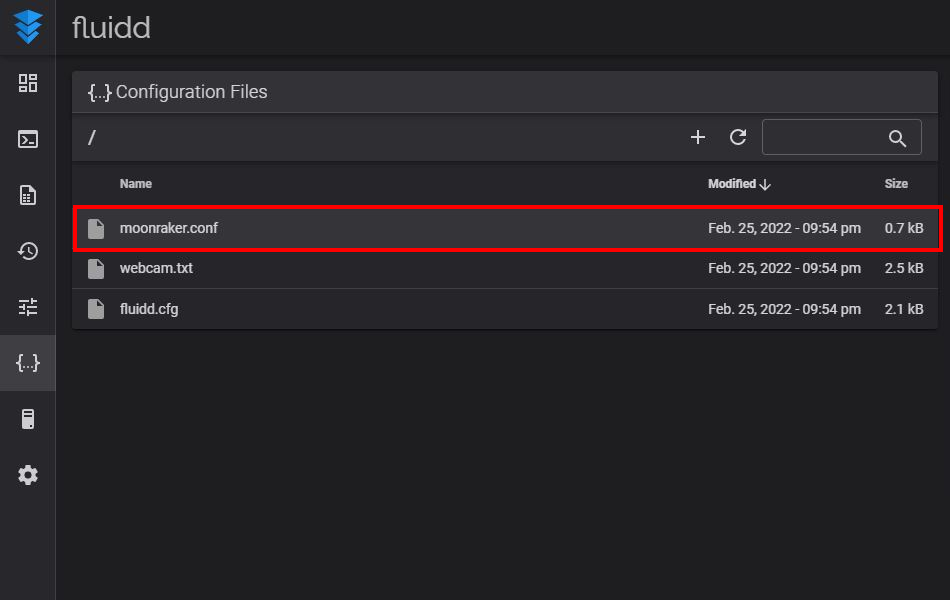
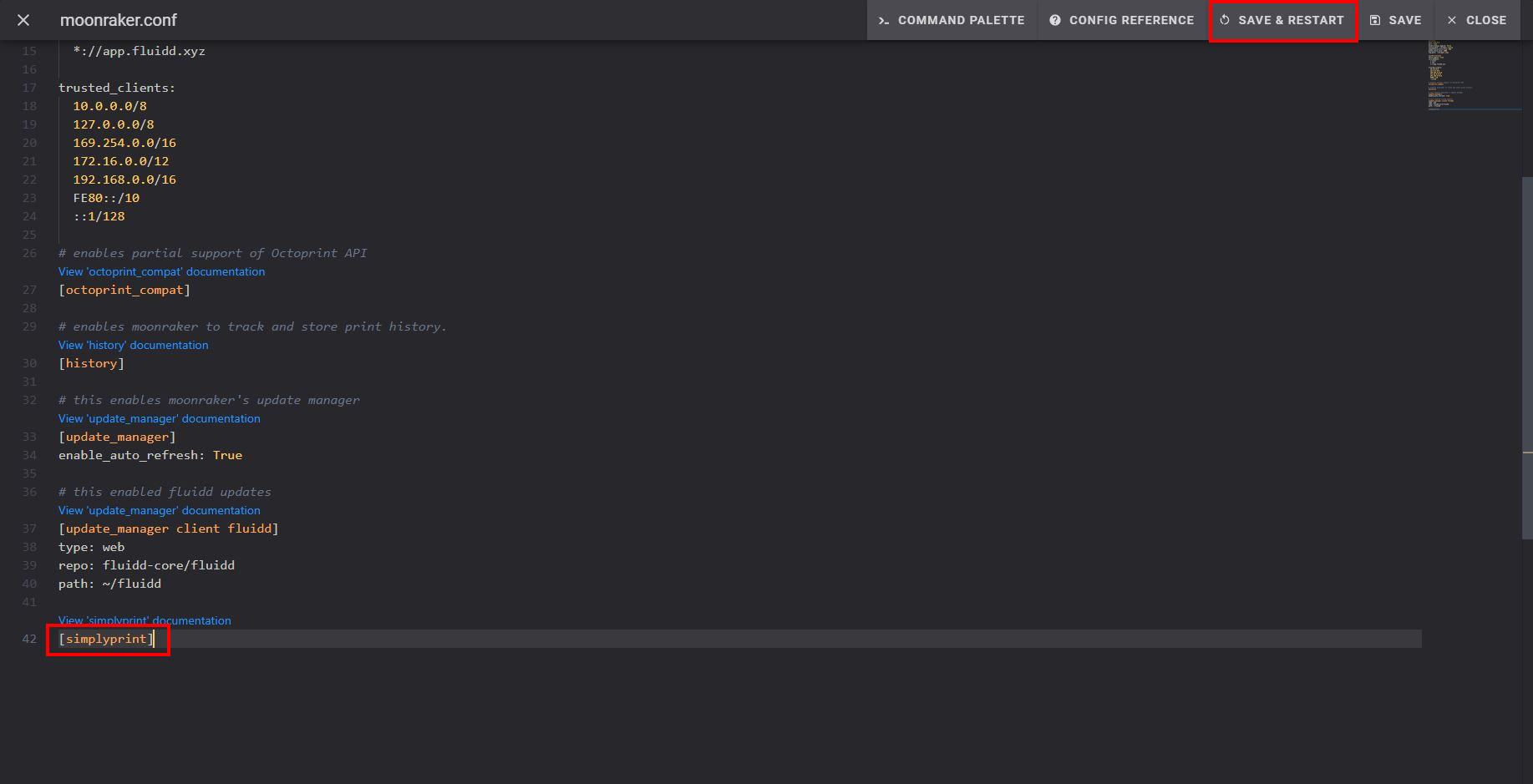
保存并重启后,您的打印机应该会自动出现在 SimplyPrint 中!
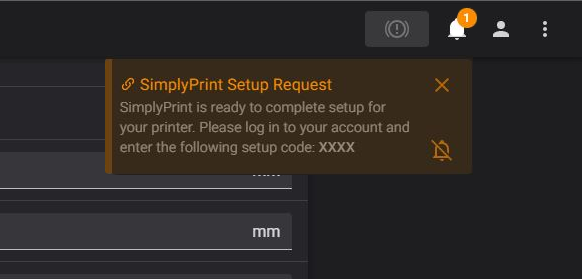
如果您的打印机未出现在待处理打印机中:
如果您与打印机不在同一网络下(出口IP不同),可能会出现此情况。此时请使用设置代码:
仍然遇到问题? 请查看我们的指南:设置过程中未检测到打印机/找不到设置代码。