
Zapier
Conecta SimplyPrint con más de 7000 aplicaciones y automatiza tus flujos de trabajo de impresión 3D, sin necesidad de programar
Conectar en Zapier Leer la guía de configuración completa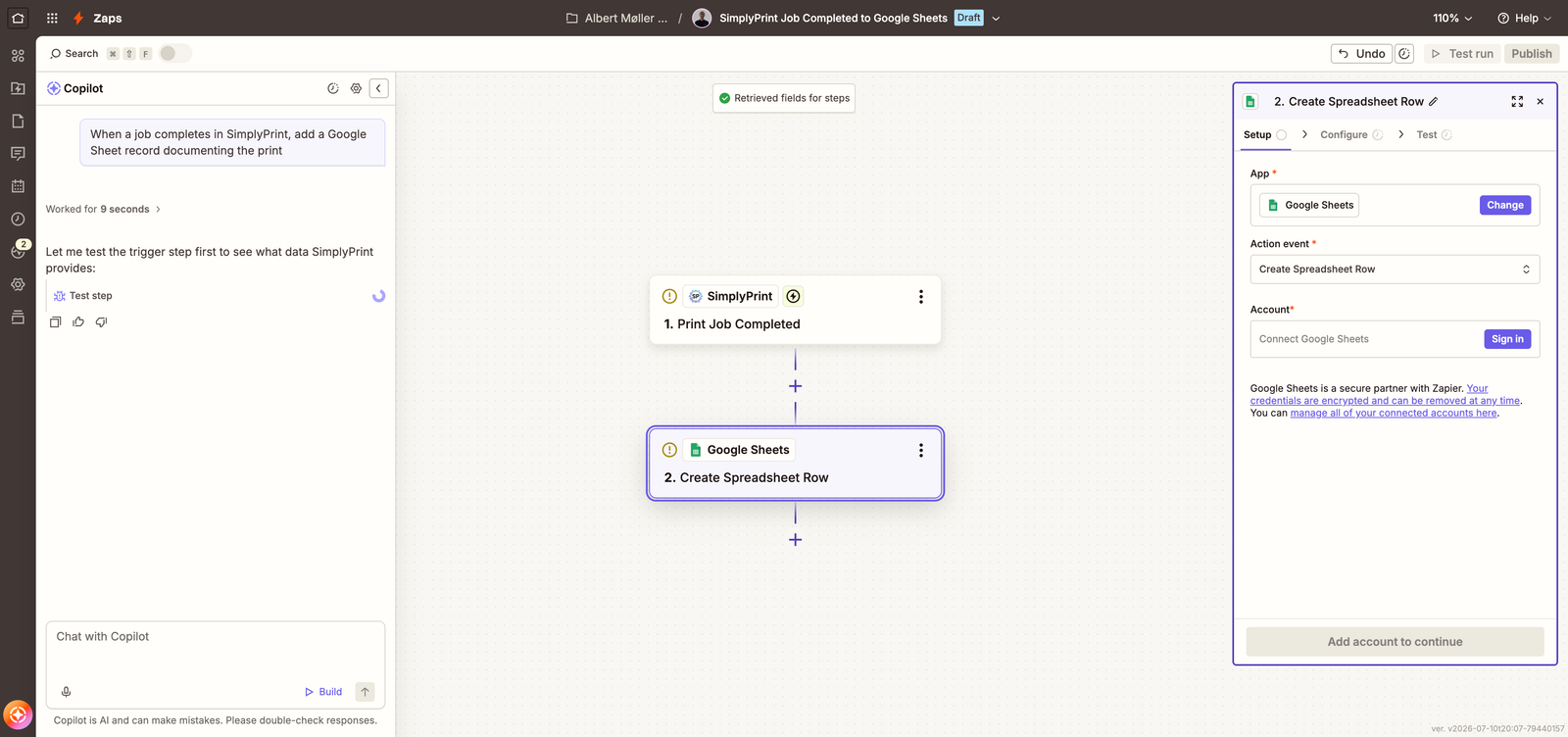
Conecta SimplyPrint con más de 7000 aplicaciones y automatiza tus flujos de trabajo de impresión 3D, sin necesidad de programar
Conectar en Zapier Leer la guía de configuración completa
SimplyPrint no está avalado por Zapier ni afiliado a esta marca. Usamos marcas registradas e imágenes únicamente para indicar la compatibilidad con nuestra plataforma. El uso de hardware de Zapier con SimplyPrint puede no ser el previsto por Zapier. Todos los derechos pertenecen a sus respectivos propietarios.
With the SimplyPrint + Zapier integration, you can connect SimplyPrint to thousands of apps you already use - Slack, Google Sheets, Discord, Gmail, Airtable, Notion, Trello, ShipStation and more - and automate workflows without writing a single line of code.
Set up triggers like print job completed, print job failed, queue item added, or spare part low stock, and have Zapier run the actions you want: post to a channel, log to a spreadsheet, send an invoice, notify a customer, or kick off a new job in SimplyPrint.
Zapier's builder is embedded below: pick a suggested SimplyPrint Zap or start from scratch, connect your apps, and you're automated in minutes - without leaving this page.
The builder is served by Zapier - it's Zapier's own embed, not something SimplyPrint built or tracks you with. It only loads on this page, and only after you choose to load it.
Tell Copilot what you want in plain English - "when a job completes in SimplyPrint, add a Google Sheet record documenting the print" - and it assembles the trigger and actions for you.
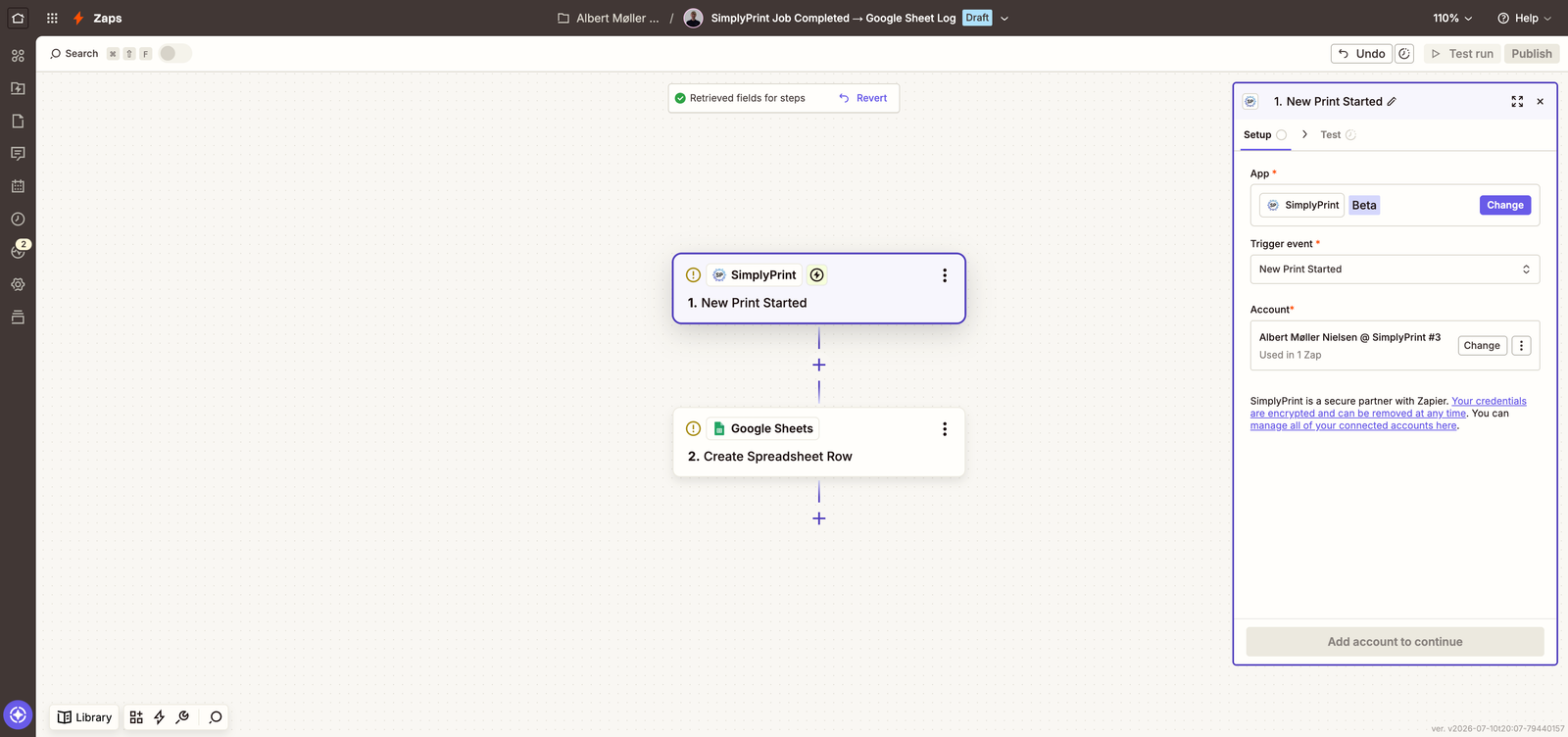
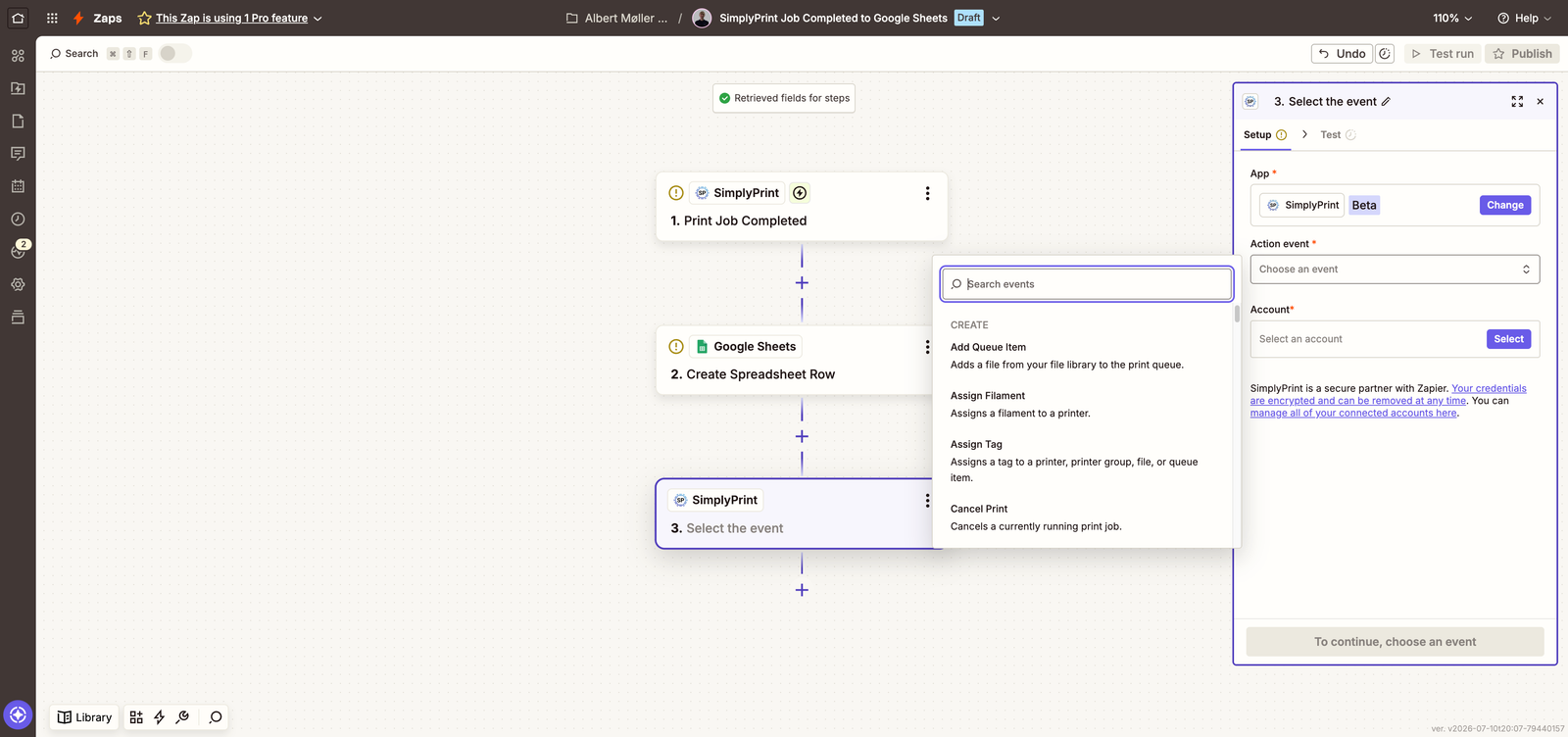
Sped-up recording of Zapier Copilot building a SimplyPrint Zap. The video is hosted on our own CDN - nothing loads from Zapier until you opt in above.
Abrir la aplicación de SimplyPrint en Zapier
Ve a la aplicación SimplyPrint en Zapier o utiliza el creador integrado situado más arriba en esta página y haz clic en Conectar.
Iniciar sesión y aprobar el acceso
Inicia sesión con tu cuenta de SimplyPrint (plan Pro o superior) y aprueba los permisos que solicita Zapier. La conexión usa OAuth2, está limitada a tu usuario y puedes revocarla en cualquier momento.
Elegir un Zap o empezar desde cero
Elige uno de los Zaps sugeridos de SimplyPrint, crea tu propia combinación de activador y acción o describe a Zapier Copilot lo que quieres.
Probar y activar
Ejecuta la prueba integrada y activa el Zap. Los disparadores se ejecutan pocos segundos después del evento y se entregan como webhooks en tiempo real.
Cualquier flujo que empiece con un evento de SimplyPrint o deba terminar con una acción de SimplyPrint. Zaps populares: publicar en Slack o Discord al terminar una impresión, registrar cada trabajo completado en Google Sheets, enviar un correo al cliente cuando termine su pieza en cola o añadir un elemento a la cola desde un pedido de comercio electrónico.
La integración con Zapier está incluida desde el plan SimplyPrint Pro, al igual que el acceso a la API. En Zapier, una cuenta gratuita es suficiente para empezar.
En cuestión de segundos. Los activadores de SimplyPrint se envían mediante webhooks en tiempo real, sin sondeos, por lo que los Zaps se ejecutan justo después del evento con cualquier plan de Zapier. Además, los webhooks creados por la integración funcionan con cualquier plan de SimplyPrint que la incluya.
Sí. Zapier se conecta mediante OAuth2 con tokens por usuario y permisos limitados: tú autorizas exactamente lo que Zapier puede hacer, no tienes que pegar claves API en ningún sitio y puedes revocar el acceso en cualquier momento desde tu cuenta de SimplyPrint.
Más de 50 activadores para trabajos de impresión, impresoras, cola, filamento, mantenimiento y facturación, y unas 60 acciones como iniciar una impresión, añadir a la cola, enviar G-code y gestionar filamento, archivos y etiquetas.
No. Los Zaps se crean visualmente y Zapier Copilot puede montar uno a partir de una descripción en lenguaje natural, como "cuando termine un trabajo en SimplyPrint, registrarlo en una hoja de Google".
La integración con SimplyPrint permite que las aplicaciones interactúen con tus impresoras 3D y que tus impresoras 3D interactúen con otras aplicaciones. Esto abre infinitas posibilidades y creemos firmemente que tu impresora 3D debería poder funcionar como un dispositivo IOT, colaborando con todas las aplicaciones que imagines.
Por eso el equipo detrás de SimplyPrint trabaja para ofrecer integraciones oficiales con las plataformas, slicers y aplicaciones más populares, además de permitir a nuestros usuarios crear integraciones personalizadas con nuestra API, o a proveedores externos aprobados crear integraciones para todos los usuarios de SimplyPrint, mediante el método "Iniciar sesión con SimplyPrint" (con el método "OAuth2").
Si eres desarrollador y te interesa crear una integración para SimplyPrint, consulta nuestra documentación sobre el tema.
Si no eres desarrollador pero te gustaría ver una integración para una aplicación concreta, consulta si ya está en nuestra hoja de ruta o lista de sugerencias y, si no, no dudes en sugerirla!