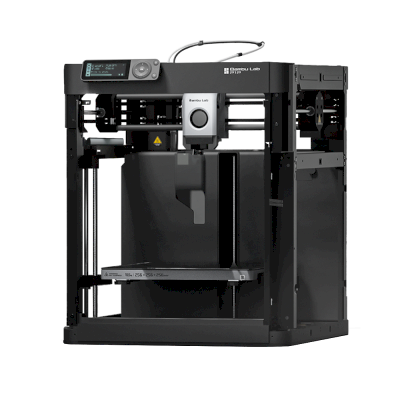
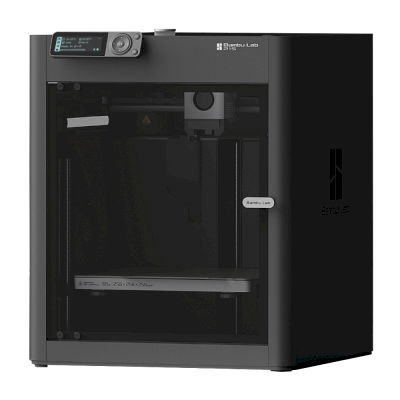
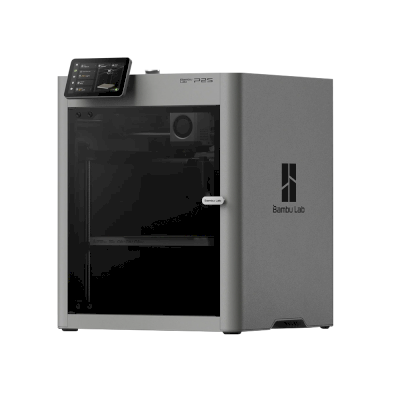
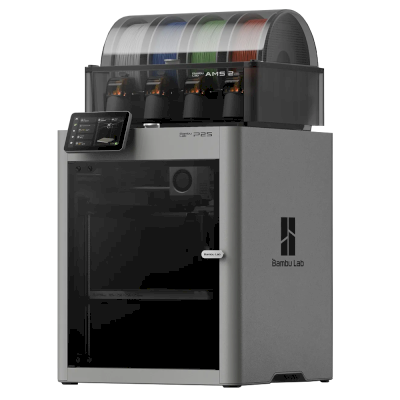
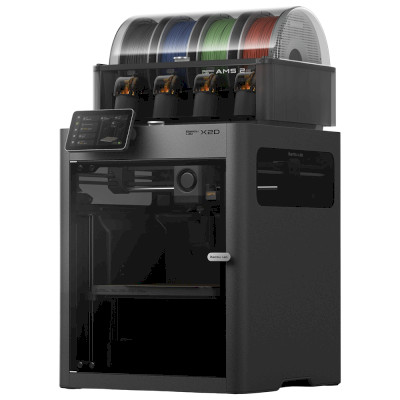
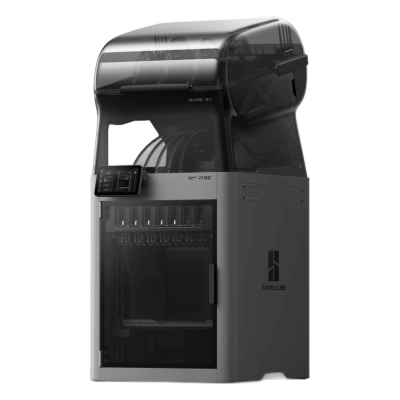
Bambu Lab's second tool changer: a smaller, cheaper H3C with a 256 × 256 × 260 mm bed, seven tool slots with five 0.4 mm PrintTools fitted, and the AMS 3P on top holding seven spools. It is built for multicolor and mixed-material printing, including very soft TPU with the optional 2.85 mm tool.
Bambu Lab P3C 3D yazıcı SimplyPrint, OctoPrint, Mainsail ve Fluidd ile çalışır mı?
Her bağlantı yöntemi, gereksinimleri ve kurulumu.
SimplyPrint İstemcisi
Çalışması bekleniyor
A smaller version of the Bambu Lab H3C, built on the same tool-changing platform. The H3C works with SimplyPrint through the SimplyPrint Client, so the P3C is expected to connect the same way. Not confirmed on the P3C yet.
Yalnızca LAN modunda SimplyPrint İstemcisi üzerinden bağlandığında, SimplyPrint'in Bambu Lab P3C'ın diğer yazılımlara izin verdiği her şeyi desteklemesi beklenir: kamera ve yapay zekâ hata algılama, Uzaktan yazdırma, Nesne atlama, Sıcaklık ve hareket kontrolü, çok malzemeli ünitesi için filament eşlemesi ve AutoPrint. Tek istisna, Bambu Lab P3C'ın diğer yazılımların yapmasına izin vermediği özelliklerdir: Baby stepping, Tabla dengeleme ve Z-Offset kalibrasyonu. Aşağıdaki tablo, SimplyPrint'e bağlanmanın iki yolunu karşılaştırır.
SimplyPrint'e her bağlanma yöntemi için tüm SimplyPrint özellikleri
SimplyPrint'e şu yolla bağlandı
SimplyPrint özelliği
SimplyPrint İstemcisi (Yalnızca LAN modu, önerilir)
Çalışması bekleniyor
SimplyPrint İstemcisi (Bulut modu)
Çalışması bekleniyor
İzleme
Canlı durum ve ilerleme
Evet
Evet
Webcam
Evet
Evet
AI hata tespiti
Evet
Evet
Kalan süre
Evet
Evet
Katman ilerlemesi
Evet
Evet
Sıcaklıklar
Evet
Evet
Yazdırılıyor
Baskı başlatma
Evet
Bağlıdır1
Duraklat, devam et ve iptal et
Evet
Bağlıdır1
Nesneleri atla
Evet
Bağlıdır1
Baskı başlatma seçenekleri
Evet
Bağlıdır1
Dosyalar
Dilimlenmiş 3MF dosyalarını yazdır
Evet
Evet
Yazıcı kontrolü
Sıcaklıkları değiştir
Evet
Bağlıdır1
Kontrollerle hareket ettirme
Evet
Bağlıdır1
Başlangıç konumuna alma
Evet
Bağlıdır1
Ekstrüde et ve geri çek
Evet
Bağlıdır1
Baskı hızını değiştir
Evet
Bağlıdır1
Fan hızı
Evet
Bağlıdır1
Baby stepping
Yazıcı tarafından sunulmuyor2
Yazıcı tarafından sunulmuyor2
G-code gönder
Evet
Bağlıdır1
Kalibrasyon
Filamenti değiştir
Evet
Bağlıdır1
Tabla dengeleme
Yazıcı tarafından sunulmuyor2
Yazıcı tarafından sunulmuyor2
Z-Offset kalibrasyonu
Yazıcı tarafından sunulmuyor2
Yazıcı tarafından sunulmuyor2
Çok malzemeli
Filamenti çok malzemeli yuvalara eşleştir
Evet3
Evet3
Çoklu malzeme ünitesindeki yüklü filamentle eşitle
Evet3
Evet3
Otomasyon
AutoPrint
Pro
Evet
Bağlıdır1
Baskı başlamadan dosyayı indir
Evet
Yazıcı tarafından sunulmuyor2
SimplyPrint'e SimplyPrint İstemcisi (Yalnızca LAN modu, önerilir) üzerinden bağlandı
Çalışması bekleniyor
İzleme
Canlı durum ve ilerlemeEvet
WebcamEvet
AI hata tespitiEvet
Kalan süreEvet
Katman ilerlemesiEvet
SıcaklıklarEvet
Yazdırılıyor
Baskı başlatmaEvet
Duraklat, devam et ve iptal etEvet
Nesneleri atlaEvet
Baskı başlatma seçenekleriEvet
Dosyalar
Dilimlenmiş 3MF dosyalarını yazdırEvet
Yazıcı kontrolü
Sıcaklıkları değiştirEvet
Kontrollerle hareket ettirmeEvet
Başlangıç konumuna almaEvet
Ekstrüde et ve geri çekEvet
Baskı hızını değiştirEvet
Fan hızıEvet
Baby steppingYazıcı tarafından sunulmuyor2
G-code gönderEvet
Kalibrasyon
Filamenti değiştirEvet
Tabla dengelemeYazıcı tarafından sunulmuyor2
Z-Offset kalibrasyonuYazıcı tarafından sunulmuyor2
Çok malzemeli
Filamenti çok malzemeli yuvalara eşleştirEvet3
Çoklu malzeme ünitesindeki yüklü filamentle eşitleEvet3
Otomasyon
AutoPrint ProEvet
Baskı başlamadan dosyayı indirEvet
SimplyPrint'e SimplyPrint İstemcisi (Bulut modu) üzerinden bağlandı
Çalışması bekleniyor
İzleme
Canlı durum ve ilerlemeEvet
WebcamEvet
AI hata tespitiEvet
Kalan süreEvet
Katman ilerlemesiEvet
SıcaklıklarEvet
Yazdırılıyor
Baskı başlatmaBağlıdır1
Duraklat, devam et ve iptal etBağlıdır1
Nesneleri atlaBağlıdır1
Baskı başlatma seçenekleriBağlıdır1
Dosyalar
Dilimlenmiş 3MF dosyalarını yazdırEvet
Yazıcı kontrolü
Sıcaklıkları değiştirBağlıdır1
Kontrollerle hareket ettirmeBağlıdır1
Başlangıç konumuna almaBağlıdır1
Ekstrüde et ve geri çekBağlıdır1
Baskı hızını değiştirBağlıdır1
Fan hızıBağlıdır1
Baby steppingYazıcı tarafından sunulmuyor2
G-code gönderBağlıdır1
Kalibrasyon
Filamenti değiştirBağlıdır1
Tabla dengelemeYazıcı tarafından sunulmuyor2
Z-Offset kalibrasyonuYazıcı tarafından sunulmuyor2
Çok malzemeli
Filamenti çok malzemeli yuvalara eşleştirEvet3
Çoklu malzeme ünitesindeki yüklü filamentle eşitleEvet3
Otomasyon
AutoPrint ProBağlıdır1
Baskı başlamadan dosyayı indirYazıcı tarafından sunulmuyor2
Çalışır
Bağlıdır
Desteklenmiyor
Yazıcı tarafından sunulmuyor
2025 ve sonraki Bambu Lab bellenimleri, bulut modunda yalnızca izlemeye izin verir: baskıları başlatmak ve yazıcıyı kontrol etmek için yalnızca LAN modunu kullanın. Eski bellenimler hâlâ her ikisine de izin verir.
Yazıcı bunu diğer yazılımlara sunmaz.
Çok malzemeli ünite gerektirir
Bambu Lab P3C için hangi slicer kullanılmalı
Bambu Lab yazıcıları, Bambu Lab'in kendi slicer'ı olan BambuStudio'ı kullanır. Bulutumuzda Bambu Lab P3C için henüz hazır profil yok.
Yalnızca SimplyPrint bulutunda kullanabileceğiniz slicerları listeliyoruz, bu nedenle Bambu Lab P3C için başka seçenekler olabilir.
Bambu Lab P3C için bulut tabanlı slicer: BambuStudio'ı çevrimiçi kullanın
Tarayıcınızda doğrudan BambuStudio ve diğer slicer'ları, SimplyPrint'in çevrimiçi bulut slicer'ıyla kullanın. Kurulum gerekmez. Dünyanın her yerinde, herhangi bir cihazdan Bambu Lab P3C modellerinizi dilimleyin!
Not:Simplify3D, ideaMaker, SuperSlicer ve KISSlicer gibi diğer slicer'lar bulutumuzda yok, bu nedenle profillerini takip etmiyoruz. Yine de Bambu Lab P3C ile iyi çalışabilirler: profil için slicer'ın kendi belgelerine veya forumlarına bakın. Ayrıca GitHub'daki açık kaynaklı slicer profil veritabanımıza profil ekleyebilirsiniz.
Bambu Lab P3C için uygulama
SimplyPrint, Bambu Lab P3C uygulaması olarak çalışır: telefonunuzda ve tüm tarayıcılarda, buluttaki slicer ile.
SimplyPrint ile neler elde edersiniz
iPhone ve Android için bir uygulama, her tarayıcıda aynı deneyim ve bulutta bir slicer.
İzlemeden fazlası: baskı kuyruğu, yapay zeka destekli hata algılama, AutoPrint ve bir ekip için hesaplar.
Henüz SimplyPrint'de Bambu Lab P3C için plaka değiştirici veya otomatik çıkarma kiti yok, ancak AutoPrint yine de yazıcının baskı yapmayı sürdürmesini sağlar: baskı plakası boşaldığında, kuyruğunuzdaki sonraki işi başlatır.
Kapalı yazıcılar baskılarını dışarı iter
Bambu Lab P3C'in tablası kabininde yalnızca yukarı aşağı hareket eder; bu nedenle plaka değiştirmek yerine, bu tür kitler baskı tamamlandığında ön kapıyı sizin için açar ve baskı kafasının soğumuş baskıyı plakadan itip dışarı çıkarmasını sağlar.
Evet
Kullanılabilir seçenekler: Use AMS, Bed Leveling, Flow Calibration, Timelapse
Yazıcı
Yazıcı üreticisi / markası
Bambu Lab
Yazıcı modeli adı
P3C
Üretici şirketin menşei
Çin
Yayınlandı
24 Kasım 2026
Hâlâ üretiliyor
Evet
Sorumluluk reddi:
Bu bilgiyi olabildiğince güncel ve doğru tutmaya çalışıyoruz, ancak eksiksizliğini veya güvenilirliğini garanti edemeyiz. Verilerimiz kullanıcı gönderimlerine ve üretici referanslarına dayanmaktadır.
Bambu Lab P3C hangi filamentlerle baskı yapabilir?
Bambu Lab P3C için filament uyumluluğu: Bambu Lab'in bu yazıcı için listelediği malzemeler.
Filament
Uygunluk
Notlar
PLA
Harika
Üreticinin bu yazıcı için malzeme listesinde.
PETG
Harika
Üreticinin bu yazıcı için malzeme listesinde.
TPU ve esnek malzemeler
Harika
Üreticinin bu yazıcı için malzeme listesinde.
ABS & ASA
Harika
Üreticinin bu yazıcı için malzeme listesinde.
Nylon (PA)
Harika
Üreticinin bu yazıcı için malzeme listesinde.
Polycarbonate (PC)
Harika
Üreticinin bu yazıcı için malzeme listesinde.
Karbon fiber ve cam dolgulu
Harika
Üreticinin bu yazıcı için malzeme listesinde.
İpucu: bu, yazıcının teknik özelliklerine dayanan genel bir kılavuzdur. Filamentinizin önerilen ayarlarını mutlaka kontrol edin. SimplyPrint ile her makara için profil kaydedebilir ve stoktaki filamentinizi tam olarak takip edebilirsiniz.
Bambu Lab P3C için en iyi filament
Bambu Lab P3C ile iyi baskı yapan filamentler, önce Bambu Lab'in kendi filamentleri, ardından en bilinenler.
The same tools and excellent TPU printing as the H3C at about half the price, with quick color changes, mixed nozzle sizes and materials in one print, and hardened steel nozzles. It drops the heated chamber, filament dryer and automatic filament loading; loading filament is tedious, swapping tools is fiddly, and it is tall enough to need a step stool for the back slots.
“The Bambu Lab P3C is best for anyone who wants poop-free multicolor, multi-material printing without paying H3C money.”
CNC Kitchen · 24 Kasım 2026
Sponsored by VoxelPLA (disclosed). Tool changes of 6-7 seconds and multicolor and multi-material quality matched only by the H3C, plus very soft TPU through the 2.85 mm tool. The biggest downside is manual filament loading: changing all seven spools takes about five minutes. ABS, ASA, nylon and PC print well, but with no heated chamber PPA and PPS are out.
Tested · 24 Kasım 2026
After a week and a half: thousands of tool swaps without a failed pickup and very good full-color prints, at a price below the X1C's launch price. Filament is loaded and unloaded by hand, the filament dryer is an optional extra, and it needs about 45 inches of height with the AMS lid open. He sees it as a printer for multicolor and aesthetic prints rather than engineering parts.
Bambu Lab P3C ne zaman seçilmeli
Choose it when you print five or more colors or mix materials often and the H3C costs too much: tool changes take about 6-7 seconds and print quality is close to the H3C's. It starts at $1,149 with five tools; the two empty slots take extra tools at about $100 each. Filament is loaded and unloaded by hand, so it suits people who keep the same spools loaded. If you mostly print one or two colors, a dual-nozzle printer or a cheaper four-tool printer does the job for less; for PPA, PPS or other high-temperature materials, the H3C's heated chamber and 350 °C nozzles are the better fit.
Artılar
Tool changes in about 6-7 seconds, so multicolor prints are much faster than on a single-nozzle printer.
Very good print quality, close to the H3C's, at less than half its price.
An optional 2.85 mm tool prints very soft TPU, and soft and rigid materials can be combined in one print.
Different nozzle sizes and materials can be mixed in one print, and all nozzles are hardened steel.
Enclosed, with a particle and activated-carbon filter that recirculates the air when printing ABS or ASA.
Expected to work with SimplyPrint through the SimplyPrint Client, like the H3C.
Eksiler
Filament is loaded and unloaded by hand: there are no feed motors, and changing all seven spools takes about five minutes.
Ships with five tools; filling the other two slots costs about $100 per tool, and the filament dryer is an optional extra.
No heated chamber and a 300 °C nozzle limit, so high-temperature materials such as PPA and PPS are out.
Tall: about 94 cm with the AMS closed and 1.2 m of height needed to open its lid.
Wi-Fi only: there is no Ethernet port.
Each tool change still primes a little filament onto a prime tower.
Kimler için uygun
OkullarÇalışabilir
Enclosed and filtered, but manual filament loading and fiddly tool swaps add work for a classroom.
Hobi kullanıcılarıMükemmel uyum
The most affordable way into Bambu Lab's fast tool changing for multicolor prints and soft TPU.
İşletmelerİyi uyum
Multi-material parts and breakaway supports work well, but no heated chamber for high-temperature materials.
Baskı çiftlikleriÇalışabilir
Wi-Fi only and manual filament loading; for single-color jobs, simpler printers do the same work.
Bugün satın alabileceğiniz, aynı üreticinin benzer boyuttaki, aynı mühendislik malzemeleriyle veya benzer şekilde çok malzemeli baskı yapabilen yazıcılar. En fazla dördünü teknik özellikleri ve bağlantı yöntemleriyle yan yana karşılaştırın.
Bambu Lab tarafından üretilen diğerleri · Benzer baskı hacmi · Ayrıca ABS & ASA, Nylon (PA), Polycarbonate (PC), Karbon fiber ve cam dolgulu yazdırır · Ayrıca çok malzemeli
Bambu Lab tarafından üretilen diğerleri · Benzer baskı hacmi · Ayrıca ABS & ASA, Nylon (PA), Polycarbonate (PC), Karbon fiber ve cam dolgulu yazdırır · Ayrıca çok malzemeli
Bambu Lab P3C'ı kimin ürettiği ve Bambu Lab'in size ne kadar özgürlük tanıdığı: yazıcılarının kendi bulutu olmadan çalışıp çalışmadığı, her filament ve slicer'ı kabul edip etmediği ve onarılıp onarılamadığı. Her alan herkese açık kaynaklara göre değerlendirilir.
Açıklık: Çoğunlukla kapalı (5 üzerinden 2.3)
Çoğunlukla kapalı
Kapalı ekosistemAç
Bambu Lab is a Shenzhen company founded in 2020 by former DJI engineers. It makes FDM printers in four families (A, P, X and H), the AMS multi-material units, the Bambu Studio slicer, the Bambu Handy app and the MakerWorld model site, and designs them to be used together. Its printers are used by beginners, hobbyists, schools and print farms.
Kuruluş:
2020 ·
Genel merkez:
Shenzhen, China ·
Sahiplik:
Privately held; founded by CEO Ye Tao and other former DJI staff, with venture investors (BGR, 2026) ·
Web sitesi:bambulab.com
Bambu Lab works like Apple: printer, slicer, app, cloud and multi-material system come from one company and are made to work together. Filament and slicer choice stay open, but the firmware is closed and signed, and since 2025 third-party control needs Bambu Connect or the unsupported Developer Mode.
Donanım yazılımı ve özel donanım yazılımı ●●●●●
The printer firmware is Bambu's own and closed; in 2022 Bambu said it would keep it in-house. Its security white paper describes secure boot that only runs verified firmware on X1, H2, P1 and A1 printers. Bambu publishes the GPL parts it uses (Linux kernel, U-Boot, BusyBox) but not the printer software. Rooting the X1 only became possible through a security flaw the X1Plus project used in 2024; Bambu then published a one-off rootable X1 firmware for owners who give up their warranty, and blocks rooting in later firmware.
[1][2][3][4][22]
Yerel kontrol ve entegrasyonlar ●●●●●
LAN Only mode prints and monitors from Bambu Studio or Bambu Connect without internet or an account; the Handy app, printing from outside the network and print history need Bambu's cloud. Since the 2025 authorization firmware, other software can only read status in normal mode. Full control needs Developer Mode, which cuts the cloud link and which Bambu says it cannot support because the protocols are not official. Bambu documents no local protocol; it offers a file hand-off to Bambu Connect and a Local Server SDK on application.
[23][24][6][7][5]
Üçüncü taraf filamentler, slicer'lar ve parçalar ●●●●●
Third-party filament works, and Bambu publicly denied in 2025 that it would restrict it. OrcaSlicer and other slicers can be used, but since the 2025 firmware they send and control prints through Bambu Connect or Developer Mode. Hotends are Bambu's own designs, and Bambu says it cannot promise long-term support for accessories that control the printer unless it approved them first.
[7][6][4]
Onarımlar ve yedek parçalar ●●●●●
Bambu's store sells individual spare parts down to motors, belts, encoders and boards, and its wiki has step-by-step replacement guides for each model (for example the P2S hotend and the H2D/H2C AP board). Many parts, hotends included, are Bambu-specific, so spares come from Bambu.
[8][9][10]
Veriler ve gizlilik ●●●●●
Cloud features need a Bambu account, while LAN Only mode keeps jobs on the local network. Bambu publishes a Trust Center and a 38-page security white paper, says it holds ISO/IEC 27001, ISO/IEC 27701 and TRUSTe certifications, and runs a paid bug bounty. In August 2023 a cloud outage made some printers start earlier jobs on their own; Bambu apologised.
[2][11][5][12]
Topluluk ve belgeler ●●●●●
Very large user community, the MakerWorld model site, a detailed wiki and a blog where Bambu explains its policy changes. Bambu Studio is developed in public on GitHub with an open issue tracker. The printer protocol is not documented, and Developer Mode is unsupported.
[13][5][7]
Artılar
Printer, slicer, app and AMS come from one company and are designed to work together, which makes a first setup simple.
Step-by-step repair guides for each model and individual spare parts sold in Bambu's store.
LAN Only mode works without internet or an account.
Bambu Studio is open source, and third-party filament works.
Publishes security certifications and runs a public bug bounty.
Eksiler
Firmware is closed and signed; current models have no supported way to run custom firmware.
Since the 2025 firmware, third-party software and accessories need Bambu Connect or the unsupported Developer Mode to control the printer.
Remote printing, the Handy app and print history depend on Bambu's cloud.
Hotends and many parts are Bambu-specific, so spares come from Bambu.
In 2026 a US jury found the X1, P1 and A1 infringe Stratasys patents; Bambu is appealing.
Geçmiş performans
Eylül 2026: A US federal jury in Texas found that Bambu Lab's X1, P1 and A1 printers infringe Stratasys patents on prime towers and bed levelling, and awarded Stratasys $27.6 million. No injunction was placed on the printers. Bambu told Tom's Hardware it disagrees with the verdict and intends to seek post-trial review and appeal. Stratasys had filed two suits in 2024; more patents are still to be decided.
[14]
Mayıs 2026: Bambu Lab pressed the developer of 'OrcaSlicer-bambulab', a fork that restored direct cloud printing from OrcaSlicer, to remove it, according to Manufactur3D. On 7 May Bambu said the fork impersonated the official Bambu Studio client to its cloud, which its user agreement does not allow, and that modifying and sharing its AGPL code remains fine. The developer disputed the claims.
[15][16][17]
Ekim 2025: Bambu Lab opened a Trust Center with a security white paper and listed ISO/IEC 27001, ISO/IEC 27701 and TRUSTe privacy certifications. A year later it said its bug bounty had worked with over 100 researchers and that it had added a public security update log.
[2][11]
20 Ocak 2025: After criticism from users and print farms, Bambu Lab announced an optional Developer Mode for X1, P1, A1 and A1 mini that leaves MQTT, FTP and the live stream open for third-party software in LAN mode, without official support. It also said LAN mode via Bambu Connect needs neither internet nor an account, and that third-party filament would not be restricted.
[7]
16 Ocak 2025: Bambu Lab announced firmware with 'authorization control', first for the X1: starting prints, moving axes, changing temperatures and binding the printer now require Bambu-approved software, also in LAN mode. On updated printers, third-party slicers and accessories such as the Panda Touch could no longer control the printer except through Bambu Connect; reading status still worked. Bambu cited security and up to 30 million unauthorised cloud requests a day; older firmware stayed optional.
[6]
Mart 2024: After the X1Plus jailbreak, Bambu Lab published a one-off rootable firmware for the X1 series for owners who give up their warranty support. It said it does not support X1Plus, and that firmware after it would block rooting again.
[4]
Şubat 2024: Bambu Lab extended its A1 heatbed-cable callback to a recall of all A1 printers and asked owners to stop using them. It reported electrical faults in under 0.1% of units and offered a full refund plus an $80 voucher, or a redesigned heatbed plus a $120 voucher and six extra months of warranty. The A1 mini was not affected.
[18][19]
Ocak 2024: Community developers rooted the X1 series through a security flaw in its firmware (up to version 1.07) and released the X1Plus custom firmware. Bambu Lab closed the flaw in later firmware.
[22]
Ağustos 2023: During a Bambu cloud outage on 15 August 2023, some printers started print jobs without user action, because jobs stuck in the cloud were resent when service returned. Bambu apologised, took responsibility and said it would add checks before a print starts.
[12]
Mayıs 2022: Before its first printers shipped, Bambu Lab said its firmware would stay closed and in-house to remain competitive, and promised to open-source everything if the company ever could not survive.
[1]
24 kaynaktan araştırıldı, son kontrol: 20 Ekim 2026. Kaynakları göster
Büyük olasılıkla. Bambu Lab P3C yazıcısının SimplyPrint İstemcisi üzerinden SimplyPrint'e bağlanmasını bekliyoruz, ancak bunu henüz kimse doğrulamadı. Yazıcınız varsa kurulum kılavuzu birkaç dakika içinde çalışıp çalışmadığını gösterir ve yanıtınız bunu herkes için doğrular.
Bambu Lab P3C'ı SimplyPrint'e nasıl bağlarım?
Bambu Lab P3C için adım adım kurulum kılavuzumuzu izleyin. SimplyPrint İstemcisi üzerinden nasıl bağlanacağınızı, her biri için ne gerektiğini ve hangisini seçeceğinizi gösterir.
Bambu Lab P3C için hangi slicer'ı kullanmalıyım?
Bambu Lab'ın yazıcıları için geliştirdiği kendi slicer'ı BambuStudio'ı kullanın. Bunu SimplyPrint'in çevrim içi slicer'ında çalıştırabilirsiniz, ancak burada Bambu Lab P3C için henüz hazır profil yok.
OrcaSlicer'ı Bambu Lab P3C ile kullanabilir miyim?
Evet, ancak bildiğimiz kadarıyla OrcaSlicer'da Bambu Lab P3C için yerleşik bir profil yok: benzer bir yazıcının profilinden başlayın ve tabla boyutunu, yüksekliği ve nozülü eşleşecek şekilde ayarlayın.
Bambu Lab P3C hangi filamentlerle baskı yapabilir?
Bambu Lab, P3C için PLA, PETG, TPU ve esnek malzemeler, ABS & ASA, Nylon (PA), Polycarbonate (PC) ve Karbon fiber ve cam dolgulu listeliyor.
Bambu Lab P3C, OctoPrint veya Klipper ile çalışır mı?
Bildiğimiz kadarıyla yok, ancak bunlara da ihtiyacınız yok: SimplyPrint, Bambu Lab P3C ile SimplyPrint İstemcisi üzerinden bağlanır.
Bambu Lab P3C baskı tablası boyutu ve baskı hacmi nedir?
Bambu Lab P3C, 256 x 256 mm baskı tablasına sahiptir ve 260 mm yüksekliğe kadar baskı yapar; baskı hacmi yaklaşık 256 x 256 x 260 mm'dir. Tabla türü, sıcaklıklar ve daha fazlası için yukarıdaki tam teknik özellikler tablosuna bakın.
Bambu Lab P3C ne zaman çıktı?
Bambu Lab, P3C modelini 24 Kasım 2026 tarihinde piyasaya sürdü.
Bambu Lab P3C baskıları otomatik olarak çıkarabilir mi?
Henüz desteklediğimiz bir kit yok, ancak SimplyPrint'in AutoPrint'i baskı kafasıyla baskıları itebilir veya kendi çıkarma G-code'unuzu çalıştırabilir, ardından kuyruğunuzdaki sonraki işi başlatabilir.
Affiliate açıklaması: Bu sayfadaki bazı bağlantılar affiliate bağlantılarıdır. Satın alma yaparsanız size ek maliyet olmadan komisyon kazanabiliriz. Amazon Associate olarak, nitelikli satın alımlardan gelir elde ederiz.
 Çin
 SimplyPrint İstemcisi



 PrusaSlicer
 OrcaSlicer
 ElegooSlicer
 CrealityPrint
 Cura
 Kiri:Moto