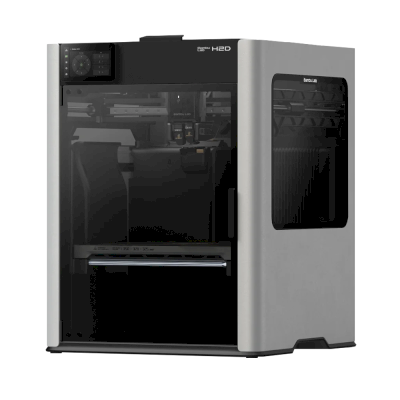
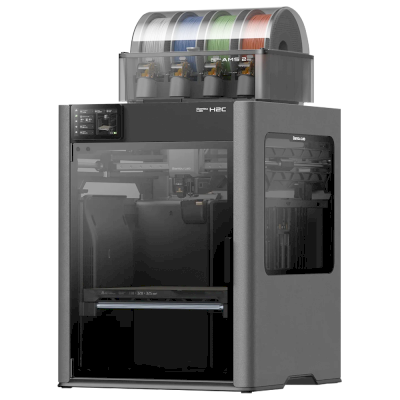
The H2D is Bambu Lab's dual-nozzle enclosed printer: up to 350 x 320 x 325 mm, a 350 °C hotend and a 65 °C heated chamber, with optional laser and cutting modules. It is for makers and businesses that print in several materials or colours, or want a printer and a laser machine in one.
Bambu Lab H2D 3D yazıcı SimplyPrint, OctoPrint, Mainsail ve Fluidd ile çalışır mı?
Her bağlantı yöntemi, gereksinimleri ve kurulumu.
SimplyPrint İstemcisi
SimplyPrint tarafından doğrulandı
SimplyPrint can't choose yet which nozzle each AMS slot feeds (nozzle mapping), so multi-material prints that use both nozzles can be awkward to start from SimplyPrint.
Oy ver
Gerekenler: Aynı ağda bulunan, sürekli açık kalan ve SimplyPrint istemcisini çalıştıran bir bilgisayar veya Raspberry Pi
Yalnızca LAN modunda SimplyPrint İstemcisi üzerinden bağlandığında, SimplyPrint, Bambu Lab H2D'ın diğer yazılımlara izin verdiği her şeyi destekler: kamera ve yapay zekâ hata algılama, Uzaktan yazdırma, Nesne atlama, Sıcaklık ve hareket kontrolü, çok malzemeli ünitesi için filament eşlemesi ve AutoPrint. Tek istisna, Bambu Lab H2D'ın diğer yazılımların yapmasına izin vermediği özelliklerdir: Baby stepping, Tabla dengeleme ve Z-Offset kalibrasyonu. Aşağıdaki tablo, SimplyPrint'e bağlanmanın iki yolunu karşılaştırır.
SimplyPrint'e her bağlanma yöntemi için tüm SimplyPrint özellikleri
SimplyPrint'e şu yolla bağlandı
SimplyPrint özelliği
SimplyPrint İstemcisi (Yalnızca LAN modu, önerilir)
SimplyPrint tarafından doğrulandı
SimplyPrint İstemcisi (Bulut modu)
SimplyPrint tarafından doğrulandı
İzleme
Canlı durum ve ilerleme
Evet
Evet
Webcam
Evet
Evet
AI hata tespiti
Evet
Evet
Kalan süre
Evet
Evet
Katman ilerlemesi
Evet
Evet
Sıcaklıklar
Evet
Evet
Yazdırılıyor
Baskı başlatma
Evet
Bağlıdır1
Duraklat, devam et ve iptal et
Evet
Bağlıdır1
Nesneleri atla
Evet
Bağlıdır1
Baskı başlatma seçenekleri
Evet
Bağlıdır1
Dosyalar
Dilimlenmiş 3MF dosyalarını yazdır
Evet
Evet
Yazıcı kontrolü
Sıcaklıkları değiştir
Evet
Evet
Kontrollerle hareket ettirme
Evet
Bağlıdır1
Başlangıç konumuna alma
Evet
Bağlıdır1
Ekstrüde et ve geri çek
Evet
Bağlıdır1
Baskı hızını değiştir
Evet
Bağlıdır1
Fan hızı
Evet
Bağlıdır1
Baby stepping
Yazıcı tarafından sunulmuyor2
Yazıcı tarafından sunulmuyor2
G-code gönder
Evet
Bağlıdır1
Kalibrasyon
Filamenti değiştir
Evet
Bağlıdır1
Tabla dengeleme
Yazıcı tarafından sunulmuyor2
Yazıcı tarafından sunulmuyor2
Z-Offset kalibrasyonu
Yazıcı tarafından sunulmuyor2
Yazıcı tarafından sunulmuyor2
Çok malzemeli
Filamenti çok malzemeli yuvalara eşleştir
Evet3
Evet3
Çoklu malzeme ünitesindeki yüklü filamentle eşitle
Evet3
Evet3
Otomasyon
AutoPrint
Pro
Evet
Bağlıdır1
Baskı başlamadan dosyayı indir
Evet
Yazıcı tarafından sunulmuyor2
SimplyPrint'e SimplyPrint İstemcisi (Yalnızca LAN modu, önerilir) üzerinden bağlandı
SimplyPrint tarafından doğrulandı
İzleme
Canlı durum ve ilerlemeEvet
WebcamEvet
AI hata tespitiEvet
Kalan süreEvet
Katman ilerlemesiEvet
SıcaklıklarEvet
Yazdırılıyor
Baskı başlatmaEvet
Duraklat, devam et ve iptal etEvet
Nesneleri atlaEvet
Baskı başlatma seçenekleriEvet
Dosyalar
Dilimlenmiş 3MF dosyalarını yazdırEvet
Yazıcı kontrolü
Sıcaklıkları değiştirEvet
Kontrollerle hareket ettirmeEvet
Başlangıç konumuna almaEvet
Ekstrüde et ve geri çekEvet
Baskı hızını değiştirEvet
Fan hızıEvet
Baby steppingYazıcı tarafından sunulmuyor2
G-code gönderEvet
Kalibrasyon
Filamenti değiştirEvet
Tabla dengelemeYazıcı tarafından sunulmuyor2
Z-Offset kalibrasyonuYazıcı tarafından sunulmuyor2
Çok malzemeli
Filamenti çok malzemeli yuvalara eşleştirEvet3
Çoklu malzeme ünitesindeki yüklü filamentle eşitleEvet3
Otomasyon
AutoPrint ProEvet
Baskı başlamadan dosyayı indirEvet
SimplyPrint'e SimplyPrint İstemcisi (Bulut modu) üzerinden bağlandı
SimplyPrint tarafından doğrulandı
İzleme
Canlı durum ve ilerlemeEvet
WebcamEvet
AI hata tespitiEvet
Kalan süreEvet
Katman ilerlemesiEvet
SıcaklıklarEvet
Yazdırılıyor
Baskı başlatmaBağlıdır1
Duraklat, devam et ve iptal etBağlıdır1
Nesneleri atlaBağlıdır1
Baskı başlatma seçenekleriBağlıdır1
Dosyalar
Dilimlenmiş 3MF dosyalarını yazdırEvet
Yazıcı kontrolü
Sıcaklıkları değiştirEvet
Kontrollerle hareket ettirmeBağlıdır1
Başlangıç konumuna almaBağlıdır1
Ekstrüde et ve geri çekBağlıdır1
Baskı hızını değiştirBağlıdır1
Fan hızıBağlıdır1
Baby steppingYazıcı tarafından sunulmuyor2
G-code gönderBağlıdır1
Kalibrasyon
Filamenti değiştirBağlıdır1
Tabla dengelemeYazıcı tarafından sunulmuyor2
Z-Offset kalibrasyonuYazıcı tarafından sunulmuyor2
Çok malzemeli
Filamenti çok malzemeli yuvalara eşleştirEvet3
Çoklu malzeme ünitesindeki yüklü filamentle eşitleEvet3
Otomasyon
AutoPrint ProBağlıdır1
Baskı başlamadan dosyayı indirYazıcı tarafından sunulmuyor2
Çalışır
Bağlıdır
Desteklenmiyor
Yazıcı tarafından sunulmuyor
2025 ve sonraki Bambu Lab bellenimleri, bulut modunda yalnızca izlemeye izin verir: baskıları başlatmak ve yazıcıyı kontrol etmek için yalnızca LAN modunu kullanın. Eski bellenimler hâlâ her ikisine de izin verir.
Yazıcı bunu diğer yazılımlara sunmaz.
Çok malzemeli ünite gerektirir
SimplyPrint'teki Bambu Lab H2D sahipleri
100+ yazıcı SimplyPrint kullanıyor
SimplyPrint İstemcisi
5 üzerinden 4,6
7 doğrulanmış sahip
Puanlar, yazıcısıyla SimplyPrint üzerinden en az 10 baskıyı tamamlayan sahiplerden alınır.
Bambu Lab H2D için hangi slicer kullanılmalı
Bambu Lab'ın kendi slicer'ı BambuStudio'ı kullanın: Bambu Lab H2D için hazır profili vardır. Ayrıca bunun için profili olanlar: OrcaSlicer, ElegooSlicer.
Yalnızca SimplyPrint bulutunda kullanabileceğiniz slicerları listeliyoruz, bu nedenle Bambu Lab H2D için başka seçenekler olabilir.
Bambu Lab H2D için bulut tabanlı slicer: BambuStudio'ı çevrimiçi kullanın
Tarayıcınızda doğrudan BambuStudio ve diğer slicer'ları, SimplyPrint'in çevrimiçi bulut slicer'ıyla kullanın. Kurulum gerekmez. Dünyanın her yerinde, herhangi bir cihazdan Bambu Lab H2D modellerinizi dilimleyin!
Not:Simplify3D, ideaMaker, SuperSlicer ve KISSlicer gibi diğer slicer'lar bulutumuzda yok, bu nedenle profillerini takip etmiyoruz. Yine de Bambu Lab H2D ile iyi çalışabilirler: profil için slicer'ın kendi belgelerine veya forumlarına bakın. Ayrıca GitHub'daki açık kaynaklı slicer profil veritabanımıza profil ekleyebilirsiniz.
Bambu Lab H2D için uygulama
SimplyPrint, Bambu Lab H2D uygulaması olarak çalışır: telefonunuzda ve tüm tarayıcılarda, buluttaki slicer ile.
SimplyPrint ile neler elde edersiniz
iPhone ve Android için bir uygulama, her tarayıcıda aynı deneyim ve bulutta bir slicer.
İzlemeden fazlası: baskı kuyruğu, yapay zeka destekli hata algılama, AutoPrint ve bir ekip için hesaplar.
Henüz SimplyPrint'de Bambu Lab H2D için plaka değiştirici veya otomatik çıkarma kiti yok, ancak AutoPrint yine de yazıcının baskı yapmayı sürdürmesini sağlar: baskı plakası boşaldığında, kuyruğunuzdaki sonraki işi başlatır.
Kapalı yazıcılar baskılarını dışarı iter
Bambu Lab H2D'in tablası kabininde yalnızca yukarı aşağı hareket eder; bu nedenle plaka değiştirmek yerine, bu tür kitler baskı tamamlandığında ön kapıyı sizin için açar ve baskı kafasının soğumuş baskıyı plakadan itip dışarı çıkarmasını sağlar.
Evet
Kullanılabilir seçenekler: Use AMS, Bed Leveling, Flow Calibration, Timelapse
Yazıcı
Yazıcı üreticisi / markası
Bambu Lab
Yazıcı modeli adı
H2D
Üretici şirketin menşei
Çin
Yayınlandı
25 Mart 2025
Sorumluluk reddi:
Bu bilgiyi olabildiğince güncel ve doğru tutmaya çalışıyoruz, ancak eksiksizliğini veya güvenilirliğini garanti edemeyiz. Verilerimiz kullanıcı gönderimlerine ve üretici referanslarına dayanmaktadır.
Bambu Lab H2D hangi filamentlerle baskı yapabilir?
Bambu Lab H2D için filament uyumluluğu: Bambu Lab'in bu yazıcı için listelediği malzemeler.
Filament
Uygunluk
Notlar
PLA
Harika
Üreticinin bu yazıcı için malzeme listesinde.
PETG
Harika
Üreticinin bu yazıcı için malzeme listesinde.
TPU ve esnek malzemeler
Harika
Üreticinin bu yazıcı için malzeme listesinde.
ABS & ASA
Harika
Üreticinin bu yazıcı için malzeme listesinde.
Nylon (PA)
Harika
Üreticinin bu yazıcı için malzeme listesinde.
Polycarbonate (PC)
Harika
Üreticinin bu yazıcı için malzeme listesinde.
Karbon fiber ve cam dolgulu
Harika
Üreticinin bu yazıcı için malzeme listesinde.
Yüksek sıcaklık (PEI, PEEK, PEKK)
Harika
Üreticinin bu yazıcı için malzeme listesinde.
İpucu: bu, yazıcının teknik özelliklerine dayanan genel bir kılavuzdur. Filamentinizin önerilen ayarlarını mutlaka kontrol edin. SimplyPrint ile her makara için profil kaydedebilir ve stoktaki filamentinizi tam olarak takip edebilirsiniz.
Bambu Lab H2D için en iyi filament
Bambu Lab H2D ile iyi baskı yapan filamentler, önce Bambu Lab'in kendi filamentleri, ardından en bilinenler.
Review of the H2D Pro (the H2D with the Vision Encoder) by an engineering team: calibration routines, dimensional benchmarks and application tests. Concludes it turns its specs into functional parts with minimal post-processing and suits professional multi-material work.
“the H2D Pro stands out as one of the most capable systems currently on the market.”
Tests the dual-hotend H2D with its larger build volume, faster AMS and optional laser combo. Praises the filament saving, enclosure for high-temperature printing, auto bed leveling and ease of use; against that, proprietary replacement parts and the high cost of the extras. Editor's Choice.
“Bambu Lab knocked it out of the park, making the new functions seriously easy to use.”
A month with the H2D Laser Edition: print quality matches dedicated machines, tool swaps are easy and the laser and cutter work well. Downsides are a learning curve for filament routing, purge waste beyond two filaments, a small laser bed and an AMS whose curved top stops stacking. Recommended.
“Once configured, the results are superb.”
Teaching Tech · 18 Temmuz 2025
Review after nearly 400 hours of printing, covering features, performance, pros and cons, and a multicolor time and waste comparison against a Prusa XL. Found it very reliable apart from software and firmware glitches, still a closed ecosystem. Unit supplied free by Bambu Lab; no sponsorship or affiliate links.
Aurora Tech · 5 Mayıs 2025
In-depth tests of the dual extruder, multiple AMS units, the 10 W and 40 W lasers, blade and pen. Calls it the most advanced midsize 3D printer and a worthwhile step up from the X1 Carbon with far less purge waste; the laser version is costly next to dedicated engravers. Units from Bambu Lab, VoxelPLA sponsor (disclosed).
CNC Kitchen · 25 Mart 2025
Launch-day test of the H2D with its laser and drag-knife options. Finds 3D printing was not compromised, build quality exceptional and the new drying AMS a highlight; price is high and a toolchanger beats it beyond two materials. Partly sponsored by VoxelPLA (disclosed).
Bambu Lab H2D ne zaman seçilmeli
Choose the H2D when you regularly print multi-colour or multi-material parts and want the second nozzle to cut purge waste or to carry dedicated support material, or when you want the Laser Edition's 10 W or 40 W laser and cutter. If you mostly print in one material, the H2S has a similar enclosed plate and is listed for less, and CNC Kitchen notes a toolchanger beats the H2D beyond two materials. For an open-frame multi-colour machine at a far lower price, look at the A2L.
Artılar
Two nozzles cut purge waste on multi-colour prints and let one carry support material (Bambu; Aurora Tech found far less purge waste than the X1 Carbon).
Fully enclosed with a 65 °C heated chamber and a 350 °C hotend for high-temperature materials (Tom's Hardware).
Tom's Hardware gave it 5/5 and an Editor's Choice for filament savings, ease of use and auto bed leveling.
Teaching Tech found it very reliable after nearly 400 hours, apart from software and firmware glitches.
Up to 4 AMS 2 Pro and 8 AMS HT units (24 slots), with filament drying; great for multi-material with the AMS.
Works with SimplyPrint through the SimplyPrint Client, a verified connection.
Eksiler
SimplyPrint can't yet choose which nozzle each AMS slot feeds (nozzle mapping), so multi-material prints using both nozzles can be awkward to start from SimplyPrint.
Expensive, and the extras add a lot; Tom's Hardware also notes proprietary replacement parts.
Filament routing has a learning curve and purge waste grows beyond two filaments (TechRadar).
A closed ecosystem, which both Teaching Tech and CNC Kitchen point out.
By default it runs through Bambu Lab's own software and cloud, which some organisations' compliance rules don't allow; with SimplyPrint it can run without them and use SimplyPrint's European cloud, in Bambu Lab's LAN-only mode (with Developer Mode on current firmware, which Bambu Lab doesn't support).
Kimler için uygun
OkullarÇalışabilir
Enclosed and well supported, but a dual-nozzle machine with filament routing to learn, and laser variants that need supervision, is more than most classrooms need or can afford.
Hobi kullanıcılarıÇalışabilir
Very capable, but more printer and more money than a first printer needs: start with an A1 Mini, or a P2S for multi-colour, and move up when you outgrow it.
İşletmelerMükemmel uyum
An enclosed, heated machine with two nozzles for production-style multi-material work; 3D Printing Industry found the H2D Pro suited to professional use.
Baskı çiftlikleriÇalışabilir
Reliable, but the price per machine and the missing nozzle mapping in SimplyPrint make a farm of H2Ds a harder sell than single-nozzle printers.
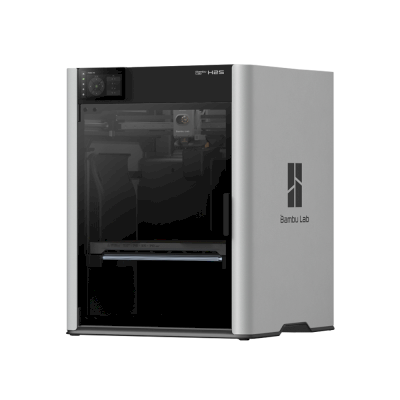
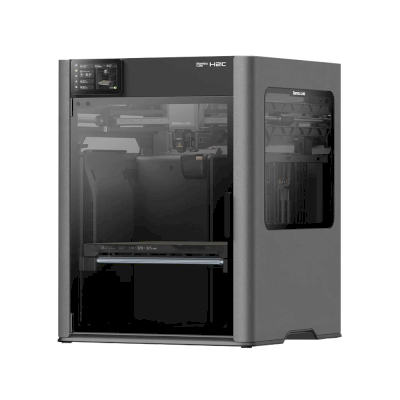
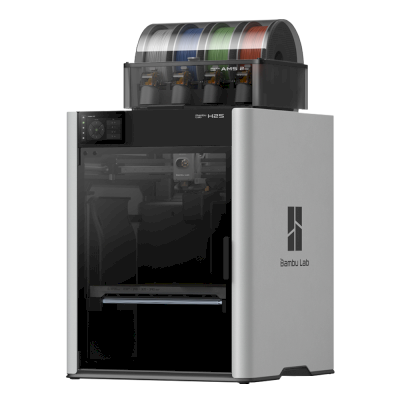
Bugün satın alabileceğiniz, aynı üreticinin benzer boyuttaki, aynı mühendislik malzemeleriyle veya benzer şekilde çok malzemeli baskı yapabilen yazıcılar. En fazla dördünü teknik özellikleri ve bağlantı yöntemleriyle yan yana karşılaştırın.
Bambu Lab tarafından üretilen diğerleri · Benzer baskı hacmi · Ayrıca ABS & ASA, Nylon (PA), Polycarbonate (PC), Karbon fiber ve cam dolgulu, Yüksek sıcaklık (PEI, PEEK, PEKK) yazdırır · Ayrıca çok malzemeli
Bambu Lab tarafından üretilen diğerleri · Benzer baskı hacmi · Ayrıca ABS & ASA, Nylon (PA), Polycarbonate (PC), Karbon fiber ve cam dolgulu, Yüksek sıcaklık (PEI, PEEK, PEKK) yazdırır · Ayrıca çok malzemeli
Bambu Lab H2D'ı kimin ürettiği ve Bambu Lab'in size ne kadar özgürlük tanıdığı: yazıcılarının kendi bulutu olmadan çalışıp çalışmadığı, her filament ve slicer'ı kabul edip etmediği ve onarılıp onarılamadığı. Her alan herkese açık kaynaklara göre değerlendirilir.
Açıklık: Çoğunlukla kapalı (5 üzerinden 2.3)
Çoğunlukla kapalı
Kapalı ekosistemAç
Bambu Lab is a Shenzhen company founded in 2020 by former DJI engineers. It makes FDM printers in four families (A, P, X and H), the AMS multi-material units, the Bambu Studio slicer, the Bambu Handy app and the MakerWorld model site, and designs them to be used together. Its printers are used by beginners, hobbyists, schools and print farms.
Kuruluş:
2020 ·
Genel merkez:
Shenzhen, China ·
Sahiplik:
Privately held; founded by CEO Ye Tao and other former DJI staff, with venture investors (BGR, 2026) ·
Web sitesi:bambulab.com
Bambu Lab works like Apple: printer, slicer, app, cloud and multi-material system come from one company and are made to work together. Filament and slicer choice stay open, but the firmware is closed and signed, and since 2025 third-party control needs Bambu Connect or the unsupported Developer Mode.
Donanım yazılımı ve özel donanım yazılımı ●●●●●
The printer firmware is Bambu's own and closed; in 2022 Bambu said it would keep it in-house. Its security white paper describes secure boot that only runs verified firmware on X1, H2, P1 and A1 printers. Bambu publishes the GPL parts it uses (Linux kernel, U-Boot, BusyBox) but not the printer software. Rooting the X1 only became possible through a security flaw the X1Plus project used in 2024; Bambu then published a one-off rootable X1 firmware for owners who give up their warranty, and blocks rooting in later firmware.
[1][2][3][4][22]
Yerel kontrol ve entegrasyonlar ●●●●●
LAN Only mode prints and monitors from Bambu Studio or Bambu Connect without internet or an account; the Handy app, printing from outside the network and print history need Bambu's cloud. Since the 2025 authorization firmware, other software can only read status in normal mode. Full control needs Developer Mode, which cuts the cloud link and which Bambu says it cannot support because the protocols are not official. Bambu documents no local protocol; it offers a file hand-off to Bambu Connect and a Local Server SDK on application.
[23][24][6][7][5]
Üçüncü taraf filamentler, slicer'lar ve parçalar ●●●●●
Third-party filament works, and Bambu publicly denied in 2025 that it would restrict it. OrcaSlicer and other slicers can be used, but since the 2025 firmware they send and control prints through Bambu Connect or Developer Mode. Hotends are Bambu's own designs, and Bambu says it cannot promise long-term support for accessories that control the printer unless it approved them first.
[7][6][4]
Onarımlar ve yedek parçalar ●●●●●
Bambu's store sells individual spare parts down to motors, belts, encoders and boards, and its wiki has step-by-step replacement guides for each model (for example the P2S hotend and the H2D/H2C AP board). Many parts, hotends included, are Bambu-specific, so spares come from Bambu.
[8][9][10]
Veriler ve gizlilik ●●●●●
Cloud features need a Bambu account, while LAN Only mode keeps jobs on the local network. Bambu publishes a Trust Center and a 38-page security white paper, says it holds ISO/IEC 27001, ISO/IEC 27701 and TRUSTe certifications, and runs a paid bug bounty. In August 2023 a cloud outage made some printers start earlier jobs on their own; Bambu apologised.
[2][11][5][12]
Topluluk ve belgeler ●●●●●
Very large user community, the MakerWorld model site, a detailed wiki and a blog where Bambu explains its policy changes. Bambu Studio is developed in public on GitHub with an open issue tracker. The printer protocol is not documented, and Developer Mode is unsupported.
[13][5][7]
Artılar
Printer, slicer, app and AMS come from one company and are designed to work together, which makes a first setup simple.
Step-by-step repair guides for each model and individual spare parts sold in Bambu's store.
LAN Only mode works without internet or an account.
Bambu Studio is open source, and third-party filament works.
Publishes security certifications and runs a public bug bounty.
Eksiler
Firmware is closed and signed; current models have no supported way to run custom firmware.
Since the 2025 firmware, third-party software and accessories need Bambu Connect or the unsupported Developer Mode to control the printer.
Remote printing, the Handy app and print history depend on Bambu's cloud.
Hotends and many parts are Bambu-specific, so spares come from Bambu.
In 2026 a US jury found the X1, P1 and A1 infringe Stratasys patents; Bambu is appealing.
Geçmiş performans
Eylül 2026: A US federal jury in Texas found that Bambu Lab's X1, P1 and A1 printers infringe Stratasys patents on prime towers and bed levelling, and awarded Stratasys $27.6 million. No injunction was placed on the printers. Bambu told Tom's Hardware it disagrees with the verdict and intends to seek post-trial review and appeal. Stratasys had filed two suits in 2024; more patents are still to be decided.
[14]
Mayıs 2026: Bambu Lab pressed the developer of 'OrcaSlicer-bambulab', a fork that restored direct cloud printing from OrcaSlicer, to remove it, according to Manufactur3D. On 7 May Bambu said the fork impersonated the official Bambu Studio client to its cloud, which its user agreement does not allow, and that modifying and sharing its AGPL code remains fine. The developer disputed the claims.
[15][16][17]
Ekim 2025: Bambu Lab opened a Trust Center with a security white paper and listed ISO/IEC 27001, ISO/IEC 27701 and TRUSTe privacy certifications. A year later it said its bug bounty had worked with over 100 researchers and that it had added a public security update log.
[2][11]
20 Ocak 2025: After criticism from users and print farms, Bambu Lab announced an optional Developer Mode for X1, P1, A1 and A1 mini that leaves MQTT, FTP and the live stream open for third-party software in LAN mode, without official support. It also said LAN mode via Bambu Connect needs neither internet nor an account, and that third-party filament would not be restricted.
[7]
16 Ocak 2025: Bambu Lab announced firmware with 'authorization control', first for the X1: starting prints, moving axes, changing temperatures and binding the printer now require Bambu-approved software, also in LAN mode. On updated printers, third-party slicers and accessories such as the Panda Touch could no longer control the printer except through Bambu Connect; reading status still worked. Bambu cited security and up to 30 million unauthorised cloud requests a day; older firmware stayed optional.
[6]
Mart 2024: After the X1Plus jailbreak, Bambu Lab published a one-off rootable firmware for the X1 series for owners who give up their warranty support. It said it does not support X1Plus, and that firmware after it would block rooting again.
[4]
Şubat 2024: Bambu Lab extended its A1 heatbed-cable callback to a recall of all A1 printers and asked owners to stop using them. It reported electrical faults in under 0.1% of units and offered a full refund plus an $80 voucher, or a redesigned heatbed plus a $120 voucher and six extra months of warranty. The A1 mini was not affected.
[18][19]
Ocak 2024: Community developers rooted the X1 series through a security flaw in its firmware (up to version 1.07) and released the X1Plus custom firmware. Bambu Lab closed the flaw in later firmware.
[22]
Ağustos 2023: During a Bambu cloud outage on 15 August 2023, some printers started print jobs without user action, because jobs stuck in the cloud were resent when service returned. Bambu apologised, took responsibility and said it would add checks before a print starts.
[12]
Mayıs 2022: Before its first printers shipped, Bambu Lab said its firmware would stay closed and in-house to remain competitive, and promised to open-source everything if the company ever could not survive.
[1]
24 kaynaktan araştırıldı, son kontrol: 20 Ekim 2026. Kaynakları göster
Evet. Bambu Lab H2D yazıcısını SimplyPrint İstemcisi üzerinden SimplyPrint sistemine bağlayabilir, ardından tarayıcı veya mobil uygulamadan baskıları dilimleyebilir, kuyruğa ekleyebilir, başlatabilir ve izleyebilirsiniz.
Bambu Lab H2D'ı SimplyPrint'e nasıl bağlarım?
Bambu Lab H2D için adım adım kurulum kılavuzumuzu izleyin. SimplyPrint İstemcisi üzerinden nasıl bağlanacağınızı, her biri için ne gerektiğini ve hangisini seçeceğinizi gösterir.
Bambu Lab H2D için hangi slicer'ı kullanmalıyım?
Bambu Lab H2D için BambuStudio'ı öneriyoruz. Kurulum gerektirmeden, herhangi bir cihazda, Bambu Lab H2D profilleri otomatik güncel tutulan SimplyPrint'in çevrimiçi slicer'ında bunu ve 6 başka slicer doğrudan çalıştırabilirsiniz.
OrcaSlicer'ı Bambu Lab H2D ile kullanabilir miyim?
Evet. OrcaSlicer, Bambu Lab H2D için bir profille gelir ve bunu SimplyPrint'in çevrimiçi slicer'ında çalıştırabilirsiniz, yani kurulum gerekmez.
Bambu Lab H2D hangi filamentlerle baskı yapabilir?
Bambu Lab, H2D için PLA, PETG, TPU ve esnek malzemeler, ABS & ASA, Nylon (PA), Polycarbonate (PC), Karbon fiber ve cam dolgulu ve Yüksek sıcaklık (PEI, PEEK, PEKK) listeliyor.
Bambu Lab H2D, OctoPrint veya Klipper ile çalışır mı?
Doğrudan değil: bunun yerine bir topluluk OctoPrint eklentisi ağa bağlayabilir. Ancak bunlara da ihtiyacınız yok: SimplyPrint, Bambu Lab H2D ile SimplyPrint İstemcisi üzerinden bağlanır.
Bambu Lab H2D baskı tablası boyutu ve baskı hacmi nedir?
Bambu Lab H2D, 325 x 320 mm baskı tablasına sahiptir ve 325 mm yüksekliğe kadar baskı yapar; baskı hacmi yaklaşık 325 x 320 x 325 mm'dir. Tabla türü, sıcaklıklar ve daha fazlası için yukarıdaki tam teknik özellikler tablosuna bakın.
Bambu Lab H2D ne zaman çıktı?
Bambu Lab, H2D modelini 25 Mart 2025 tarihinde piyasaya sürdü.
Bambu Lab H2D baskıları otomatik olarak çıkarabilir mi?
Henüz desteklediğimiz bir kit yok, ancak SimplyPrint'in AutoPrint'i baskı kafasıyla baskıları itebilir veya kendi çıkarma G-code'unuzu çalıştırabilir, ardından kuyruğunuzdaki sonraki işi başlatabilir.
Bambu Lab H2D'ı nereden satın alabilirim?
Avustralya, Kanada, AB, BK ve ABD'de mağazaları bulunan Bambu Lab'in kendi mağazasından. Bu sayfadaki bağlantılar bu mağazalara yönlendirir; bazıları affiliate bağlantısıdır, bu nedenle size ek ücret yansımadan komisyon kazanabiliriz.
Affiliate açıklaması: Bu sayfadaki bazı bağlantılar affiliate bağlantılarıdır. Satın alma yaparsanız size ek maliyet olmadan komisyon kazanabiliriz. Amazon Associate olarak, nitelikli satın alımlardan gelir elde ederiz.
 Çin
Çin
 SimplyPrint İstemcisi





 PrusaSlicer
 CrealityPrint
 Cura
Cura Kiri:Moto



 ABD için en iyisi: Bambu Lab'in ABD mağazası
 Avustralya için Bambu Lab
 Kanada için Bambu Lab
 AB için Bambu Lab
 BK için Bambu Lab