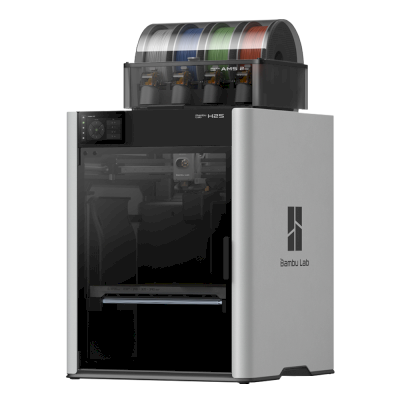
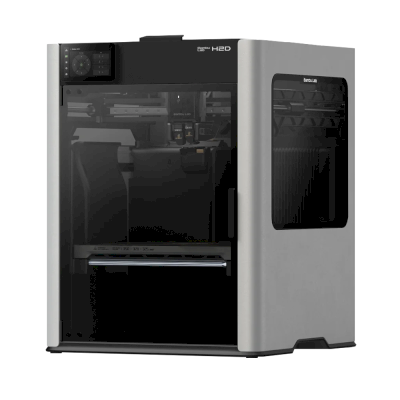
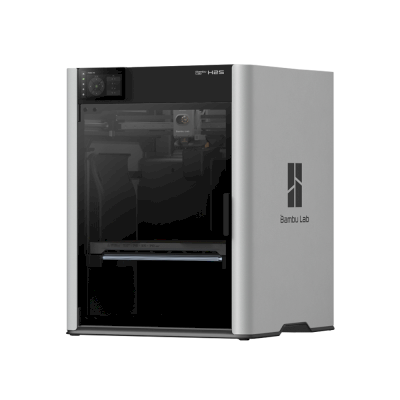
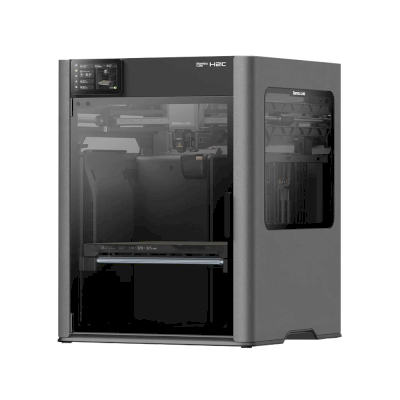
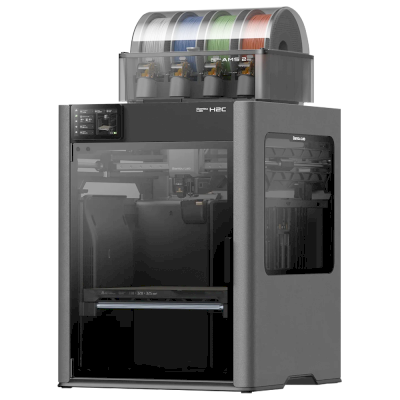
The H2S is Bambu Lab's large, fully enclosed single-nozzle printer: 340 x 320 x 340 mm, a 350 °C hotend and a 65 °C actively heated chamber. It is for makers and small businesses that want big, clean prints in everything from PLA to nylon and PC without paying for the H2D's second nozzle.
Po połączeniu przez Klient SimplyPrint w trybie wyłącznie LAN, SimplyPrint obsługuje wszystko, co drukarka Bambu Lab H2S Combo umożliwia innemu oprogramowaniu: kamery i wykrywania awarii przez AI, Drukowanie zdalne, Pomijanie obiektów, Sterowanie temperaturą i ruchem, mapowanie filamentu dla modułu wielomateriałowego i AutoPrint. Jedynymi wyjątkami są funkcje, których Bambu Lab H2S Combo nie udostępnia innemu oprogramowaniu: Baby stepping, Poziomowanie stołu i Kalibracja offsetu Z. Poniższa tabela porównuje dwa sposoby połączenia z SimplyPrint.
Wszystkie funkcje SimplyPrint dla każdego sposobu połączenia z SimplyPrint
Połączono z SimplyPrint przez
Funkcja SimplyPrint
Klient SimplyPrint (Tryb tylko LAN, zalecany)
Zweryfikowano przez SimplyPrint
Klient SimplyPrint (Tryb Cloud)
Zweryfikowano przez SimplyPrint
Monitorowanie
Status i postęp na żywo
Tak
Tak
Kamera
Tak
Tak
Wykrywanie nieudanych wydruków przez AI
Tak
Tak
Pozostały czas
Tak
Tak
Postęp warstwy
Tak
Tak
Temperatury
Tak
Tak
Drukowanie
Rozpoczynanie druku
Tak
Zależy1
Wstrzymywanie, wznawianie i anulowanie
Tak
Zależy1
Pomijanie obiektów
Tak
Zależy1
Opcje startu wydruku
Tak
Zależy1
Pliki
Drukowanie pociętych plików 3MF
Tak
Tak
Sterowanie drukarką
Zmień temperatury
Tak
Tak
Poruszanie za pomocą sterowania
Tak
Zależy1
Bazowanie
Tak
Zależy1
Wytłaczanie i wycofywanie
Tak
Zależy1
Zmień prędkość druku
Tak
Zależy1
Prędkość wentylatora
Tak
Zależy1
Baby stepping
Drukarka nie oferuje tej funkcji2
Drukarka nie oferuje tej funkcji2
Wyślij G-code
Tak
Zależy1
Kalibracja
Zmień filament
Tak
Zależy1
Poziomowanie stołu
Drukarka nie oferuje tej funkcji2
Drukarka nie oferuje tej funkcji2
Kalibracja offsetu Z
Drukarka nie oferuje tej funkcji2
Drukarka nie oferuje tej funkcji2
Wielomateriałowy
Przypisz filament do slotów wielomateriałowych
Tak
Tak
Synchronizuj załadowany filament z modułu wielomateriałowego
Tak
Tak
Automatyzacja
AutoPrint
Pro
Tak
Zależy1
Pobierz plik przed rozpoczęciem druku
Tak
Drukarka nie oferuje tej funkcji2
Połączono z SimplyPrint przez Klient SimplyPrint (Tryb tylko LAN, zalecany)
Zweryfikowano przez SimplyPrint
Monitorowanie
Status i postęp na żywoTak
KameraTak
Wykrywanie nieudanych wydruków przez AITak
Pozostały czasTak
Postęp warstwyTak
TemperaturyTak
Drukowanie
Rozpoczynanie drukuTak
Wstrzymywanie, wznawianie i anulowanieTak
Pomijanie obiektówTak
Opcje startu wydrukuTak
Pliki
Drukowanie pociętych plików 3MFTak
Sterowanie drukarką
Zmień temperaturyTak
Poruszanie za pomocą sterowaniaTak
BazowanieTak
Wytłaczanie i wycofywanieTak
Zmień prędkość drukuTak
Prędkość wentylatoraTak
Baby steppingDrukarka nie oferuje tej funkcji2
Wyślij G-codeTak
Kalibracja
Zmień filamentTak
Poziomowanie stołuDrukarka nie oferuje tej funkcji2
Kalibracja offsetu ZDrukarka nie oferuje tej funkcji2
Wielomateriałowy
Przypisz filament do slotów wielomateriałowychTak
Synchronizuj załadowany filament z modułu wielomateriałowegoTak
Automatyzacja
AutoPrint ProTak
Pobierz plik przed rozpoczęciem drukuTak
Połączono z SimplyPrint przez Klient SimplyPrint (Tryb Cloud)
Zweryfikowano przez SimplyPrint
Monitorowanie
Status i postęp na żywoTak
KameraTak
Wykrywanie nieudanych wydruków przez AITak
Pozostały czasTak
Postęp warstwyTak
TemperaturyTak
Drukowanie
Rozpoczynanie drukuZależy1
Wstrzymywanie, wznawianie i anulowanieZależy1
Pomijanie obiektówZależy1
Opcje startu wydrukuZależy1
Pliki
Drukowanie pociętych plików 3MFTak
Sterowanie drukarką
Zmień temperaturyTak
Poruszanie za pomocą sterowaniaZależy1
BazowanieZależy1
Wytłaczanie i wycofywanieZależy1
Zmień prędkość drukuZależy1
Prędkość wentylatoraZależy1
Baby steppingDrukarka nie oferuje tej funkcji2
Wyślij G-codeZależy1
Kalibracja
Zmień filamentZależy1
Poziomowanie stołuDrukarka nie oferuje tej funkcji2
Kalibracja offsetu ZDrukarka nie oferuje tej funkcji2
Wielomateriałowy
Przypisz filament do slotów wielomateriałowychTak
Synchronizuj załadowany filament z modułu wielomateriałowegoTak
Automatyzacja
AutoPrint ProZależy1
Pobierz plik przed rozpoczęciem drukuDrukarka nie oferuje tej funkcji2
Działa
Zależy
Nieobsługiwane
Drukarka nie oferuje tej funkcji
Oprogramowanie układowe Bambu Lab od 2025 roku umożliwia w trybie chmury tylko monitorowanie: do uruchamiania wydruków i sterowania drukarką należy używać trybu tylko LAN. Starsze oprogramowanie układowe nadal umożliwia oba tryby.
Drukarka nie udostępnia tej funkcji innemu oprogramowaniu.
Właściciele Bambu Lab H2S Combo w SimplyPrint
100+ drukarek używa SimplyPrint
Jakiego slicera używać z Bambu Lab H2S Combo
Używać BambuStudio, własnego slicera Bambu Lab: ma gotowy profil dla Bambu Lab H2S Combo. Także z profilem dla niej: OrcaSlicer, ElegooSlicer.
Uwzględniamy tylko slicery, których można używać w chmurze SimplyPrint, więc dla drukarki Bambu Lab H2S Combo mogą istnieć inne.
Slicer w chmurze dla Bambu Lab H2S Combo: BambuStudio online
BambuStudio i inne slicery są dostępne bezpośrednio w przeglądarce dzięki internetowemu slicerowi chmurowemu SimplyPrint. Instalacja nie jest wymagana. Modele Bambu Lab H2S Combo można przygotowywać na dowolnym urządzeniu z każdego miejsca na świecie!
Uwaga: Innych slicerów, takich jak Simplify3D, ideaMaker, SuperSlicer i KISSlicer, nie ma w naszej chmurze, więc nie śledzimy ich profili. Nadal mogą dobrze działać z drukarką Bambu Lab H2S Combo: należy sprawdzić dokumentację lub fora danego slicera pod kątem profilu. Można też dodać profile do naszej otwartej bazy profili slicerów na GitHubie.
Aplikacja dla Bambu Lab H2S Combo
SimplyPrint działa jako aplikacja drukarki Bambu Lab H2S Combo: na telefonie i w dowolnej przeglądarce, ze slicerem w chmurze.
Co zapewnia SimplyPrint
Aplikacja na iPhone'a i Androida, dostępna w każdej przeglądarce, oraz slicer w chmurze.
To więcej niż monitorowanie: kolejka wydruków, wykrywanie awarii przez AI, AutoPrint i konta dla zespołu.
Drukarki wielu marek w jednym miejscu, obok siebie.
Nie ma jeszcze w SimplyPrint wymiennika płyt ani zestawu do automatycznego usuwania wydruków dla Bambu Lab H2S Combo, ale AutoPrint może utrzymać ciągłość drukowania: gdy płyta będzie pusta, uruchomi następne zadanie z kolejki.
Drukarki w obudowie wypychają wydruki
Stół drukarki Bambu Lab H2S Combo porusza się tylko w górę i w dół wewnątrz obudowy, więc zamiast wymieniać płyty, takie zestawy pozwalają głowicy zepchnąć ostygły wydruk z płyty przez przednie drzwiczki, które otwierają po zakończeniu wydruku.
Zepchnij wydruki ze stołu głowicąW drukarce CoreXY procedura G-code może zrzucić ostygły wydruk przez przednią krawędź płyty roboczej przed rozpoczęciem następnego zadania.
Specyfikacja Bambu Lab H2S Combo: rozmiar stołu, wysokość druku i więcej
Wymiary, temperatury, obsługa wielu materiałów i sposób łączenia, na podstawie informacji producenta oraz własnych badań.
Przeczytaj więcej od producenta
Tak
Dostępne opcje: Use AMS, Bed Leveling, Flow Calibration, Timelapse
Drukarka
Producent / marka drukarki
Bambu Lab
Nazwa modelu drukarki
H2S Combo
Wyprodukowane przez firmę z
Chiny
Uruchomiono
26 sierpnia 2025
Nadal produkowana
Tak
Zastrzeżenie:
Staramy się, aby te informacje były możliwie aktualne i dokładne, ale nie możemy zagwarantować ich kompletności ani wiarygodności. Dane pochodzą ze zgłoszeń użytkowników i materiałów producentów.
Jakim filamentem może drukować Bambu Lab H2S Combo?
Zgodność filamentów drukarki Bambu Lab H2S Combo: materiały wymienione dla niej przez Bambu Lab.
Filament
Przydatność
Notatki
PLA
Świetnie
Na liście materiałów producenta dla tej drukarki.
PETG
Świetnie
Na liście materiałów producenta dla tej drukarki.
TPU i materiały elastyczne
Świetnie
Na liście materiałów producenta dla tej drukarki.
ABS & ASA
Świetnie
Na liście materiałów producenta dla tej drukarki.
Nylon (PA)
Świetnie
Na liście materiałów producenta dla tej drukarki.
Polycarbonate (PC)
Świetnie
Na liście materiałów producenta dla tej drukarki.
Wzmocnione włóknem węglowym i szklanym
Świetnie
Na liście materiałów producenta dla tej drukarki.
Wysokotemperaturowe (PEI, PEEK, PEKK)
Świetnie
Na liście materiałów producenta dla tej drukarki.
Wskazówka: to ogólny przewodnik na podstawie specyfikacji drukarki, zawsze należy sprawdzić zalecane ustawienia filamentu. W SimplyPrint można zapisać profil dla każdej szpuli i dokładnie śledzić filament w magazynie.
Najlepszy filament do Bambu Lab H2S Combo
Filamenty, które Bambu Lab H2S Combo dobrze drukuje, najpierw marki Bambu Lab, potem najbardziej znane.
The 340 mm single-nozzle H2 machine with servo extruder, strong airflow and the AMS 2 Pro ($1,499 Combo). Sees skipping the second nozzle as a waste and says it will not dethrone the H2D, but it is a smart choice for a full-featured Bambu with a big plate. Editor's Choice.
“The H2S has a generous build volume that makers have been craving, but skipping the dual nozzle of the H2D seems like a waste.”
Reviewed the Combo. Exceptionally clean large prints in an enclosed chamber; about on par with the X1C at default speed, with a 20-30% cut in print times after tuning. Downsides: purge waste from the AMS, no dual nozzle, and not for first-time hobbyists. Recommended award.
“The test prints that came out of this machine were some of the cleanest I've seen”
Frankly Built · 13 października 2025
Bambu sent the units and Polymaker sponsors the channel (disclosed). Calls the H2S his new favourite printer: big build volume, great results out of the box. Buy a separate laser if you want one, or look at the H2D.
CNC Kitchen · 26 sierpnia 2025
Tested months early under embargo. Great for large single-material work: feeds soft TPU well and finished a six-day print with about 3,000 material changes without a failure. Gripes: heavy, a roughly 10 C bed temperature spread, closed ecosystem. Pick the H2D for real multi-material. VoxelPLA sponsored.
Made with Layers · 26 sierpnia 2025
His take: more a bigger X1C than a baby H2D. Praises the design and near-flawless prints at a reasonable price, but finds it a poor fit for engineering filaments like PPS-CF, where the H2D is better. Suits single-material, PLA and PETG multicolour, or batch production. VoxelPLA sponsored part.
Kiedy wybrać Bambu Lab H2S Combo
Choose the H2S when most of your work is single-material or simple multi-colour on a large plate, and you want an enclosed machine that handles ABS, ASA, nylon and PC. Multi-colour works with the AMS 2 Pro, AMS HT or first-generation AMS, but with one nozzle it purges more than the H2D, so if you print in several materials or want dedicated support material, the H2D is the better pick (Tom's Hardware, CNC Kitchen). If you want a lower price and can live with an open frame and basic filaments, the A2L is the cheaper large Bambu.
Zalety
Fully enclosed with an actively heated chamber (up to 65 °C) and a 350 °C hotend, so ABS, ASA, nylon and PC print well.
A 340 x 320 x 340 mm plate, and the servo extruder feeds soft TPU well (CNC Kitchen).
TechRadar called its test prints some of the cleanest it had seen, with print times cut 20-30% after tuning.
Reliable on very long jobs: CNC Kitchen finished a six-day print with about 3,000 material changes without a failure.
Great for multi-material with the AMS 2 Pro or AMS HT, up to 24 slots in total; the first-generation AMS also works, without drying (Bambu).
Works with SimplyPrint through the SimplyPrint Client, a verified connection.
Wady
One nozzle means more purge waste on multi-colour prints than the dual-nozzle H2D, and Tom's Hardware sees skipping the second nozzle as a waste.
Heavy, and CNC Kitchen measured a bed temperature spread of roughly 10 °C.
A poor fit for the hardest engineering filaments such as PPS-CF, where the H2D is better (Made with Layers).
Not aimed at first-time hobbyists (TechRadar), and the Combo launched at $1,499 (Tom's Hardware).
By default it runs through Bambu Lab's own software and cloud, which some organisations' compliance rules don't allow; with SimplyPrint it can run without them and use SimplyPrint's European cloud, in Bambu Lab's LAN-only mode (with Developer Mode on current firmware, which Bambu Lab doesn't support).
Dla kogo
SzkołyDobre dopasowanie
Enclosed, rated below 50 dB by Bambu, with flame sensors and an emergency stop, and SimplyPrint can hold student prints for approval; it is expensive for a classroom and not aimed at first-time users.
HobbyściŚwietne dopasowanie
Large, fast and very clean out of the box, with multi-colour through the AMS (Frankly Built called it his new favourite printer).
FirmyŚwietne dopasowanie
An enclosed, heated-chamber machine for engineering materials with strong reliability reports; the closed Bambu ecosystem is the one compliance question.
Farmy drukuDobre dopasowanie
Dependable on long jobs and the big plate suits batches, but the unit price is high and a single nozzle purges more than the H2D on colour work.
Porównaj drukarkę Bambu Lab H2S Combo z podobnymi drukarkami
Drukarki tego samego producenta, o podobnym rozmiarze, obsługujące te same materiały inżynieryjne lub druk wielomateriałowy, dostępne obecnie w sprzedaży. Można porównać obok siebie do czterech drukarek, wraz z ich specyfikacją i sposobem połączenia.
Również od Bambu Lab · Podobna objętość robocza · Drukuje także z ABS & ASA, Nylon (PA), Polycarbonate (PC), Wzmocnione włóknem węglowym i szklanym, Wysokotemperaturowe (PEI, PEEK, PEKK) · Także wielomateriałowy
Również od Bambu Lab · Podobna objętość robocza · Drukuje także z ABS & ASA, Nylon (PA), Polycarbonate (PC), Wzmocnione włóknem węglowym i szklanym, Wysokotemperaturowe (PEI, PEEK, PEKK) · Także wielomateriałowy
Sprzedawana także bez jednostki wielomateriałowej, jako Bambu Lab H2S.
O Bambu Lab
Producent drukarki Bambu Lab H2S Combo oraz poziom otwartości marki Bambu Lab: czy jej drukarki działają bez jej chmury, obsługują dowolny filament i slicer oraz czy można je naprawiać. Każdy obszar oceniono na podstawie publicznych źródeł.
Otwartość: Przeważnie zamknięta (2.3 z 5)
Przeważnie zamknięta
Zamknięty ekosystemOtwarte
Bambu Lab is a Shenzhen company founded in 2020 by former DJI engineers. It makes FDM printers in four families (A, P, X and H), the AMS multi-material units, the Bambu Studio slicer, the Bambu Handy app and the MakerWorld model site, and designs them to be used together. Its printers are used by beginners, hobbyists, schools and print farms.
Założono:
2020 ·
Siedziba główna:
Shenzhen, China ·
Własność:
Privately held; founded by CEO Ye Tao and other former DJI staff, with venture investors (BGR, 2026) ·
Strona internetowa:bambulab.com
Bambu Lab works like Apple: printer, slicer, app, cloud and multi-material system come from one company and are made to work together. Filament and slicer choice stay open, but the firmware is closed and signed, and since 2025 third-party control needs Bambu Connect or the unsupported Developer Mode.
Firmware i niestandardowe firmware ●●●●●
The printer firmware is Bambu's own and closed; in 2022 Bambu said it would keep it in-house. Its security white paper describes secure boot that only runs verified firmware on X1, H2, P1 and A1 printers. Bambu publishes the GPL parts it uses (Linux kernel, U-Boot, BusyBox) but not the printer software. Rooting the X1 only became possible through a security flaw the X1Plus project used in 2024; Bambu then published a one-off rootable X1 firmware for owners who give up their warranty, and blocks rooting in later firmware.
[1][2][3][4][22]
Sterowanie lokalne i integracje ●●●●●
LAN Only mode prints and monitors from Bambu Studio or Bambu Connect without internet or an account; the Handy app, printing from outside the network and print history need Bambu's cloud. Since the 2025 authorization firmware, other software can only read status in normal mode. Full control needs Developer Mode, which cuts the cloud link and which Bambu says it cannot support because the protocols are not official. Bambu documents no local protocol; it offers a file hand-off to Bambu Connect and a Local Server SDK on application.
[23][24][6][7][5]
Filament, slicery i części innych firm ●●●●●
Third-party filament works, and Bambu publicly denied in 2025 that it would restrict it. OrcaSlicer and other slicers can be used, but since the 2025 firmware they send and control prints through Bambu Connect or Developer Mode. Hotends are Bambu's own designs, and Bambu says it cannot promise long-term support for accessories that control the printer unless it approved them first.
[7][6][4]
Naprawy i części zamienne ●●●●●
Bambu's store sells individual spare parts down to motors, belts, encoders and boards, and its wiki has step-by-step replacement guides for each model (for example the P2S hotend and the H2D/H2C AP board). Many parts, hotends included, are Bambu-specific, so spares come from Bambu.
[8][9][10]
Dane i prywatność ●●●●●
Cloud features need a Bambu account, while LAN Only mode keeps jobs on the local network. Bambu publishes a Trust Center and a 38-page security white paper, says it holds ISO/IEC 27001, ISO/IEC 27701 and TRUSTe certifications, and runs a paid bug bounty. In August 2023 a cloud outage made some printers start earlier jobs on their own; Bambu apologised.
[2][11][5][12]
Społeczność i dokumentacja ●●●●●
Very large user community, the MakerWorld model site, a detailed wiki and a blog where Bambu explains its policy changes. Bambu Studio is developed in public on GitHub with an open issue tracker. The printer protocol is not documented, and Developer Mode is unsupported.
[13][5][7]
Zalety
Printer, slicer, app and AMS come from one company and are designed to work together, which makes a first setup simple.
Step-by-step repair guides for each model and individual spare parts sold in Bambu's store.
LAN Only mode works without internet or an account.
Bambu Studio is open source, and third-party filament works.
Publishes security certifications and runs a public bug bounty.
Wady
Firmware is closed and signed; current models have no supported way to run custom firmware.
Since the 2025 firmware, third-party software and accessories need Bambu Connect or the unsupported Developer Mode to control the printer.
Remote printing, the Handy app and print history depend on Bambu's cloud.
Hotends and many parts are Bambu-specific, so spares come from Bambu.
In 2026 a US jury found the X1, P1 and A1 infringe Stratasys patents; Bambu is appealing.
Doświadczenie
wrzesień 2026: A US federal jury in Texas found that Bambu Lab's X1, P1 and A1 printers infringe Stratasys patents on prime towers and bed levelling, and awarded Stratasys $27.6 million. No injunction was placed on the printers. Bambu told Tom's Hardware it disagrees with the verdict and intends to seek post-trial review and appeal. Stratasys had filed two suits in 2024; more patents are still to be decided.
[14]
maj 2026: Bambu Lab pressed the developer of 'OrcaSlicer-bambulab', a fork that restored direct cloud printing from OrcaSlicer, to remove it, according to Manufactur3D. On 7 May Bambu said the fork impersonated the official Bambu Studio client to its cloud, which its user agreement does not allow, and that modifying and sharing its AGPL code remains fine. The developer disputed the claims.
[15][16][17]
październik 2025: Bambu Lab opened a Trust Center with a security white paper and listed ISO/IEC 27001, ISO/IEC 27701 and TRUSTe privacy certifications. A year later it said its bug bounty had worked with over 100 researchers and that it had added a public security update log.
[2][11]
20 stycznia 2025: After criticism from users and print farms, Bambu Lab announced an optional Developer Mode for X1, P1, A1 and A1 mini that leaves MQTT, FTP and the live stream open for third-party software in LAN mode, without official support. It also said LAN mode via Bambu Connect needs neither internet nor an account, and that third-party filament would not be restricted.
[7]
16 stycznia 2025: Bambu Lab announced firmware with 'authorization control', first for the X1: starting prints, moving axes, changing temperatures and binding the printer now require Bambu-approved software, also in LAN mode. On updated printers, third-party slicers and accessories such as the Panda Touch could no longer control the printer except through Bambu Connect; reading status still worked. Bambu cited security and up to 30 million unauthorised cloud requests a day; older firmware stayed optional.
[6]
marzec 2024: After the X1Plus jailbreak, Bambu Lab published a one-off rootable firmware for the X1 series for owners who give up their warranty support. It said it does not support X1Plus, and that firmware after it would block rooting again.
[4]
luty 2024: Bambu Lab extended its A1 heatbed-cable callback to a recall of all A1 printers and asked owners to stop using them. It reported electrical faults in under 0.1% of units and offered a full refund plus an $80 voucher, or a redesigned heatbed plus a $120 voucher and six extra months of warranty. The A1 mini was not affected.
[18][19]
styczeń 2024: Community developers rooted the X1 series through a security flaw in its firmware (up to version 1.07) and released the X1Plus custom firmware. Bambu Lab closed the flaw in later firmware.
[22]
sierpień 2023: During a Bambu cloud outage on 15 August 2023, some printers started print jobs without user action, because jobs stuck in the cloud were resent when service returned. Bambu apologised, took responsibility and said it would add checks before a print starts.
[12]
maj 2022: Before its first printers shipped, Bambu Lab said its firmware would stay closed and in-house to remain competitive, and promised to open-source everything if the company ever could not survive.
[1]
Na podstawie 24 źródeł, ostatnia weryfikacja: 20 października 2026. Pokaż źródła
Czy drukarka Bambu Lab H2S Combo jest zgodna z SimplyPrint?
Tak. Drukarkę Bambu Lab H2S Combo można połączyć z SimplyPrint przez Klient SimplyPrint, a następnie slicować, kolejkować, uruchamiać i monitorować wydruki w przeglądarce lub aplikacji mobilnej.
Jak podłączyć Bambu Lab H2S Combo do SimplyPrint?
Przewodnik krok po kroku dotyczący konfiguracji Bambu Lab H2S Combo pokazuje, jak podłączyć ją przez Klient SimplyPrint, co jest potrzebne w każdym przypadku i którą metodę wybrać.
Jakiego slicera użyć z drukarką Bambu Lab H2S Combo?
Zalecamy BambuStudio dla drukarki Bambu Lab H2S Combo. Można uruchomić go oraz 6 innych slicerów bezpośrednio w internetowym slicerze SimplyPrint, bez instalacji, na dowolnym urządzeniu, z profilami drukarki Bambu Lab H2S Combo aktualizowanymi automatycznie.
Czy można używać OrcaSlicer z drukarką Bambu Lab H2S Combo?
Tak. OrcaSlicer zawiera profil dla Bambu Lab H2S Combo, a slicer można uruchomić online w SimplyPrint, więc nie trzeba nic instalować.
Jakim filamentem może drukować Bambu Lab H2S Combo?
Bambu Lab wymienia PLA, PETG, TPU i materiały elastyczne, ABS & ASA, Nylon (PA), Polycarbonate (PC), Wzmocnione włóknem węglowym i szklanym i Wysokotemperaturowe (PEI, PEEK, PEKK) dla modelu H2S Combo.
Czy drukarka Bambu Lab H2S Combo współpracuje z OctoPrint lub Klipper?
Nie bezpośrednio: społecznościowa wtyczka OctoPrint może zamiast tego połączyć ją przez sieć. Żadna z tych opcji nie jest jednak potrzebna: SimplyPrint łączy się z drukarką Bambu Lab H2S Combo przez Klient SimplyPrint.
Jaki jest rozmiar stołu i objętość robocza drukarki Bambu Lab H2S Combo?
Drukarka Bambu Lab H2S Combo ma stół roboczy o wymiarach 340 x 320 mm i drukuje na wysokość do 340 mm, co daje objętość roboczą około 340 x 320 x 340 mm. Pełna tabela specyfikacji, w tym typ stołu i temperatury, znajduje się powyżej.
Kiedy pojawiła się drukarka Bambu Lab H2S Combo?
Model H2S Combo marki Bambu Lab wprowadzono 26 sierpnia 2025.
Czy Bambu Lab H2S Combo może automatycznie zrzucać wydruki?
Nie ma jeszcze obsługiwanego zestawu, ale AutoPrint w SimplyPrint może zepchnąć wydruki głowicą lub uruchomić własny G-code do usuwania wydruków, a następnie rozpocząć następne zadanie z kolejki.
Gdzie można kupić Bambu Lab H2S Combo?
Ze sklepu marki Bambu Lab, który ma sklepy dla regionów Australia, Kanada, UE, Wielka Brytania i USA. Linki na tej stronie prowadzą do tych sklepów; niektóre są partnerskie, więc możemy otrzymać prowizję bez dodatkowych kosztów.
Informacja o linkach partnerskich: Niektóre linki na tej stronie są linkami partnerskimi. Możemy otrzymać prowizję za dokonanie zakupu bez dodatkowych kosztów dla kupującego. Jako partner Amazon zarabiamy na kwalifikujących się zakupach.
 Chiny
Chiny
 Klient SimplyPrint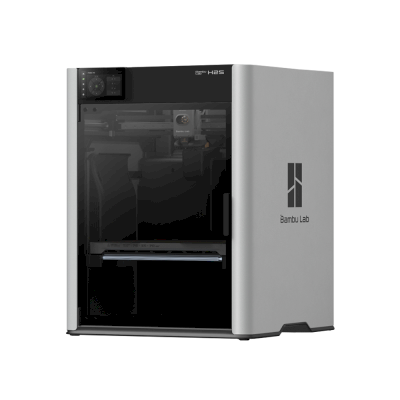





 PrusaSlicer
 CrealityPrint
 Cura
Cura Kiri:Moto



 Najlepszy dla USA: sklep Bambu Lab dla USA
 Bambu Lab dla Australia
 Bambu Lab dla Kanada
 Bambu Lab dla UE
 Bambu Lab dla Wielka Brytania