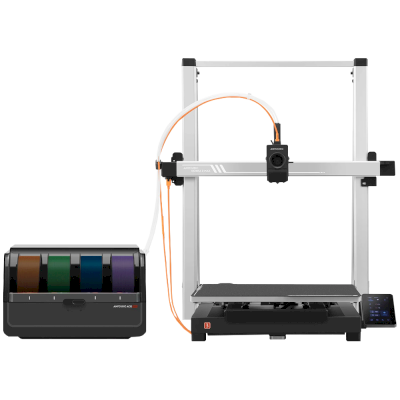
The Kobra 3 Max V2 Combo is Anycubic's large open-frame bedslinger: a 420 x 420 x 500 mm volume, a 600 mm/s top speed and the ACE 2 Pro filament unit in the box for four-colour printing. It is for hobbyists and small shops that want big or many parts in PLA, PETG and TPU at a modest price.
Den Anycubic Kobra 3 Max V2 Combo mit SimplyPrint verbinden
Funktioniert der 3D-Drucker Anycubic Kobra 3 Max V2 Combo mit SimplyPrint, OctoPrint, Mainsail und Fluidd?
Jede Verbindungsmöglichkeit, Voraussetzungen und Einrichtung.
SimplyPrint Client
Voraussichtlich kompatibel
Kobra OS like the Kobra 3 Max, which the SimplyPrint Client supports with nothing to flash.
Quelle
Kobra OS is Klipper-based but has no Moonraker. Rinkhals (the community route on the Kobra 3 Max) does not list the V2 Max yet.
Quelle
OctoPrint
Direkt über USB
Nicht kompatibel
Its USB port is for flash drives ('USB (print only)'); no serial printing.
Quelle
Was mit SimplyPrint funktioniert
Über SimplyPrint Client verbunden, wird SimplyPrint voraussichtlich die wichtigsten Funktionen des Anycubic Kobra 3 Max V2 Combo abdecken: die Kamera und KI-Fehlererkennung, Drucken per Fernzugriff, Objekte überspringen, Temperatur- und Bewegungssteuerung, Filamentzuordnung für die Mehrmaterialeinheit und AutoPrint. Nicht verfügbar über SimplyPrint Client: Extrudieren und zurückziehen, Baby Stepping, G-code senden, Filament wechseln, Bettnivellierung und Z-Offset-Kalibrierung.
Alle SimplyPrint-Funktionen für jede Verbindungsart mit SimplyPrint
Mit SimplyPrint verbunden über
SimplyPrint-Funktion
SimplyPrint Client
Voraussichtlich kompatibel
Überwachung
Live-Status und Fortschritt
Ja
Webcam
Ja1
KI-Fehlererkennung
Ja1
Verbleibende Zeit
Ja
Schichtfortschritt
Ja
Temperaturen
Ja
Drucken
Druck starten
Ja
Pausieren, fortsetzen und abbrechen
Ja
Objekte überspringen
Ja
Dateien
Geslicte 3MF-Dateien drucken
Ja
Druckersteuerung
Temperaturen ändern
Ja
Bewegen über die Steuerung
Ja
Referenzfahrt
Ja
Extrudieren und zurückziehen
Nein
Druckgeschwindigkeit ändern
Ja
Lüftergeschwindigkeit
Ja
Baby Stepping
Nein
G-code senden
Nein
Kalibrierung
Filament wechseln
Nein
Bettnivellierung
Nein
Z-Offset-Kalibrierung
Nein
Multimaterial
Filament Multi-Material-Slots zuordnen
Ja
Eingelegtes Filament aus der Multi-Material-Einheit synchronisieren
Ja
Automatisierung
AutoPrint
Pro
Ja
Datei vor Druckbeginn herunterladen
Ja
Mit SimplyPrint über SimplyPrint Client verbunden
Voraussichtlich kompatibel
Überwachung
Live-Status und FortschrittJa
WebcamJa1
KI-FehlererkennungJa1
Verbleibende ZeitJa
SchichtfortschrittJa
TemperaturenJa
Drucken
Druck startenJa
Pausieren, fortsetzen und abbrechenJa
Objekte überspringenJa
Dateien
Geslicte 3MF-Dateien druckenJa
Druckersteuerung
Temperaturen ändernJa
Bewegen über die SteuerungJa
ReferenzfahrtJa
Extrudieren und zurückziehenNein
Druckgeschwindigkeit ändernJa
LüftergeschwindigkeitJa
Baby SteppingNein
G-code sendenNein
Kalibrierung
Filament wechselnNein
BettnivellierungNein
Z-Offset-KalibrierungNein
Multimaterial
Filament Multi-Material-Slots zuordnenJa
Eingelegtes Filament aus der Multi-Material-Einheit synchronisierenJa
Automatisierung
AutoPrint ProJa
Datei vor Druckbeginn herunterladenJa
Funktioniert
Kommt darauf an
Nicht unterstützt
Benötigt eine Kamera
Welchen Slicer für Anycubic Kobra 3 Max V2 Combo nutzen
Keiner der Slicer in der SimplyPrint-Cloud hat ein fertiges Profil für Anycubic Kobra 3 Max V2 Combo, aber er akzeptiert Standard-G-code: Nutze das Profil eines ähnlichen Druckers als Ausgangspunkt und passe Druckbettgröße, Höhe und Düse an.
Wir führen nur Slicer auf, die du in der SimplyPrint-Cloud nutzen kannst. Daher kann es weitere für den Anycubic Kobra 3 Max V2 Combo geben.
Cloud-basierter Slicer für Anycubic Kobra 3 Max V2 Combo
Alle unterstützten Slicer - direkt in deinem Browser mit dem SimplyPrint-Online-Cloud-Slicer. Keine Installation erforderlich. Slice deine Anycubic Kobra 3 Max V2 Combo-Modelle von jedem Gerät aus, überall auf der Welt!
Automatische Profilupdates: Profile werden täglich in den GitHub-Repositories der Slicer sowie in unserer eigenen Open-Source-Community-Datenbank für Slicer-Profile geprüft und abgerufen. So hast du immer Zugriff auf die neuesten Profile.
Hinweis: Andere Slicer wie Simplify3D, ideaMaker, SuperSlicer und KISSlicer sind nicht in unserer Cloud verfügbar, daher verfolgen wir ihre Profile nicht. Sie funktionieren möglicherweise dennoch gut mit deinem Anycubic Kobra 3 Max V2 Combo: Suche in der Dokumentation oder in Foren des Slicers nach einem Profil. Du kannst auch Profile zu unserer Open-Source-Datenbank für Slicer-Profile auf GitHub beitragen.
Die App für Anycubic Kobra 3 Max V2 Combo
SimplyPrint dient als App für Anycubic Kobra 3 Max V2 Combo: auf deinem Smartphone und in jedem Browser, mit einem Slicer in der Cloud.
Für den Anycubic Kobra 3 Max V2 Combo gibt es in SimplyPrint noch keinen Plattenwechsler oder automatischen Auswurf-Kit, aber AutoPrint kann ihn trotzdem weiterdrucken lassen: Sobald die Platte frei ist, startet es den nächsten Auftrag aus deiner Warteschlange.
Bettschubser lassen sich am einfachsten automatisieren
Der Anycubic Kobra 3 Max V2 Combo bewegt sein Druckbett vor und zurück, daher fährt seine Druckplatte vorne aus dem Drucker heraus. So funktionieren Plattenwechsler wie diese: Sie nehmen die fertige Druckplatte ab und schieben eine neue auf. Ohne Kit kann eine G-Code-Routine abgekühlte Drucke mit dem Druckkopf herunterschieben.
Drucke mit dem Druckkopf herunterstoßenBei einem Drucker mit bewegtem Druckbett kann eine G-code-Routine den abgekühlten Druck vor dem nächsten Auftrag vom Druckbett fegen.
Ein Roboterarm oder etwas mit einer APIMelde SimplyPrint per API oder Webhook, dass die Druckplatte frei ist, über einen Roboterarm oder dein eigenes System.
Haftungsausschluss:
Wir bemühen uns, diese Informationen so aktuell und genau wie möglich zu halten, können aber keine Vollständigkeit oder Zuverlässigkeit garantieren. Unsere Daten basieren auf Nutzereinreichungen und Herstellerangaben.
Welches Filament kann Anycubic Kobra 3 Max V2 Combo drucken?
Filamentkompatibilität für den Anycubic Kobra 3 Max V2 Combo: die von Anycubic dafür angegebenen Materialien.
Filament
Eignung
Notizen
PLA
Großartig
Auf der Materialliste des Herstellers für diesen Drucker.
PETG
Großartig
Auf der Materialliste des Herstellers für diesen Drucker.
TPU und flexible Materialien
Großartig
Auf der Materialliste des Herstellers für diesen Drucker.
ABS & ASA
Mit Sorgfalt
Das Druckbett wird heiß genug, aber ABS und ASA verziehen sich ohne Druckergehäuse, das für saubere Drucke dringend empfohlen wird.
Nylon (PA)
Mit Sorgfalt
Mit Vorsicht möglich, ein Gehäuse und sehr trockenes Filament sind unerlässlich.
Polycarbonate (PC)
Nicht ideal
Nicht empfohlen, PC benötigt sehr hohe Hotend-Temperaturen und eine geschlossene Druckkammer.
Kohlefaser- und glasfasergefüllt
Mit Sorgfalt
Möglich mit einer gehärteten oder verschleißfesten Düse. Die abrasiven Fasern verschleißen eine Standard-Messingdüse schnell.
Tipp: Dies ist eine allgemeine Anleitung anhand der Druckerspezifikationen. Prüfe immer die empfohlenen Einstellungen deines Filaments. Mit SimplyPrint kannst du für jede Spule ein Profil speichern und genau verfolgen, welches Filament du auf Lager hast.
Bestes Filament für den Anycubic Kobra 3 Max V2 Combo
Filamente, die Anycubic Kobra 3 Max V2 Combo gut druckt, zuerst von Anycubic, dann die bekanntesten.
Wann du dich für den Anycubic Kobra 3 Max V2 Combo entscheiden solltest
Choose the Kobra 3 Max V2 Combo when plate size matters more than anything else and you print PLA, PETG or TPU: Anycubic lists the Combo at $619 with an ACE 2 Pro, or $459 for the Max V2 without it. It is a new, untested model and we found no independent review of it; Tom's Hardware tested the ACE 2 Pro on the smaller Kobra 4 Combo and found filament swaps slow and purging wasteful, so expect the same from the unit here. It is open, so ABS and ASA are not what it is made for; for those, an enclosed printer such as the Bambu Lab P2S is the better pick. If you do not need the volume, the Kobra 4 Combo costs less.
Vorteile
A 420 x 420 x 500 mm volume, which Anycubic puts at 88 L, so large parts print in one piece (Anycubic).
Comes with the ACE 2 Pro for four colours, with drying at up to 65 degrees C while printing; a second unit adds up to eight colours (Anycubic).
A quick-release all-metal hotend with a hardened steel nozzle, up to 300 degrees C, and a 600 mm/s top speed (Anycubic).
Auto-levelling, a dual Y-axis motor and belt tensioning help prints land the same way every time (Anycubic).
Expected to work with SimplyPrint through the SimplyPrint Client.
Nachteile
Open frame with no enclosure, and a 300 degrees C hotend aimed at PLA, PETG and TPU, so ABS and ASA are a poor fit.
No built-in camera in our facts, so remote watching needs an add-on.
ACE 2 Pro swaps are slow and purge a lot of filament (Tom's Hardware, on the Kobra 4 Combo), and the ACE Pro and ACE 2 Pro cannot be used together (Anycubic).
New and without an independent review yet; the SimplyPrint Client route is expected, not yet verified.
Für wen geeignet
SchulenNicht geeignet
A large open bedslinger with a hot nozzle and moving bed in reach is a poor classroom machine, even though SimplyPrint can queue student prints for approval.
HobbyanwenderPasst gut
Large volume and four-colour printing for a modest price, though untested by reviewers and slow at colour changes.
UnternehmenKann funktionieren
The volume helps for big prototypes in PLA and PETG, but it is open, new and limited in materials.
DruckfarmenKann funktionieren
Large plate per machine and low price, but no camera, no enclosure and no track record for unattended runs.
Basierend auf Herstellerangaben und unabhängigen Bewertungen.
Mehr vom Hersteller
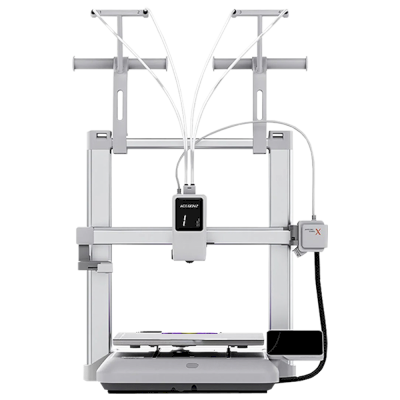
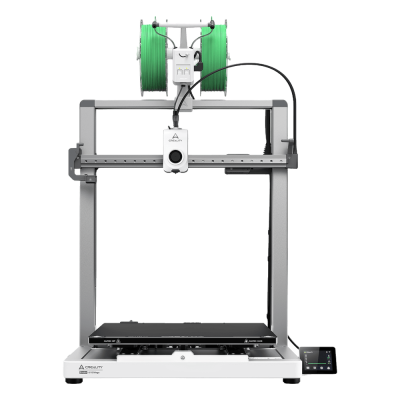
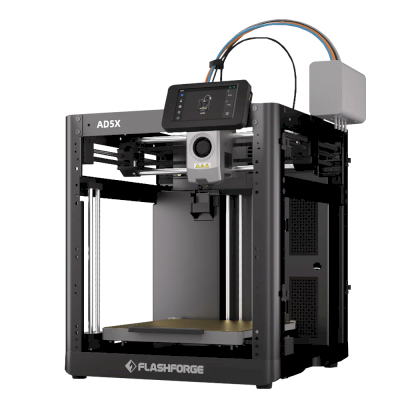
Den Anycubic Kobra 3 Max V2 Combo mit ähnlichen Druckern vergleichen
Drucker desselben Herstellers in ähnlicher Größe, die dieselben technischen Materialien drucken oder wie dieser Drucker mehrere Materialien verarbeiten und heute erhältlich sind. Vergleiche bis zu vier direkt anhand ihrer Daten und Verbindungsarten.
Wer den Anycubic Kobra 3 Max V2 Combo herstellt und wie offen Anycubic ist: ob die Drucker ohne eigene Cloud funktionieren, beliebiges Filament und jeden Slicer akzeptieren und repariert werden können. Jeder Bereich wird anhand öffentlicher Quellen bewertet.
Offenheit: Gemischt (3.0 von 5)
Gemischt
Abgeschlossenes ÖkosystemÖffnen
Anycubic is a Chinese 3D printer maker founded in 2015. It sells the Kobra line of FDM printers, including the enclosed Kobra S1 and S1 Max, the large Kobra 3 Max and the low-cost Kobra X, the ACE Pro multi-material unit and Photon resin printers. Its printers are aimed at hobbyists and home users at budget to mid-range prices.
Gegründet:
2015 ·
Hauptsitz:
China (its global store is run by Hongkong Anycubic Technology Co., Limited) ·
Website:www.anycubic.com
Anycubic is mixed: its printers work locally in LAN mode, take third-party filament and slicers, and have spare parts and guides, but its published firmware source leaves proprietary parts closed, custom firmware is unsupported, and its cloud had a security incident in 2024.
Firmware und angepasste Firmware ●●●●●
The Kobra 3, 3 Max and S1 run Klipper-go, Anycubic's Go port of Klipper. Anycubic published its source with the kernel and U-Boot under GPL, for the Kobra 3 in October 2024 and for the wider family in October 2025, but says some proprietary features are kept closed, and that modifying the firmware voids the warranty. The community project Rinkhals adds Fluidd, Mainsail and SSH, and reports that the newer Kobra X only accepts signed updates.
[1][2][3]
Lokale Steuerung und Integrationen ●●●●●
LAN mode lets Anycubic Slicer Next send prints, show progress and stream video on the local network without an account, and the S1's firmware 2.5.9.9 added sending from OrcaSlicer. With LAN mode on, the cloud, the app and AI failure detection are off, and the S1 must leave LAN mode and be bound to an account to update its firmware. Anycubic documents no local API for other software; Moonraker, Fluidd and Mainsail come only with the community firmware Rinkhals.
[4][5][3]
Filament, Slicer und Teile von Drittanbietern ●●●●●
Third-party filament works. Anycubic Slicer Next is an open-source OrcaSlicer fork, and recent firmware accepts files sent from OrcaSlicer. Hotends, extruders and many other parts are model-specific Anycubic parts.
[6][5][7]
Reparaturen und Ersatzteile ●●●●●
Anycubic's store sells hotends, extruders, motherboards, heated beds, motors and screens, and its wiki has replacement guides for current models, for example the Kobra S1 Max XY motors and the Kobra X Y-axis motor.
[7][8][9]
Daten und Datenschutz ●●●●●
LAN mode keeps data on the local network, but the app and cloud need an account. Anycubic's privacy policy allows broad collection, including product usage, device signals and nearby Wi-Fi access points, and storage in the United States. In February 2024 a flaw in its cloud MQTT server let a third party push a file to Kobra 2 printers; Anycubic apologised and patched it.
[10][11][4]
Community und Dokumentation ●●●●●
Active user community and a wiki with guides and error codes for each model. Source releases leave proprietary parts closed, and custom firmware is a community effort.
[4][2][3]
Vorteile
Budget to mid-range prices, with multi-colour Combo bundles.
LAN mode works without an account.
Spare parts and replacement guides for current models.
Open-source slicer, and third-party filament works.
Nachteile
Published firmware source leaves some features closed; modifying firmware voids the warranty.
LAN mode turns off the app, cloud and AI failure detection, and firmware updates need the cloud.
The privacy policy allows broad data collection.
Its cloud was used to push files to printers in 2024 (fixed).
Erfolgsbilanz
Oktober 2025: Anycubic published Klipper-go, its Go port of Klipper, as a standalone project for the Kobra 3, Kobra 3 V2, Kobra 3 Max and Kobra S1, with the MCU firmware, Linux kernel and U-Boot sources, on GitHub under GPL-3.0. It says some proprietary features remain closed.
[2][12]
Oktober 2024: Anycubic published the Kobra 3 firmware sources (Klipper-go, MCU firmware, Linux kernel and U-Boot) on GitHub under GPL-3.0.
[1]
Februar 2024: A third party used a vulnerability in Anycubic's cloud MQTT server to make Kobra 2 Pro/Plus/Max printers download a file named 'hacked_machine_readme.gcode'. Anycubic counted 237 affected printers and over 2,000 that received the file, apologised for its late response, tightened cloud authorisation and released a firmware fix.
[11]
Recherchiert anhand von 14 Quellen, zuletzt geprüft am 18. Oktober 2026. Quellen anzeigen
Wie Anycubic im Vergleich zu allen anderen Marken abschneidet und welche Drucker wir kaufen würden: die besten 3D-Drucker 2026.
Häufig gestellte Fragen
Ist Anycubic Kobra 3 Max V2 Combo mit SimplyPrint kompatibel?
Sehr wahrscheinlich. Wir erwarten, dass sich der Anycubic Kobra 3 Max V2 Combo über SimplyPrint Client mit SimplyPrint verbindet, aber bisher hat es niemand bestätigt. Wenn du einen hast, zeigt die Einrichtungsanleitung in wenigen Minuten, ob es funktioniert, und deine Antwort bestätigt es für alle.
Wie verbinde ich den Anycubic Kobra 3 Max V2 Combo mit SimplyPrint?
Folge unserer Schritt-für-Schritt-Anleitung für den Anycubic Kobra 3 Max V2 Combo. Sie zeigt dir, wie du ihn über SimplyPrint Client verbindest, was du jeweils brauchst und welche Methode du wählen solltest.
Welchen Slicer sollte ich für den Anycubic Kobra 3 Max V2 Combo verwenden?
Cura, PrusaSlicer und OrcaSlicer funktionieren alle mit dem Anycubic Kobra 3 Max V2 Combo. Du kannst jeden davon im Online-Browser-Slicer von SimplyPrint ausführen, ohne Installation und auf jedem Gerät.
Kann ich OrcaSlicer mit dem Anycubic Kobra 3 Max V2 Combo nutzen?
Ja, aber OrcaSlicer hat unseres Wissens kein integriertes Profil für den Anycubic Kobra 3 Max V2 Combo: Starte mit dem Profil eines ähnlichen Druckers und passe Druckbettgröße, Höhe und Düse an.
Welches Filament kann Anycubic Kobra 3 Max V2 Combo drucken?
Anycubic führt PLA, PETG und TPU und flexible Materialien für Kobra 3 Max V2 Combo auf.
Funktioniert der Anycubic Kobra 3 Max V2 Combo mit OctoPrint oder Klipper?
Soweit wir wissen, nicht, aber du brauchst beides nicht: SimplyPrint verbindet sich über SimplyPrint Client mit dem Anycubic Kobra 3 Max V2 Combo.
Wie groß sind Druckbett und Bauraum von Anycubic Kobra 3 Max V2 Combo?
Der Anycubic Kobra 3 Max V2 Combo hat ein Druckbett von 420 x 420 mm und druckt bis zu 500 mm hoch, mit einem Bauvolumen von etwa 420 x 420 x 500 mm. Die vollständige Tabelle oben enthält Bettart, Temperaturen und mehr.
Wann erschien Anycubic Kobra 3 Max V2 Combo?
Anycubic brachte Kobra 3 Max V2 Combo im September 2026 auf den Markt.
Kann der Anycubic Kobra 3 Max V2 Combo Drucke automatisch auswerfen?
Dafür gibt es noch kein unterstütztes Kit, aber AutoPrint von SimplyPrint kann Drucke mit dem Druckkopf herunterschieben oder deinen eigenen Auswurf-G-Code ausführen und danach den nächsten Auftrag aus deiner Warteschlange starten.
Wo kann ich den Anycubic Kobra 3 Max V2 Combo kaufen?
Über den eigenen Shop von Anycubic, der Shops für die USA und überall sonst hat. Die Links auf dieser Seite führen zu diesen Shops. Einige sind Affiliate-Links, daher erhalten wir möglicherweise eine Provision, ohne Mehrkosten für dich.
Affiliate-Hinweis: Einige Links auf dieser Seite sind Affiliate-Links. Bei einem Kauf erhalten wir möglicherweise eine Provision, ohne Mehrkosten für dich. Als Amazon-Partner verdienen wir an qualifizierten Käufen.
 China
China

 SimplyPrint Client


 PrusaSlicer
 OrcaSlicer
 BambuStudio
 ElegooSlicer
 CrealityPrint
 Cura
Cura Kiri:Moto


 Am besten für USA: Shop von Anycubic für die USA