

Hey SimplyPrint'ers! 👋
We just shipped one of the biggest releases we've ever put out. This one touches almost every part of the platform — and your base subscription price isn't going up with this release. New plans landed, billing got fairer, and there's a stack of things coming over the next couple of months that we're genuinely excited about.
Grab a coffee. Here's the round-up.
Quick version
If you only have 60 seconds:
- Your base subscription price isn't increasing in this release.
- Pro now includes 1 AutoPrint license.
- AI Failure Detection is out of beta, with 12 free hours/month for every account.
- Fair Billing — inactive billable printer slots and user seats now credit back automatically.
- Added Cloud Slicer and Filament Manager plans - unlocking all paid features for one tool, at a cheaper pricepoint.
- The Free plan is not changing - we're not getting rid of it, it is not losing any of the free Cloud Slicer or Filament Manager features in any existing plans
- Schools can now self-sign up — no contact needed.
- Enterprise is now available for larger, compliance-heavy teams.
- More on what's coming: Print Queue v2, Projects + Shop, and more.
Read on for the details.
Fair billing — credits back what you're not actively using
This one is, we think, a quiet little gift to our paying users.
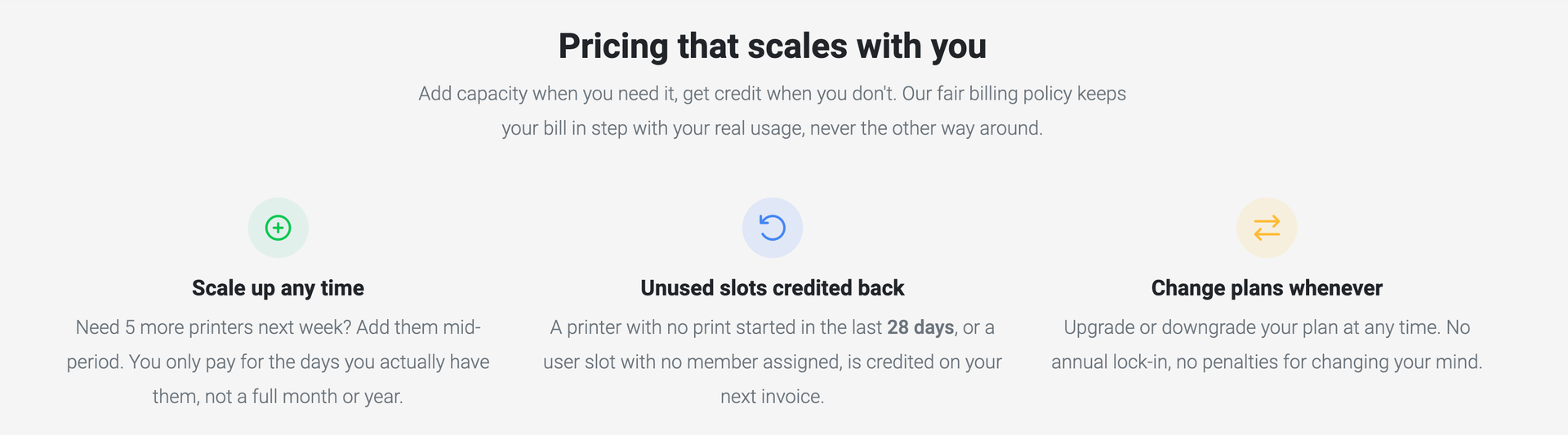
We've always believed something simple: we never want anyone to pay for SimplyPrint who isn't actually getting value from it. It's why we've offered a 30-day money-back guarantee since forever. It almost never gets used — which we take as a good sign — but the principle matters.
Fair Billing takes that principle one step further. Three ways your bill now gets credited back automatically, every period:
- Idle printers (28+ days). A printer that hasn't printed anything for 28 days is automatically flagged inactive and stops consuming a paid printer slot. The clock resets as soon as a print is queued, started, or finished — fire it back up and it counts as active again.
- Unused paid printer slots. If you've paid for 10 extra printer slots but only have 8 printers actually using them, the unused 2 accrue credit, period.
- Empty paid user seats. If you've paid for 5 extra user seats but only 3 are filled, the unused 2 accrue credit.
The credit is pro-rated to the second across your billing period. If a printer sat idle for the last week of the month, you get credited for that week — not the whole month, not zero. Fair both ways. And the credit is capped at what you actually paid for those slots during the period, so list-price changes don't shift the math against you.
It's applied as a line item on your next invoice, automatically. Nothing to claim, no support ticket, no fine print. You can see your projected credit live in Settings → Subscription, broken down by category.
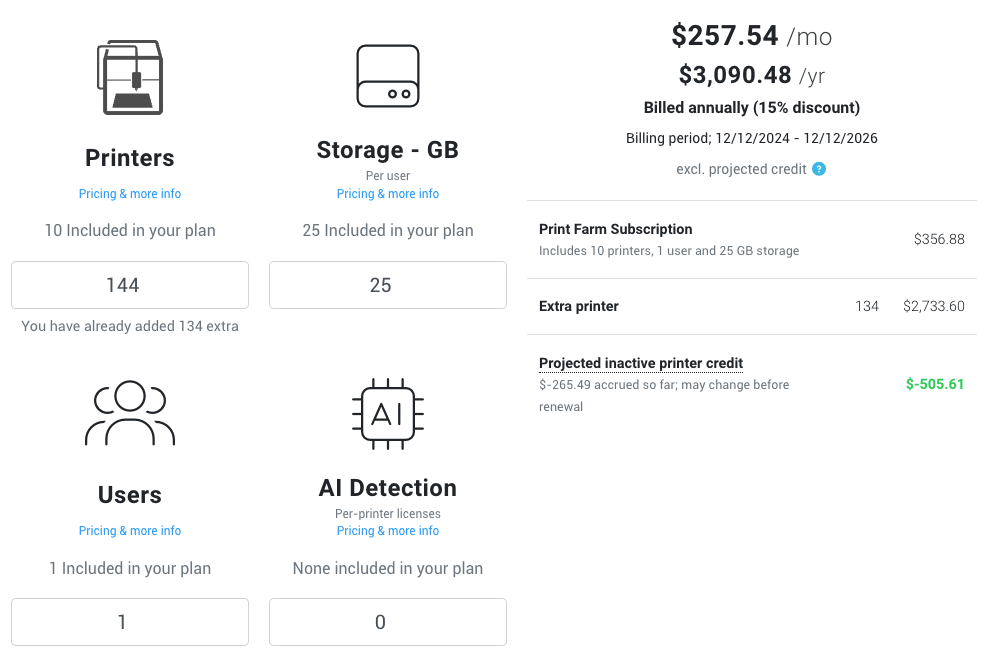
A real example. You run a 25-printer farm. During a slow month between batches, 3 of your printers sit idle for the back half of the period. Fair Billing puts the cost of those 3 slots back on your next invoice — pro-rated to exactly how long they were idle. Real money. Not store credit. Off your bill.
If you know a printer is going to be idle (down for repair, off-season, between materials) you can manually flag it inactive from the printer inactivity manager in Settings → Subscription — credit starts accruing right away rather than waiting 28 days.
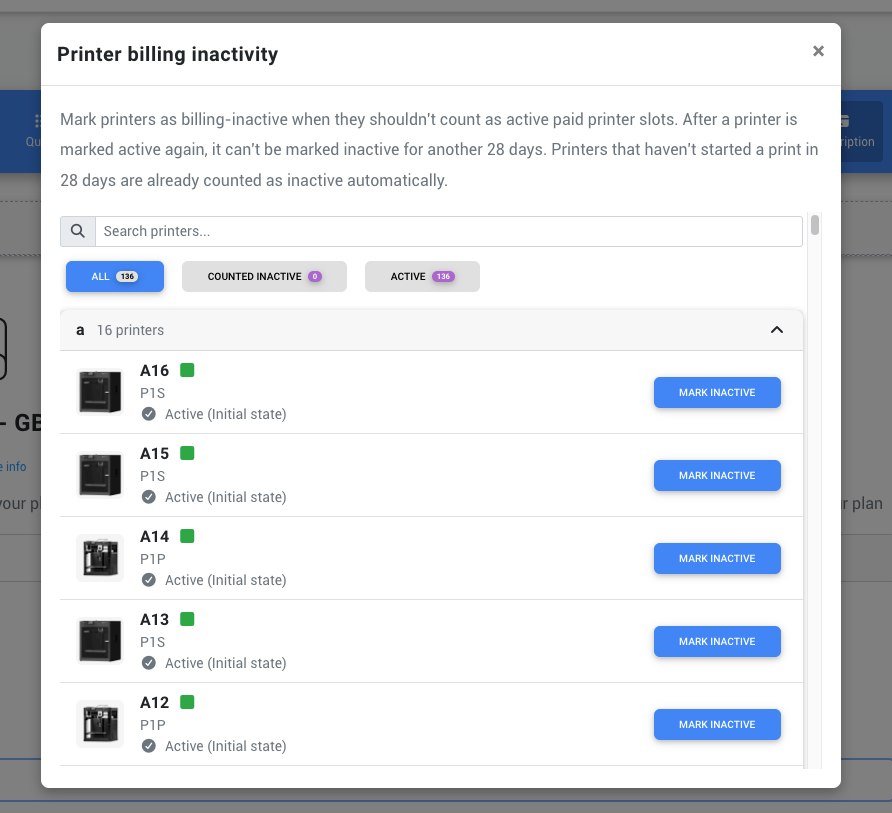
Read the full Fair Billing guide →
We know print farms don't always run at full tilt year-round. Seasonal swings, slow months, projects ramping up and down, certain printers only needed for specific materials. This is for you. If you're running half your fleet for a stretch, you pay for half your fleet for that stretch.
We're keeping our prices where they are, and giving back what you weren't actually using. We think that's fair.
A little taste of AutoPrint, now on Pro
This one needs some context.
AutoPrint is the feature that lets your printer pull jobs from your queue and run them back-to-back automatically — with our AI Bed Check verifying the bed is clear between each one. It's one of the most-requested features we've ever shipped, and historically it's been on Print Farm only.
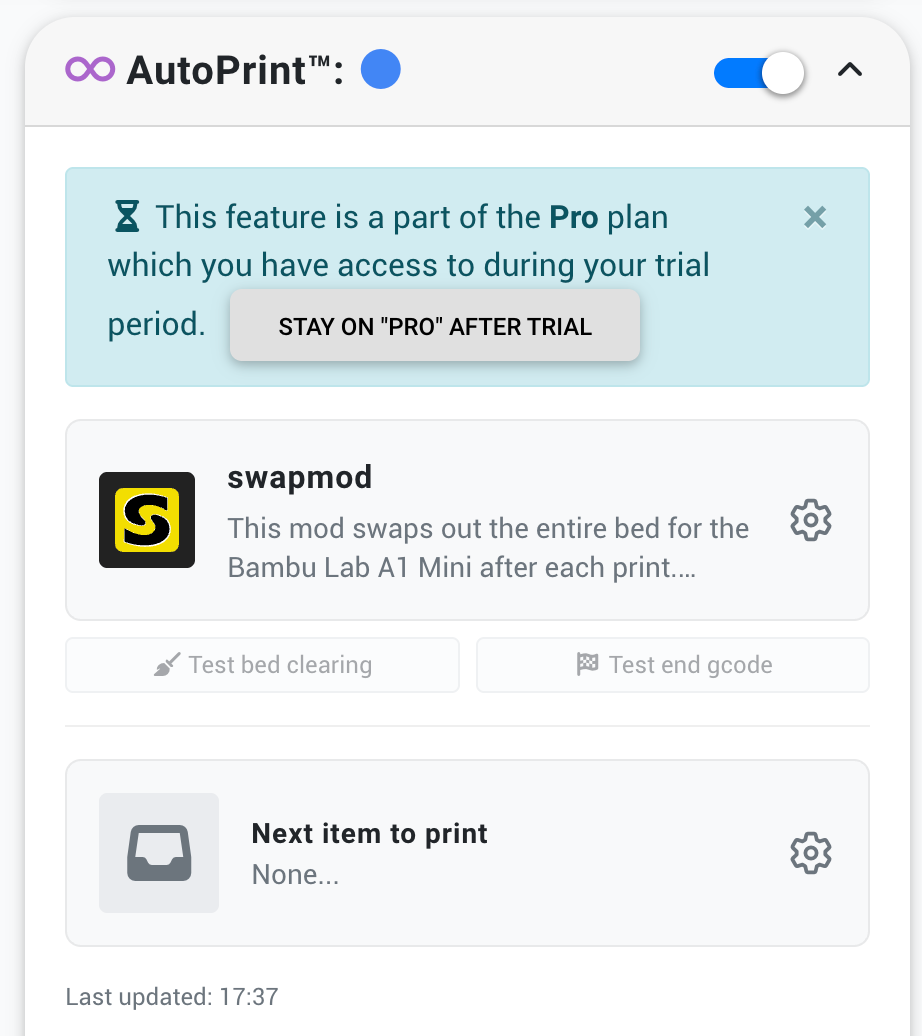
In this release, Pro now includes 1 AutoPrint license, with the option to add up to 5 total at $3/mo each.
The AI Bed Check is what makes unattended printing actually safe — it spots a clogged extruder skirt, a stuck part, or a foreign object before the next print starts and pauses the cycle for you instead of plowing through.
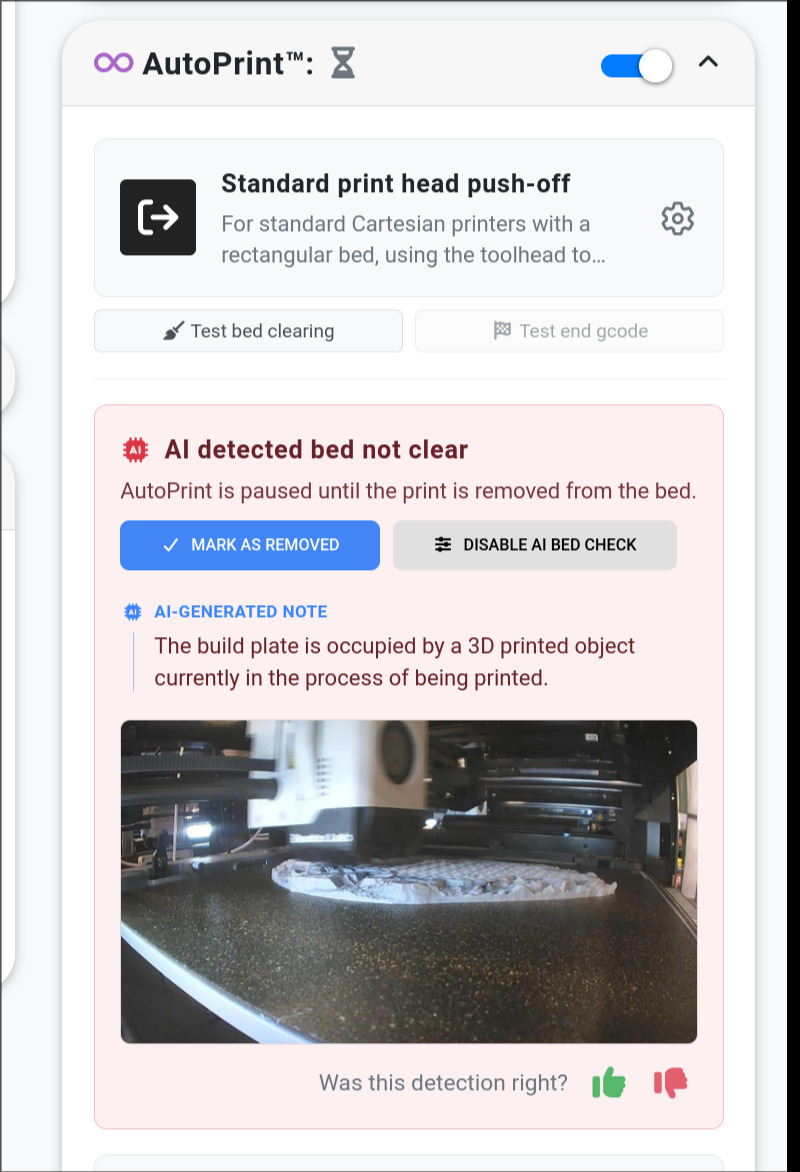
Here's the framing: this is for the Free or Basic user who's been wanting AutoPrint but Print Farm felt like a lot to commit to. If you've got one or two printers, you've been doing unattended prints the hard way, and the full Print Farm tier didn't fit your scale — we got you. Pro at $9.99/mo is now the lowest tier where you can get AutoPrint, and the included license covers one printer at a time.
If you're running a real farm, Print Farm is still where you want to be: unlimited AutoPrint licenses, the full Maintenance system, higher capacity, human Live Chat. Pro is the taste; Print Farm is the meal.
Two new single-tool plans: Cloud Slicer and Filament Manager
Heads up: this isn't a Free plan change. Filament tracking, queue, slicing, AI surveillance hours (12h/mo) are all still on Free. The new single-tool plans are an alternative if you want just one piece and nothing else.
This one has been brewing for a while.
SimplyPrint has grown into a big platform. We do printer management, queue management, AutoPrint, AI surveillance, filament tracking, cloud slicing, maintenance, integrations, and more. For most of you running printers, that whole ecosystem is the point.
But some of you have told us, repeatedly: "I love your Filament Manager, but I don't need the rest" — or "your Cloud Slicer is the only piece I use, and paying for printer-management features I'll never touch doesn't feel great."
Fair point. So we built two single-tool plans:
- ✨ Cloud Slicer — $4.99/mo. Slice 3D files in our cloud from anywhere, with profiles and browser-based slicing. No SimplyPrint ecosystem plan required.
- ✨ Filament Manager — $5.99/mo. The full filament and spool management system standalone — spools, locations, weight tracking, drying, labels, and more.
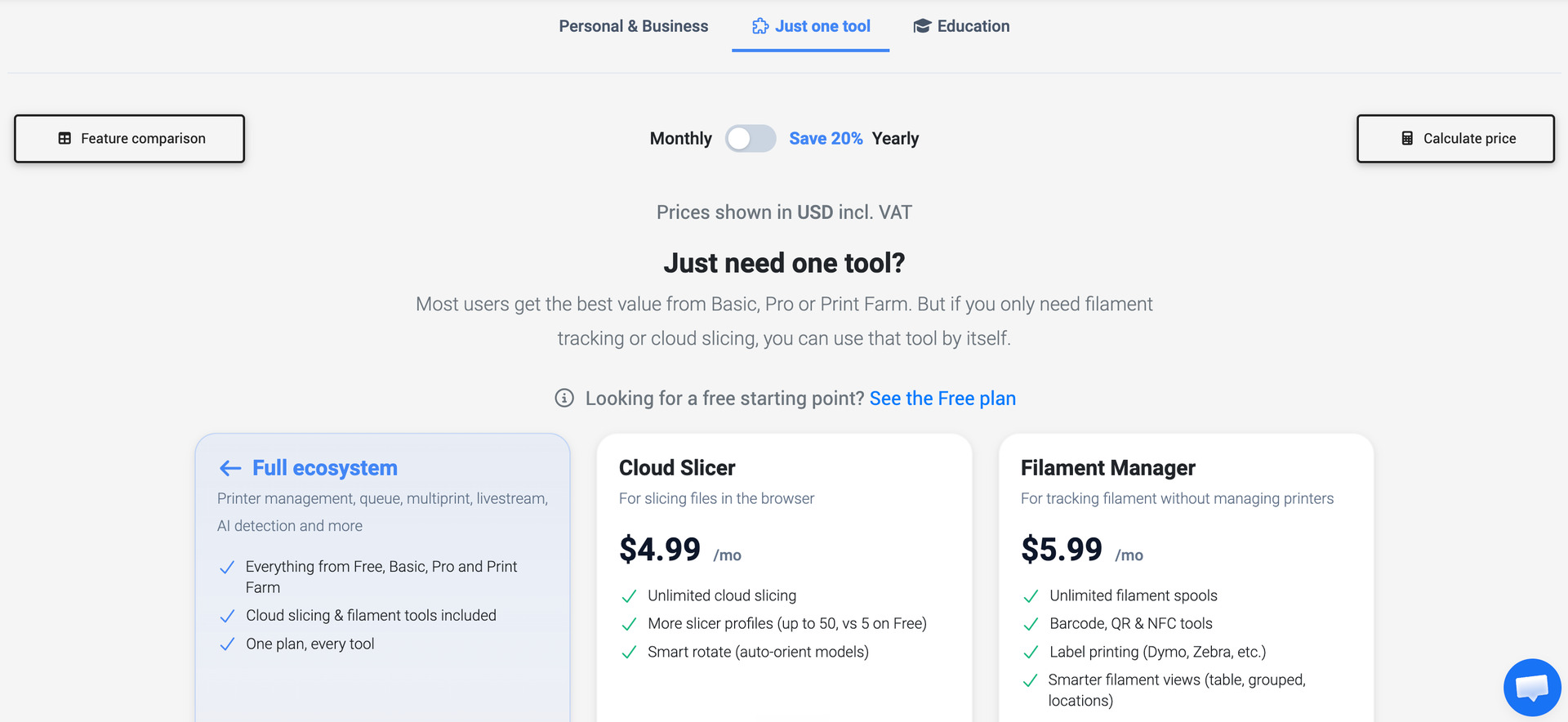
Each one stands on its own. Buy just the piece you want.
When you sign up now (or open Settings → General if you're already a user), you'll see a new What are you using SimplyPrint for? picker:
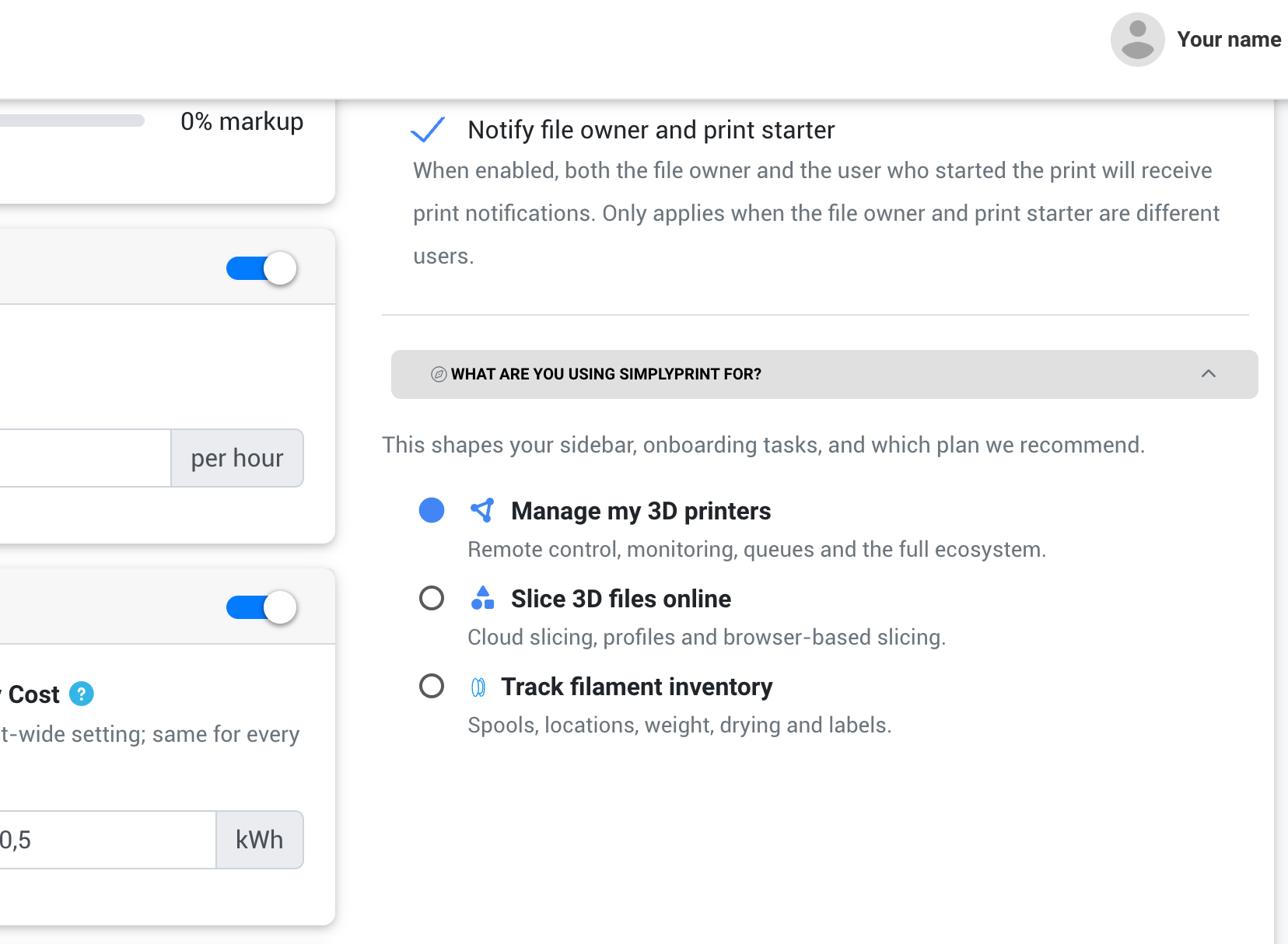
Three options:
- Manage my 3D printers — the default, full ecosystem
- Slice 3D files online — Cloud Slicer focus
- Track filament inventory — Filament Manager focus
Picking a single-tool option changes the UI to focus on that workflow. You can switch anytime from the collapsible card at the bottom-right of Settings → General.
That said: for most of you, the full printer-management ecosystem is still where SimplyPrint shines brightest. The single-tool plans exist for the people who specifically want just one piece — pick what fits.
Both new plans are visible on the pricing page.
AI Failure Detection is out of beta
Our AI Failure Detection — spaghetti / failure / anomaly detection from your printer's camera — is now generally available. The model is simple:
- Every account, on every plan, including Free, gets 12 hours of AI surveillance per month at no charge.
- Beyond that, you can buy AI Surveillance licenses without changing plans. One license = one printer actively under AI surveillance at a time, moveable between printers freely.
That last part is important: you don't need to upgrade your plan to get more AI surveillance. Buy licenses à la carte if and when you need them.
If you were testing during the beta with 20 free licenses, that's wrapping up — but everyone is moving onto a much fairer, more predictable model going forward. We know this is a change for heavy beta users, but the beta pricing was never meant to be the permanent model — and 12 free hours/month for everyone is a meaningful upgrade from where the platform was before the beta.
Schools and education — you can now self-signup
Big change for teachers, lab managers, university makerspace staff, and anyone running SimplyPrint in an educational setting.
You no longer need to contact us first. We've built a proper self-serve signup flow for educational institutions, with an institution lookup so we can verify you fast.
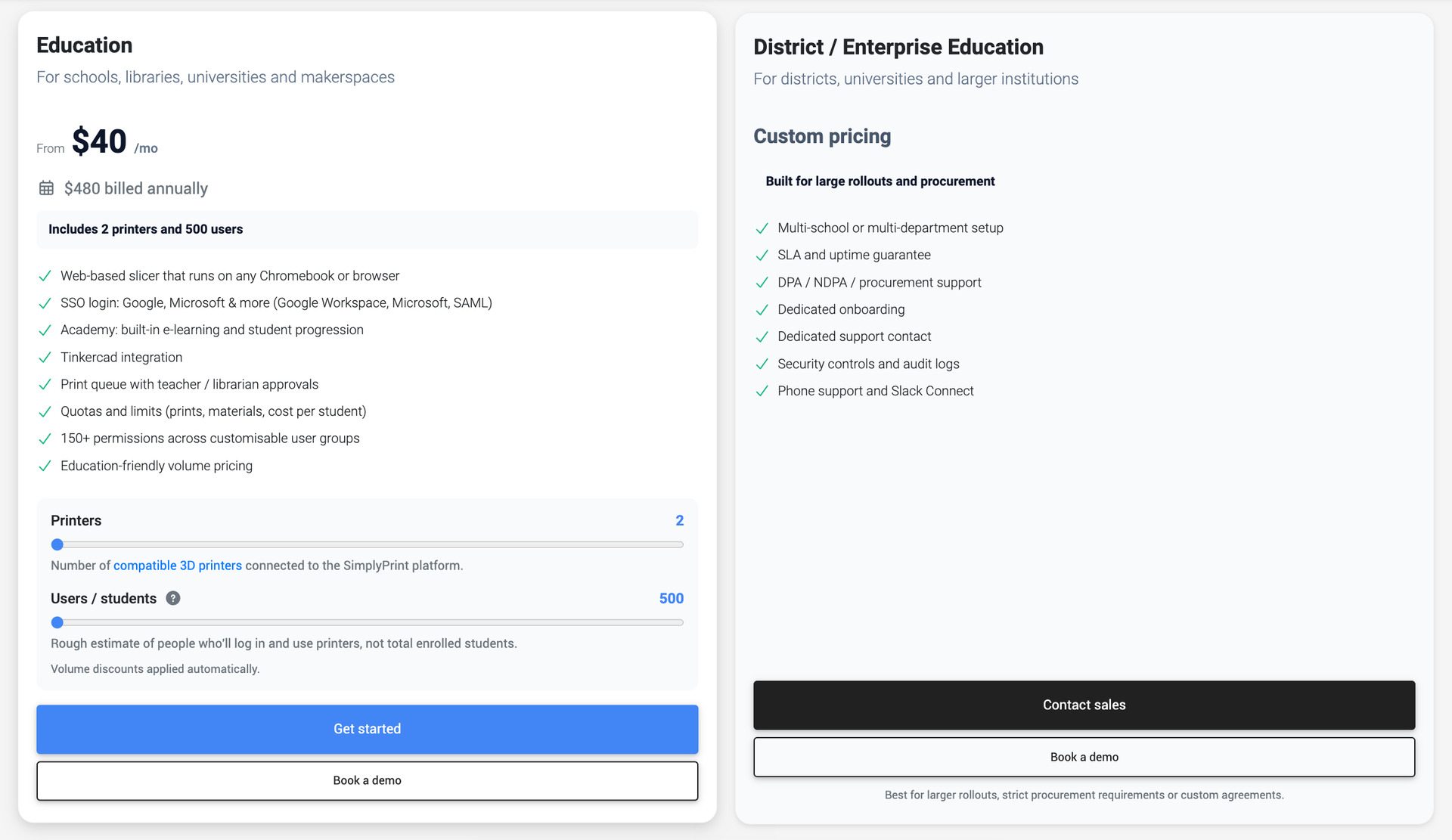
The School plan starts at $40/mo and includes the things schools actually need: data processing agreement (DPA) you can sign yourself, audit logs of who-did-what, usage policies (admin-defined rate and material limits across the org), and the higher user capacity to handle a real classroom or department.
Sign up directly from the pricing page and pick "Sign up as a school." If you're in a region where one of our resellers handles education, you'll be routed to them instead — no extra steps.
The new Enterprise plan
For the largest, most compliance-heavy operations, we've introduced an Enterprise tier. This is for orgs running production fleets in regulated environments, service bureaus operating under SLAs with their own customers, or any operation where IT and security oversight is part of the deal.
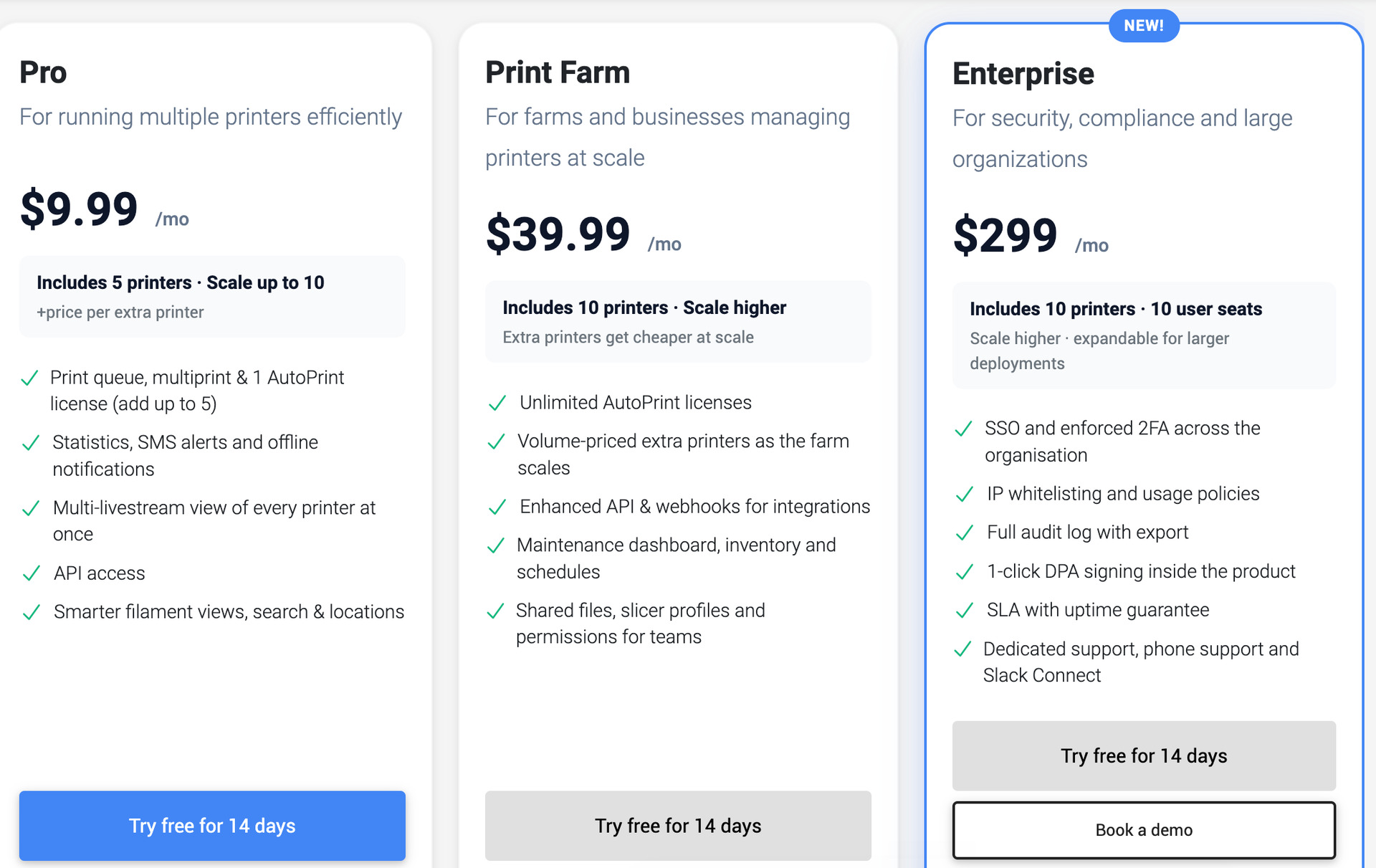
Everything in this tier:
- ✨ SSO (single sign-on)
- ✨ 1-click DPA — download, sign, store
- ✨ User and action audit log — exportable
- ✨ Usage policies — admin-defined rate and material limits
- ✨ IP allowlisting — restrict access to known networks
- ✨ Require 2FA — enforce two-factor across the entire org
- ✨ Service Level Agreement — uptime contract
- ✨ Priority support, dedicated account manager, phone support
- ✨ Slack Connect channel for direct line to our team
- ✨ 10 user seats included
Who is this actually for? What do these things mean?
If these features feel like alphabet soup — totally fair. Quick translation:
- SSO — log in with your company Google / Microsoft / Okta account, not a separate password.
- DPA — a legal doc your privacy/legal team wants on file from any vendor processing data for you. Now self-serve.
- Audit log — complete record of who did what in your account, exportable. Required for many compliance frameworks.
- Usage policies — admin-set limits on what team members can do (material caps, print duration caps, etc.).
- IP allowlisting — restrict logins to your office network or VPN.
- Require 2FA — enforce two-factor across the whole org, no opt-out.
- SLA — written uptime contract with stated consequences if we miss it.
- Priority support / dedicated account manager / phone support — front of queue, a named person on our side, a phone line.
If none of these matter for how you operate, Enterprise is not for you — Print Farm or below is the right home. If two or three are non-negotiable for your customers or compliance team, book a call and we'll figure out the fit.
Manage multiple locations under one login
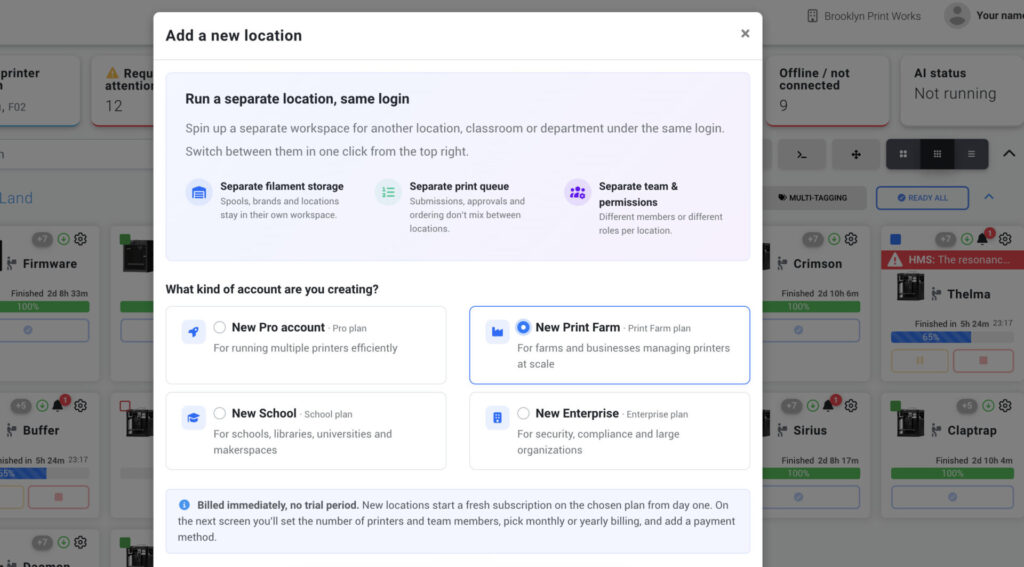
Running more than one location? A second classroom, a satellite makerspace, a different shop floor? Now you can spin up a second account under the same login — no logging out, no second email needed.
Each location is its own SimplyPrint account: its own printers, its own filament inventory, its own print queue, and its own users. They're fully separated for billing and management, but the same person can be a member of all of them. So a multi-site operator can hop between locations from the topbar, no friction.
A lot of farms and schools have asked for this.
A reworked pricing page
The pricing page got a full overhaul. New plans, new feature-comparison table with a "show differences only" filter, all currencies surfaced cleanly. If you haven't looked at it in a while, it'll feel different.
Billing housekeeping
A few changes worth knowing:
- Charges now appear in your invoice currency. Until now we always charged in Danish kroner (DKK) (because we're a Danish company) and your bank converted that. From today, if your account shows USD, we charge in USD — same for EUR, GBP, CAD, AUD. Same amount; no more FX-spread surprises on your statement.
- Currency is set per account at signup, tied to your billing country. If you genuinely need to switch — moved, business now bills in a different currency — reply to us. We'll handle it case by case (subject to balance and open-invoice rules).
- AmazonPay, RevolutPay, and SEPA Direct Debit are now supported alongside card, PayPal, and invoice.
How support channels map to plans
We're also tightening how support channels map to plans. As SimplyPrint grows — we're 4 people supporting 85,000+ users — we need to keep human support focused where it's most needed, while making our AI Agent, docs, Discord, and email support better for everyone.
In short:
- AI Agent in-app, 24/7 — every plan, including Free
- Discord community — every plan
- Email support — Pro and up
- Human Live Chat — Print Farm and up (fair-use; business hours)
- Phone support and a dedicated account manager — Enterprise
The goal isn't to make support worse. It's to make sure the right help gets to the right place sustainably — so we can keep building SimplyPrint at the pace you've been enjoying.
A few other things in this release
Quick hits:
- ✨ More transparency around account access. When a SimplyPrint team member accesses your account to help with a support request, that access has always been logged on our side. Those logs are now visible to you, too — in the new Data & Security tab, showing who accessed the account, when, and why.
- ✨ Custom Fields for printers and users — out of beta. Add any data you want to your printers or users, surface it in tables, search it.
- ✨ Better Bambu Lab support — FarmLoop v2.5 with P1/P2/X1 stage 1+2 pipeline, AMS-less multi-material slicing fixes, BambuStudio engine refresh, bed-type clustering for Bambu plates.
- ✨ The graduated discount on extra printers / extra users has been corrected. The old uniform-discount math had an issue where crossing certain tier boundaries actually made your bill cheaper per unit than it should have been. The new marginal-tier math fixes that: your total always goes up as you add more, never down. Only a small subset of customers see a higher bill under the new math — specifically, accounts that started their first paid subscription before 2026-05-09 and currently have enough extras for the new math to cost more. Everyone else (including long-tenured accounts with no qualifying extras) is on the new math already. Affected accounts stay on the legacy math until 2027-05-21, and they see a live banner in Settings → Subscription with their exact current cost, projected new cost, and per-month delta — with sliders that update as they drag. If you don't see a banner there, you're already on the new math and nothing changes. Worst case under the new math caps at around +$21/mo for the very largest fleets. No price increase from us today. Full details in the graduated discount guide.
- Terms of Service updated 2026-05-07 — you'll see a quick re-accept prompt on next login. Mostly clarifies support-channel tiers and billing currencies.
What we've shipped lately
In case you've been heads-down on prints, here's what landed before this release that you may have missed:
- ✨ Maintenance — brand-new maintenance system: jobs, problems, schedules, and templates, all in one place (Print Farm plan and up)
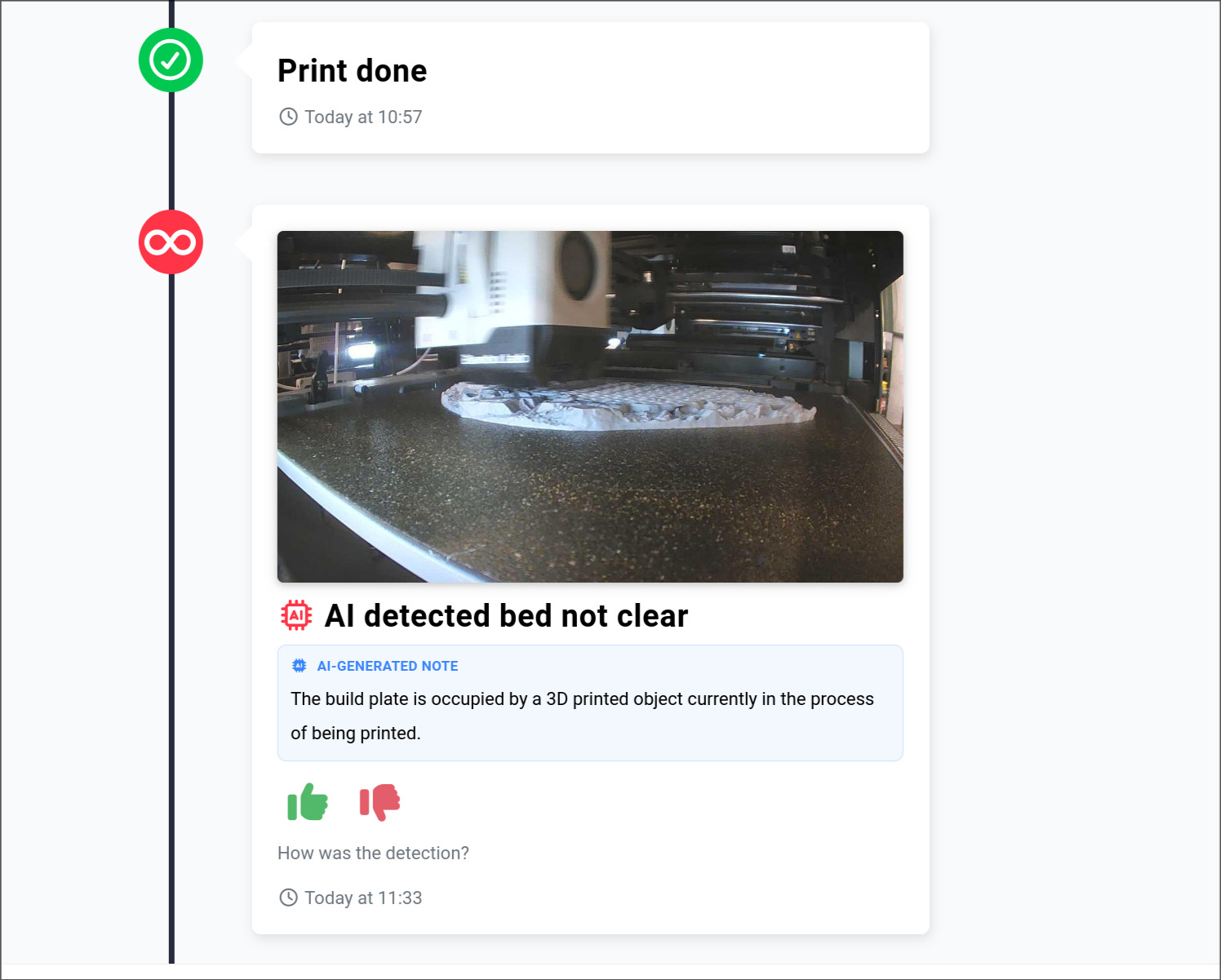
- ✨ AutoPrint v2 — much smarter unattended-print handling, much improved AI Bed Check, better warning handling on max-prints and timeouts. When the bed isn't clear, you see exactly why in your print history:
- ✨ Filament Manager v2 — the rewrite that made it standalone-worthy (and is now its own plan)
- ✨ Cloud Slicer — about a year live now, and also its own plan in this release
If you haven't logged in for a while, the place looks pretty different.
What's coming next
We're not slowing down. Here's what's actively cooking — timelines are our best guess right now and may shift, but the direction is real:
Print Queue v2 — targeting the next couple of weeks
A full overhaul of the print queue. Better visualisation, smarter scheduling, faster everything. This one lands first.
Projects + Shop integration
This is the big one. Projects lets you queue a project — multiple files or plates — instead of just a single file. You can have one project in the queue that's destined for whichever printer is available first, even if those printers need different slicings of the file. We handle the auto-slicing, or you upload the per-model slices yourself.
Practical example: you have a part that fits on both a Bambu Lab A1 and a Bambu Lab A1 Mini. Today you'd queue one or the other. With Projects, you queue the project, and whichever printer is free first picks it up, sliced correctly for its specific model.
This also paves the way for the Shop integration. Projects become products. Link a project to an SKU in Etsy, Shopify, WooCommerce, or your own shop, and when an order comes in, it slots into your queue automatically.
This is one of the most upvoted items in our suggestion box — thanks to everyone who voted it up. We'll be in our Discord looking for beta testers pretty soon. If you want first access, hang out there.
Bambu Lab feature catch-up
Bambu printers are getting chamber temperature, light, and more fan controls support, properly integrated into SimplyPrint. Coming very soon.
Automation: Zapier, n8n, Activepieces, and AI MCP
Currently in beta. Automate SimplyPrint from wherever your workflow already lives. Rolling out to paid plans over the coming weeks.
And finally
We just shipped our brand-new Maintenance system. Then AutoPrint v2. Now this release — new plans, fair billing, AI Failure Detection out of beta, Enterprise, multi-location, a redone pricing page. And a roadmap full of things you've been asking for.
Thanks for being here. We can't build this without you.
Changelog
For the full list of changes, check out our public changelog:
- Albert @ SimplyPrint